
KOPLAYER is an Android emulator for Windows
KOPLAYER is a free Android emulator which allows mobile gaming on your PC’s desktop. It’s a bulky 300MB download -- VirtualBox and an Android image, mostly -- but installs easily enough, and within a minute or two your virtual Android device appears.
KOPLAYER opens with a quick tutorial, explaining some of its basics. We would have liked more detail, but even this level of documentation is more than you get with some of the competition.

Squeaky Mouse plays WAVs when you click mouse buttons
Squeaky Mouse is a quirky Windows application which plays custom WAV files when you click specific mouse buttons. This could be useful audio feedback for anyone who can’t clearly see the mouse, perhaps because they’re visually impaired, or they’re some distance away, perhaps watching an in-person software demonstration.
Or you could just use it to really, really, really annoy someone.

Cryptomator: free client-side encryption for your cloud files
Keeping your data in the cloud offers some protection against disaster, but also brings privacy issues: could anyone else access your files?
Cryptomator provides transparent, client-side encryption to keep your data safe, and allows access on Windows, Mac, Linux, iOS (a $4.99 commercial app), and via Java (Android is "coming soon").

Take full control of your PC’s sleep modes with Stand-Bye!
Stand-Bye! is a free tool which suspends your PC when it’s idle, saving energy and extending battery life. This starts much like Windows, with a simple "activate standby after x minutes idle time" setting. Simple.
What’s more interesting is that Stand-Bye! gives you complete control over how "idle time" is defined.

Listary 5.0 is a massive update
The powerful search tool/ launcher Listary has hit version 5.0 with a huge list of major new features. You can now use Listary to run searches on your favorite websites, with the results opening in a new browser page.
A smarter launcher is able to launch Windows 8/ 10 apps, and run desktop applications as an administrator, even when Listary is launched normally.

CyberDuck 5 brings back Google Drive support, tweaks Mac user interface
Swiss open-source cloud-storage browser Cyberduck 5.0 has been released for Mac and Windows. The tool provides a friendly front-end for browsing a variety of different cloud servers, including FTP/SFTP, WebDAV, Amazon S3 and Google Cloud Space.
Version 5.0 sees the program get a minor facelift on the Mac platform, plus it adds support for two extra storage providers, including Google Drive, support for which had previously been dropped.
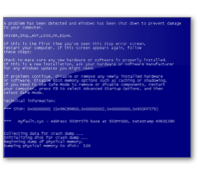
Three software testing tools you didn't know you needed
Some software is easy to test. Downloaded a new editor? Open a few supported file types, check they’re displayed correctly, rework them, create documents from scratch: simple. System utilities are more of a challenge. Can your PC optimizer really handle a memory leak? Or an application using too many resources? And is your file unlocker really up to the job?
This kind of low-level testing is hard to carry out on your own, but there are a few specialist tools which can help, if you’re careful.

View, edit and process CSV files with CSV Buddy
CSV sounds like it should be a simple file format. Every data field separated by a comma, one record per line -- what could possibly go wrong? Quite a lot, unfortunately. Fields might be separated by other characters, use different encapsulators ("string markers"), include line breaks, not include a header, have some custom encoding, and more.
CSV Buddy is a free tool which opens just about any CSV file, and allows you to alter its header, separator, encapsulator and encoding, as well as edit individual records, and generally view, sort, filter and browse your data.

SaMotion is a free portable to-do list manager
SaMotion is a portable freeware to-do list manager, with a strong focus on simplicity. The interface is, well, minimalist: a tiny toolbar, and a small work area with an "Add Category" link.
Categories and tasks (or main and subtasks) are entered by moving the mouse cursor into the left (categories) or middle (tasks) of the screen, clicking the "Add Category" or "Add Task" links, typing a name, and repeating the process until you’re done.

Bibliovore is a stylish eBook reading app for Windows
Windows 10 has native support for PDF, but if ePub is your preferred reading format then you’ll still need to find a third-party viewer. Bibliovore is a good-looking eBook reader and manager app for Windows 8.1 and later.
The app imports individual ePub and PDF files, and can also scan and open the contents of a folder tree.

Ghostpress keeps you safe from (some?) keyloggers
Ghostpress is a free Windows tool which tries to prevent your keystrokes being recorded by malware. There are many similar programs around, but what makes this one stand out is it’s portable, and so can offer at least some protection when you’re working on other people’s PCs.
Launch the program and a green "Protected" icon shows that everything is working correctly. Neat.

Create your own PC forensics toolkit with AChoir
Need to know what someone’s been doing on a PC? Running some of NirSoft's forensic freeware on a USB key could help you collect enough data to figure it out.
LastActivityView lists recent computer actions, OpenSaveFilesView reports on recently opened and saved files, ExecutedProgramsListdetails the programs they’ve launched, WifiHistoryView shows recent network connections, and the list goes on.

Stop ransomware accessing your files with Privacy Fence
Privacy Fence is a free tool which aims to prevent untrusted applications from accessing your data, blocking threats like ransomware before they can do any harm.
The program starts by building a list of protected file types. Common file types are included by default, and key user folders -- Desktop, Pictures, Videos, Music and so on -- are scanned for other types you might be using. Privacy Fence then starts to build a Trusted Applications list by adding programs currently associated with your file types.

Past is a comprehensive data analysis tool
Read its official description, and Past doesn’t sound like it has much general appeal. "Paleontological Statistics Software" covering "univariate and multivariate statistics, ecological analysis, time series and spatial analysis, morphometrics and stratigraphy". Really? Gulp.
But even though it’s aimed squarely at data analysis experts, Past has some features which could be useful for just about anyone.

Komodo IDE 10 adds Chrome Remote Debugging, PhoneGap/ Cordova integration, new UI
ActiveState Software has released Komodo IDE 10, a major update for the already powerful development environment. New support for Chrome Remote Debugging means there’s no need to keep switching from the IDE to Chrome’s web tools: you can do all your coding and debugging from inside Komodo.
PhoneGap and Cordova integration makes life easier for mobile developers, and it’s not just about switching environments: Komodo provides context-sensitive actions to suit each situation.