
Colour Contrast Analyser is a versatile accessibility checker
Colour Contrast Analyser is an unusual accessibility tool with a couple of useful but very different functions.
The first allows checking text foreground and background colors to determine its legibility. No need to judge by eye any more: the program gives you an objective pass/fail assessment using WCAG 2.0 color contrast success criteria.
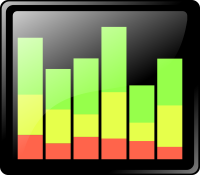
Display live system stats on your taskbar with XMeters
XMeters is a free-for-personal-use system monitor which displays live CPU, RAM, network and drive stats directly on your taskbar. The details include CPU utilization by core, hard drive read and write rates, network upload and download speeds, and free and used RAM.
Right-clicking any of the monitors opens a configuration dialog. You can reorder these items, turn them on or off individually, change their display type (bar, pie or text), set colors and more.

Protect your privacy with Disable Nvidia Telemetry
Microsoft and Windows may get most of the flak for collecting data on its users, but other companies also have issues. Nvidia’s GeForce Experience made headlines last year, thanks to some extensive data collection abilities of its own.
How extensive? Nvidia says “the application collects… hardware configuration, operating system, language, installed games, game settings, game usage, game performance, and current driver version… GeForce Experience does not share any personally identifiable information outside the company (link).”

OutWiker is a versatile personal wiki
OutWiker is a free personal wiki for organizing text notes into a tree structure. The program uses wiki-type notation and its own commands to set up lists, tables, headings and assorted formatting options, insert images and more.
There’s also support for including graphs, diagrams, equations and more. Pages can also have as many attached files as you need.

gInk is a quick and easy screen annotation app
GInk is an open-source Windows application which allows drawing and annotating your screen, then saving the results. The program is a handy way to highlight elements of a screenshot for presentations or demonstrations, or maybe to attach a quick note to a particular area of the screen.
Getting started is easy. There’s no installation required, you can run the program, tap the system tray icon and draw on the screen immediately.

Tad is a smarter CSV and data viewer
Tad is a free cross-platform tool for viewing and analyzing CSV files and tabular data. Open a CSV file and it’s displayed in a simple table. Clicking column headers quickly sorts the data by that field, and you can drag and drop headers to reorder them. That’s useful, but it’s also very familiar.
Fortunately, there’s more.

Firefox 54 extends multiprocess feature to promise faster, more stable browser
Mozilla has released Firefox 54.0 for Windows, Mac and Linux, with Firefox for Android 54.0 due imminently. Firefox 54 focuses largely on one major development: support for multi-content processes, which basically gives Firefox the ability to split itself into multiple system processes for faster, more stable browsing.
The new feature -- project Electrolysis (also referred to as "e10s") has been rolling out slowly since the release of Firefox 48, when a select band of users were given a version of Firefox that could split itself into two processes: one for its user interface, the other for content. That feature has since rolled out to virtually all users.

Blocked from running security software? AVCertClean can help
Malware will often try to block security software from running, and one of the ways it does this is by adding their code signing certificate to Windows’ Untrusted list.
If you try to run a program with an untrusted certificate, Windows displays a message like "this program has been blocked for your protection", or "an administrator has blocked you from running this program." (These messages can also appear for other reasons.)

Organize all your messaging and email services with Rambox
Rambox is a smart tool which enables accessing all your messaging and email services from a single cross-platform Electron-based app.
We really do mean all. The program opens with icons for 90+ supported services: Flock, Gmail, Hangouts, Hootsuite, Hushmail, iCloud Mail, ICQ, LinkedIn Messaging, Outlook, Outlook 365, Pushbullet, Skype, Slack, SquirrelMail, Steam Chat, TweetDeck, WhatsApp, Yahoo! Mail, Yahoo! Messenger, Zimbra and more -- and you can add as many others as you need.
Xonotic is a free and fast arena shooter
Xonotic is a fast-paced arena-style first-person shooter for Windows, Linux and Mac. Powered by a modified version of the Quake engine, the program’s quality graphics and lengthy feature list already outperform some commercial products.
The game is convenient to play as there’s no setup required, and just a single download to cover all platforms. Grab a copy, unzip it and go.

Chrome Delight brings gorgeous time-lapse video to your New Tab page
There’s now a whole library of Chrome extensions which aim to enhance your "new tab" page, typically by importing new wallpaper from sources like Flickr and Shutterstock.
Delight goes a step further, replacing the usual static images with gorgeous time-lapse videos.

Safely clean your Windows Installer folder with PatchCleaner
PatchCleaner is a free tool which can detect and safely remove junk files from the \Windows\Installer folder, potentially freeing up gigabytes of hard drive space.
The folder contains Windows Installer-based setup programs and patch files, and uses these whenever you want to modify or update the software. They should be removed when you uninstall a program, but guess what? This doesn’t always happen.
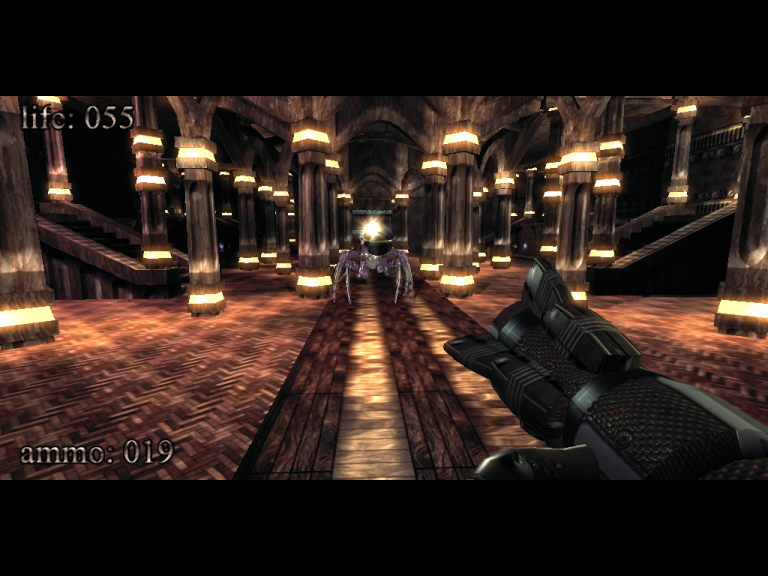
kkrieger: a first-person shooter in under 100KB
Tired of resource-hungry Electron apps hogging vast amounts of system resources for even the simplest task? For a neat reminder that it doesn’t have to be that way, take a look at kkrieger -- a complete first-person shooter in under 100KB.
The program was developed for a programming competition back in 2004, and it looks and feels much like the shooters of the day. You must run around a maze of corridors to a moody soundtrack, picking up guns, ammo, health packs and more, while shooting assorted monsters before they get too close.

Convert digital images to color ASCII art with Image2ASCII
Image2ASCII is an open-source Windows application which converts digital pictures to stylized ASCII art. The program is tiny, and arrives as a stand-alone executable. There’s no installation required, simply download and run it.
Image2ASCII’s interface follows its own rules. It has a couple of boxes for the loaded and converted images, and a bunch of icons, without captions or tooltips, which you have to figure out for yourself.

Find suspect processes, files and settings with ESET SysInspector
ESET SysInspector (32-bit) is a powerful tool for examining the low-level details of a PC, and perhaps spotting malicious files, poorly configured settings and other issues that might be causing you problems.
The program has been around for a long time, but we’ve not looked at it for several years, and as ESET issued a rare update recently we decided to see what it could do on a test Windows 10 laptop.