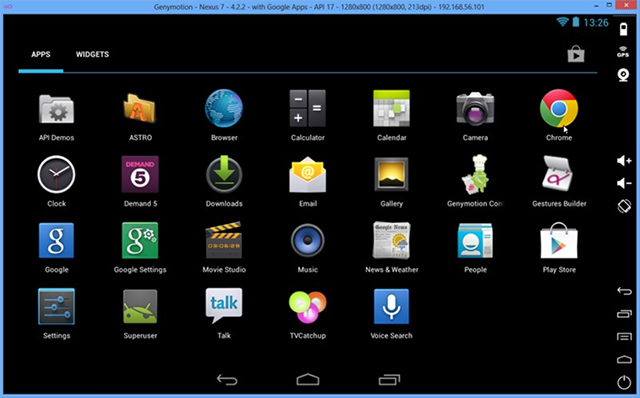
Genymotion lets you emulate Android directly from your desktop
Ever wanted to emulate an Android phone or tablet on your PC or Mac? Perhaps you’re a developer who wants a more convenient way to test code, or you’re looking to demonstrate Android in some way. Or perhaps you’re simply someone who wants to give Android a test run without going the whole hog and spending good money before giving it a whirl?
There’s a simple solution to all of the above -- and that’s to install the free Genymotion 1.3.0 for Windows, Mac and Linux.

Downloadcrew Giveaway: free keys from the big brands for a limited time
As a company which specialises in reviewing the latest software, we occasionally have access to serial codes which we are offered to allocate to our web users. Problem is, how do we allocate these codes, fairly? This resulted in Downloadcrew Giveaway, which was a site created to serve three purposes: allocate serial codes as part of a full software giveaway, enable users to enter a ballot to win a serial code and to present discounted offers for the latest software.
We're bringing back Downloadcrew Giveaway for a limited period, running from now until the end of 2013, giving you serial codes for the very latest software, from some of the biggest brands. Expect to find codes from Kaspersky, Bitdefender, AVG, CyberLink, O&O Software, Auslogics and many other brands, to be confirmed.

Yorba updates Shotwell and Geary -- essential Linux programs
Linux offers much quality software. From Gimp, for photo and image manipulation, to Rhythmbox, for music, a user can easily achieve a positive software experience. However, once a program becomes largely adopted, it can get stale -- developers may rest on their laurels.
When developer Yorba came on the scene in 2009 with the popular Shotwell (photo management) and Geary (email client), it was a breath of fresh air. Not only are the programs functional, they are attractive and receive steady updates. Yesterday, Geary announced updates to both of these programs.

Find out more about local wireless networks with NirSoft’s WifiInfoView
Most Wi-Fi-enabled devices will give you some basic information about the networks in your vicinity: name, signal strength, security and so on. But if you need to know more, then NirSoft’s WifiInfoView is a quick and easy way to get started.
The program is large by NirSoft standards (247KB) and doesn’t run on Windows XP, but otherwise it’s all very straightforward: download and run WifiInfoView, the program then scans for wireless networks, and in a few seconds you’ll be presented with a detailed report on its findings.
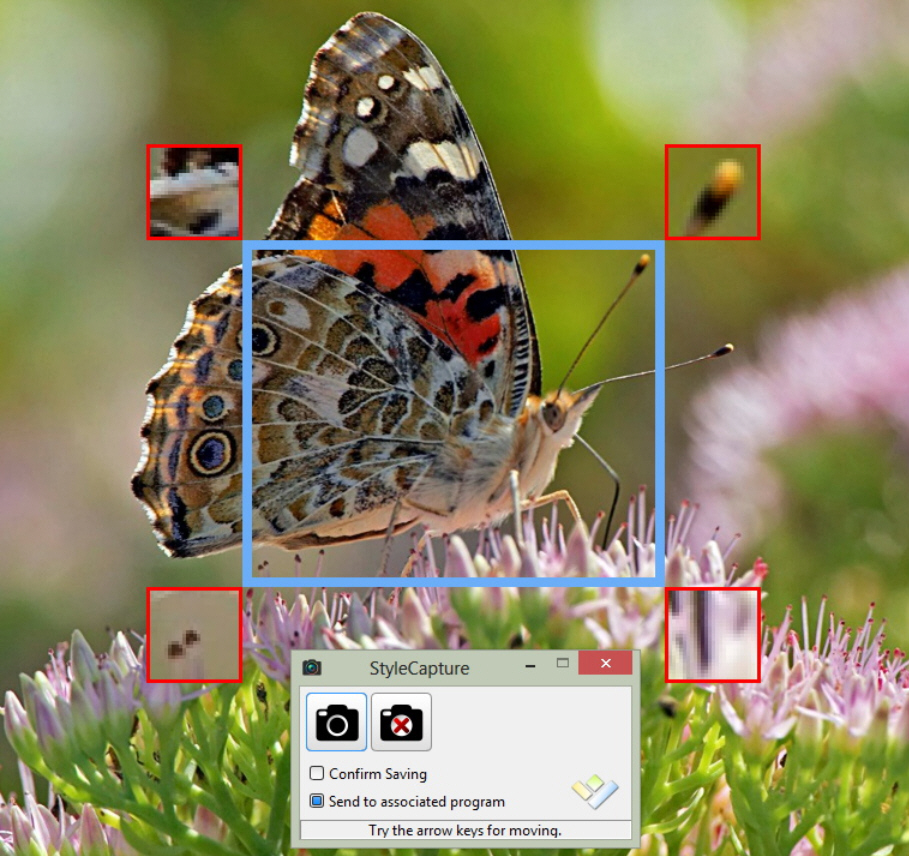
StyleCapture is a smart, well-designed screen capture tool
At first glance, Hornil’s StyleCapture looks like just another ordinary screen capture tool. Only three capture types (rectangle, window and full screen), no built-in editor, no support for uploading your grab anywhere… There doesn’t seem to be anything exciting here.
But then again, there’s more to software than the length of its feature list. And while StyleCapture may be short on extras, the functions you do get are very well implemented, and more than enough to make it stand out from the crowd.

MediaPortal integrates PowerScheduler++, improves support for IPTV
Team MediaPortal has released MediaPortal 1.5.0 FINAL, a major update to its open-source media center for Windows PCs. Version 1.5.0 sees the functionality of the PowerScheduler++ plugin incorporated directly into MediaPortal, and comes with the promise of improved support for TV broadcasts delivered over the internet.
The update also adds support for US CableCard tuners and Windows 8.1, but drops official support for XP.

Avira 2014 now available, 'My Avira' coming soon
Avira Operations has released the final editions of Avira Free Antivirus 2014, Avira Antivirus Suite 2014 (the new name for Antivirus Premium) and Avira Internet Security 2014.
If you’ve tried a beta then you’ll already know that the packages look and feel much as they always did. The best news is probably reserved for Avira Free users, who’ll find that the "notifier", the pop-up nag screen which appeared daily if you didn’t install the Avira toolbar, has been dropped.

Google Web Designer provides user-friendly means of building interactive web pages and ads
Google has unveiled the first public beta of Google Web Designer, its HTML5 web coding tool for Mac and Windows. Although geared towards advertisers looking to build rich interactive web ads using HTML5, CSS3 and JavaScript, Google Web Designer can also be used for a variety of wider applications too.
The app has been launched as part of Google’s drive to make it easier for advertisers to code content for a variety of platforms -- mobile and desktop -- using HTML5. The idea is that users can simply design the ad and it will work seamlessly across multiple devices with no additional tweaking required.

ETS lets you view and delete restricted files and Registry keys
Your PC is misbehaving, but after hours of research you’ve found a solution: just delete a particular Registry key, reboot, and all should be well. Sounds great, until you find Windows won’t let you delete the key, and just displays an "Error deleting…" message whenever you try. Frustrating, isn’t it?
Problems like this often occur because you don’t have the necessary privileges to access a file or Registry key. Even if you’re already running as an administrator, you may still be blocked, and only using ETS to access the more powerful Local System account will get the job done.
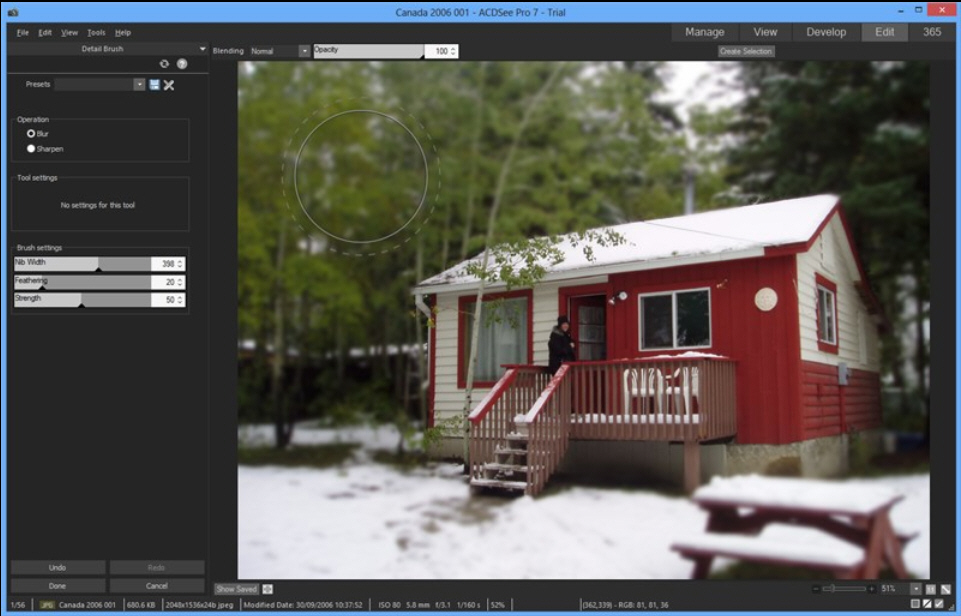
ACDSee and ACDSee Pro gain new filters, editing tools and interface improvements
Seattle-based ACDSee Systems International has released both ACDSee 17.0 and ACDSee Pro 7.0, major new releases of its photo tools for Windows. The new releases come less than 12 months after the last major updates, but offer competitively priced upgrades that are less than half the price of the full versions at $29.99 and $59.99 respectively.
The new releases include a number of additional editing tools and filters in addition to a tweaked user interface and enhancements to key areas such as image management.

Reflet adds rippling lake reflection effects to your photos
If you need to bring extra life to a photo then you’ll probably start by applying a few conventional adjustments and effects. Play around with the contrast, maybe adjust the colors, add a lens flare, whatever it might be.
Reflet (from the creator of PhotoFiltre) takes a more drastic approach, animating your image with a rippling reflection effect. It’s not exactly subtle -- we’re reminded of those taste-free 1990′s home pages, packed with animated GIFs -- but can work well in some cases, and only takes a moment to try.

Dropbox adds screen capture sharing
Dropbox 2.4 is now available for Windows and Mac, and the release includes some interesting new features.
The highlight is Screenshot Sharing, which makes it easier to get a screen grab into your Dropbox folder. Press PrtSc, or the appropriate Mac Command key combination, and you’ll be asked if you want to use the new feature; click "Save Screenshots to Dropbox" and they’ll be saved there in future.

Internet Explorer spellchecker Speckie adds support for IE11, improves touch
Versoworks has released Speckie 6.0, a major new version of its real-time spellchecking tool for Internet Explorer. The software, available free for personal use as well as in commercial form with additional features, adds support for the forthcoming Internet Explorer 11 with this new release.
Version 6.0 also comes with the promise of improved support for Rich Editors, and has updated the Settings user interface to be more amenable to touch-screen interfaces, despite the fact it doesn’t yet support 64-bit versions of Windows 8 or Windows 8.1.

Vet unsafe websites with WOT 2.0, out now for Chrome, Safari and Firefox
These days most browsers offer some form of basic protection against clicking a fake link and visiting phishing websites (facsimiles of genuine sites that attempt to trick users into giving up sensitive personal information like passwords and credit-card details). But they don’t offer much else protection against other dangerous sites.
This is where Web of Trust (WOT) comes in: it maintains a database of websites, rating them for safety, privacy and security and giving you a second opinion about whether or not a particular site is safe to shop at, share personal details with or even simply visit.

VLC Media Player adds hardware decoding support, rebuilds audio core
The VideoLAN organization has released VLC Media Player 2.1, a major new build of its popular open-source, cross-platform media player. Version 2.1, codenamed "Rincewind" is an essential app for Windows 8 users wishing to play DVD video on their PCs without having to pay for the privilege.
VLC 2.1 adds hardware decoding support to three major platforms and hardware encoding support for Windows, plus rewrites the audio core to provide better volume and device management.