
Back up all types of USB drive with USB Image Tool
Alexander Beug has released USB Image Tool 1.60, the latest version of his compact, portable and free backup tool for USB devices.
And a very welcome addition this time is support for non-removable USB devices. So on launch, the program won’t only list any mobile USB devices you might have connected (keys, cameras, MP3 players and so on), but it’ll also display regular USB drives, memory card readers and so on, and allow you to back them up.

Edit and convert videos to any format with Video to Video
If you’re looking for a free video converter then there are now plenty of great free programs around, which is plainly very good news for the end user.
Software developers, though, are having to cram in ever more features to help their converter stand out from the crowd and Video to Video is a particularly strong example.

Google rolls out Chrome 25, lets you talk to websites
Google has announced the release of Chrome 25 to the Stable Channel for Windows, Linux and Mac, and as revealed in the beta, this release features a major change in the way extensions are handled.
In particular, the previous support for the automatic and silent installation of extensions will now be disabled by default, as apparently Google has noticed that this feature "has been widely abused by third parties to silently install extensions into Chrome without proper acknowledgment from users". We could argue Google really should have predicted that in the first place, but at least it's seen the light now.

Find new ways to open file types with OpenWith Enhanced
If you’re wondering how to open a particular file on your PC, then right-clicking it and selecting Open With may provide some options -- but only if you’ve already installed an application which can handle that particular file type.
OpenWith Enhanced takes this idea a step further, replacing the standard Windows with an extended version which not only displays your installed programs, but also lists other popular options, both commercial and free, and links directly to their download page.

View, fix, or delete broken shortcuts with ShortcutsMan
There are many ways to break a shortcut. Moving an important file might do it; manually deleting a program is another possibility; and of course too many uninstallers will leave application shortcuts behind. And because there’s no visible sign that a shortcut is broken it’ll just stay there, cluttering your system, until eventually you click it and discover the problem.
If you’re tired of junk shortcuts, though, ShortcutsMan offers an easier way to control them. It’s a lightweight and portable application which quickly provides a very detailed report on your system shortcuts, highlights any that are broken, and allows you to fix or resolve these with a click.

Instantly block inappropriate websites with DNS Angel
Parental controls software is normally bulky, complex, and the kind of application which can take some considerable time to configure. There may be lots of files to install, resident components which must always be running in the background, user profiles to create, content filters to customize, and the list goes on.
If your child protection needs are simple, though, you may not have to worry about any of this, as DNS Angel can provide a reasonable amount of protection with a single click.

iTunes update adds new Composer view, boosts sync performance
Apple has released iTunes 11.0.2 for Mac and Windows. The new build, also available for Windows 64-bit machines as iTunes 11.0.2 64-bit, adds a Composer viewing option to the Music section, plus promises greater responsiveness when syncing large playlists.
The update, which also includes performance and stability improvements, plus one notable bug fix, comes hot on the heels of a Java update released by Apple to prevent hackers accessing the computers of its employees.

Protect your Windows 8 PC with Panda Cloud Antivirus
Spanish security company Panda Security Ltd has released Panda Cloud Antivirus Free 2.1.1, a minor update to its free cloud-based security tool for Windows. Version 2.1.1 is the first release to secure a Windows 8 compatible logo after passing the eligibility requirements laid down by Microsoft.
Panda Cloud Antivirus, also available with built-in firewall in Pro form, is primarily a maintenance release, building on the major improvements found in version 2.1, which included real-time protection for Windows 8 Store apps and anti-exploit technology.

Use AllOff to automatically shut down an idle PC
In theory Windows should be able to shut down a PC when it’s been idle for a while, and even if that doesn’t work for you, there are plenty of tools around which promise to do something similar. In practice, though, the difficulty of detecting idle time accurately means that these tools aren’t always reliable, which is why many people take the safer approach of leaving their system running all the time.
AllOff is a little different, though. This free (for personal use) tool doesn’t just shut down your PC after some fixed period of time, or when your keyboard or mouse haven’t been used for a while. It also monitors CPU usage, even download speeds, and provides a host of configuration options to ensure everything works just as you require.

Firefox 19 debuts a built-in PDF viewer and other improvements
Mozilla has released Firefox 19.0 FINAL for desktop. There are only two notable new features in this new build, but after months stuck in beta, Mozilla has finally enabled its built-in PDF viewer, which allows users to view PDFs directly in the web browser without having to use a third-party viewing utility.
The other major new feature is a security one, with the Firefox Awesomebar now set up to alert users if the default search provider has been changed. In the meantime, Firefox 19.0 for Android -- due for release imminently -- will introduce support for themes, plus lower its system requirements to extend its reach to as many as 15 million more smartphones.

Piriform updates Defraggler, adds Quick Defrag scheduling
Piriform Software has released Defraggler 2.13 and Defraggler Portable 2.13, brand new builds of its freeware Windows defragmentation tool. Version 2.13 adds support for Quick Defrag scheduling, Fragmentation Threshold options when scheduling and support for external 3TB drives.
The update comes four days after Piriform updated its free data-recovery tool, Recuva 1.45 and Recuva Portable 1.45, with the promise of better reliability when deep-scanning NTFS drives as well as improved performance when securely overwriting data.
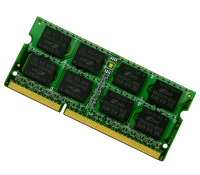
MemTest86 now maintained by PassMark Software
The classic free memory diagnostic tool MemTest86 has been maintained by author Chris Brady since 1994, but this has finally changed, with Australian company PassMark Software taking over the program this month.
It doesn’t seem like there’s any need for MemTest86 fans to be concerned, though. The program code remains open source, and so of course it’s still available to download for free.

Replace Windows Run box with the more powerful Run-Command
The Windows Run box has always been a quick and easy way to launch programs, but it’s not exactly packed with features. You can specify an application to launch, choose something you’ve run recently from the History list, and, well, that’s about it.
You don’t have to live with these limitations, though. Grab a copy of the new Run-Command and it’ll take your Run box to a whole new level.

Spot the difference -- identify changes in seemingly identical images using DiffImg
If you regularly edit images it's likely you'll occasionally find yourself with multiple copies of the same picture, and wonder how (or even if) they might be different. And that can be a surprisingly difficult question to answer.
Checking the file size might be a good place to start, of course (if they’re the same format, anyway). And visually comparing the pictures could help. But if you need to know for sure then you may want to try DiffImg, a simple tool which can highlight the pixel differences between any two images of the same size.

Nitro’s PDF tools gain extra features and improved stability
Nitro PDF Pty Ltd has launched two major updates for its flagship PDF reader and authoring products. Nitro Reader 3.5 is its powerful freeware PDF reader app, also boasting PDF creation and limited editing and form-filling tools. Nitro Pro 8.5 is Nitro’s flagship PDF authoring product.
The headline new feature in this update is Nitro Pro 8.5’s ability to convert PDF files to Microsoft PowerPoint 2007 (PPTX) format as well as Word and Excel. Also added to both Nitro Pro 8.5 and Nitro Reader 3.5 are support for XML Forms Architecture (XFA) documents and the promise of vastly improved printing of images and text in PDF documents.