
Recuva now lets users filter deep scan results by file type

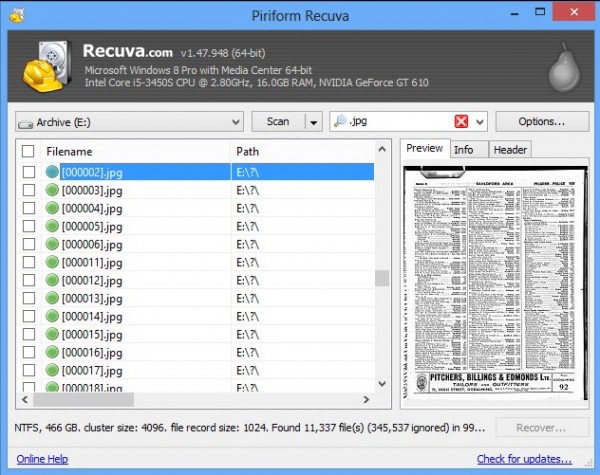
Piriform has released Recuva 1.47 and Recuva Portable 1.47, new versions of its freeware data recovery tool for Windows PCs. Version 1.47 comes with one major new feature -- the ability to filter results by file type during deep scans -- along with a number of minor tweaks and improvements.
Recuva 1.47 allows users to recover lost and deleted data from hard drives -- the Portable build can be unzipped and run directly from a removable device such as a thumb drive, ensuring data isn’t written to the drive users are trying to recover data from.
Recuva 1.47’s Deep Scan module -- switched on by default via the Actions tab on the Options… button -- now allows users to restrict searches to specific types of file using the drop-down menu to the right of the program’s Scan button.
Other changes in the new build include improve detection of removable storage devices, better optimized memory usage and reorganized context menu items -- the latter feature is present only in the installed version. Recuva Pro users also gain the promise of improved VHD image creation when Recuva offers to create a virtual hard drive backup before attempting data recovery.
The update is rounded off with minor bug fixes and unspecified user interface tweaks, as well as added support for the Thai language.
Recuva 1.47 and Recuva Portable 1.47 are available now as a freeware downloads for PCs running Windows XP or later.



