
TCHunt can uncover hidden TrueCrypt volumes on your drives
TrueCrypt is an excellent encryption tool, a very good choice for anyone who wants to protect their most confidential files. If you use its ability to save your documents in hidden containers, though, it’s worth keeping in mind that these aren’t quite as secret as you might think: TCHunt, a free Windows tool, can identify (though not decrypt) them in just a few seconds.
The program comes in the form of a compact (244KB) executable, with no extras and no installation required; you can just download and run it.

Run Chrome extensions in Opera
The rebooting of Opera 15.0 saw the niche browser switch to a new rendering engine, adopting Chrome’s Blink in favor of its own proprietary Presto engine. In restarting the browser from scratch, Opera has opted not to include a lot of popular functionality from previous versions -- some of this is temporary, while others (specifically bookmarks) could be permanently lost.
One way of restoring some functionality is through extensions, small programs written in HTML, CSS or JavaScript. Opera has its own Extensions store, but the great news for early adopters of Opera 15 is that -- with the aptly titled Chrome Extension for Opera 2.0 installed -- you can use Google Chrome Extensions too.
clink brings Bash’s powerful command line editing to Windows
From experts to novices, most PC users benefit from launching a command line session occasionally. This is one area of Windows which hasn’t changed significantly in years, of course, but if you’re tired of its various annoyances there are steps you can take to improve the situation. And clink could be a great place to start.
This open source program installs quickly and easily. The only setup option to consider is whether you want the program to launch when you run a command line session; we’d recommend you allow this, as it keeps the process very straightforward. Open a command window immediately afterwards and you should see new copyright messages for clink its other components (see the grab), a useful indicator that everything is working.

DVDStyler implements subtle redesign, supports videos with no audio
Alex Thuring has released DVDStyler v2.5, a major new version of his open-source, cross-platform DVD authoring tool. DVDStyler makes it possible to create video DVDs from a wide range of movie formats, including most common ones, and comes with full menu-creation tools for crafting the perfect video DVD.
Version 2.5, also available in portable form for Windows PCs, comes with a number of notable new features, including support for video files without audio streams, new frame spinning controls and redesigned chapters and cell properties dialog boxes.

Auslogics BoostSpeed 6 introduces new interface, hard drive tools
Auslogics Software has updated its flagship PC maintenance and optimization suite with the release of Auslogics BoostSpeed 6.0.
Launch the program for the first time and it now runs an immediate system scan, before displaying the results of this -- disk space which can be freed, computer speed and stability interface -- as "System Health" indicators in the main BoostSpeed window.

Snap2Img lets you quickly create contact sheets for any set of pictures
Understanding how your digital photo collection is laid out normally requires just a few moments of thumbnail browsing. Click a folder here, another over there, and you’ll quickly be able to locate the pictures you need.
If the folders aren’t accessible, though -- they’re on a CD, say, or you want friends to get a quick overview of an image set -- then it can be useful to generate a contact sheet, another image with thumbnails of your folder contents. And that’s where the free Snap2Img comes in.

ChrisPC Free VideoTube Downloader unveils name change, advanced menu settings
Romanian developer Chris P.C. has released ChrisPC Free VideoTube Downloader 5.0, a major new version of its free video downloader and converter tool for Windows. The tool sports a slight name change -- it was previously called ChrisTV YouTube Downloader -- but adds a number of new features to its roster.
The major new feature is an option to add an entire YouTube channel or user video list to the program’s queue for downloading and converting to a different format. Note that the free version only supports up to 15 files at any one time.

X-Ripper extracts hidden images, audio or video content from any file
Explore any Windows application and you might find some content you’d like to use elsewhere: the soundtrack in a game, an introductory video somewhere, maybe a few embedded images or icons. Sometimes these might be available as separate files in the program’s folders, but often they’ll come packaged in a DLL or some other library format which can’t be accessed as easily.
You could then turn to a more specialist solution, perhaps something which allows you to view and work with the resources in a Windows executable. But if that sounds too complicated, there’s always X-Ripper, a free tool that can extract images, audio and video content from any file type.
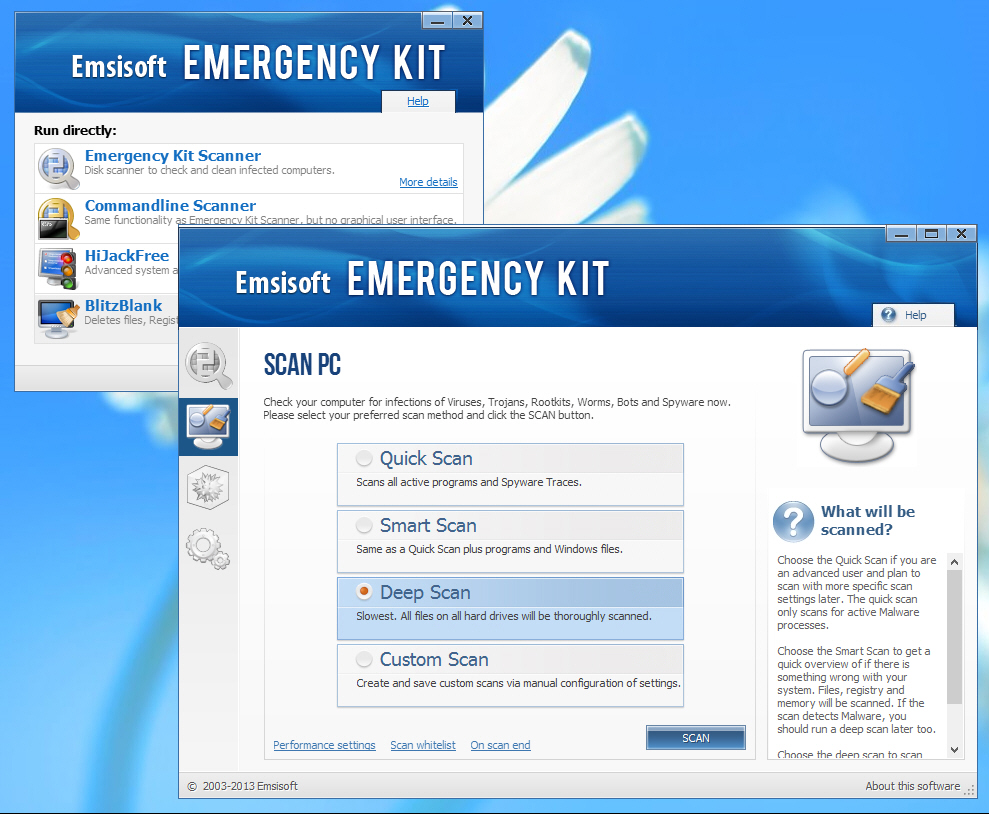
Emsisoft Emergency Kit now even better at removing malware
Emsisoft has announced the release of Emsisoft Emergency Kit 4.0, its portable bundle of antivirus detection cleanup tools.
The company says a greatly improved cleaning engine based on the commercial Emsisoft Anti-Malware will deliver safer and more thorough removal of threats.
Automatically update multiple flash drives with CopyToFlash
Windows utilities developer Foolish IT has released the first version of CopyToFlash, a compact and portable tool which aims to simplify the process of copying content to multiple flash drives.
Launch the program and it first you to specify the folder containing whatever files you’d like to copy, and where you’d like them to go on the destination drive.

RegScanner lets you navigate the Registry like a pro
When you’re troubleshooting PC problems, locating the right Registry setting can often point you in the right direction. But you’ll have to find it first, and that can be a problem as the standard Regedit search option is just about as basic as you’ll get.
You could try to solve this by looking for an alternative Registry editor, but, as usual, NirSoft provides a simpler solution. Its tiny RegScanner utility allows you to search the Registry with a host of new options, saving you time and helping you locate settings you’d never find with Regedit alone.

jAlbum resolves memory issues, improves page customisation tools
jAlbum AB has put out another minor update of its cross-platform web media album builder with the launch of jAlbum 11.3. The app, which runs on Windows, Mac and Linux, simplifies the task of building both picture and video galleries for displaying online in the form of web pages.
Version 11.3 attempts to provide a better showcase of the program’s capabilities by preloading a Sample Portfolio project that demonstrates how to make a full portfolio site by using sub-folders and custom Contact and About pages. Users can then use this as a template or a tutorial for building such sites using the app.
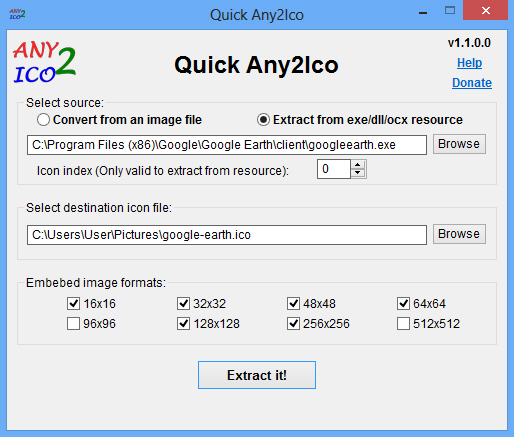
Easily create icons from images or executables
Replacing a few of the standard Windows and application icons can be a great way to give your PC a fresh new look. Creating new icons can be more of a challenge, though, as the ICO format isn’t widely supported by graphics software.
There is an easy solution to this problem, though, and it’s called Quick Any2Ico. Point this compact free program at an image or executable file and it’ll convert or extract the required icon for you with a click.
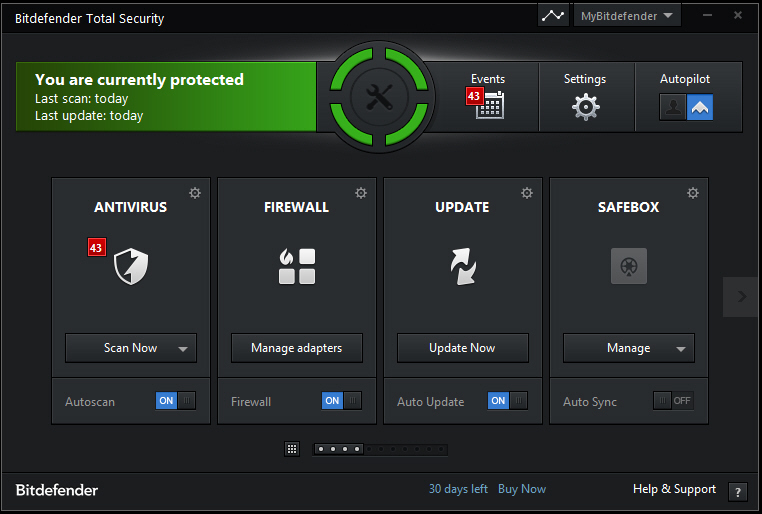
Bitdefender’s Total Security 2014 now faster, adds password manager
Bitdefender has released its 2014 products, including new versions of Antivirus Plus, Internet Security and Total Security.
All editions now include Bitdefender’s new Photon technology, which it’s claimed "tailor-fits to each user’s computer for fast scanning, a quicker boot time, smooth interaction with apps and the same award-winning detection rate".

Firefox 23 Beta arrives, enables mixed content blocking, click-to-start plugins
Hot on the heels of the release of Firefox 22.0 FINAL, Mozilla has released Firefox 23.0 Beta 1, a preview version of the next release that will ship in around six week’s time.
Version 23.0 implements mixed-content blocking for greater security, plus allows plugins to be evoked only when specific websites require them. New consolidated search default preferences have also been implemented that could prove controversial.