
Data Converter can easily decode cryptic Registry values
When a Windows application is misbehaving then it can be useful to check its Registry settings, and these are often very easy to understand. When you see that 7-Zip has PATH value set to C:\Program Files\7-Zip, for instance, it’s not difficult to figure out what this means. And if you find Paint.NET’s CheckForUpdates value is now zero then, again, you won’t need a degree in Computer Science to understand the consequences.
Binary values can be rather more cryptic, though. Browse to HKEY_LOCAL_MACHINE\SOFTWARE\Microsoft\Internet Explorer\Migration, for instance, and you’ll see a REG_BINARY value “IE Installed Date”, which on our test PC was 86cde7a6cf66ce01. Uh, right. If you want to decode that, you’ll need help from a tool like Data Converter.
Microsoft’s EMET 4 adds even more malware-blocking power
Microsoft has announced the final release of version 4.0 of the Enhanced Mitigation Experience Toolkit (better known as EMET, fortunately), a powerful tool which can help to block exploits malware will commonly use to infect your PC.
The most immediately obvious change is a new focus on ease of use. EMET still isn’t for PC novices, but a new Configuration Wizard does help to get the program set up quickly, while an extended interface gives speedy access to the program’s various features.
Dropbox update delivers performance improvements, better notifications
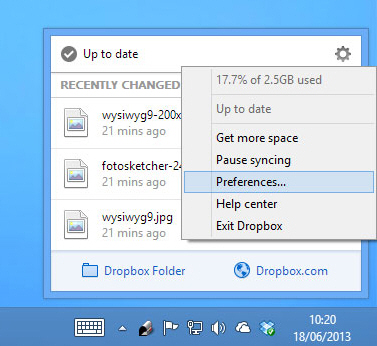
Popular cloud backup and storage tool Dropbox 2.2.4 FINAL has been released for Windows, Mac and Linux. The app, also available on iOS and Android, allows users to backup, sync and share data across a wide variety of devices via a central Dropbox folder.
Version 2.2 comes with a new notifications badge, a refactored core sync engine, improved memory usage, start-up performance improvements and Finder icon overlay enhancements.
Sandboxie adds full 64-bit protection, improves compatibility
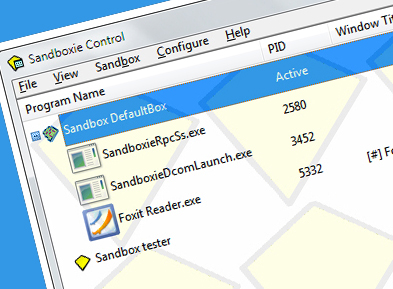
Sandboxie 4.02 is the latest edition of the powerful shareware sandbox, which allows you to run programs in an isolated environment where they’re unable to affect your main system.
The new build enhances security by dropping the use of unofficial kernel hooks. Programs running under Sandboxie now have no permissions and can’t access or manipulate any objects out of their own memory space.

Macrium Reflect Free improves Explorer integration, updates recovery builder tool
Paramount Software UK has released Macrium Reflect Free 5.2, a brand new version of its free-for-personal-use drive imaging tool for Windows. Version 5.2 makes the tool easier to use from within Windows itself thanks to tighter shell integration, plus updates the recovery builder tool to support the latest version of Windows PE.
Macrium Reflect Free allows users to create, restore and browse disk images of entire partitions or disk drives. Thanks to recently added support for Windows PE, users can also easily use the program outside of Windows, enabling them to recover images even when their computer won’t boot.

Caesium can batch compress JPEGS by up to 90%
When you save a JPEG it’s easy to just accept your default image options, click File > Save and get on with your next task. But that probably means you’ll always be using the same JPEG compression level, and unless you’ve tuned this to an optimum figure, your final images could be anything up to ten times larger than they need to be.
Could this be a problem for you? The open source Caesium provides an easy way to find out. Point the program at a selection of images (PNG, BMP and WMF are supported, as well as JPG) or an entire folder, and it can quickly recompress them all with a lower quality setting, before reporting on any savings it’s achieved.
Find out how safe your PC is with OPSWAT Security Score
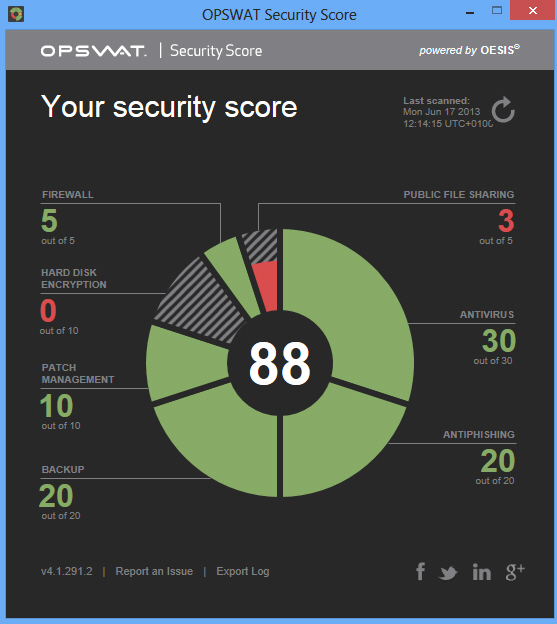
OPSWAT has released the final version of its free Security Score product, a simple tool which scans your PC, reports on any security issues it finds, and provides basic advice on how to resolve them.
The program is exceptionally easy to use. There’s no complex interface to figure out, no settings to consider, almost nothing to do at all: just launch Security Score, it scans your PC, and returns with the details in just a few seconds.
Lock out autorun viruses with NTFS Drive Protection
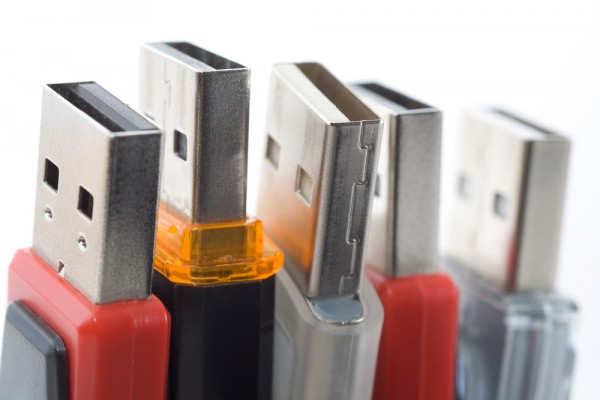
USB keys are a cheap and convenient way to carry important files around. Unfortunately they’re also common carriers of autorun viruses, which write themselves to the drive in an attempt to infect other systems. The risk can be reduced by turning off autorun, if it’s not disabled already (and it will be on most modern PCs), but for extra security you might prefer NTFS Drive Protection, which prevents anyone writing to the drive at all.
The program is compact (a 642K download), portable and easy to use. Launch Ntfs Drive Protection, select your USB drive in the "Target Drive" box, click "Start Protection" -- and that’s it. In just a few seconds the program will change your file and folder permissions, and no-one (not even you) will be able to add new files to the drive, or edit what’s already there.

z33k lets you search for, listen to, download and convert music with ease
Software developers face many challenges, but perhaps the greatest of all is figuring out how to make their program stand out from the crowd.
You could focus on a single key function, for instance, and make that just as good as it can be. But if that’s a problem, then you can always follow the example of do-everything MP3 tool z33k, and cram it with as many features as you can think of (and then a few more, for good measure).

HotShots is not just another screen grab tool
One small but welcome addition to Windows 8 is its new extended screen capture feature. Press Win+PrtSc and you’ll both grab the current screen, and save it directly to disk, which means there’s no longer any need to do the Alt+Tab, Edit > Paste, File > Save shuffle for every single image.
This is only a very small step forward, of course: the chances are you’ll still need to spend plenty of time editing your grabs before they’re ready for use. And so a better approach might be to install a tool like the free HotShots, which not only captures screens for you, but also provides some excellent editing tools to help you get them ready for prime time.
nomacs is a free image viewer with some unusual extras
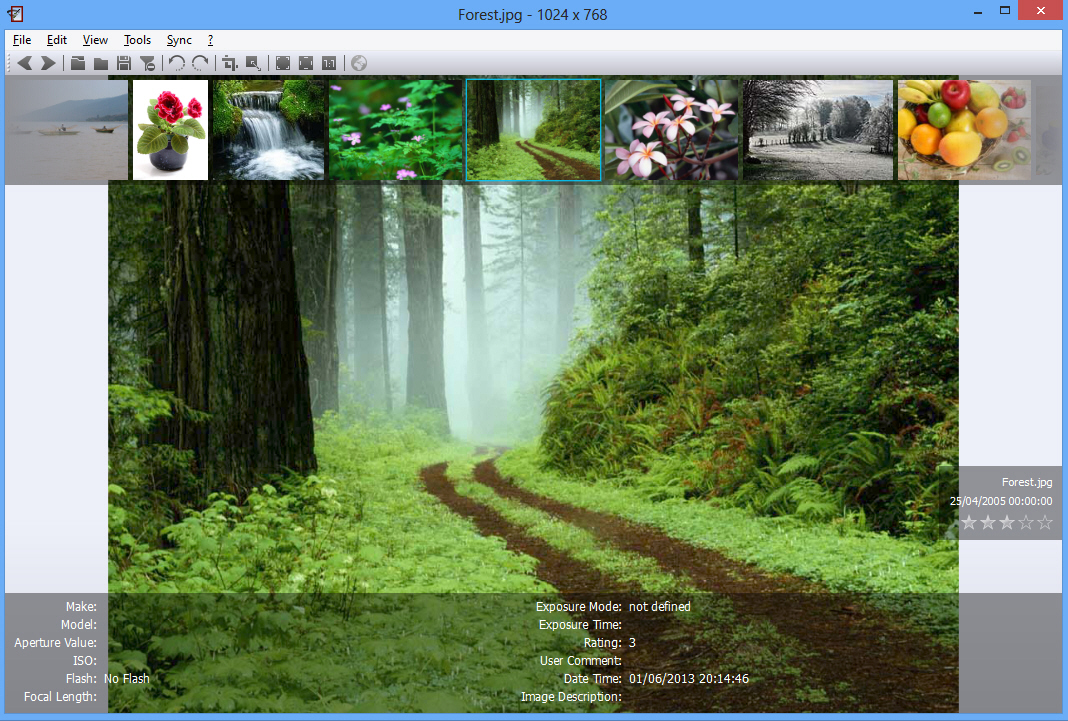
Does the world really need another image viewer? It’s tempting to say no, as even Windows Explorer does a reasonable job of helping you browse your pictures, but nomacs is a cross-platform viewer which is aiming to change your mind. And it just might be good enough to succeed.
The program opens much like any other image viewer. You can display individual files or complete folders, for instance (there’s support for viewing all the main formats, including many RAW file types). A thumbnail browser helps you manually navigate to the images you need, or you can use the Player to create an automatic slideshow.
FotoSketcher adds new knife-painting effect, improves existing brushstrokes filter
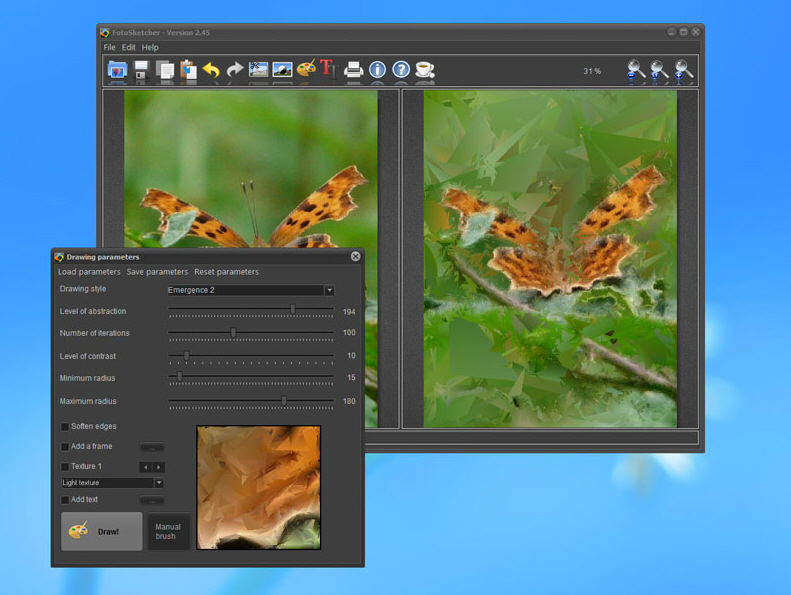
Freeware digital art creation tool FotoSketcher 2.45 has been released by French author David Thoiron. FotoSketcher, also available in portable form, provides quick and easy tools for Windows users wishing to transform digital photos into virtual works of art.
Version 2.45 introduces a new stylized effect (Emergence 2) and improves on an existing brushstrokes-based effect. It also includes a number of minor bug fixes and coincides with the author making a series of scripts available for download.

Panda Cloud Antivirus adds Data Shield, Parental Control and Rescue Boot creator
Bilbao, Spain-based Panda Security has released Panda Cloud Antivirus Free 2.2, a major new version of the company’s cloud-based antivirus tool. Version 2.2 adds a number of notable new features, including protection against data theft through malware infection and parental control tools.
The new version also bundles a bootable rescue creation tool and also adds support for access in Safe mode, ensuring it’s more capable of dealing with stubborn malware that proves hard to shift or even cripples the user’s PC entirely.

RightToClick lets you restore the right-click menu and fix other web page annoyances
Most web pages work just as you expect. You can browse them, left-click here, right-click there, and leave whenever you like -- which is just as it should be.
Other sites aren’t quite so straightforward, unfortunately. They might disable the right-click menu. Prevent you copying text. Maybe even try to stop you leaving a particular page. It’s annoying, but the Firefox add-on RightToClick does at least give you a very effective way to fight back.

TweetDeck 3 for Windows unveils new design and better navigation
Twitter has released TweetDeck 3.0.2 for Windows, a major new build of its desktop Twitter client. The new release adds support for minimizing the application to the Taskbar Notification area, plus unveils a new layout, followers column and additional search filters.
TweetDeck is designed to make it easier to track real-time conversations as well as monitor specific Twitter feeds or hashtags through the use of a multi-columned layout. Users can also access TweetDeck via their browser using its web-based app, which also recently gained a redesign.