
qMetro helps you travel the world’s subways like a local
Subways can be a great way to get around a big city, but of course you have to understand their layout, first. That can be a challenge, particularly if you leave it until the last minute, and are left peering at a huge map on a tiny smartphone screen (that’s if you can get a signal at all). But plan ahead with a little help from qMetro and your life could be very much easier.
An open source tool available for Windows, Linux, OS X and more, qMetro comes bundled with 23 maps covering subways in many big cities: Amsterdam, Beijing, Berlin, Brussels, London, Madrid, Moscow, New York, Paris, Tokyo and others. But if that’s not enough, there are something like 200 maps available online (and in theory, at least, you can even create more yourself).

NirSoft’s TurnedOnTimesView reports when a PC was turned on or shut down
It’s only a couple of weeks since NirSoft’s last release, but the unstoppable freeware machine has just announced another addition to its lineup. TurnedOnTimesView is a simple tool for reporting when a PC was turned on, restarted, or shut down.
This has some obvious applications for system monitoring. If you’re wondering whether someone’s been using the family PC in the middle of the night, for instance, TurnedOnTimesView may be able to tell you more.

ESET releases new betas for NOD32 Antivirus and Smart Security
ESET has unveiled the first public betas of its NOD32 Antivirus 7 and Smart Security 7 products.
The Smart Security suite now includes a Vulnerability Shield to better protect your PC from known network issues, while its Anti-Theft service gains the ability to track what’s happening on your stolen hardware via regular screen captures.

WordWeb 7 offers a universal dictionary, thesaurus, and spellchecker
UK-based WordWeb Software has released WordWeb Free 7.0, a major new version of its universal spellchecker and thesaurus tool for English-speaking Windows users. When running, users can look up definitions for words as well as alternatives such as synonyms from any application by holding the [Ctrl] key as they right-click the word in question.
Version 7.0 offers new and revised definitions and related words, along with updated audio pronunciations. One-click integration with other programs has also been improved, along with support for 64-bit systems and Windows 8.
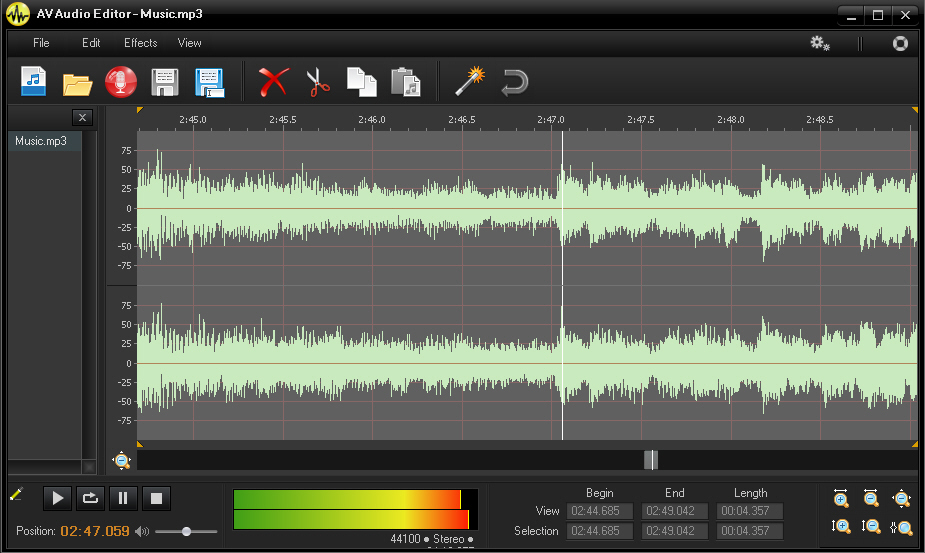
AV Audio Editor lets you easily tweak and convert your music files
What makes a good audio editor? Many developers seem to think it’s all down to the length of the feature list, and so they’ll try to cram in just as much functionality as they possibly can. That can have its appeal, too, but there’s often a usability price to pay.
AV Audio Editor takes a very different approach. Its feature list is fairly basic, just the usual cut, copy and paste options, along with a few effects (volume tweaks, an equalizer and so on). But that’s still more than enough for many situations, and the real plus here is that AV Audio Editor takes these basics and implements them very well indeed.
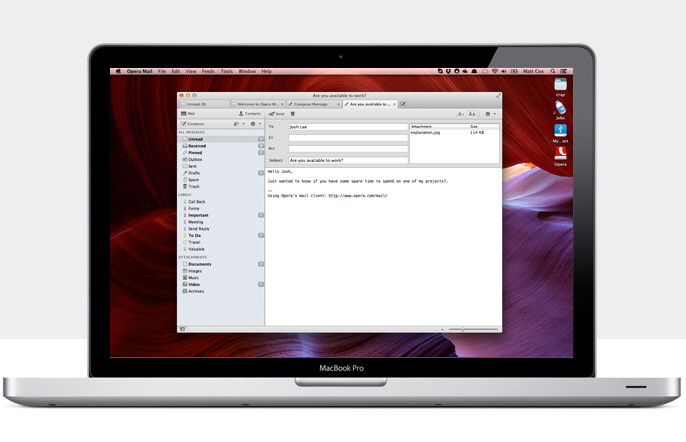
Opera Mail says goodbye to the browser and goes it alone
Opera has unveiled the first stable release of its standalone mail client. Opera Mail is based on the integrated Opera email client found in the current version of Opera 12.15 FINAL, but which is due to be dropped from the next major release of Opera (currently in alpha as Opera 15.0 Next).
Opera Mail promises to be both lightweight and fast, and while mirroring the functionality found in previous versions of Opera, which includes features such as labelling, filtering, multiple tabs and thread support.

View Outlook’s Calendar and Tasks on your desktop with DeskTask
While Outlook is great at organising your To Do lists, and maybe setting up your schedule, it’s not exactly lightweight. And that can be an issue if you’d like to keep an eye on your tasks, appointments and more, without having to regularly switch back to it just to remind yourself what’s coming up next.
There is a simpler alternative, though -- and it’s called DeskTask. This small free program displays your Outlook calendar and tasks in a transparent window on the desktop, which means you can track your schedule at any time with a glance.
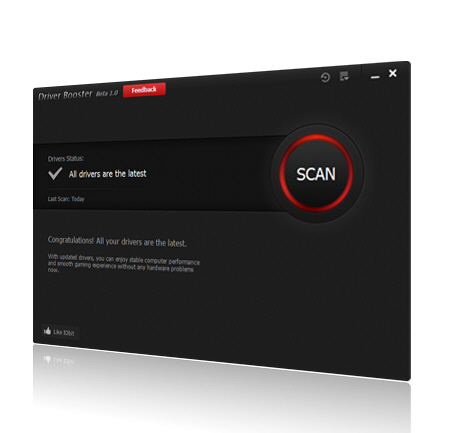
IObit Driver Booster keeps your system drivers fully up to date
Keeping your PC’s drivers up-to-date can sometimes help to enhance performance, improve stability, and generally make your system run just a little more smoothly. Most people don’t have time to regularly check for updates, of course, but that doesn’t matter as there’s now a whole class of utilities which will do that for you. The latest example is IObit’s new beta, Driver Booster, and we gave the program a quick trial to see how it worked.
It’s immediately obvious that the program is focused primarily on ease of use. There’s no complex interface, no jargon, no searching around trying to decide what you need to do: just launch Driver Booster, it immediately scans your PC, and a report appears just a few seconds later.

USSU Unlimited automatically keeps Windows programs up-to-date
If you’ve set up a new PC recently then you won’t need us to tell you just how tedious the experience can be, as you scour the web for your favorite applications, downloading and installing them one by one.
Fortunately there are plenty of tools which will try to simplify this process for you, though, and USSU Unlimited is one of the latest. The program supports 45 common applications (Flash, Java, Firefox, Chrome, Malwarebytes Anti-Malware, Adobe Reader, VLC Media Player and more), can download and install them in a click, and then detects and downloads updates as they appear.
Troubleshoot your PC’s memory problems with Sysinternals RAMMap
Understanding your PC’s RAM usage is a key part of troubleshooting many odd Windows problems, but unfortunately this isn’t always easy. The standard tools, like Task Manager, are fine for diagnosing simple issues, but just don’t provide the information you’ll need to cope with anything more complex.
As usual, though, Microsoft Sysinternals has a portable tool which can help. RAMMap provides a very in-depth look at your PC’s current RAM usage, and while it’s aimed mainly at Windows experts, the program also has some elements which will be useful to just about anyone.

File Metadata lets you view and edit metadata for all file types
Windows Explorer has displayed file metadata for a very long time. Click an image, say, and you’ll see (and have the option to edit) details like the picture title, author, comments, camera manufacturer, model and more. This allows you to record useful extra information about each file, and is also used by Windows Search, so for instance searching for "Title:Fiji" would locate all files with "Fiji" in the title.
Ever since Windows Vista, though, general metadata support has been restricted to only file types which include metadata within the files themselves -- images, MP3′s, Office documents and so on -- while simpler formats, like TXT or HTML, are left out. Annoying? Yes. Restrictive? Absolutely. But it doesn’t have to be this way. Grab a copy of the File Metadata beta and you’ll be able to create, view and edit metadata for just any file type you like.

SDL launches free online translation
If you want a guaranteed way of mangling a piece of text, feed it into an online translator, switch it to a foreign language, then translate it back again. Mostly the finished result will bear little resemblance to the original and in many cases won’t make much sense at all.
A new translation service then is something we always approach with a healthy degree of skepticism. SDL's new service www.freetranslation.com, however, proves to be rather good. We took some samples of English text, translated them to other languages and back again, and whilst the results weren't perfect they weren't a million miles away from the original either.
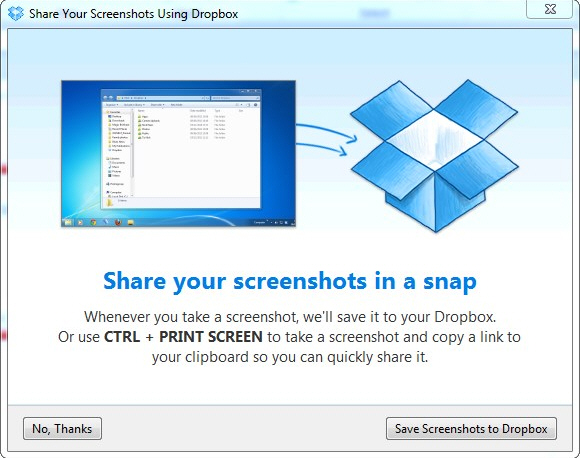
Dropbox Experimental Edition reveals future path for the cloud backup solution
Cloud backup and storage provider Dropbox has released Dropbox Experimental Edition 2.3.12, a pre-release version of its desktop client for Windows, Mac and Linux. The new build introduces several new features -- some restricted by OS -- designed to help simplify the import of photos and other images into the user’s Dropbox account.
At the same time, Dropbox 2.2.0 Release Candidate as quietly slipped out, confirming that the next stable release of Dropbox -- currently at version 2.0.26 -- will go straight to version 2.2, skipping the whole 2.1.x release branch that was previously being used to preview new features.

Super-charged find and replace tool Replace Genius now available for free
Just about every text editor has some kind of search and replace tool which allows you to process data in the file you’re editing. Even Notepad includes a Replace option which can run a case-sensitive search across your entire document, replacing defined text with whatever you like, and all in a click.
What if you want to tweak text case, though? Add or remove text? Insert line numbers, or apply some other more advanced editing option? Then you might need Replace Genius. This smart tool -- once a commercial product, now free -- allows you to perform a host of processing options on plain text files, as well as Word and Excel documents (if Office is installed). And it really is very impressive indeed.
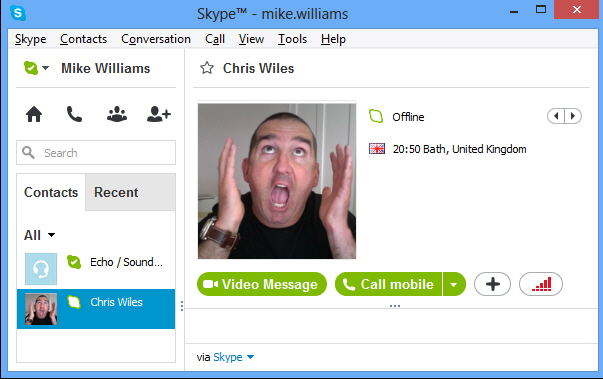
Skype 6.5 improves video messaging
Microsoft has today released Skype for Windows desktop 6.5, featuring improved video messaging and simplified contact handling.
Aga Guzik, head of Desktop Product Marketing at Skype, explains that the new build "improves the stability of video messaging and makes video messaging easier to find with improved notifications".