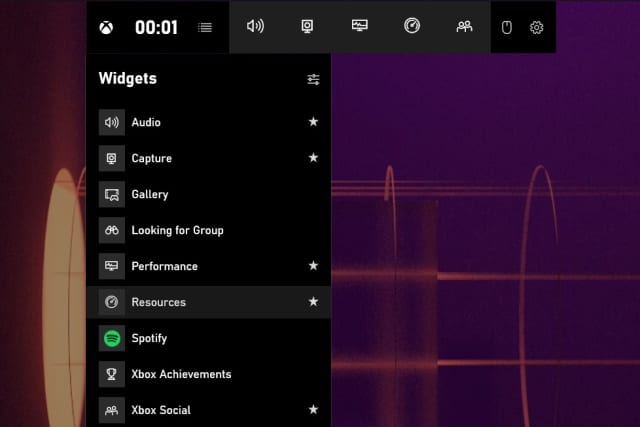
Gamers will love Microsoft's new task manager widget
Window's Task Manager utility offers a handy way to see which apps and processes are using up system resources, as well as providing a means of killing off a few to help speed things up. This is something that gamers frequently do to maximize performance when running a demanding title, and Microsoft has now introduced a new way to do this via the Game Bar.
An update to the Xbox Game Bar app sees the arrival of a new Resources widget which makes it easier than ever to access a handy task manager to monitor and control how system resources are used.
Microsoft fixes elevation of privileges security vulnerability in Windows Setup
Unbeknownst to Windows 10 users until now, a security vulnerability existed in Windows Setup, the process with runs when installing Feature Updates for the operating system.
The vulnerability (CVE-2020-16908) made it possible for a locally authenticated attacker to run arbitrary code with elevated system privileges. This flaw could be exploited to install software, create new user accounts, or interfere with data.

Linux systems at risk of worrying BleedingTooth Bluetooth vulnerability
Linux-based operating systems are generally considered to be more secure than the likes of Windows, but that does not mean they are completely without security issues. Google security researcher have issued a warning about a series of "zero-click" vulnerabilities in the Linux Bluetooth stack.
Dubbed BleedingTooth, the collection of security flaw could allow for remote code execution attacks. The issue affects Linux kernel 4.8 and higher, and can be found in the open-source BlueZ protocol stack. It has been assigned CVE-2020-12351 and a CVSS score of 8.3.
KB4579311 cumulative update is causing numerous problems for Windows 10 users
A few days ago, Microsoft released a new cumulative update for Windows 10. The KB4579311 update was supposed to fix a range of issues with the operating system including various security problem, but -- once again – this update is proving problematic for many people.
The problems that have been reported range from failed installation with a 0x800f0988, 0x80073701 or 0x8007000d error code, to black screens, printing issues, to not being able to log into Windows 10.
Microsoft is foisting Office web apps on Edge users
Microsoft is no stranger to using Windows and other software to promote more of its own apps and services. The latest way the company is doing this is via Edge.
Accusations of using its products as an advertising tool or as a means of forcing products onto users are nothing new for the Windows maker, and the company's latest move with Edge does nothing to shake them off. The browser has been found to install Microsoft Office web apps without asking for permission.
Microsoft is now blocking some third-party drivers in Windows 8.1, 10 and Server
If you start to see the error message "Windows can't verify the publisher of this driver software" in Windows 10, it is because of a change Microsoft is making to driver validation.
The change has been introduced with the latest cumulative update for Windows 10 as Microsoft starts to block some third-party drivers from being installed. It also means that when you try to view driver signature properties you may see the error message "No signature was present in the subject".
Microsoft releases experimental PowerToys v0.24.0 with video conference mute
For utility lovers keen to live on the cutting edge, Microsoft has released an experimental build PowerToys v0.24.0.
While this is largely a bug-fixing release, it does see the addition of the video conference mute tool which allows for the instant cut-off of video and audio across all chat and video conferencing tools. This release also sees the addition of telemetry for settings.

Find Windows 10's free screen recorder too limited? Try EaseUS RecExperts [Review]
Capturing what's happening on your screen and saving it as a video file has many uses. While Windows 10 has a secret screen recording tool as part of the Game Bar, it's a little surprising that Microsoft hasn't produced a more prominent app. We know, however, that the company is working on a screen capture utility that will be included in its PowerToys software.
But it's hard to say just when this will be released, and you may need something more powerful than the limited Game Bar screen recorder right now. Here, we take a look at EaseUS RecExperts to see what it has to offer and how it can help you.
Forget about Prime Day deals -- all you need is our discounted $39.99 Windows 10 Pro offer!
Amazon Prime Day has now stretched into a two-day event, giving you a full 48-hours to spend your hard-earned cash on discounted things that you probably don't need. So why not put your money towards something genuinely useful, like a discounted Windows 10 Professional license?
If you've been looking for a cheap way to get hold of Windows 10 Professional, our special offer will save you a massive 80 percent off the usual price. Whether you're looking to upgrade from Windows 10 Home to Professional, or you just like the idea of having a spare license around for when you may need it, read on to find out more!
Microsoft will warn you if apps could slow down Windows 10
While there's a lot to be said for having certain programs run automatically when you turn on your computer, there is a price to pay. If you have too many apps configured to autorun, you will notice that boot times are increased, and you have to wait longer for your desktop to reach a usable state.
When you install or update software, many will give you a choice of whether to have them run at startup or not, but all too often the choice is made for you. In Windows 10 21H1, Microsoft will start to warn you about new startup entries and give you the chance to take action to avoid system slowdown and slow boot times.
Microsoft releases KB4583263 update for Windows 10 to prevent swollen laptop batteries
Microsoft has teamed up with HP to work on a fix for a problem affecting various HP Business Notebooks. The flaw not only causes a reduction in performance and battery life, but can also lead to swollen batteries.
The problem lies with the HP Battery Health Manager, and the update from Microsoft and HP is rolling out to enable a new charging algorithm to help alleviate the issue.
Microsoft took its sweet time removing leaked Windows XP source code from its own website
It is only a matter of weeks since the source code for Windows XP and various other Microsoft products leaked online. While the best part of two decades old, many people were eager to take a look at the code for the operating system, including people looking for code reused in Windows 10 that could be exploited.
Microsoft jumped to action, started an investigation, and took steps to try to stem the spread of the source code. But the company was surprisingly slow at removing the code from its own site after someone uploaded it to GitHub.
Microsoft releases PowerToys 0.23.2 with bug fixes, and reveals details of next major version
Progress with Microsoft's PowerToys for Windows 10 continues, with the company pushing out version 0.23.2 of the utilities.
While this is -- as we were already expecting -- a release that focuses on improving stability and fixing bugs, Microsoft has also shed some light on the next major versions of PowerToys. But first, there is some slightly bad news.
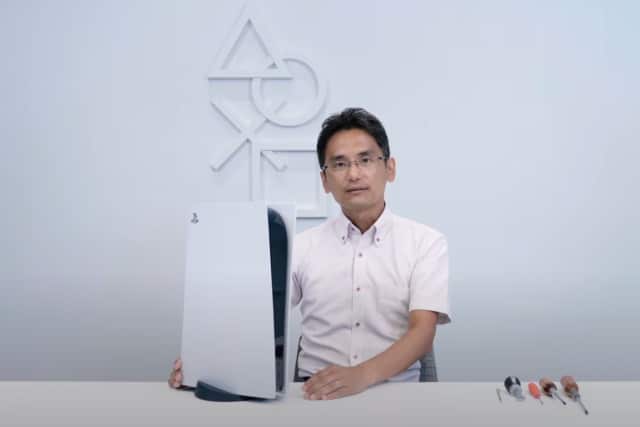
PlayStation 5 teardown -- Sony dismantles its new console so you don't have to
The launch of Sony's PlayStation 5 and Microsoft's Xbox Series X are fast-approaching, but ahead of availability, would-be buyers have a lot of questions.
As well as queries such as which games will be PS5 or Xbox exclusives, there are also questions about noise and heat. Just which of the two consoles is the quietest and coolest running remains to be seen, but to give you a glimpse of what is inside its latest gaming machine, Sony has gutted the PlayStation 5.
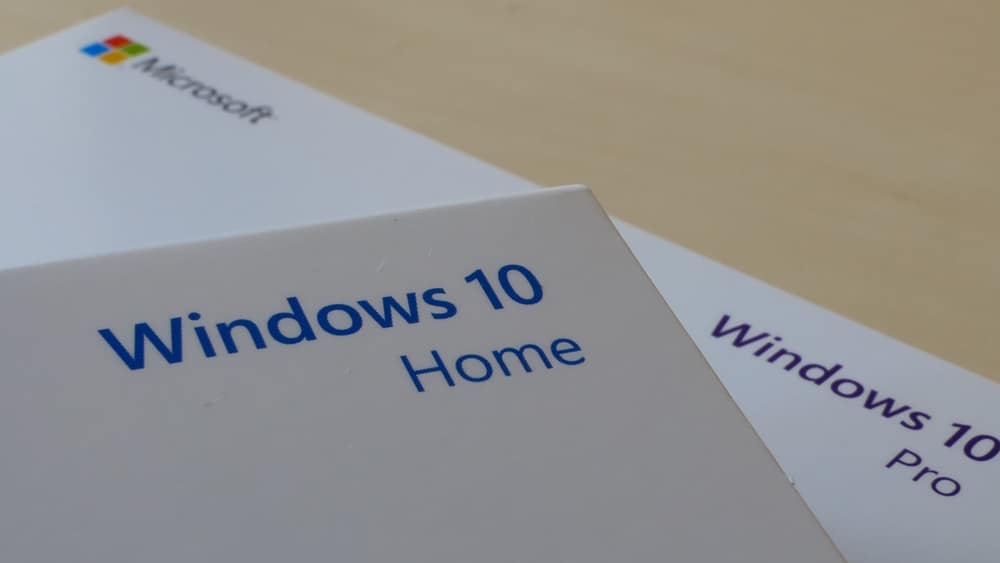
How to disable Bing in the Windows 10 Start menu
With Windows 10, Microsoft is understandably keen to promote its own products, and this is something that has been noticeable in the Start menu. Search results from Bing have long-featured there, and this is not something everyone is happy with.
For a while it was possible to disable the BingSearchEnabled key in the Registry to turn this off, but this option was removed in Windows 10 version 2004 (or Windows 10 May 2020 Update). So, if you want to disable Bing, there is now a new method you have to use -- and there is the happy side effect that it also disables Start menu ads.