
Get your hands on Valve's SteamOS beta right now!
Anyone who fancies the idea of building their own gaming box can head over to the Valve website can grab themselves a beta copy of SteamOS. The Linux-based operating system is available for anyone to download free of charge and coincides with the shipping of 300 prototypes of Valve's Steam Machine devices to specially selected testers. The OS and boxes have both been designed with pure gaming in mind -- but the system requirements are quite specific.
The download weighs in at 960MB, and there are reports that the servers are struggling as legions of eager gamers hit the link. But before you rush over to the site and start the download for yourself, take a moment to check whether your rig is up to the task. You'll need a 64-bit processor, but both Intel and AMD will do the job equally well, and 4GB of RAM is also required.

PhraseExpress 10 debuts phrase searches, Outlook add-in, input validation
Bartels Media has announced the availability of PhraseExpress 10, its powerful text expansion and auto completion tool. The company describes the release as a "cornerstone", and that’s not an overstatement: it’s absolutely packed with major new features.
These start with the ability to search within a popup for whatever phrase you need. Forget shortcuts and hotkeys, they’re no longer necessary; just trigger a popup, type a few characters, and matching phrases appear right away. Even if they’re in a subfolder.

It’s Christmas! Get into the holiday spirit with these desktop decorations
Christmas is coming. And soon! Okay, we don’t have time to prepare just yet, either, but there are quick and easy ways to get into the holiday mood. Just giving your PC a little desktop decoration can make a real difference, and there are plenty of fun options around.
Microsoft’s Snowy Night theme is a great place to start, thanks to 13 beautiful winter photos from around the world. (The theme only works on Windows 7/ 8, but 7-Zip will extract the wallpapers so that you can use them anywhere.)
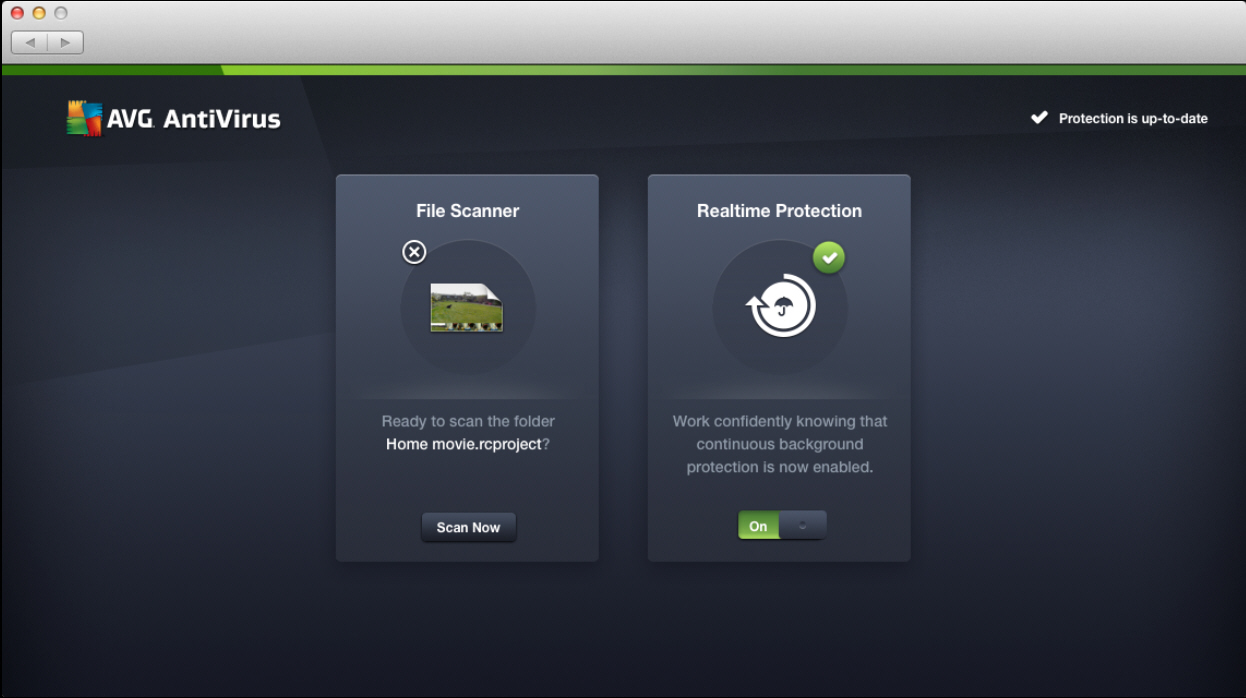
AVG enters Mac anti-malware market with AVG AntiVirus for Mac Free
Czech security developer AVG has launched AVG AntiVirus for Mac Free Edition 14.0, its first major foray into the increasingly crowded Mac anti-malware market. The new release comes with the promise of "triple protection" against not just Mac malware, but Windows and Android malware too.
The release is a no-frills affair, with real-time protection, a simple on-demand file scanner and automatic updates the sum of the application’s whole.
Compress PNGs up to 40 percent with Image Optimizer
PNG is a great format for compressing images without any loss in quality, but its files are usually much larger than the equivalent JPEGs, and that can be a problem. Especially when you’re using them on a website.
There are tools which can help, though, by using various lossless compression techniques to slim down your graphics. Daanav Software’s Image Optimizer is the latest, and we downloaded a copy to run a few tests.

Paragon releases Partition Manager 2014 Free
Paragon Software Group has released Paragon Partition Manager 2014 Free, the cut-down, free-for-personal-use edition of its Hard Disk Manager 14 Suite. The big addition this time is complete support for Windows Storage Spaces, Windows 8 and 8.1.
The previous Express Mode launcher now has a Windows 8-style interface. It’s surprisingly realistic, too, right down to a "live tile" with an animated "Upgrade to Hard Disk Manager 14 Suite" ad. (If you’re not a Modern UI fan, the regular "full scale launcher" is still available, and looks much as it always did.)

SUPERAntiSpyware 5.7 now available
Support.com has announced the availability of SUPERAntiSpyware 5.7. The new release can now identify and remove "potentially unwanted programs": toolbars, browser extensions, and software which is commonly bundled with adware installers.
SUPERAntiSpyware’s various tools -- Repair, Scan Logs, Quarantine, Preferences and more -- are now all accessible from the "System Tools and Program Settings" dialog.
Express Project is a free project management tool
Project management tools are generally aimed at large businesses, and perhaps as a result tend to be bulky, expensive, and difficult to use.
Fortunately, NCH’s Software’s Express Project is, well, different: a 209KB download (and that’s the whole program, not just an installer), entirely free (no adware), and so simple that anyone familiar with project management basics will have mastered it within minutes.

Take control of the Windows firewall with Tweaking.com’s 'Allow, Block or Remove'
If you’re currently using the Windows firewall then you’ll know the system can work well: it’s lightweight, configurable, and generally does a good job of blocking incoming attacks. But it’s not always easy to use, and deciding which programs can (or can’t) go online is a particularly tricky process.
Fortunately Tweaking.com’s latest tool, "Allow, Block or Remove", is on hand to help. There are no complex dialogs here, no lengthy lists of rules, protocols, ports or anything else. Instead, just find the executable you’d like to configure in Explorer, and you can block or allow it through the firewall in a couple of clicks.
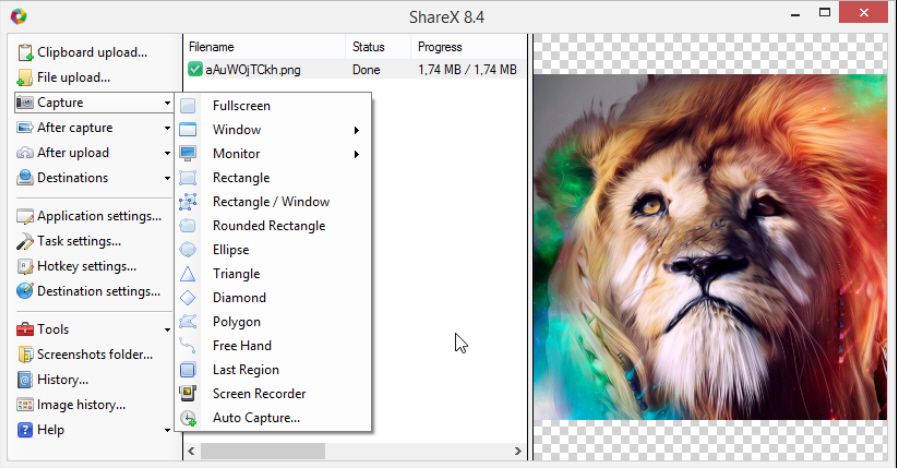
ShareX is an ultra-configurable screengrab tool
It’s easy to capture screens in Windows: just press PrtSc, Alt+PrtSc or Win+PrtSc (which saves a grab to disc in Windows 8). Unfortunately, the capture is just the beginning, and you’ll then have to spend quite some time editing, annotating, uploading, sharing and otherwise handling your image.
If you’re looking for an easier life, then, we would forget about the standard Windows tools, and install the open source ShareX, instead. Not only does it have many more features, but most of them can be entirely automated, so you can get your captures finished with no hassles at all.

Firefox 26 arrives, makes plugins more secure
Mozilla has begun the rollout of Firefox 26 FINAL, the latest stable build of its open-source, cross-platform web browser. There are no surprises with this final release, the raft of new and changed features mirroring that previewed when version 26 entered beta at the end of October.
The most visible change sees all browser plug-ins -- with the notable exception of recent Flash plug-ins -- being set to "click to play".

Streamnation lets you stream, download and securely share media with friends
In the past, sharing media with friends and family meant physically pulling out the photo albums or having to meet up in order to swap a DVD or video. Of course, these days you no longer have to tie yourself to the living room or study in order to access media either.
It’s perhaps surprising then that it’s only now that a cloud-based service has thought about providing a secure, simple way of storing, streaming and -- this is the biggie -- sharing media online. That service is Streamnation.com.

Darik’s Boot and Nuke lets you securely wipe all your PC’s hard drives
When you sell or scrap a PC it’s important to consider your data security. The hard drive will almost certainly have contained confidential information at some point -- user names, passwords, financial details -- and even it seems empty now, it’s worth making sure that none of this can ever be recovered.
Darik’s Boot and Nuke is an open-source tool which offers one possible solution. Burn its ISO image to disc, use this to boot your PC, and it’ll securely wipe your hard drive with the minimum of hassle.

AlwaysMouseWheel -- point at a window and scroll it, no clicks required
If you need to scroll an application window on a PC then spinning the mouse wheel is probably the simplest route. This only works on the foreground window, though, the one where you’re currently working. And so if you want to scroll some other window, you must click it first.
AlwaysMouseWheel is a tiny portable tool which changes all this. Once running, you can switch to and scroll any window Ubuntu-style just by moving the mouse cursor over it, and spinning the wheel -- no extra click required. It’s a small improvement, but if you regularly work with a lot of open applications then it can make a real difference.

EXESlide creates photo slideshows as EXE, SCR, SWF, AVI, GIF -- and more
Alternate Pic View EXESlide is a lightweight free tool which helps you build extremely basic slideshows. And we really do mean "basic": you can’t annotate an image, add captions or apply effects, and there’s no support for transitions at all.
EXESlide does excel in one area, though -- export formats. The program's slideshows may be limited, but once built they can be saved as self-launching EXEs, screensavers (SCR), Flash animations (SWF), AVI videos and animated GIFs. There are even bonus tools to present individual images as simple games.