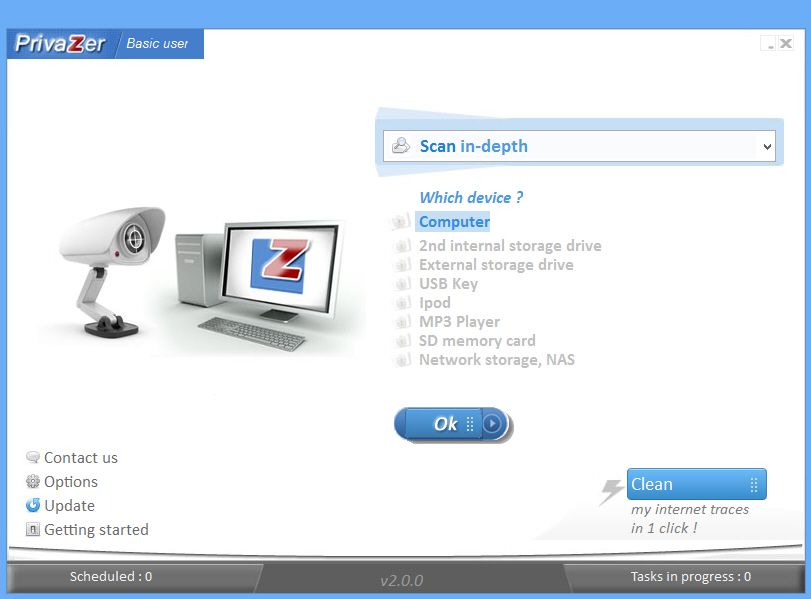
PrivaZer improves Chrome cleanup, extends browser support
Goversoft’s excellent privacy and system cleanup tool PrivaZer has today been updated to version 2.0.0, with a range of additions and improvements making it now more thorough than ever.
Enhanced Chrome cleanup sees the program now wipe the browser’s omnibox history, for instance, along with its stored passwords, download history and journals.

Decrap uninstalls your unwanted programs automatically
The standard Windows "uninstall a program" applet may not exactly be packed with features, but it’s fine for occasional use. Find and select your program, click Uninstall, and follow the instructions -- it’s all very straightforward.
You can only uninstall one program at a time, though, so if you’re intending to do a serious cleanup then this can quickly become tedious. Which is why you might want to try a little third-party help, in the shape of Macecraft Software’s Decrap.
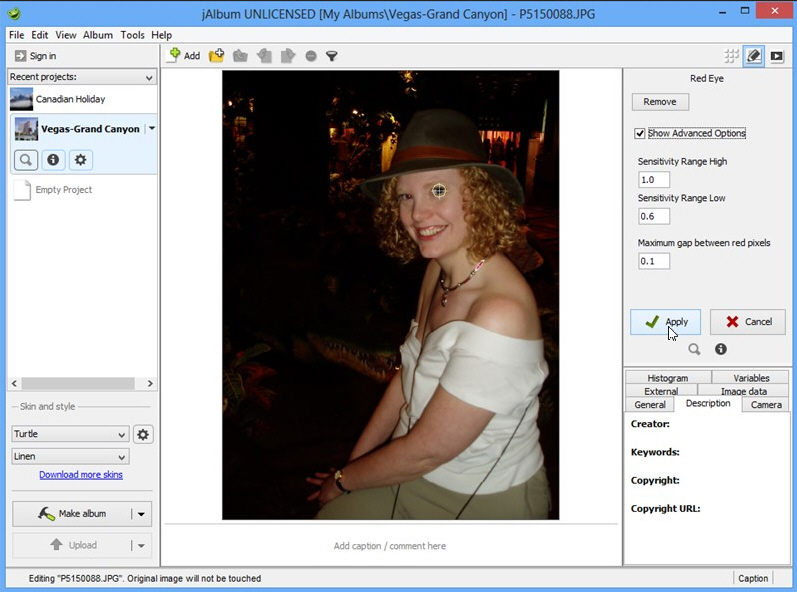
jAlbum fixes red-eye reduction tool, promises faster project loading
jAlbum AB has released jAlbum 11.4, a minor update of its cross-platform web album building tool. The software, available for personal use as a free, ad-supported program, resolves an issue that saw the red-eye reduction tool get broken, plus comes with the promise of faster loading times for larger projects.
This performance improvement claims "significantly faster (around 10 times)" loading of large album projects with sub-folders.

Spybot promises better performance, smoother installation
Safer Networking has announced the release of Spybot -- Search & Destroy 2.1 SR2, a minor update to its popular malware-cleaning tool. Spybot S&D comes into two flavors -- a free-for-personal use edition that concentrates on anti-spyware protection, or various paid-for versions that come with extra anti-virus protection plus additional tools.
Version 2.1 SR2 comes with few visible changes and no new features, but it does respond to user feedback in tweaking the default Internet Protection settings to provide better performance, although what security compromises have been made to achieve this aren’t made clear.

CHM Decoder quickly converts CHM help files to HTML
It’s been around since 1997, but Microsoft’s Compiled HTML Help (CHM) format is still often used for application help files, e-books and more. If you’re working on a PC then that’s no problem -- the files are easy to read -- but if you need to browse them on other platforms, then you might like to try CHM Decoder.
Point this small, free and portable tool at a CHM file, and it will quickly convert this into the original HTML. Open the root page and you’ll be able to browse it just like the original file. Only now it’s in a format which you can access almost anywhere.

XSearch: a small, simple and surprisingly capable search tool
We’re always happy to try out desktop search tools, but at first glance XSearch didn’t seem promising. It doesn’t use indexing, for instance, so you know performance will take a major hit. And the authors talk about how some prefer search as it was back in Windows 98/2000, which might lead you to think the program is going to be very basic indeed.
But then we downloaded it, took a closer look, and were very pleasantly surprised. XSearch may not have all the conveniences you’d like in a modern search tool (or even most of them), but there’s still plenty of flexibility here, and it could be a useful addition to your portable toolkit.

Get help on your family history with Family Tree Analyzer
Researching your family history is a fascinating way to spend a few hours (and days, weeks, months and years), but keeping track of everything you’ve found can be a problem. Behind your family tree lurks a mass of names, dates, locations and relationships, and getting any of them wrong can cause you major problems later.Fortunately there’s plenty of help on offer, though, and the open source Family Tree Analyzer is an easy way to start. Point the program at your tree data (in GEDCOM form) and it can produce a range of reports, highlighting problems, providing new ways to browse your data, and generally giving your research a gentle push in the right direction.
You’ll first need to save your existing data in the GEDCOM format. If you’re using family tree software then you can probably do that via a Save or Export option. If your tree is on the web, then check the site for export features (at Ancestry, select Tree Pages > Tree Settings > Export Tree).

Bitdefender Safepay aims to make web browsing more secure
Renowned security expert Bitdefender has officially launched its free secure web browser for Windows users. Bitdefender Safepay 1.9 comes with the promise of a "secure hacker-proof browser", aimed at providing users with a secure tool for online banking and e-shopping.
Safepay also offers a free security audit for your PC, and offers users a paid-for upgrade whereby free Wi-Fi hotspot protection is offered to provide safe, encrypted connections even when using open, non-encrypted hotspots.
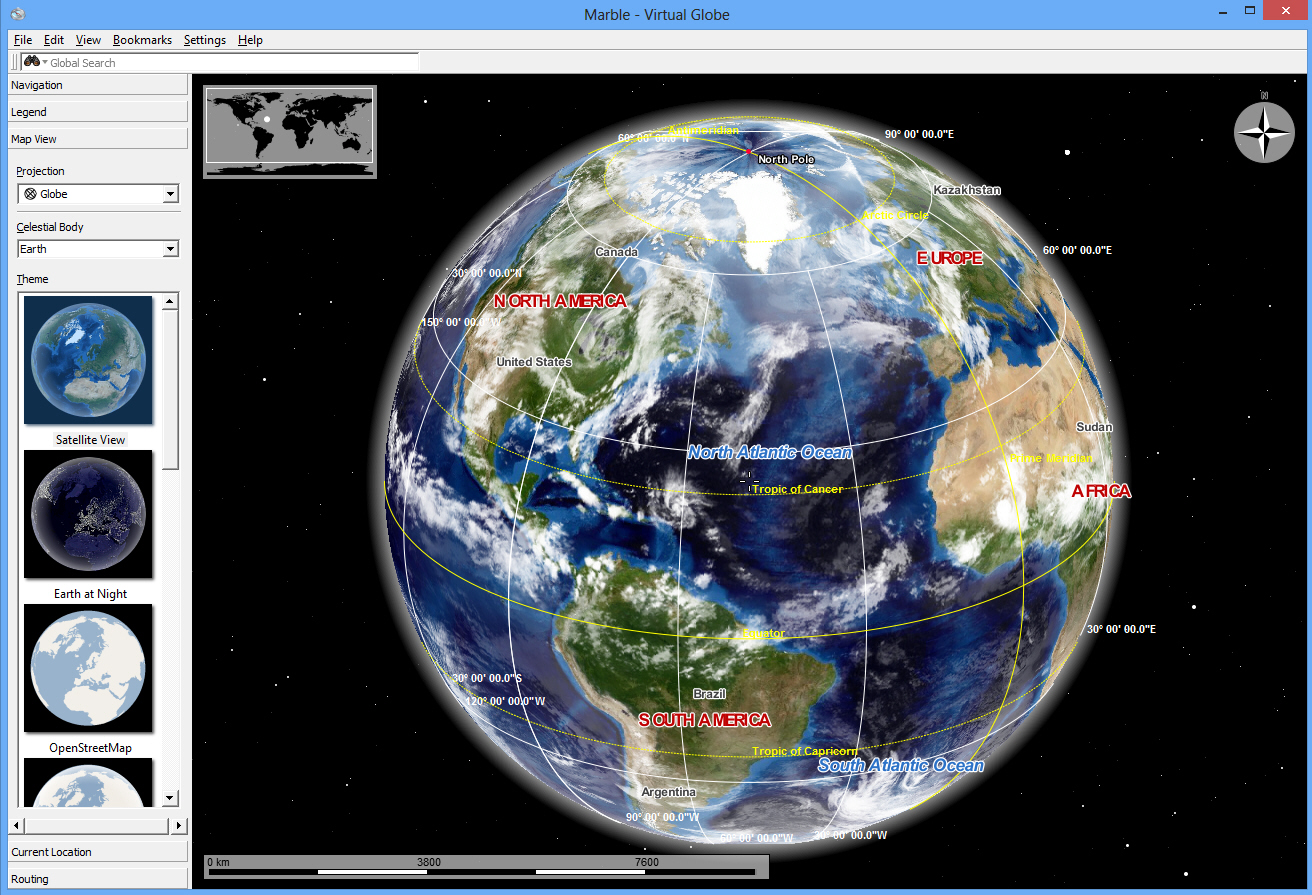
Marble: an open source alternative to Google Earth
Google Earth is a great mapping tool, hugely detailed and packed with features. Like Street View, for instance, which helps you navigate millions of miles of road all around the world, and would probably justify installing the program all on its own.
If you don’t like the program, though -- or, maybe, you just don’t like Google -- then there are some excellent alternatives available. The open source and cross-platform Marble, for instance, can’t compete with the photos and the imagery of Google Earth, but is still extremely powerful and has a great deal to offer.

TAudioConverter can extract and convert almost any audio format
Most PC users will occasionally need to convert audio files from one format to another, and for this most part this is quite straightforward. If, say, you have a few WMA’s which you need to be MP3′s, then just about any audio conversion tool ever written will get the job done.
What if you need to work with some unusual source formats, though? Extract the soundtrack from a video? Configure audio file tags, or take complete control over the encoding process? Then you’ll need a conversion tool with a little more power. Like TAudioConverter, in fact.

Lock your PC -- but not your screen -- with KeyFreeze
If you’re leaving your PC unattended for a while then locking it (pressing Win+L) can be a sensible precaution, as it prevents others from viewing your files or interfering with running programs.
The Windows Lock function also hides the current contents of the screen, though, annoying if you want to leave a movie playing, or perhaps monitor the progress of some lengthy task you’re running. And that’s why might sometimes prefer KeyFreeze, which locks your PC but leaves the screen active, just as before.

Folder Actions can automatically rename, convert or compress your files
File management is generally a tedious business which requires plenty of time and effort. To convert a file between formats, say, you might have to launch a program, select an action, choose files, set parameters and more: nothing difficult, but still a hassle.
Folder Actions is a free-for-personal-use tool which can help, allowing you to run many common tasks simply by dragging and dropping your target files onto a folder.

EagleGet extends YouTube download support
It’s been in beta for an unfeasibly long time, and displayed some odd bugs along the way, but download manager EagleGet 1.1 is finally available as a stable release. And while it’s not a major update, there’s still plenty of new goodies to enjoy.
The program now provides a YouTube video sniffer, for instance. If you have a YouTube URL, there’s no need to paste it into a browser anymore; just enter it into EagleGet for a list of videos, and double-click whatever you want to download.
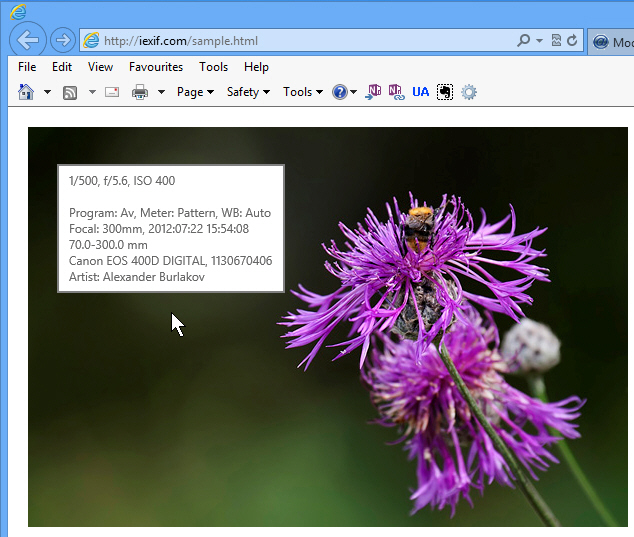
Internet Explorer addon IExif lets you view EXIF data for web images
EXIF metadata provides a great way to better understand digital images and how they were taken: the camera used, the lens, shutter speed, aperture, ISO and more. But browsing this information for photos you find online is normally rather awkward, as you’ll have to download each and every image, before manually opening it in your preferred viewer.
Fortunately, Internet Explorer addon IExif takes a simpler approach. Whenever you’d like to know more, just hover your mouse cursor over an image on the current web page, and IExif will extract and display its metadata (if there’s any available).

Video Image Master Express lets you extract frames from videos or create video slideshows
Extracting a series of frames from a video can be a great way to summarize its contents, but getting the precise results you need is often a challenge. We recently looked at Free Video to JPEG Converter, for instance, and while the program was easy to use, it had limited extraction options.
If you need more power, then you might prefer the free Video Image Master Express. It provides a host of ways to define exactly how your frames should be extracted, and as a bonus it can also combine still images of your own into a simple video slideshow.