
SafeIP delivers quick and easy anonymous browsing
If you’re looking to preserve your privacy online then there are already a host of free tools and services queuing up to offer you a new IP address, so discovering yet another, in the shape of SafeIP, didn’t exactly fill us with excitement.
The program doesn’t stop there, though. It also claims to block cookies, conceal your referrer and browser agent, block ads and prevent you from accessing known dangerous sites. And all for free, no adware or similar catches. Perhaps SafeIP was worth a look, after all.
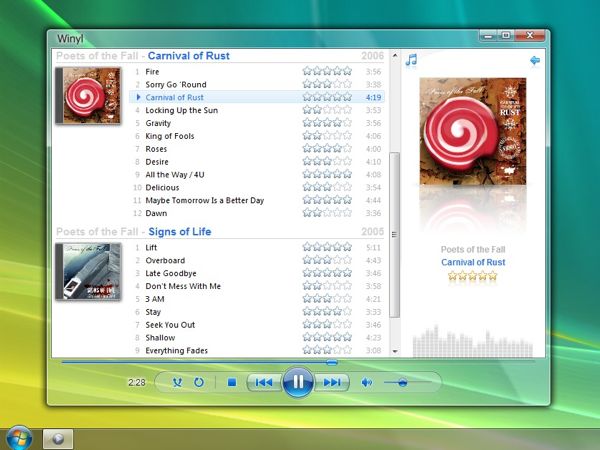
Winyl: an appealing, well-designed music player
Creating a great music player is a tricky business. You’ll need to provide plenty of features, but also make sure the interface is simple, unobtrusive, lightweight, and never gets in the user’s way. Very few players get this balance right, in our view, but Winyl is one of the exceptions.
The program arrives as a compact download (under 3MB), and installs quickly, with no browser add-ons or other extras to worry about (you won’t even see as much as a “Donate” button, unless you view the Winyl “About” box).

Detect wi-fi intruders with Wireless Network Watcher
If you'd like to keep your wireless network secure, turning on the best possible encryption is usually a very good place to start. There may still be room for problems, though (as I discovered, when my brother accidentally turned off his encryption entirely while trying to set up a TV), so it could be worth using NirSoft’s Wireless Network Watcher to keep a lookout for Wi-Fi intruders.
As usual with NirSoft programs, Wireless Network Watcher is compact in the extreme, a tiny download (even when unpacked it requires less than 700KB drive space) which requires no installation: just unzip it and go.
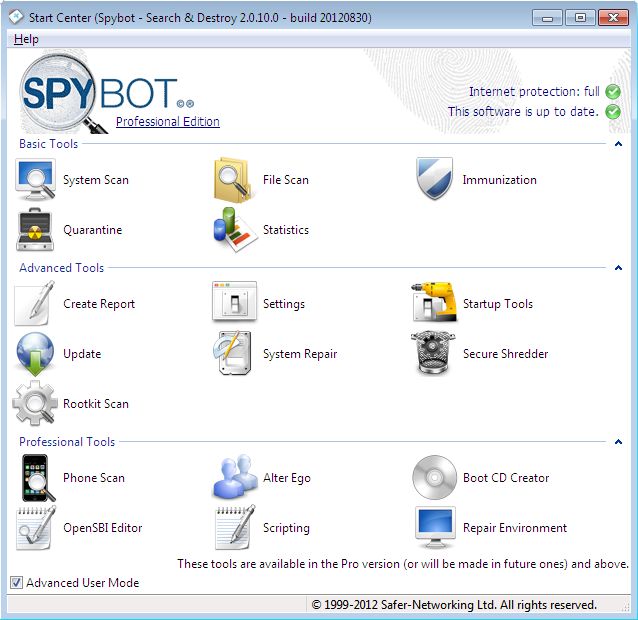
Spybot - Search & Destroy gets a major update on Monday
You may think you don't need additional security on your Windows 8 machine because it comes with Defender built in. Think again, because no single program is capable of finding and blocking every threat out there. One of the best complements to any Windows PC is third-party software that is capable of scanning, blocking and removing troublesome problems like spyware and malware that get into your system.
One of those third-party scanners, Spybot - Search & Destroy from Safer-Networking, is set to release its complete version 2.0 next Monday, The software is currently available in its third release candidate revision, which you can download in FileForum right now if you want to get a quick look at what to expect on Monday.

Portrait Professional 11 offers even better ways to fix your ugliness
Anthropics Technology Ltd. on Wednesday pushed out a major update to its Portrait Professional "airbrushing" software, including new touch-up functionality, better handling of multiple faces in a single image, new face modeling and 3D skin processing, and much more.
There are a lot of solutions available to the consumer looking to gently touch-up photographs. Some are built into smartphones, some are available as freeware, some are available as plug-ins to common desktop software. It's all kid's stuff compared to Portrait Professional.
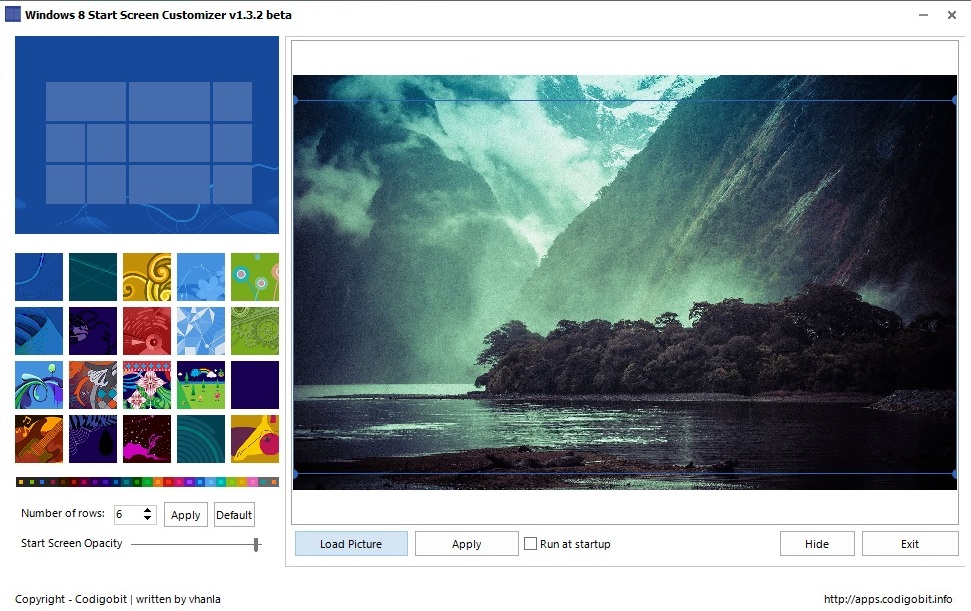
Windows 8 Start Screen Customizer review
The Windows 8 Start screen is without doubt one of the prominent new features of the operating system. It is the first screen of the operating system that new users see when logging in and also the screen that the majority see every time they do so. While there are ways to bypass the Start screen to go straight to the desktop, it is unlikely that the majority of people will make use of those.
It may feel like an oversight to some users that Microsoft decided to lock down the available Start screen customization options. Instead of giving users the option to select any background image they want, the company limits the Start screen backgrounds to 20. While Windows 8 users are still free to select custom pictures as desktop backgrounds, they do not have the same option when it comes to this important part of the operating system.
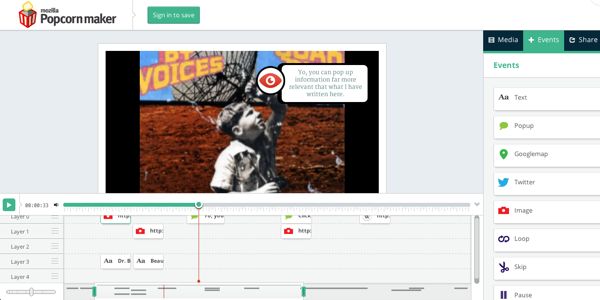
Mozilla's Popcorn Maker beta lets you make 'Pop-up Videos' on the Web
In the late 90's and early 2000's, American music video channel VH1 aired a program called Pop-Up Video, which took existing music videos and augmented them with additional information about the performers, the videos, the music, and so forth. This information "popped" on screen at relevant times with an audible bubble popping noise.
The show turned out to be so popular that it ran for six years, and came back to VH1 nine years later. Right now, it's in its second year as a revival.

How to install Ubuntu on VMware Workstation
Gone are the days when setting up and using Linux was a cumbersome experience, and what better way to see than trying Ubuntu -- one of the most popular and easiest-to-use distributions available. Ubuntu has tempted many Windows users to make the switch to open-source, free-to use-software.
One of the easiest methods to test Ubuntu is to install it on VMware Workstation. You get all the benefits of having Ubuntu installed but none of the hassles attributed to the process, because it's all happening in a safe virtual environment.
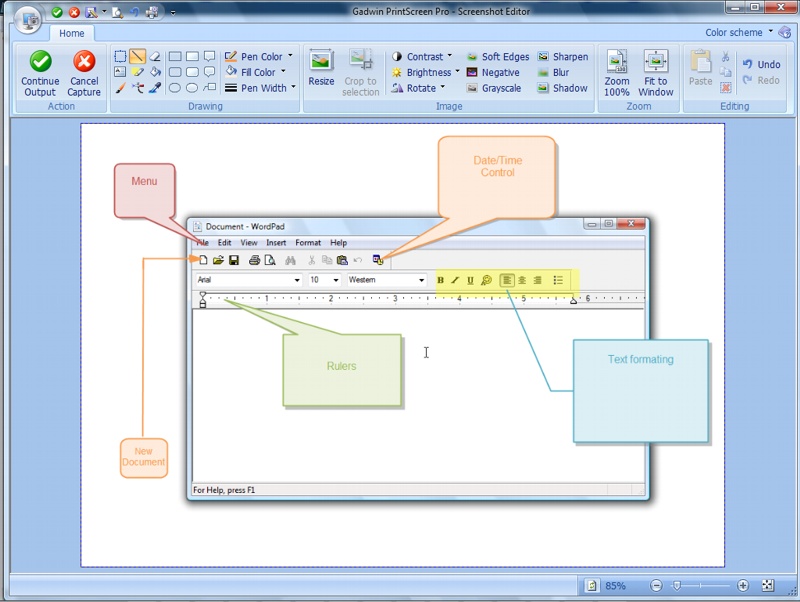
Gadwin PrintScreen: just quick, easy and configurable screen captures
As screen capturing power goes, there’s no doubt that the standard Windows PrintScreen function is horribly basic. But some third-party capture tools head in the other direction, weighing you down with a host of overcomplicated options which you’ll probably never use at all.
If your needs are more straightforward, then, you might prefer something like Gadwin PrintScreen, which provides a good set of basic screengrab functions, yet always remains relatively lightweight and easy to use.
LibreOffice 3.6 debuts a stack of major new features
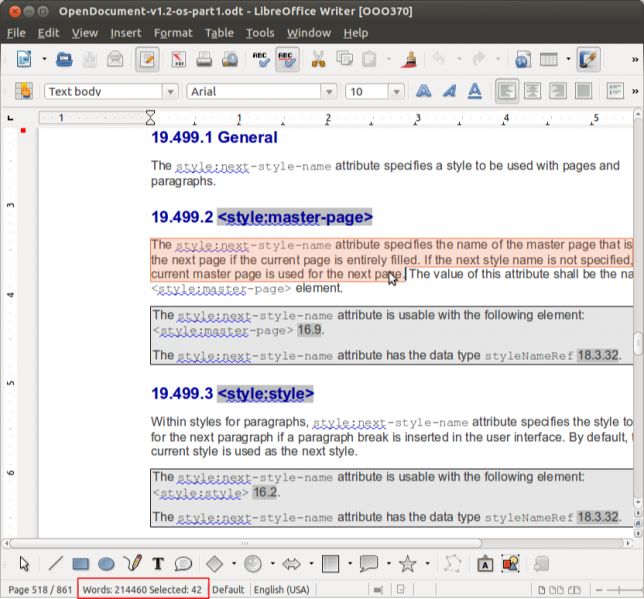
The Document Foundation has announced the release of LibreOffice 3.6, a major upgrade which introduces a host of important and very welcome new features.
If document sharing is top of your priority list, for instance, you'll appreciate the suite's new ability to import Corel Draw files. Regular DOCX and CSV import has been significantly improved, PDF export now supports watermarks, and major performance enhancements mean importing many file types is now substantially faster.
Roundup – 22 updates and new downloads to kick off August
The end of July and the beginning of August have seen the release of a number of important apps and updates. If you’ve found it hard to keep to speed with what has been going on in the world of software, this roundup is here to help. SoftMaker FreeOffice 1.0.3340 is a free alternative to Microsoft’s office suite that is capable of producing Office compatible documents as well as PDFs. The news that Windows 8 has been released to manufacturers has rekindled interest in all things Metro, and Immersive Explorer 0.1.1 Alpha extends the look and feel of the Windows 8 Start menu into a fledgling replacement for Windows Explorer. If you’re more interested in storing your documents in the cloud, Google Drive 1.3.3209 has been updated, providing you with access to several gigabytes of free online storage and the ability to sync with your computer. While you’re online, you may well visit Facebook from time to time, and Facebook Messenger for Windows 2.1.4590.0 is a handy free tool that can be used to chat with contacts, monitor status updates and more all from a neat sidebar on your desktop.
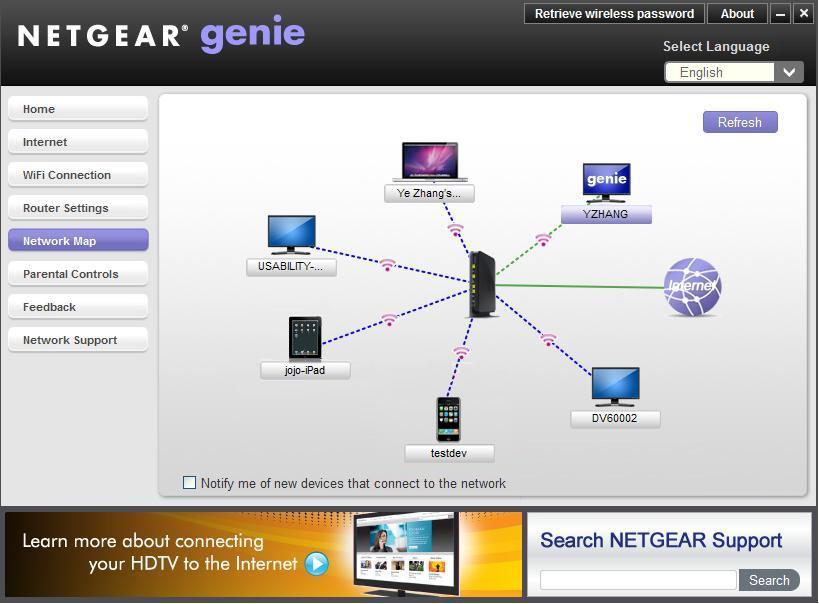
Regardless of whether you have a Netgear router or not NETGEAR Genie 2.2.26.50 can be used to take care of it. NETGEAR Genie 2.0.25 (mobile version) is always available so you can use your Android or iOS mobile to perform tasks such as controlling your media and running speed tests. To make your life online easier, you need a decent web browser, and Opera 12.01 FINAL and Opera 12.01 FINAL 64-bit have both been released, with improved performance and better HTML5 support. If you’re more of a Google fans, Google Chrome 21 FINAL and Google Chrome 21 Portable provide you with everything you need including an all-new API for high-quality video and audio communication.

New .NET Framework Cleanup tool adds Windows 8, .NET 4.5 support
Back in July, Microsoft engineer Aaron Stebner released a new version of his .NET Framework Setup Verification tool, a handy troubleshooting utility which can quickly tell you whether a particular .NET edition is installed and set up correctly.
And Stebner has followed up this up with an upgrade of his companion program, the .NET Framework Cleanup Tool. As the name suggests, this can fully remove a specified edition of .NET from your PC – files, folders, Registry entries, everything – and the new edition works with both .NET Framework 4.5 and Windows 8.
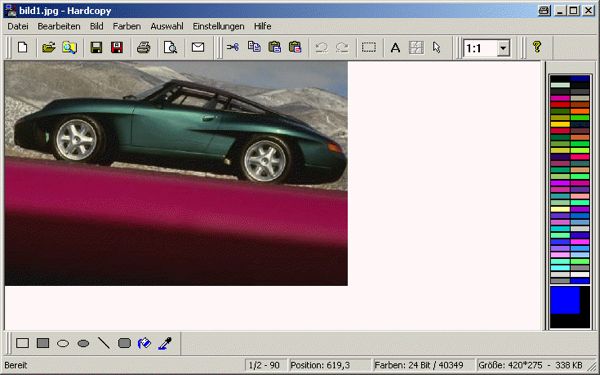
Hardcopy lets you print out your desktop or program window with a single click
While it’s true the simplest apps are often the best, you invariably find yourself torn over loving their simplicity while yearning for additional functionality. Imagine, then, an app that can fill a void you didn’t know existed – the need to quickly print out your entire desktop or an active window to paper – while providing all those extra features you don’t yet realize you want?
You can stop imagining, because that app exists. It’s been around for over a decade, benefits from frequent updates (it’s fully Windows 8 compatible, for instance) and – most pleasing of all – is completely free.
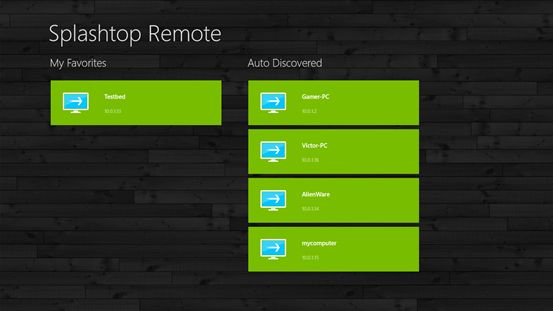
Splashtop remote desktop launches on Windows 8
Even though the Windows Store is still only in Preview Mode, Splashtop Inc. on Thursday announced it had launched its flagship remote desktop client for Windows 8 there.
The popular Splashtop application lets users access their PC desktop from their mobile device, and with it, Windows 8 tablets will be able to connect to other Windows desktops and Mac OS desktops over Wi-Fi and 3G/4G data connections, with low enough graphical latency to enable remote gameplay and HD video streaming.
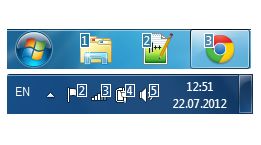
Switch applications more easily with 7 Taskbar Numberer
If you want to use the keyboard to switch from one Windows 7 application to another, you could press Alt+Tab repeatedly, cycling through all your programs until you reach the one you need.
But it could be easier to access it directly. If you see that Outlook’s taskbar icon is eighth from the left, for example, all you have to do is hold down the Windows key, press 8 and it’ll immediately jump to the foreground (or launch, if it’s a pinned shortcut).