Microsoft issues patch for serious security vulnerability affecting everything from Windows 7 to Windows 11
We have already written about some of the security patches issued by Microsoft this month, but the company has released a very large number of fixes in total. Included among the fixes is a patch for a security issue deemed so serious that Microsoft has even released a fix for Windows 7, despite security support for the operating system having ended at the beginning of last year.
The vulnerability is tracked as CVE-2022-37969, and is a described as a "Windows Common Log File System Driver Elevation of Privilege Vulnerability".
Microsoft releases KB5017328 update for Windows 11 to address security issues and fix login problems
It is that time of the month again -- the time when Microsoft releases patches for Windows. This time around we have the KB5017328 update for Windows 11 which, among other things, fixes a problem introduced by another update for Windows.
Some people who installed the recent KB5016691 update experienced login issues, and this is addressed by this Patch Tuesday’s KB5017328 update release. Importantly, this particular release is also a security update. Microsoft has also provided Windows 11 tips to accompany this update.
Microsoft releases emergency fix for Windows 11 login issue caused by problematic update
Microsoft has acknowledged that the recently released KB5016691 update for Windows 11 led to serious issues for some users. The optional update preview introduced new admin features as well as fixing printing and Bluetooth problems, but it also prevented some users from being able to log into Windows 11.
The problem affects Windows 11 version 21H2, and it is serious enough to force Microsoft's hand into releasing an emergency fix. But just as problematic Windows updates have become increasingly common for Windows 11, so the approach taken to fix the issue is one that Microsoft is using more and more often -- and it is one that is seen by some as a proper substitute for a proper fix.
Microsoft explains the SMB compression changes introduced by Windows Server 2022 KB5016693 and Windows 11 KB5016691 updates
Last week, Microsoft released previews of updates for various versions of Windows before it unleashes the final versions next Patch Tuesday. Included among these was the KB5016691 update for Windows 11 which --although billed primarily as a bug-fixing update -- added new Server Message Block (SMB) compression options.
The same changes were introduced to Windows Server 2022 with the KB5016693 update, and Microsoft has published details of just what the changes mean, as well as explaining how to take advantage of the new options and settings.
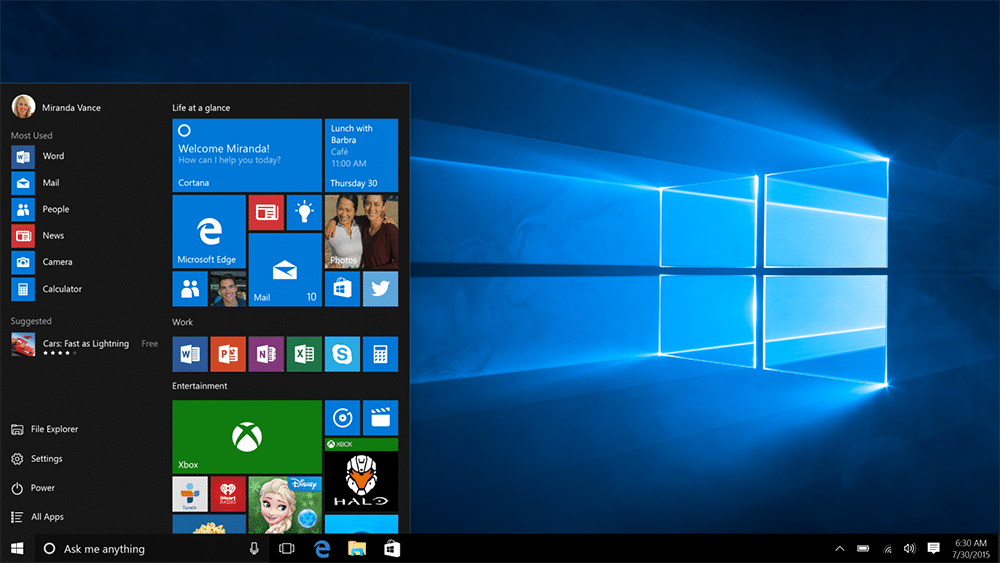
Microsoft releases KB5016688 update to fix a slew of Windows 10 problems
Microsoft's focus may well be Windows 11 and the upcoming Windows 12, but that does not mean that people who have opted to stick with Windows 10 have been forgotten. Having released a preview of the KB5016691 update for Windows 11, the company has also released KB5016688 update for Windows 10.
Available for Windows 10 versions 20H2, 21H1 and 21H2, the KB5016688 update is a preview of the cumulative update that will be released next Patch Tuesday. Although this is a non-security update, it fixes a large number of issues with Windows 10
Microsoft releases KB5016691 update for Windows 11, fixing printing and Bluetooth problems, and adding admin options
Ahead of a wider release next Patch Tuesday, Microsoft has released the preview version of the KB5016691 update for Windows 11. The update addresses a number of issues that have cropped up recently, including fixing problems with USB printers and also with Bluetooth headsets.
There are numerous other bug fixes such as addressing a problem with Microsoft Edge and a trust issue with Microsoft Store apps. There are also a handful of new features and options, helping to enhance security and giving sysadmins new controls.
Microsoft is preparing to release Windows 11 2022 Update -- the update formerly known as Windows 11 22H2
Users of Windows 11 have been eagerly awaiting the first major update to the operating system. Windows 11 22H2 has been in the works for quite a while now, and it's due for release in the coming weeks; except it's not.
Microsoft will not be releasing Windows 11 22H2, having changed its mind about what the update will be called. Instead, it is Windows 11 2022 Update that will be pushed out to users as soon as next month.
KB5015878 update broke audio in Windows but Microsoft has a fix... of sorts
One of the most recent updates released by Microsoft that has had something of an unwanted payload is the KB5015878 update for Windows 10. Many people installing the update found that it broke audio on their systems.
Microsoft has not only acknowledged the problem, it has also issued a fix. The company is using a once-rare-but-becoming-increasingly-common Known Issue Rollback (KIR) to recall the update. Sadly, it will be of no use to people who are experiencing audio problems!
KB5012170 update for Windows is even more problematic than first thought… Boot issues and BitLocker irks abound
Microsoft may have issued a warning that the recently released KB5012170 update for Windows might cause 0x800f0922 errors, but it seems that the update is even more problematic. Users who have been able to install the update are complaining of numerous other issues including boot problems.
Among the issues being reported are the appearance of BitLocker recovery screens, slow boot times and more.
Microsoft warns that KB5012170 update may cause 0x800f0922 error
Microsoft has issued a warning about the KB5012170 update, a security update for Secure Boot DBX released a few days ago.
The company says that users of Windows 11, Windows 10 and Windows Server may find that the update installation fails, resulting in a 0x800f0922 error. While there is currently no fix, Microsoft has issued some advice while it investigates the problem.
Microsoft releases KB5016629 update to fix Windows 11 Start menu problems and security issues
It is that time of the month again -- the time that Microsoft releases updates for Windows 11. This time around, the company has released the KB5016629 update to not only fix a problem that prevented the Start menu from opening, but also to address various security issues.
This is a cumulative update which also includes the changes that were part of the KB5015882 update that was made available last month. This means that the KB5016629 update fixes problems with File Explorer as well as introducing new Focus Assist features and better Windows 11 updating.

Microsoft 'fixes' language bar problems caused by KB5014666 update
It has not gone unnoticed that Microsoft's quality control for updates for Windows has been found somewhat wanting of late, particularly when it comes to Windows 11. We have reported numerous times about problems caused by updates, and then the subsequent fixes -- and, sometimes, additional issues they cause -- that Microsoft releases.
Windows 10 users are also affected by problematic updates, and the recently released KB5014666 update caused issues with printing. But this was not the only problem caused by this devilish update; it was also found to lead to problems with the Input Indicator and Language Bar. Now Microsoft has issued a fix -- of sorts.
Microsoft confirms that KB5014666 update is causing printing problems in Windows
Several months ago, Microsoft released a series of updates for Windows 10 and Windows 11 that caused endless problems with printing. Subsequent updates that were supposed to fix the initial problems either failed to do so, or introduced new issues. Now printer problems have popped up again
The issues stem from the recently released KB5014666 update, and it is specifically causing problems printing to USB connected devices. This time around, it is only users of Windows 10 that are affected, but this is a huge number of people. Microsoft has provided details of potential workarounds.
Microsoft rolls back KB5014668 update for Windows 11 because it broke the Start menu
Microsoft has performed another Known Issue Rollback (KIR) after Windows 11 users complained of Start menu problems after installing the KB5014668 update.
KIRs used to be relatively rare, but there have been several issues recently that have required them to be implemented. In the case of the recently released KB5014668 update, some users found that it was not possible to open the Start menu either by clicking the Start button or by using the keyboard.
Microsoft releases KB5015882 update for Windows 11 with new upgrade options, Explorer crash fixes, and more
It is the time of the month when Microsoft unleashes its C release updates on eager Windows users. As such, the company has released a preview of the KB5015882 update for Windows 11, bringing a number of important changes and bug fixes.
Although this is a non-security update, KB5015882 remains significant for a number of reasons. Not only does it address an issue that caused explorer.exe to hang, but it also introduces new upgrade options and makes changes to focus assist.