
27 downloads you shouldn't miss this week
The update rate for web browsers is faster than ever, and this has been a particularly busy week for Firefox, starting off with the release of Firefox 10 FINAL. While there aren’t a huge number of big, notable changes, aside from perhaps the rejigged forward button that hides until it is needed, this is still an important milestone and offers impressive performance and stability improvements over previous version as well as better support for third-party addons.
There is also a portable version of the browser available in the form of Firefox Portable 10.0. The release of a new stable version of Firefox means that there has been a spate of releases in the other channels, including Firefox 11 Beta 1. If you’d like to peer a little further into the future, Firefox Aurora 12.0a2 gives a taste of what to expect from upcoming releases.
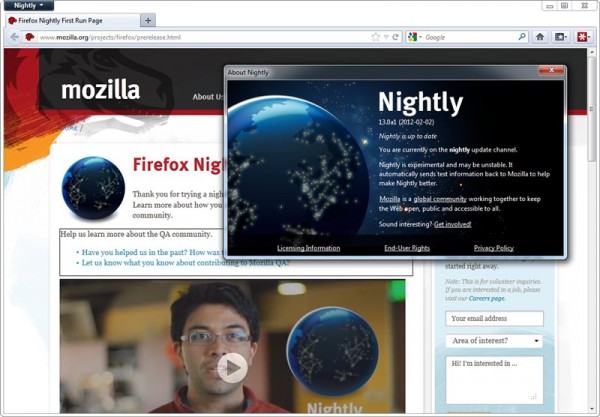
Which Firefox is right for you -- 10, 11, 12 or 13?
Following on from the release of Firefox 10 FINAL, Mozilla has updated its developmental branches to versions 11 (Beta), 12 (Aurora/UX) and 13 (Nightly) respectively.
As always, the rapid release cycle -- a new version of Firefox ships every six weeks -- means that changes aren’t as radical as you might expect considering the regular version number jumps. However, the latest batch of updates hints that some major updates are heading Firefox’s way over the next few months. Get a head’s up on what’s coming and discover which build is best for your personal needs with our updated guide to what the future holds in store for Firefox.
Google kills Chrome usage growth
Chrome's browser usage share fell in January, according to Net Applications, after 14 months of consecutive, solid growth. Competition didn't kill Chrome growth, Google did, with its decision to reduce the browser's search page rank. Which browser benefitted most? Internet Explorer, of course.
It's a stunning turnabout for Chrome, which likely will see continued trend during February. On January 3, Google announced a temporary downgrading of Chrome's page rank -- how high it appears in searches -- following a minor scandal with a third-party ad agency. The marketer paid bloggers to write about Chrome, which violates Google policies on sponsored links. The search and information giant treated itself like other advertisers, perhaps more harshly, and lowered Chrome's search ranking for 60 days.

Got Android? Get Firefox 10
Hey, Firefox fans, don't settle for just the desktop browser that popped up on Mozilla servers overnight. Firefox 10 mobile is also available at the Android Market. While the big browser offers significantly improved plug-in support, it's still DOA on the small one. That means no Adobe Flash for you, Bud.
New features include anti-aliasing for WebGL and accelerated layer-support via OpenGL ES. Firefox 10 mobile improves sync and HTML5 capabilities, as well. Among the fixes: "Extremely rare case where the browser may become unable to load web pages or close tabs".

30 software downloads you need this week
We’ve reached the end of the first month of 2012 and this has been another busy week for software releases. If it seemed a little quiet on the browser updates recently, things changed this week with the release of Opera 11.61 FINAL as well as Opera Portable 11.61. Fans of cutting edge software may be more interested in Opera Next 12.00 build 1256, which is the first update to the beta channel of Opera for quite some time.
When browsing the Internet, speed is often the most important consideration, and Pale Moon is a speed optimized version of Firefox that includes support for extensions. This week saw the release of not only Pale Moon 9.1 and Pale Moon x64 9.1, but also portable versions in the form of Pale Moon x64 9.1 Portable and Pale Moon 9.1 Portable.
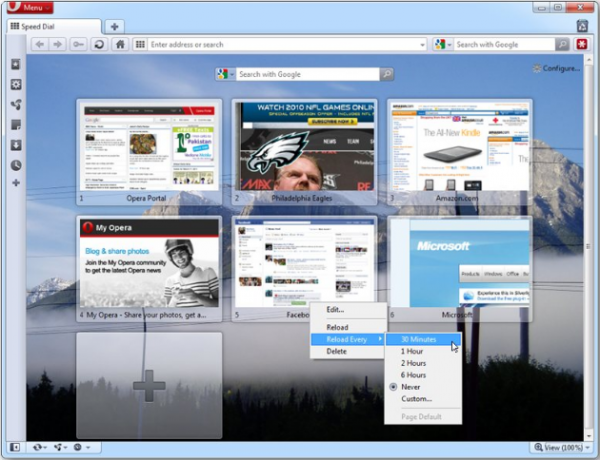
Opera 11.61 is released -- get it now!
The latest addition to the stable release channel for Opera is v11.61, which includes more than 50 security and stability enhancements and is recommended for all users. You can either wait for the automatic updater to occur, or you can force a manual check and update from the Help menu.
Two of the most important changes to the browser see a couple of on-going scripting problems being fixed, but there are also a large number of additional tweaks that address issues with various aspects of the program.

Pokki creates desktop apps from websites
You have undoubtedly noticed that an ever-increasing amount of the time you spend using your computer is online. The same is true of your phone, and when you’re out and about it is quite usual to use dedicated apps to access services such as Facebook and Twitter. But when using a desktop or laptop, the vast majority of people will head straight to the website of various online services. Thanks to Pokki this may change.
Pokki is a platform for a series of applications that can then be used to transform a range of websites and online services into desktop apps. The value of being able to access the Internet through the desktop rather than a browser is something that has been recognized in the past -- even Microsoft noticed the potential early on with its Active Desktop component in older versions of Windows. Pokki is somewhat more advanced than this and other similar options that are available, offering you a series of specially designed apps, each of which have been built from the ground up with a particular web service in mind.

21 downloads you shouldn't miss this week
We’re only just through the second week of January, but the number of software releases is just as fast as ever. There have been so many applications hitting the servers over the last seven days, we wouldn’t be surprised if you had missed some here and there. This is why we have put together this handy roundup to get you back up to speed.
If you want to keep in touch with friends, family and colleagues, look no further than Skype for Windows 5.7.0.137 Beta. The latest beta version of this chat client fixes a number of problems that have been found, but Mac users have more to look forward to in Skype for Mac Beta 5.5. The latest beta includes an improved call interface that makes it easier to mute calls, add new people to a conversation, and share files and video.
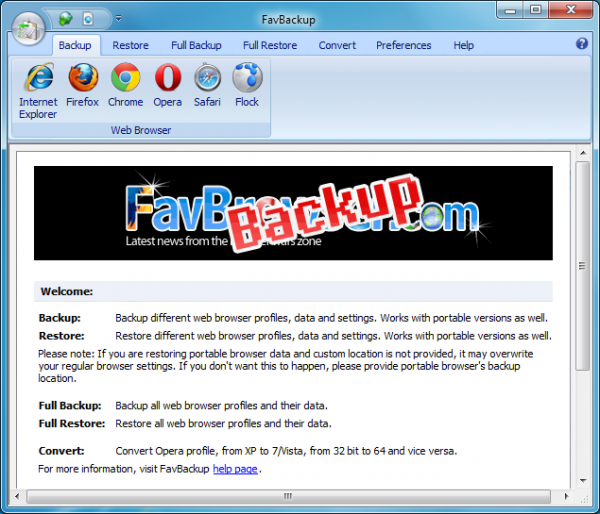
Avoid browser data disasters with FavBackup
Running a complete system backup occasionally is a great way to protect yourself from a data disaster. Smaller, more focused backups also have their place, though. So it may also be a good idea to preserve your browser settings every day or two, and FavBackup is a very easy way to make this happen.
The simplest way to begin is just to run the program’s Full Backup Wizard. There are no complex settings to consider, no involved options to think about: just choose your preferred browser (there’s support for Firefox, Chrome, IE, Opera, Safari and Flock), specify the backup destination and FavBackup will take care of everything else.
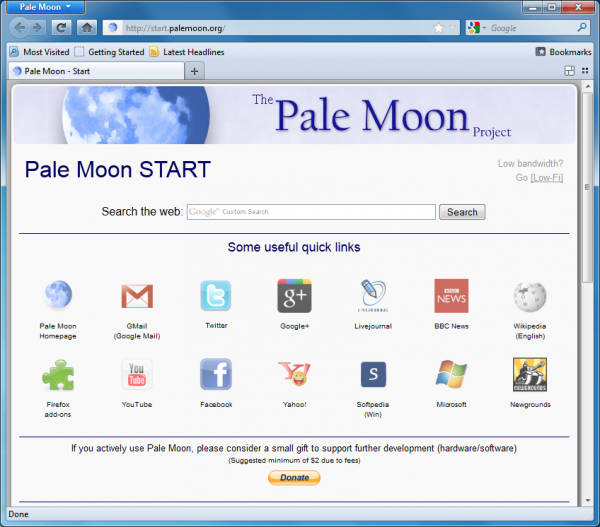
Pale Moon 9.0.1 blazes past Firefox 9 speed tests
If you’re not satisfied with the performance of your Firefox installation then a good first step is to make sure you’re fully up-to-date; Firefox 9, released just before Christmas, introduced some worthwhile improvements aimed at optimizing speed and cutting resource use.
If that’s not enough, though, you could always check out Pale Moon 9.0.1, released today. It’s a custom version of Firefox that has been further optimized for performance, and our initial benchmarks show some interesting results.

25 resolutions Google should make for 2012 [Galaxy Nexus contest winner]
Finally, after a two-day delay, we have a winner for a shiny, new Galaxy Nexus smartphone. We asked you to offer 2012 New Year's resolutions for Google -- and you did, and some too late to qualify (you missed the deadline, sorry). Among the many on-time submissions, we chose 25 resolutions that Google should consider for the year ahead.
The resolutions aren't as broad as we expected and perhaps the prize is reason. More of you offered suggestions about Android than anything else. In the list below, some submitters appear more than one time, but they were only considered once in the prize drawing. We randomly chose from among all submitters meeting the deadline. In the interest of time -- and preparation for next week's Consumer Electronics Show -- we didn't check to see if all submitters met the other qualifications. We qualified the winner only and would have drawn another name had he failed to meet them (The two absolutely required with the resolution submission: Tweet the post and follow BetaNews on Twitter).
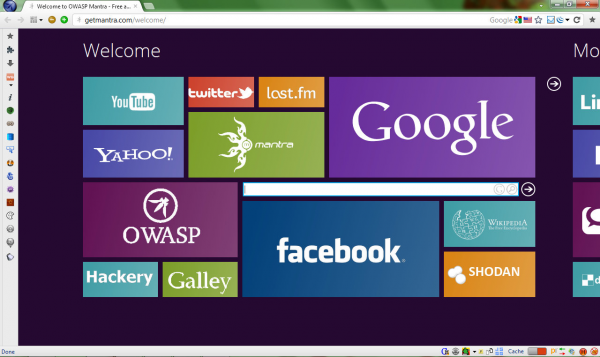
OWASP’s Mantra -- a customized portable version of Firefox
If you’re a web developer who would like some assistance with your more complex development tasks then a good first step might be to install Firebug, an amazingly powerful Firefox extension which enables you to inspect and modify HTML in real time, debug JavaScript, analyse site performance and a whole lot more.
There are plenty of other Firefox extensions which you might find useful, though. Obviously you could research and install these individually, but a quicker option might be to download a copy of OWASP’s Mantra, a customized portable version of Firefox which includes more than 50 well-chosen web development tools.
Chrome 17 beta can load pages faster than you can type the address
Almost a month after releasing Google Chrome 16 Final, Google has finally pushed Google Chrome Beta to version 17. This latest build concentrates on delivering speed and security enhancements with background preloading of web pages and downloading screening functionality added.
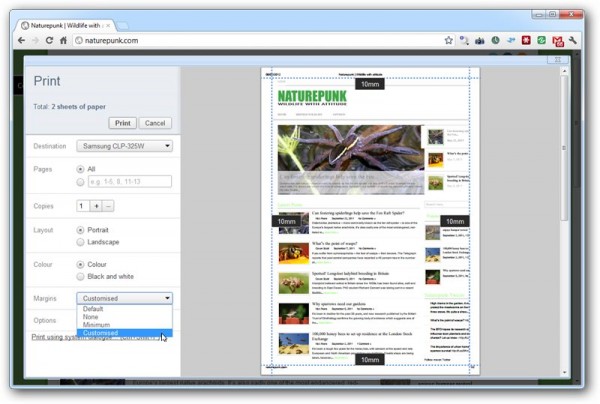
A number of other, more minor changes and the usual slew of bug fixes are also included, including adjustable margins in Print Preview and a prompt to confirm the cancellation of incomplete downloads when the user closes the last window of an incognito profile.
Google reduces Chrome browser search PageRank for 60 days
Microsoft and Mozilla simply couldn't ask for a better situation. At a time when usage share for their respective browsers sinks, the world's No. 1 search engine has effectively stripped up-and-comer Chrome from meaningful search ranking. Google demoted Chrome, following a sponsored-link scandal that violates its own policies about paid links. If you Google "browsers" today, unlike yesterday, Chrome won't appear among top results and is buried pages below.
From one perspective, Google did the right thing, treating itself and its own product like any of its search customers. Throughout 2011, Google was on a tear to purify search rankings of shenanigans like this one. But from another viewpoint, Google had no other choice. Its business is about trust, and the company can't be doing what it prohibits others from doing. Then there's that pesky antitrust investigation and allegations Google favors its own stuff in searches.

Dolphin Browser HD 7 for Android mini-review
Whatever operating system you look at, it is fair to say that most people fall out of love with the default web browser pretty quickly. Windows users will find that they migrate away from Internet Explorer, while Mac owners are likely to adopt an alternative to Safari. The same is true for mobile platforms and when it comes to Android devices there is no shortage of web browsers to choose from. Dolphin Browser HD is one alternative browser that has gained an impressive following not only on iOS devices, but also on Android.
This is a mobile web browser that got off to something of a slow start. When it was first released it was an interesting alternative to the likes of mobile Safari and Opera Mini but it has developed over a relatively short period of time into some seriously impressive. Being designed for touchscreen devices means that the browser takes advantage of gestures to make it easier to perform common operations such as moving back and forwards between pages. Support for gestures means not only that web navigation is made a great deal easier, it also frees up screen space that would otherwise have been occupied by a toolbar full of buttons.