Microsoft is working on a fix for freezing issues with Windows 10 Anniversary Update
Some users who have installed Windows 10 Anniversary Update on SSDs are experiencing problems with their computers freezing.
Microsoft does not yet have a fix available, but it is aware of the issues and is working to get a patch pushed out to those who have been affected. While there is not a proper fix available at the moment, the company has provided details of a couple of workarounds that should do the job for the time being.
North American businesses reluctant to adopt Windows 10
A year on from the release of Windows 10 most businesses are still reluctant to adopt the OS, according to research by solutions and managed services company Softchoice.
Based on an evaluation of more than 400,000 Windows-based computing devices between January and May this year, across 169 organizations in the US and Canada using the TechCheck asset management solution, the study reveals less than one percent were running Windows 10.
Here we go again! Windows 10 Insider Preview Build 14901 for PC arrives on the Fast ring
Windows 10 Anniversary Update rolled out to all users last week, but the Windows team doesn’t rest on its laurels for long, and is already working on new builds.
Today those Insiders who elected to stay in the program, and not switch back to the current branch, get the first new release for the Fast ring -- Build 14901 for PC.

Microsoft gives Intel Skylake users even more time to upgrade to Windows 10
In an attempt to get more users to upgrade to Windows 10, Microsoft announced early this year that it would drop support for Intel Skylake processors on Windows 7 and Windows 8.1 after July 17, 2017. The controversial policy was short lived though, as a few months later the software giant gave its customers a one-year reprieve, pushing the deadline to July 18, 2018.
But, as you can see, that is not the end of the story, as Microsoft has changed its mind once again. Today, it announces that Intel's sixth-generation processors will actually be supported for an even longer period of time on Windows 7 and Windows 8.1 devices. That is good news for those who are not planning on upgrading to Windows 10 in the foreseeable future.
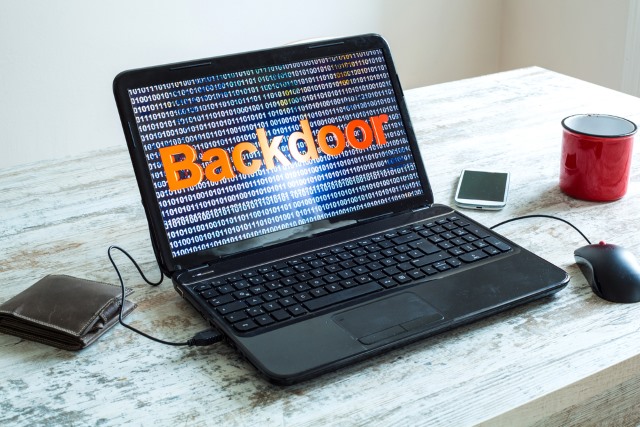
Microsoft creates Secure Boot backdoor, leaks golden keys
Microsoft has created a backdoor in Secure Boot, the security feature designed to ensure that a device can only run the operating system that it is meant to. And, to make matters worse, it has just accidentally leaked the "golden keys" needed to bypass it.
The Secure Boot backdoor is there to, for instance, allow a Microsoft developer to install a new build of Windows on a device -- that has the security feature enforced -- without it having to be digitally signed beforehand. It makes their job easy, but it also makes the security system ineffective if -- when -- the golden keys that unlock it make their way into the wrong hands.

Has Windows 10 Anniversary Update slowed your internet speed? Here's how to fix it
Upgrading from one version of Windows to another is always likely to cause a few problems with your PC. Bugs can slip through, and changes to the OS might mess with how you had things set up previously.
The Windows 10 Anniversary Update is a huge update for Windows 10, and has already caused big freezing problems for some users. It’s also possible it might have started limiting your Internet speed, but don’t worry, this is easy to fix if it has.
How to hide the Windows Defender icon in Windows 10 Anniversary Update
If you have just upgraded to Windows 10 Anniversary Update, you have possibly noticed the addition of a Windows Defender icon in the notification area. Then again, you may not -- a quick straw poll in the BetaNews newsroom reveals that not everyone is seeing it.
Assuming the icon has suddenly appeared for you, it's possible that you'd rather it vanished. Here's what you need to do if you would like to banish the Windows Defender icon and clean up your notification area.

Windows 10 Anniversary Update causing big problems for many users
The latest version of Windows 10 has undergone rigorous testing at the hands of Windows Insiders, but with so many different configurations of PCs it was inevitable that some users would encounter problems following the update.
I’ve personally experienced a weird problem whereby after playing a video Windows becomes much less responsive, to the point where a reboot is the only solution, and users on Reddit are reporting various issues with their PCs freezing and Windows 10 failing to respond.
Adding Linux Bash to Windows 10 Anniversary Update could be a huge security risk
The arrival of Linux in Windows 10 caused ripples of excitement in certain circles. But as well as making it possible to run GUI Linux apps on the desktop, there are also concerns that there are security risks associated with having the Bash feature from Linux available in Windows 10 Anniversary Update.
Speaking at the Black Hat USA security conference, Alex Ionescu from Crowdstrike said that he had reported some concerns to Microsoft during the testing period of Windows 10. While some of the issues he raised have been addressed, he says that the presence of Linux represents a "new potential attack surface" that users need to be aware of.

Disable ads and tips on Windows 10 Anniversary Update's lock screen
The Windows 10 Anniversary Update introduced a lot of changes to the new OS, including several to the lock screen.
Cortana can be used there, and you may also see fun facts, tips, and advertisements before you log in. If you don’t want to see those, you can disable this new feature. Here’s what you need to do.
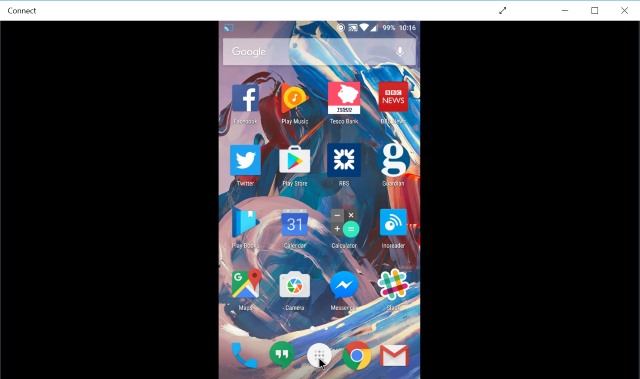
Use Windows 10 Anniversary Update's Connect app to cast your Android phone to your PC
If you have installed Windows 10 Anniversary Update, you now have an incredibly easy way to cast your Android phone to your PC. There's a new app built into Windows called, appropriately, Connect -- and this is all you need.
Casting from phone to desktop or laptop is a great way to watch videos or share content without the need to transfer files from one device to another. Here's what you need to do to get started.

Apple's water gun vs. Microsoft's realistic pistol -- which emoji is right? Vote now!
Regardless of your stance on guns, I think everyone can agree that firearms deserve to be treated with respect. Even staunch 2nd amendment proponents will tell you that the weapons are not toys. Proper training and understanding of their potential danger are key for safety.
Understandably, however, some parents don't want their children -- or themselves -- to have guns in their lives at all. Thanks to emoji, guns are sort of unavoidable nowadays. While parents can refuse to buy toy guns for their children, pistol symbols in communications are now a thing. Well, except on iOS 10 beta, that is. Apple has chosen to go against the tech world and Unicode consortium by using a water gun to represent the pistol emoji. Are Tim Cook and company right or wrong in this decision?

Microsoft: What have you done to my Windows 10?
Maybe it’s my age, but I’ve found that I just don’t have the time or patience to play with Windows betas anymore. The bugs. The instabilities. The bricked PCs. I simply can’t get excited about once again playing guinea pig for Microsoft.
In fact, aside from a minor dalliance with a "Redstone" pre-release build late last year, I have effectively sat-out the entire Anniversary Update testing cycle. I figured, "Windows 10 (RTM) was working great for me. Why muck it up by installing some buggy preview edition?"
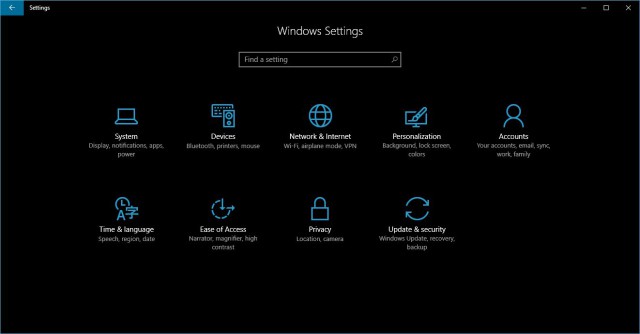
How to enable the dark theme in Windows 10 Anniversary Update
Windows 10 Anniversary Update is officially available now, and it is chock full of new features and improvements to get excited about. One of the most-awaited additions to the operating system is a rather comprehensive and attractive dark theme.
The dark theme that Microsoft has introduced in Windows 10 Anniversary Update transforms the look of the user interface. It impacts many visual elements, including the appearance of the Start menu, app bar and colors, and even apps. And here is how you can enable it.

Three ways you can still upgrade to Windows 10 for free
Windows 10 was free for an entire year, and Microsoft nagged users to upgrade to the new OS almost constantly during that period. Yet, despite this, it seems there are plenty of people looking for ways to get Windows 10 for free now it’s a paid product. Go figure.
As it happens, there are still ways to legally get Windows 10 without paying, so if you’ve decided you do want to upgrade after all, here are some methods to try.