VMware has no plans to support Windows 10 on M1 Macs -- Windows is second priority behind Linux
The release of M1-powered systems was warmly welcomed by the Mac community, thanks largely to the huge performance boost Apple silicon brings. For macOS purists, the move to M1 chips makes a great deal of sense, but for anyone used to running other operating system on their Macs, there were questions.
Running Windows 10 on M1 systems is possible thanks to the latest version of Parallels for Mac, but this is far from being the only virtualization software available -- people have been asking for some time what to expect from VMware Fusion. Now the company has revealed details of what to come; and while it's great news for Linux fans, it's not so great for Windows users.

End-to-end encryption for Facebook Messenger is a long way away
As instant messaging platform have become such a common means of communication, users have become increasingly demanding. Of course, this means that people want an ever-growing list of features and tools to play with, but also that security and privacy have become priorities.
Neither "security" nor "privacy" are words that one would immediately associate with Facebook, but the company is keen to change this. Having held a workshop about the hopes and expections users have about private messaging platform, the company has presented its finding. And although it has noted a demand for end-to-end encryption, it's not something that is going to be coming to Messenger this year.

Surprisingly unproblematic KB5001391 update brings speed boost to Windows 10
File under "color us surprised": the KB5001391 update that Microsoft released for Windows 10 recently has been well-received by users.
Feedback about the update shows that people who have installed KB5001391 are happy not only with the fact that it adds News and Interests to the taskbar, but also that it seems to be stable and problem free. Some users are even finding that their system is performing better after installing this particular update.

Microsoft is dramatically improving Bluetooth audio in Windows 10
With the release of Windows 10 Build 21370 yesterday, Microsoft gave us a glimpse of the direction in which it is taking the operating system in the coming months. As ever, the Insider build includes a number of enhancements, and chief among the improvements this time are changes to Bluetooth audio.
Perhaps the most exciting change is the arrival of support for Bluetooth AAC, delivering higher quality wireless audio streaming. There's also an important fix for an issue that has plagued people using wireless phones.
Microsoft releases PowerToys v0.37.0 -- and it's still missing a key feature
The development of PowerToys continues, and this widely appreciated labor of love is gradually gaining more and more utilities. The latest instalment in the tool's story sees Microsoft releasing PowerToys v.0.37.0.
For now, this is primarily a bug fixing and improvement-introducing release, and some important changes have been made to some of the individual utilities. As of this release, PowerToys now requires at least Windows 10 version 1903 (because of future adoption of WinUI 3). While this requirement will not represent much of an issue for many people, the fact that the eagerly anticipated Video Conference Mute is missing is a disappointment.

Microsoft is fixing multiple monitor support in Windows 10 so it remembers window positions
Working with multiple monitors is great -- in theory. The extra space is obviously useful, as is the ability to use different screens to group together related apps, documents and windows.
Sadly, Windows 10's implementation of multi-monitor support is a little flawed, particularly when using DisplayPort. Many people with two or more screens will have experienced a problem that sees app windows being randomly rearranged, particularly after a system wakes from sleep. But this should be coming to an end as Microsoft is finally addressing the issue.
Microsoft brings taskbar improvements and more to Windows 10 with KB5001391 update
Microsoft has released a new "C" preview update for Windows 10 ahead of May's Patch Tuesday. With the optional KB5001391 update, anyone running Windows 10 2004 and Windows 10 20H2 can get the new News and Interests feature in the taskbar.
While there are no security fixes in this update, it is still well worth installing -- not just because of the new taskbar feature, but also because of the number of performance, stability and other non-security issues it addresses.
Winget: Microsoft updates Windows 10's Linux-style package manager to enable software removal
Microsoft has launched a new preview version of Winget Windows 10. Taking inspiration from AppGet, Winget is a Linux-style package manager that allows for command line control of software.
With the latest release, Winget 0.3, Microsoft has added a number of new features to the tool, including the ability to use it to uninstall software. While this is unlikely to tempt the majority of people away from using Settings or the Control Panel, it is extremely handy for anyone looking to uninstall software using scripts.
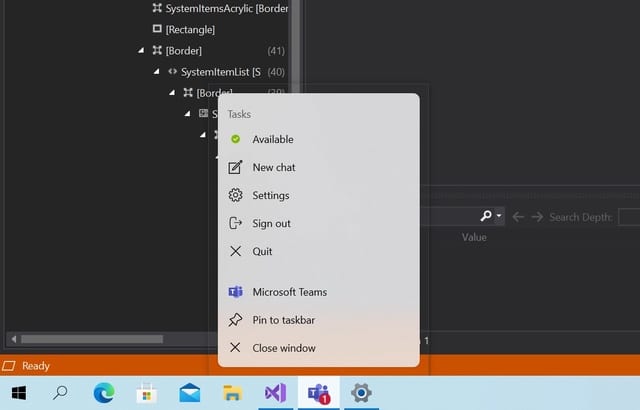
Hidden settings in Windows 10 unlock new Sun Valley floating menus
Microsoft has big plans in store for Windows 10 with its upcoming Sun Valley overhaul. There are many interesting visual changes on the horizon in Windows 10 21H2, including the introduction of rounded corners and floating menus -- and, possibly, a floating Start menu too.
So far, however, the new aesthetic that the arrival of Sun Valley will bring has been limited to design mockups. But now this changes. Experimental flags in the latest builds of Windows 10 gives us our first exciting glimpse of what's to come -- and you can (with a little effort) enable the floating menus for yourself.

How to view Wi-Fi passwords in Windows 10
Looking to find the password for a Wi-Fi connection? There are various reasons you might want to retrieve the password for a wireless network you have already connected to, but it may not be obviously how to go about it in Windows 10.
Your router may have its security details helpfully printed on a sticker on the back, but this is not necessarily very accessible when you need to get the password for a new laptop or other device. Thankfully, there is a way to view saved Wi-Fi passwords in Windows 10, helping to make life a little easier.
Microsoft issues emergency update to fix game performance problems caused by KB5000842 and KB5001330
Microsoft has acknowledged that "a small subset of users have reported lower than expected performance in games" after installing one of two recent Windows 10 updates, and issued a rare type of fix.
Gamers complained about dropped framerates and poor performance after installing the KB5001330 update, and the same report came from those who installed the preview version of the same update, KB5000842. Now the company is using a fairly uncommon Known Issue Rollback (KIR) to resolve the problems, just after NVIDIA issued advice of its own to affected gamers.
[UPDATED] NVIDIA has a simple, possibly inadvisable, solution for poor game performance caused by problematic Windows 10 updates
The issues caused by updates for Windows 10 have been varied and plentiful. With each new batch of updates, anyone willing to install them finds they are playing an unwitting game of Russian roulette; the patch may fix some problems, but the chances are that they will introduce new ones as well.
This month's KB5001330 update -- just like the non-security preview version from the previous month, KB5000842 -- was just the latest in a long line of bug-riddled updates. This time the plethora of problems includes a performance hit for a number of games and to help with this, NVIDIA has a simple (if slightly controversial) solution.
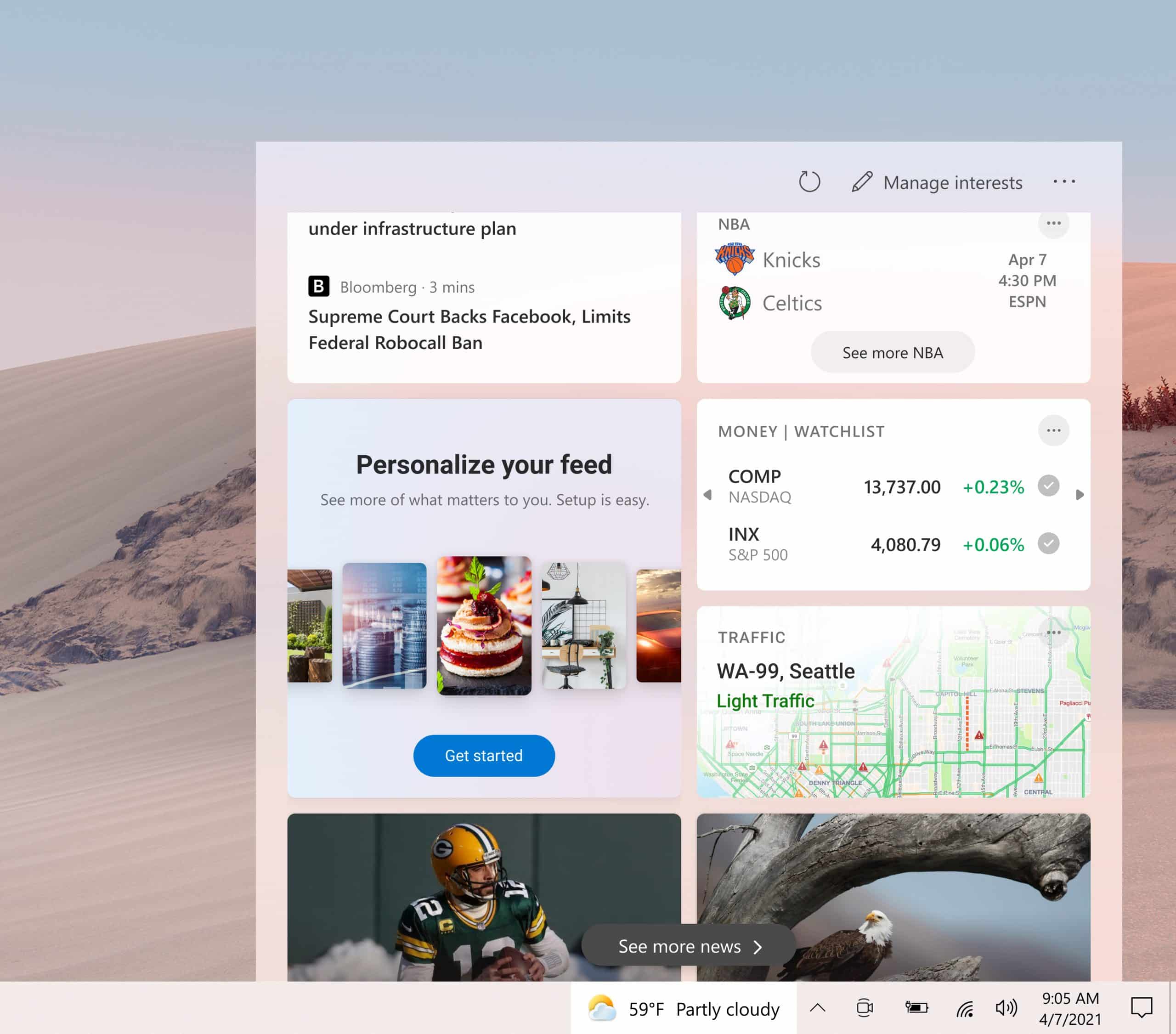
How to hide News and Interests in the Windows 10 taskbar
Any changes that Microsoft brings to Windows 10 have a tendency to be rather polarizing, and the latest addition of News and Interests to the taskbar is no different.
While on the face of it, the ability to keep updated with the latest news headlines, see up-to-date weather forecasts, track stock prices and more from the taskbar may seem useful, it's certainly not of interest to everyone. So, if the feature has rolled out to you and you don't like it, here's how to disable News and Interests in the taskbar.
Windows 10 get fixes, improvements and new features with the KB5001396 update preview
Microsoft has released the KB5001396 update preview which, among other things, bring the new News and interests taskbar feature that the company is rolling out to Windows 10.
Microsoft has, as is the norm, released a preview of next month's Patch Tuesday updates and it brings more than just the new taskbar feature that Microsoft has been drumming up excitement about. The non-security update also includes a host of fixes and improvements.
Microsoft announces surprise change to Windows 10 Aero Shake
We've already written about the release of Windows 10 Insider Preview Build 21364 and some of the great new features and options it includes. But it seems that Microsoft forgot to mention a change that was introduced in this particular version of the operating system.
As such, the company has published updated release notes for build 21364 of Windows 10, notifying users that Aero Shake -- the feature that lets you grab a window by the title bar and 'shake' it to minimize all other windows -- is undergoing something of a change.