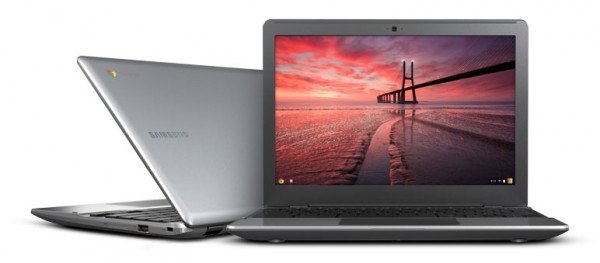
Samsung Series 5 550 Chromebook is good enough for you
I enjoyed occasional point-counterpoints with Scott Fulton when we worked together at BetaNews. Unexpectedly, I find myself in position to rebut him working somewhere else. It's something I rarely do, but in this case must. Scott's "Why the new Chromebook still doesn't cut it" asks but fails to answer many questions -- it's a FUD (fear, uncertainty and doubt) piece. Clearly from those questions, and most everything else about the post, Scott hasn't used the new Chromebook Google and Samsung launched two days ago. Had he, no reporter of his vintage and experience could so dismiss the laptop in such manner.
The first question Scott should have asked: Why do so many tech writers who last year dissed Chromebook praise its successor? CNET's Scott Stein doesn't love the Chrome OS followup, but most other tech writers heap praise -- and for a reason. Samsung Series 5 550 Chromebook is good enough for everyday computing. Most "actual consumers and businesses", as Scott describes them, will find the computing experience satisfying, though I wouldn't say that Chromebook is for everyone. But it could be for most anyone, with caveat really being Microsoft Office. Do you require it? The answer will be yes for businesses dependent on back-end Microsoft server software leveraging Office on the desktop.

New blood hacker infiltrates US Navy server, posts results
A hacker going by the handle ".c0mrade" claims to have hacked the U.S. Navy's site navy.mil, and has published a partial list of the information he obtained in a pastebin dump.
According to security analysis group IdentityFinder, the breach includes the "Data Profiles" of 29 accounts on navy.mil servers, as well as a description of navy.mil subdomains and servers.
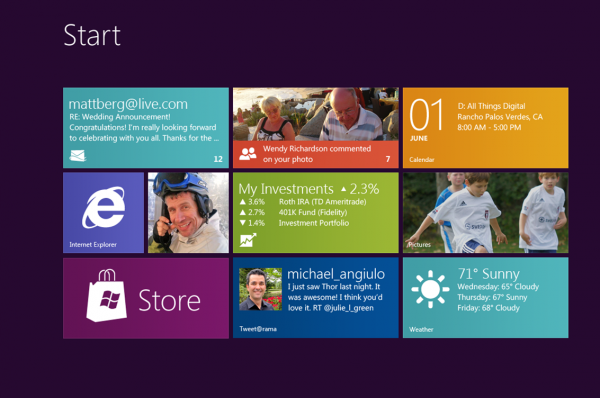
Windows 8 Release Preview: any minute now...
Thanks to a blog post from Microsoft's Corporate Vice President of Windows Development, Chuck Chan that was published before its time, we know that the "Release Preview" version of Windows 8 is supposed to be available some time today, May 31.
Or at least it WAS. The entry was only up for two minutes before it was pulled down from the new Windows 8 Hardware and Driver Developer Blog, which Microsoft will officially launch with the release preview. The blog is meant to provide insights and best practices for developers looking to build hardware and drivers for Windows 8.
Why flatten Windows 8? Because Aero won't run on a phone
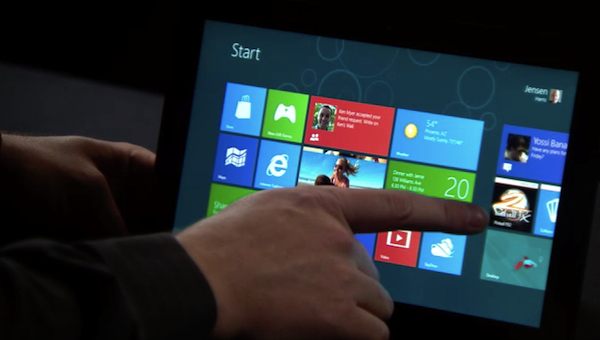
Beta versions of Windows 8 this week lost their nifty Aero user interface, which Microsoft’s top user interface guy now calls "cheesy" and "dated" though two weeks ago he apparently loved it. Developers are scratching their heads over this UI flatification of what’s supposed to become the world’s most popular operating system. But there’s no confusion at my house: Aero won’t run on a phone.
Look at the illustration for connected device growth. It shows projected growth in Internet devices. Keep in mind while reading this that a PC lasts at least three years, a phone lasts 18 months and nobody knows yet how long the average tablet will be around but I’ll guess two years. Adding that knowledge to these sales projections and we can see that mobile devices (phones and tablets) have become the game in software and whoever has been shouting about that at Microsoft is finally being heard.

Image Tuner 3.1 batch edits photos fast and for free
There they sit: a large group of photos you need to process for one reason or another. Perhaps you simply want to rename them to something more descriptive than the choice made by your digital camera. Perhaps they need resizing to share with someone else. Whatever the reason, wading through that little lot by hand is going to take you some time.
Thankfully, there’s a free tool that can do all the hard work for you. Image Tuner 3.1 is a small, perfectly formed tool designed to simplify the process of batch-editing a large group of photos. And the icing on the cake is the fact it’s free.

Take control of your inbox with EmailTray for Windows or Android
The need to prioritize emails is an idea that has been around for some time, starting with spam filtering that aimed to reduce the amount of junk reaching your inbox. Google and other email providers have made further advances by highlighting emails believed to be more important than others you receive based on content, sender and previous correspondence. EmailTray provides you with even more control by automatically filtering your mail into high priority, lower priority, no priority and spam.
This is a desktop app that can be used to check as many email addresses as you want providing you are working with POP3 or IMAP accounts, but all of your email is made available in one place. The program analyzes your email messages as they arrive and filters them in to inboxes of different priorities. Emails that are sent by people with whom you regularly communicate with will be assigned a higher priority than other emails, and all of your mail is sorted into ‘Top priority’, ‘Low priority’, ‘No priority’ and Spam.

Purrint makes screen capture simple
The standard Windows screen capture tools have always been a little on the basic side, so if the PrtSc key doesn’t satisfy your needs then you’ve probably looked into extending it with a third-party alternative.
But for some people, at least, these can introduce new problems of their own. You might have new hotkeys to learn, a lengthy list of capture types to explore, editing and annotation options, a range of output destinations, and maybe a sizeable settings dialog, too. If you’ll use all that, great; but if it’s overkill, if you really just need an easy way to save captures to file, then Purrint may be a better choice.

Oracle's Ellison: "We have a much more modern version of the cloud"
Think what you want about Larry Ellison personally, but Oracle's bombastic CEO is never one to be shown up. That's why when he took the the stage at the D: All Things Digital conference near Los Angeles Wednesday night, he had an announcement to make: his company is wholeheartedly embracing the cloud.
Oracle will announce next Wednesday that all of its tools will be available in the cloud. This is a major step for a company that was seen as lagging in the cloud computing sector. Look at Oracle's competitors: SAP just last week acquired Ariba in a blockbuster $4.3 billion buy, and VMware is aiming for the developers that Oracle calls its core customer base.

Stay anonymous online with SecurityKiss
If you feel you’d like to be a little more anonymous online then installing a free VPN client is generally a good place to start. But there’s a snag: even though the VPN service know you’re concerned about your internet privacy, they’ll often still ask you to create an account, provide your email address and maybe other details, too.
SecurityKISS takes a simpler approach. There’s no “signing up”, no forms to fill in, no personal information required at all: just download and install the OpenVPN-based client and you’re ready to go.

Office 365 for Government puts Microsoft squarely on Google's turf
Microsoft is making a play for the lucrative government sector, releasing Office 365 for Government on Wednesday. The service is much like the standard product, including Exchange Online, Lync Online, SharePoint Online and an option to purchase a local version of Office Professional Plus.
Where the government version of Office 365 is different is how it stores data. Government agencies typically require a good deal more security, so all data is stored in a "segregated community cloud". This means data for government customers will be completely separate from other Office 365 users.
Siri sucks
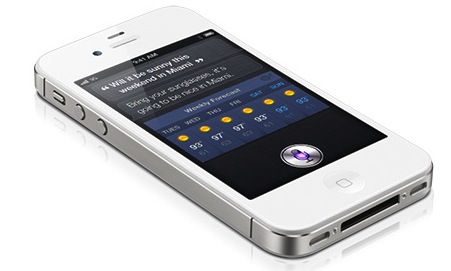
Yesterday, during the annual D conference, Apple CEO Tim Cook said that the company is "doubling down" on Siri. Improvements are coming -- promised without admission of problems, although complaints about them are many. Then there's the lawsuit claiming Siri fails to meet advertised capabilities. You could interpret Cook's promise as concession Siri sucks or that Apple is preparing to take on Google in search. I see it both ways.
Five years ago, Apple supercharged the smartphone category with a more natural user interface. Suddenly, there was a new way to interact with a mobile phone that was seemingly magical. Humanness made the original iPhone stand apart from all competitors, and Apple used a variety of sensors to imbue the quality. Touch, and its intimacy, and the way the handset responded to your proximity gave it the human quality. But Apple has done little since, other than Siri, which does add a little more humanness to iPhone 4S. She adds personality and extends the mobile user interface to another more important than touch: Voice. Problem: There's something inhuman about Siri's often frustrating responses to questions.
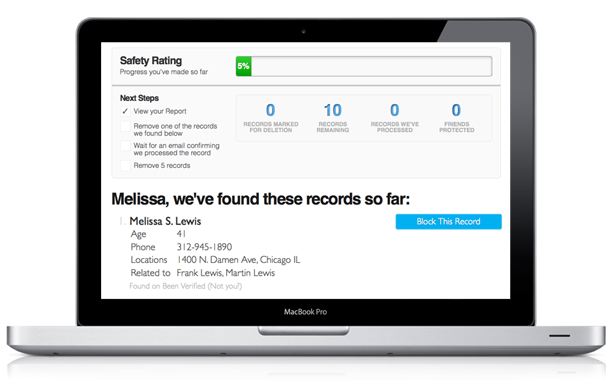
BetaNews giveaway: One year of premium Safe Shepherd 'Privacy-as-a-Service'
Venture-backed startup Safe Shepherd is a service we can really get behind. Users sign up and enter their personal information (personal names or aliases, email addresses, phone numbers, mailing addresses, etc.) into a profile, and Safe Shepherd locates that information on data broker websites and then erases it.
It helps protect your information against sites like BeenVerified.com, Radaris, Spokeo, and RapLeaf, which scrape whatever data they can find and sell it to marketers, or even worse, to potential identity thieves.
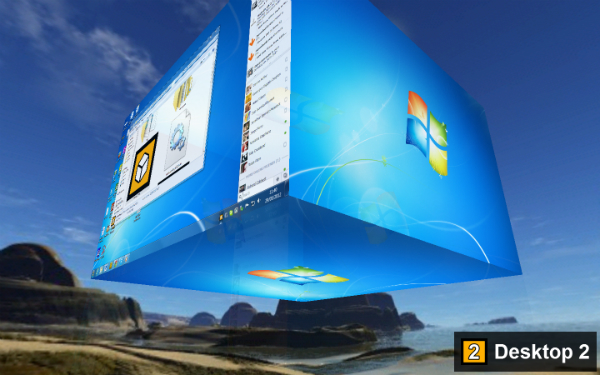
Deskspace turns your desktop into a 3D virtual cube
You don’t have to have too many programs running to start to find the amount of space available on your desktop to be a little tight. Rather than rushing out to buy a larger monitor, you might want to think about trying a virtual desktop tool. There are plenty of these apps to choose from, many of which are very similar top each other, but DeskSpace stands out from the crowd with a delightful 3D interface.
The program provides you with six virtual desktops, each of which is the face of a cube. You can navigate from desktop to desktop by dragging your way around the cube faces in three dimensions, but you also have the option of jumping straight to a particular workspace by using a keyboard shortcut or a menu. This is not the first time that a three dimensional concept has been used in virtual desktops, but here it has been beautifully implemented.

API Monitor 2.0 may only be alpha, but it gets the job done
When you need to track an application’s behavior then Sysinternals Process Monitor is a great place to start. In a click or two you can be watching the target program’s file, Registry and process-related activities, perfect for troubleshooting all kinds of odd problems.
Of course Process Monitor is watching only a relatively small number of Windows API calls, in an effort to keep things simple. These are well chosen, and will help you solve most common issues. But if your problem relates to something the program doesn’t track, an Internet function, say, then you might want to try a more powerful troubleshooting tool, like API Monitor.
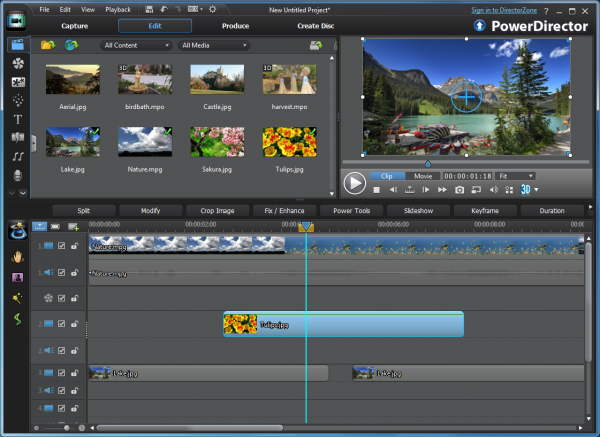
CyberLink revs PhotoDirector 10, PowerDVD 12 and MediaShow 6 for AMD A-Series APUs
Taipei, Taiwan-based CyberLink has issued updates for its flagship media viewing and editing products, including CyberLink PowerDirector 10 Deluxe, CyberLink PowerDVD 12 Pro and CyberLink MediaShow 6 Ultra.
The updates are all designed to take full advantage of the new second-generation AMD A-Series APUs (Accelerated Processing Units) recently launched by AMD. APUs integrate graphics and CPU chips on to a single die for performance gains and are currently available on new notebooks, with desktop chips due later this year.