
ScreenBlur is an ultra-configurable Windows lock screen
Leave a PC unattended for a while and the standard lock screen keeps it reasonably safe. Press Win+L, the lock screen appears, and only someone who knows your password will be able to restore the desktop.
This is simple, straightforward, and easy to use. It's not particularly configurable, though, so if you need more control then you might prefer ScreenBlur.

Laplink Sync for iOS launches, offers syncing between desktop and mobile
Laplink Software has released Laplink Sync for iOS 7.0, the latest release in Laplink's new Sync family, a collection of tools designed to allow users to manually sync media and other files across multiple platforms.
The app allows users to sync photos and videos between iPads, iPhones and iPod touches, and -- for an extra fee -- can also be used to sync with Android mobiles and Windows PCs running Laplink Sync for desktop. A Mac version is currently in development.
Create animated GIFs from videos with QGifer
Animated GIFs may be the most dated and inefficient form of animation around, but they can still be useful. In particular, you can use them almost anywhere, no need for a special movie player, and they’ll be viewable on almost any device.
As we saw in January, GifCam is an excellent general purpose tool that can record any desktop activity as an animated GIF. But if you’re looking to create your GIF from a video, then you might prefer QGifer, which can usually extract the footage you need in just a few seconds.

Win-UFO bundles 100 popular system tools into one free package
If you're wondering how other people might be using your PC then there are plenty of free system forensics tools to point you in the right direction. TurnedOnTimesView lists when a PC has been started and closed down, for instance; UserAssistView shows which programs are being launched, while BrowsingHistoryView reports on recent web activities.
If you’re interested in this kind of application then you could download each one, run various tests, research the competition, and gradually build up your own forensic toolkit. Alternatively, you could just download Win-UFO, which combines around 100 popular freeware PC forensics and system information tools into a single portable package.

Monitor your PC for memory hogs with Process Piglet
With even budget PCs now including at least 4GB RAM, application memory usage isn' the issue it used to be. But if you're using an underpowered computer -- or a program with a memory leak -- then you could still run short of RAM, drastically cutting your system performance.
Process Piglet is a simple tool which monitors the memory use of running processes. New programs are tracked for 30 seconds to access their average requirements, and you'll then be alerted if that application starts to consume significantly more RAM.
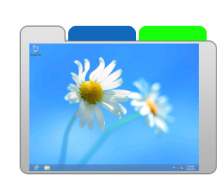
ScreenTabs -- extend your PC with two virtual desktops
The Windows desktop is a great place to work, when you're running two or three programs. Launch 10, 20, maybe 30, and life becomes rather more difficult. Application windows are everywhere, taskbar buttons become tiny, even Alt+Tab becomes awkward to use.
Fortunately, it doesn't have to be this way. Install ScreenTabs and the program will equip your system with two extra virtual desktops, giving you three in total. Each one gives you a fresh start -- an empty taskbar, no visible application windows -- and switching between them is as easy as clicking a tab on the left side of your screen.
Customize Windows right-click menus with Easy Context Menu
Browse just about any Windows tips site and you’ll find tutorials on how to customize various Explorer right-click menus. Adding the ability to open the command prompt at a particular folder is a particular favorite; shutting down your system from the desktop right-click menu is another.
Applying this kind of tweak usually requires nothing more than a few quick Registry edits, but if you’re in a hurry then you might prefer to use Easy Context Menu. It’s a compact portable tool which makes it simple to apply 20+ common right-click tweaks, as well as adding a few small extras of its own.

Track hard drive activity in real time with Free Folder Monitor
Whether you need to know what a particular installation program is doing to your system, or you’re just wondering why your hard drive is busy all the time, being able to track disk activity can be very useful. It’s surprisingly easy, too, as Free Folder Monitor demonstrates.
There’s a selection of adware to avoid during installation, but get past that and Free Folder Monitor starts to work immediately, displaying current system drive activity as it happens. A table lists the date and time of the event, its type (Add, Modify, Rename or Remove), the file name, size and attributes.

Paint.NET 4 gets first beta release, adds commit button, choice of colour scheme
Less than two months after unveiling the first alpha, dotPDN LLC has released the first beta of Paint.NET 4.0. Version 4.0 comes with a rebuilt rendering engine, improvements to various tools and a tweaked user interface, and while the beta is primarily a bug-fix release it does introduce a couple of major tweaks.
The first change gives users a choice of color scheme -- light or blue -- via the program’s Settings dialog. The default depends on the version of Windows currently being run -- light in Windows 8, blue in Windows 7.

SlideDog lets you create a multimedia presentation and share it online
There’s a lot of presentation software around, but the free SlideDog attracted our attention immediately with its claims of wide file format support. The program doesn’t just sequence images, the website boasts: you can also use videos, PowerPoint files, web pages, PDFs, Prezi presentations, and more.
While this sounds great, all isn’t quite as it seems. On installation, SlideDog points out that it doesn’t handle these file types itself, and instead depends on you having suitable viewers available (VLC Media Player for movies, PowerPoint or the PowerPoint viewer for PPT/ PPTX files, and so on).

Block Chrome extension adware with Extension Defender
Deciding which browser extensions are trustworthy has always been an uncertain business. If an add-on is highly rated, with plenty of users, then it should be safe… But as the recent issues over Chrome extensions showed, with popular add-ons being purchased and tweaked to push adverts, there are no guarantees.
Extension Defender is a new service which helps by cataloging malicious Chrome and Firefox extensions. This can be searched manually, but it's probably simpler to install the Chrome or Firefox extension, which can check and protect your system automatically.

Paragon Backup & Recovery 2014 Free adds new virtual backup tools, revamps user interface
Paragon Software Group has released Paragon Backup & Recovery 2014 Free for Windows PCs, a major refresh of its drive-imaging and restore tool. The tool, now available as a separate 64-bit build for the first time, adds full support for Windows 8.1, Storage Spaces and UEFI.
It also introduces a New Backup Format tab, allowing users to back up, browse and restore to and from a virtual disk drive format. There’s also a refreshed UI and updated recovery media builder added, allowing users to create a Linux-based recovery disc.

System Ninja Free introduces Pro version
SingularLabs has updated its optimization tool System Ninjato version 3.0 with the addition of a paid-for Pro version.
Both the free and Pro versions benefit from faster and more efficient junk scanning. In addition, the Startup Manager now uses an internal blacklist to highlight startup programs which should be removed.
Defraggler adds Statistics tab, Taskbar progress meter, widens SSD support
Piriform Software has released Defraggler 2.17 and Defraggler Portable 2.17, updated builds of its freeware defragmentation tool for Windows. Version 2.17’s main highlight is the addition of a new Statistics tab, alongside SSD optimizations and progress information being displayed via the program’s System tray icon.
The update also comes with the promise of various optimizations, performance tweaks and the usual slew of bug fixes and minor GUI improvements.
BASIC-256: computer programming for (complete) beginners
Computers may be everywhere these days, but computer programming is still often seen in a very stereotypical way: it’s complicated, strictly for geeks only, not something of much use to anyone else.
The reality is very different. Anyone can learn the fundamentals of programming. It’s great for developing problem-solving skills, or just helping you understand how other applications work. And it’s really not that difficult, especially if you start with a simple language like the open source BASIC-256.