
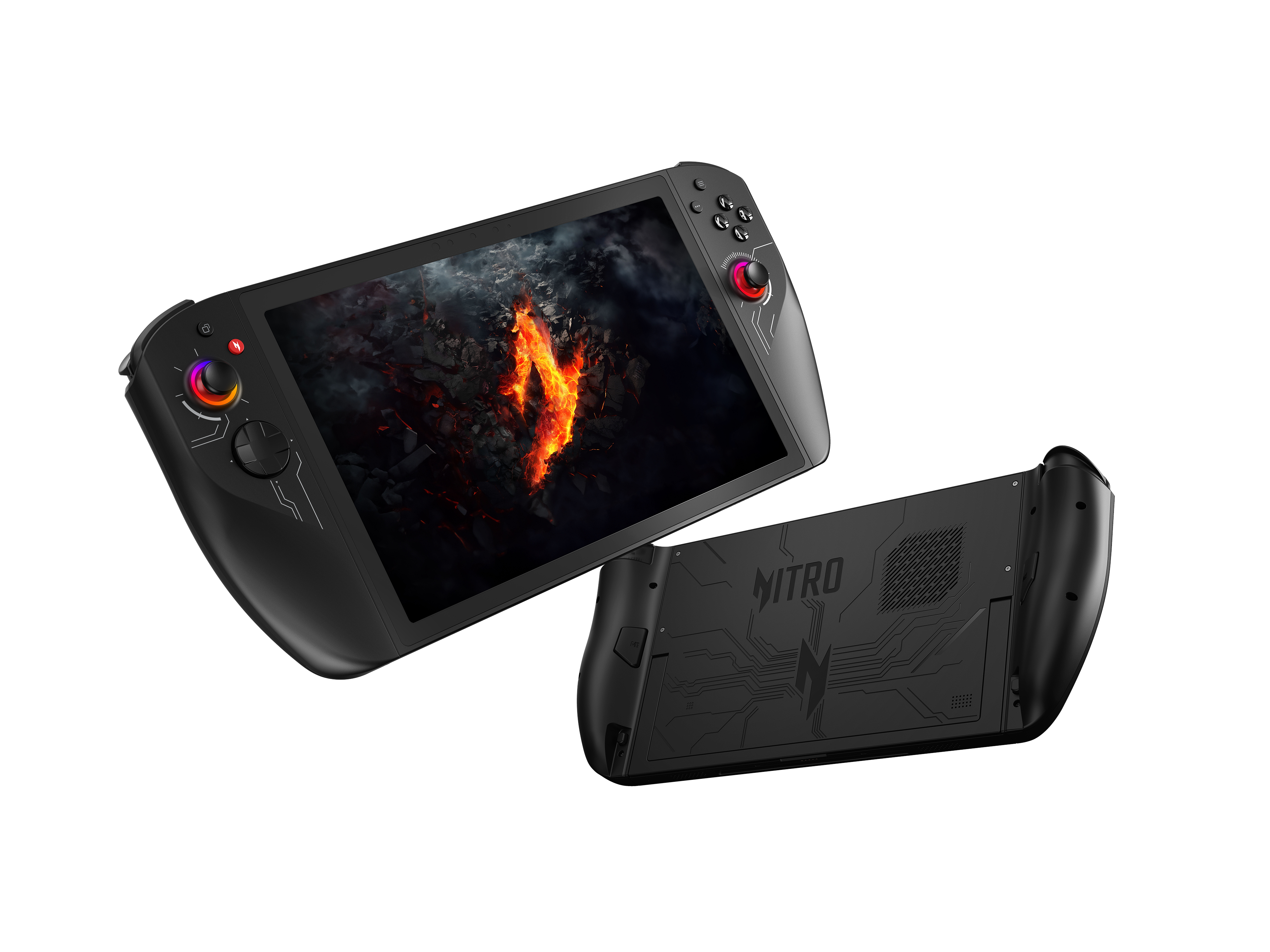
Acer expands Windows handheld gaming with Nitro Blaze 8 and Nitro Blaze 11
Acer has introduced its latest handheld gaming devices, the Nitro Blaze 8 and Nitro Blaze 11, alongside the Nitro Mobile Gaming Controller. These new products aim to deliver enhanced performance and portability for gaming enthusiasts.
The Nitro Blaze handhelds are powered by AMD Ryzen 7 8840HS processors, featuring Ryzen AI capabilities with up to 39 TOPS of AI performance. Paired with AMD Radeon 780M graphics and 16GB of LPDDR5X memory, these devices promise fast performance for AAA gaming. Storage options go up to 2TB of PCIe Gen 4 NVMe SSDs, ensuring sufficient space for modern game libraries.
Microsoft makes it easier for gamers to upgrade to Windows 11 22H2
There have been numerous compatibility holds put in place that have prevented large swathes of people from upgrading to Windows 11 2022 Update. One of the more recent blocks affected gamers, with Microsoft standing in the way of upgrades because of impaired game performance under Windows 11 22H2.
But now Microsoft has lifted the safeguard holding, meaning that more gamers are able to upgrade to the latest version of Windows 11. Sadly it is not good news for everyone, as the block has only been partially lifted.
Windows 11 2022 Update is bad news for gamers
The uptake of Windows 11 may have been far lower than Microsoft would have hoped, but upgrades to the Windows 11 2022 Update are even smaller in number. While some people have been eager to jump on the 22H2 update, for many users it is not advisable or simply not possible.
There are numerous compatibility holds in place that block automatic upgrading to Windows 11 2022 Update. The latest issue sees Microsoft confirming poor game performance under Windows 11 22H2, with the company putting a block in place to help eliminate disappointment.
Microsoft says that gamers can boost performance by lowering Windows 11 security settings
It is not very often we are told to disable security features -- usually, we're enabling options, or leaving things well alone. But now Microsoft has issued some advice about improving game performance in Windows 11, and it involves turning off security features of the operating system.
The somewhat surprising advice comes in a support document entitled Options to Optimize Gaming Performance in Windows 11. Microsoft does point out, however, that this is meant to be done only when gaming, and that security should be re-enabled afterwards.



