Best Windows apps this week
Five-hundred-and-fifteen in a series. Welcome to this week's overview of the best apps, games and extensions released for Windows 10 and 11 on the Microsoft Store and elsewhere in the past seven days.
Windows 11 continued its snail-paced climb last month as it reached a usage share of about 13.6 percent. It trails Windows 10 by a large margin, and even Windows 7, which reaches end of support in January 2023, is not far behind Microsoft's newest operating system.
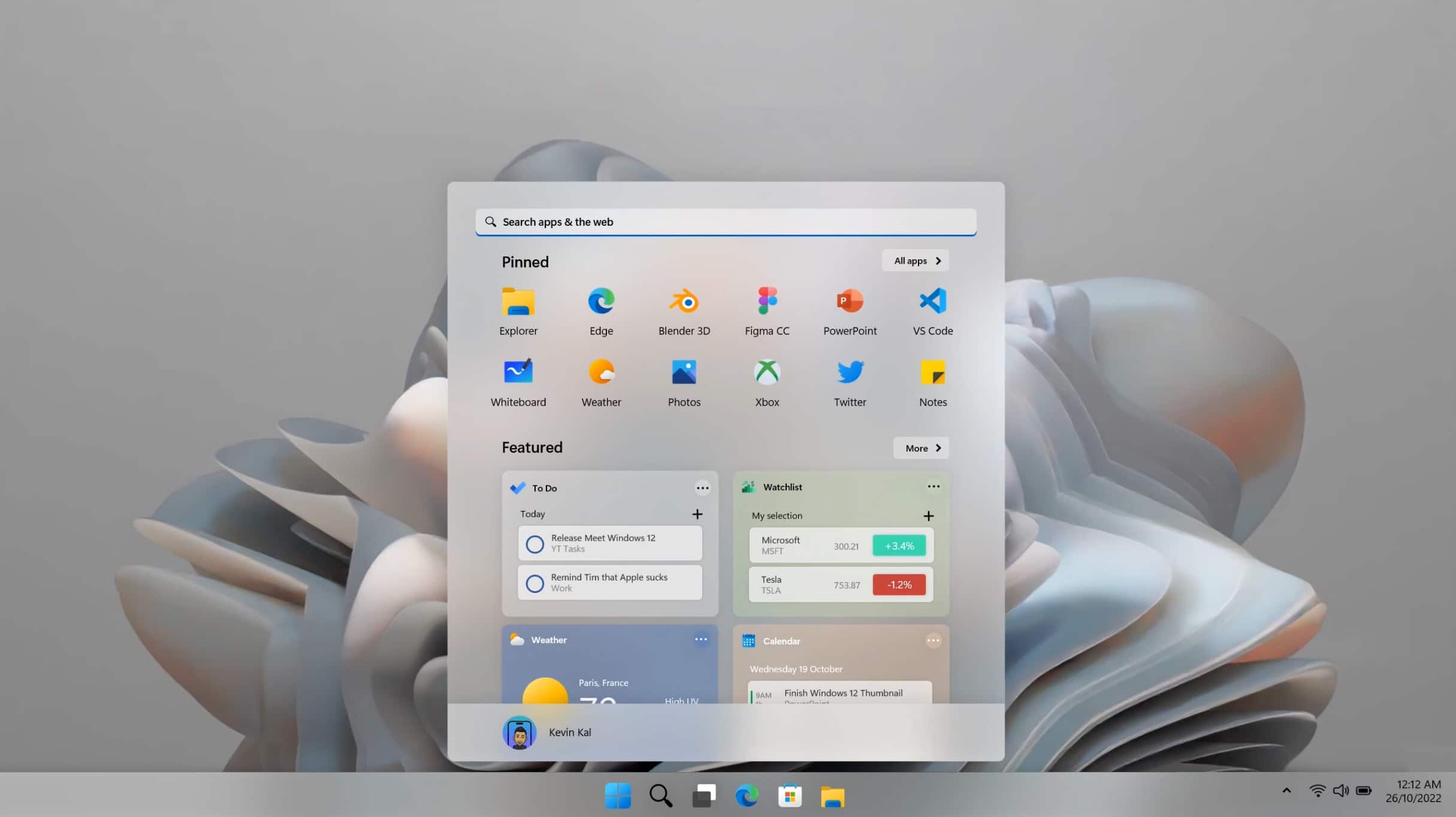
Windows 12 is the 'most refined Windows ever' and everything Windows 11 should be
Although Windows 11 has been out for over a year, and we’ve already received the first 'moment' (feature update) for it, Windows 11 2022 Update (22H2), it really isn’t doing as well as it could be, and there is already talk of its successor, Windows 12.
What does Microsoft need to do to make its next OS more appealing? Bringing back some of the features missing from Windows 10 would be a start, but there are plenty of other modern ideas.

Microsoft releases Windows 11 Build 25236 with tips and fixes
We’re back to the Wednesday release schedule for Windows 11 Insiders in the Dev Channel.
Windows 11 Build 25236 comes with a set of handy improvements, as well as some additional known issues to be aware of. There’s also a new tips feature for Windows Search on the taskbar.
Microsoft is bringing a search feature to Task Manager in Windows 11 -- but you can enable it now
For those who like a glimpse of the future of Windows, the Insider program is the place to be. Microsoft frequently experiments with new features and functionality in preview builds, and the latest releases are no different.
With the release of Windows 11 2022 Update, we have already seen Task Manager receive a much-needed revamp and the latest Insider builds show that a search option is coming to the utility too. But the feature is hidden by default, and you will need to take action to unlock it.
Windows 11's Suggested Actions feature was killing Firefox, but Mozilla has fixed it
Some Firefox users who upgraded to Windows 11 2022 Update found that the latest version of Microsoft's operating system was causing their web browser to freeze.
The issue arose when trying to copy text from a web page, and the culprit was ultimately determined to be the Suggested Actions feature of Windows 11 22H2. Mozilla leapt into action, addressed the problem and has released an update. The company also has advice for anyone who is unable to update to the latest version of Firefox right now.

People just aren't switching to Windows 11
When Microsoft announced Windows 11 a year ago, it also said it would continue to support Windows 10 until (at least) 2025.
Knowing this, users have largely opted to stay with Windows 10 -- better the devil you know, right? -- and that’s a trend that doesn’t look set to change any time soon.
Microsoft is not investigating Windows 11 2022 Update gaming performance issues, but AMD is
For many people, the release of Windows 11 2022 Update transformed Windows 11 into the operating system it should have been when it was first launched. But for others, the first major update to the OS has been a serious headache. The latest group of users to have cause for complaint are those with certain AMD CPUs.
There are numerous reports from people with systems powered by Ryzen 7000 series processor chips that there are worrying performance issues when gaming. This is not the first time there have been game performance problems in Windows 11, and it is just the latest in a seemingly never-ending list of issues that are being discovered.
Microsoft warns that October 2022 security updates can cause problems joining domains in Windows 11 and older
Microsoft is warning users of every from Windows 11 down to Windows 7 that this month's security updates -- in particular the KB5018427 update -- could lead to issues joining a domain. The company says that those affected by the problem will see 0xaac (2732) errors.
Despite flagging the matter in the known issues section of Windows release health, Microsoft says that the behavior is intentional. There is, sadly, no proper fix right now, just some advice and workarounds -- but this should change soon.
Best Windows apps this week
Five-hundred-and-fourteen in a series. Welcome to this week's overview of the best apps, games and extensions released for Windows 10 and 11 on the Microsoft Store and elsewhere in the past seven days.
Microsoft fixed a number of blocker bugs this week that prevented the upgrade to the new Windows 11 version 22H2 update.
Microsoft releases Windows 11 Build 25231, unlocks additional features
Some Windows 11 insider builds for testers in the Dev Channel offer a wealth of new features. Build 25231 doesn’t as such, but Microsoft is using it to increase the rollouts for a few previously announced features.
It’s not all good news though as this build also comes with some additional known issues.
Microsoft releases KB5018496 update to bring new features and improvements to Windows 11 2022 Update
It is the time of the month that sees Microsoft releasing previews of the updates that will be made available to everyone next patch Tuesday. In line with this, the company has released a preview of the KB5018496 update for Windows 11 2022 Update / Windows 11 22H2.
This is a non-security update, but it includes an impressive number of not only fixes, but also new features for the latest version of Windows 11. It does not, however, address some of the known issues that have been acknowledged recently including problems with slow file copying, and issues with provisioning packages.
Windows 11 bug breaks safe removal of USB devices
It may be something that we are all guilty of failing to do each and every time, but using Windows' Safely Remove Hardware option before disconnecting a USB drive is highly recommended. Sadly, this handy safety feature seems to be broken in Windows 11 2022 Update.
The point of ejecting media using this method is to ensure that Windows has stopped reading from and writing to the drive before it is unplugged. In certain circumstances, users are reporting that instead of being informed that it is safe to remove their device, they see a message that reads Problem Ejecting USB Mass Storage Device.
Microsoft fixes bug that blocked upgrades to Windows 11 2022 Update
The release of Windows 11 2022 Update (AKA Windows 11 22H2) has not been an entirely smooth process over the course of the last month. There have been various issues preventing certain people from upgrading, but now one of these problems has been addressed.
It is now several weeks since Microsoft first acknowledged an issue related to some printers, and put a compatibility block in place. With the problem having now been fixed, it means that a large number of people will now be able to upgrade to Windows 11 2022 Update.
Google Chrome will no longer be supported on these Microsoft Windows versions
Google Chrome is a great web browser for many reasons, including its cross-platform nature. You can run Ubuntu Linux, macOS, Windows, and Android, for instance, and use the same Chrome web browser on all of those operating systems. Thanks to cloud data syncing, you can have a seamless experience too.
With the upcoming Google Chrome 110, however, there will be two fewer operating systems supported. You see, early next year, Google will be dropping support for its web browser on both Windows 7 and 8.1. In other words, if you use Microsoft's desktop operating system, you will need to be on Windows 10 or 11.
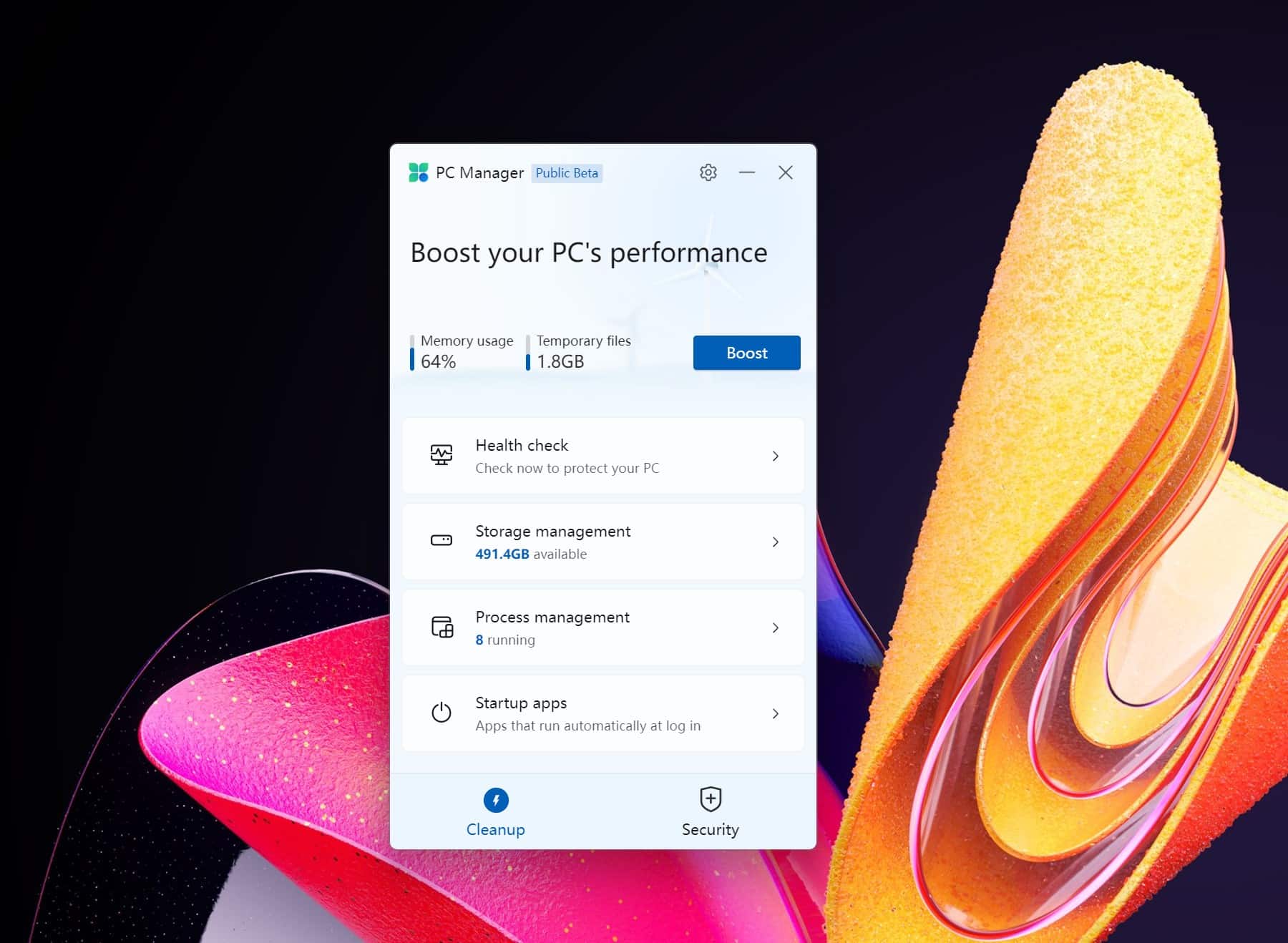
Microsoft PC Manager is a new Windows optimization app currently available in beta
Tools that claim to speed up Windows used to be hard to avoid. Now they are far less common, but Microsoft looks ready to get a piece of the action with a new system cleanup, optimization and security app called PC Manager.
Available in public beta, Microsoft PC Manager has been compared to CCleaner. The company is currently testing the app with the Chinese market, but there is nothing to stop you from downloading it and trying it out for yourself (it's available in English). A word of warning, however -- you will be pestered to change your default web browser to Microsoft Edge.