Microsoft releases KB5011493 update for Windows 11 to fix data wiping bug and more
Last month, Microsoft confirmed an issue affecting Windows 10 and Windows 11 that means data was left behind after a system wipe. With the Patch Tuesday updates for March, the company has addressed this problem and more.
The fix comes in the KB5011493 update which also includes a number of other fixes as well as new features and options. The new features -- including multiple monitor support for taskbar clocks, weather widget updates and more -- were seen last month, and this time around it is a mandatory update thanks to the inclusion of security patches.
Microsoft releases KB5012432 update for Windows 11 -- but not for everyone
We are, slowly but surely, moving towards the release of Windows 11 Version 22H2, also known as Sun Valley 2, and this is very evident to Windows Insiders. We very recently saw the release of Windows 11 Preview Build 22567 to Insiders and then there was the KB5012427 update for testing the servicing pipeline.
Now Microsoft has released a second Cumulative Update Build of Windows 11 for Windows Insiders signed up for the Dev Channel. The KB5012432 update takes Windows 11 up to build 22567.200, but this time Microsoft is not making it available to everyone -- not even all Insiders.
Microsoft is using the KB5012427 update to test the servicing pipeline for Windows 11
It is only a few days since Microsoft released a new build of Windows 11 in the form of Preview Build 22567, and already the company has pushed out a cumulative update for it.
With the release of the KB5012427 update, Microsoft takes the current build of the operating system available to Insiders signed up for the Dev channel to Windows 11 build 22567.100. So, what can you expect from this update?
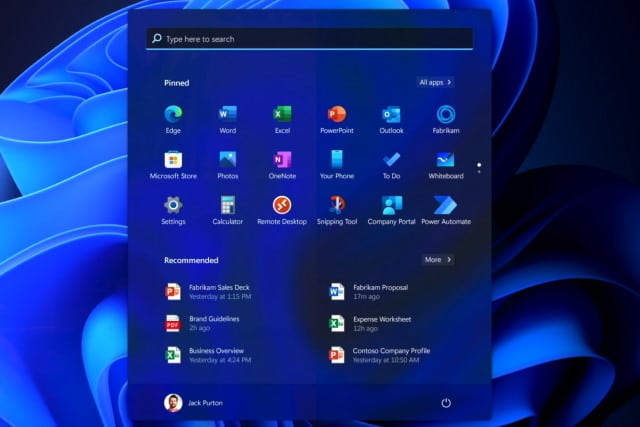
KB5010414 update for Windows 11 is hiding the Start menu
When Microsoft released the KB5010414 update for Windows 11 a couple of week ago, there was great interest in the new features it added. But there was also a sense of heavy anticipation for the almost inevitable problems the update would cause.
We have already had reports of the update not only breaking printing, but also causing some systems to overheat, but this is not all. Users are also complaining that KB5010414 is causing the Start menu to be hidden.
Microsoft confirms recent Windows updates cause problems establishing Netlogon secure channel connections
Microsoft has issued a warning to users of various versions of Windows Server that a recent update is causing problems with Netlogon connections.
Affecting Windows Server 2022, 2019, 2012 R2, 2012, 2008 R2 SP1 and 2008 SP2, the problem means that some applications and appliances on domain controllers may be unable to establish a Netlogon secure channel. Microsoft is blaming not only the KB5009555 update, but "updates released January 11, 2022" for the problem.
Microsoft releases important KB5010415 update for Windows 10 because Windows 11 is not ubiquitous
Microsoft has been pouring a lot of love into Windows 11 of late, and understandably so -- but this does not mean that people who have decided to stick with Windows 10 have been forgotten. And to prove this, the company has just released the significant KB5010415 update, introducing new features and options, as well as fixing various issues.
For now, KB5010415 is only a preview, meaning that it is an update that gives an early taste of the full launch next Patch Tuesday. The update is available to anyone who wants to install it, and it includes a number of compelling reasons to do so.
Microsoft warns users to upgrade from Windows 10 20H2 before support ends
Microsoft has issued a warning -- or reminder, depending on your perspective -- about the impending end of support for Windows 10 20H2.
Also known as Windows 10 October 2020 update, this is not the first time Microsoft has urged people to upgrade their operating system to a version that will be supported for longer. The deadline is just three months away, so what are your options?
Microsoft is making some important changes to the Windows 11 taskbar with the KB5010414 update
We've already written about the release of Windows 11 Build 22000.526 to testers on the Beta and Release Preview channels, but this update warrants further investigation. With the release of the KB5010414 update, Microsoft not only fixes a lot of Windows 11 problems, it also introduces some important tweaks to the taskbar that will delight users of Microsoft Teams, as well as people with more than one monitor connected to their computer.
There are various important additions to the taskbar as well as changes to functionality. These changes, such as the decision to (finally!) include the clock in all taskbars on multiple monitors, represent a pleasing evolution of a staple feature of Windows and are likely to be well-received -- but there is still room for improvement.
Microsoft releases KB5010342 and KB5010345 updates for Windows 10
It is the time of the month when Microsoft releases updates for Windows, and we've already looked at KB5010386 for Windows 11. There are also two updates available for Windows 10 users to install -- KB5010342 and KB5010345.
The update you need depends on which version of Windows 10 you are running. KB5010342 is for Windows 10 versions 20H2, 21H1 and 21H1, while KB5010345 is for anyone still running Windows 10 version 1909.
KB5008353 update for Windows 11 may improve performance and fix drive problems
We have already written about the KB5008353 update that was released for Windows 11 last month. Made available as a preview, the update addressed a number of issues with the operating system, including problems with Bluetooth audio and the taskbar.
But it seems there may have been more to KB5008353 than met the eye, or than Microsoft revealed. According to reports, the update has helped to boost the performance of Windows 11 while apparently fixing an on-going issue with various types of hard drive.
Microsoft reveals how long computers need to be online to keep Windows properly updated
While Microsoft may have released more than its fair share of problematic updates, it's still a good idea to keep Windows fully updated to help minimize the risk of security issues. But there are plenty of systems out there which are not up to date. Why is this?
It could be that it is not a matter of user error, or even there being a problem with Windows Update itself. Rather the issue could stem from the simple fact that a computer needs to be connected to the internet for an unexpectedly lengthy period of time in order to guarantee reliable update installation. Microsoft has revealed the surprising data surrounding update delivery.
Microsoft releases KB5009596 update for Windows 10 with new Sync Your Settings feature to simplify Windows 11 upgrades
Having released a preview of next month's updates for Windows 11, Microsoft has also done the same for Windows 10. With the release of KB5009596, the company has addressed an issue that prevented the Windows Subsystem for Linux 2 (WSL2) localhost relay from starting, as well as fixing a couple of audio problems.
This particular update also sees the addition of a reminder to Internet Explorer 11 users about the browser’s upcoming retirement. One of the more interesting additions that comes with the KB5009596 update is the new feature called Sync Your Settings which has been designed to make it easier to migrate to Windows 11.
Microsoft releases KB5008353 update to fix audio and taskbar problems in Windows 11
We are coming to the end of the month and that means it is time for Microsoft to unleash the preview versions of the Windows updates that will be released on Patch Tuesday. As such, the company has released the KB5008353 update preview for Windows 11, addressing dozens of issues.
The list of changes, fixes and improvements included in this optional, non-security update is fairly lengthy, but there are some definite highlights. Among the most significant changes are fixes for problems with Bluetooth audio, as well as fixes for issues with Windows 11's taskbar that caused app icons to appear unnecessarily.
Microsoft is forcibly upgrading some Windows 10 computers
It is, of course, no secret that Microsoft would like as many people as possible to use Windows 11. While it may not be realistic for the company to expect all computer users -- or even all Windows users, for that matter -- to install the latest version of the operating system, it can at the very least ensure that it minimizes the number of systems out there running unsupported versions of Windows.
And this is precisely what is happening with machines that currently have Windows 10 2004 installed. Microsoft is automatically (or forcibly, depending on your perspective) upgrading such computers to Windows 10 21H2. And next in the company's sights are people still running Windows 10 20H2.
Microsoft releases emergency KB5010795 update for Windows 11, and nine more out-of-band updates, to fix Patch Tuesday problems
The first Patch Tuesday of 2022 was little different to those in preceding months in as much as the updates released by Microsoft caused various problems for lots of Windows users -- quelle surprise!
As a result, the company has been forced to release a series of out-of-band updates for numerous versions of Windows. The updates (KB5010789, KB5010790, KB5010792, KB5010793, KB5010794, KB5010795, KB5010796, KB5010797, KB5010798 and KB5010799) fix problems with virtual machines, VPN connections, Windows Server Domain Controllers and more.