
Manjaro 26 makes a strong case for leaving Windows 11 behind

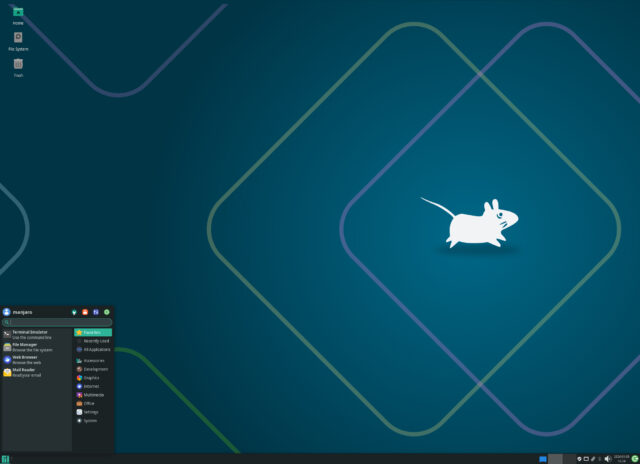
If you’ve been looking for a reason to ditch Windows 11, the latest version of Manjaro Linux might just be it. Manjaro 26.0 Anh-Linh (Vietnamese for a noble or sacred soul), updates all three of its main desktop editions with changes to app performance, window behavior, theming controls, and remote access.
This release focuses on parts of the system people use every day. App loading, desktop layout options, permissions, and system controls have all been improved, and are noticeable as soon as you start using the desktop.
Manjaro 26 Anh-Linh
Anh-Linh follows the previous Zetar release launched last April and continues Manjaro’s approach of pairing a rolling Arch Linux base with curated desktop environments.
The GNOME edition moves to the GNOME 49 series and offers a number of fixes and improvements that address rough edges from its initial rollout.
GNOME’s Calendar app gains a more flexible layout -- the window now adapts better to different sizes, and the sidebar can be hidden manually, which helps on smaller displays or when using tiled windows.
The Software app in GNOME 49 focuses on performance, with improvements targeting how large Flatpak repositories are parsed, as well as reducing memory use and speeding up browsing and search, especially on those systems with limited resources.
GNOME 49 also adds a new wallpaper catalog for HDR displays and wide color spaces. Improvements in Mutter’s color management allow wallpapers to render with higher color depth and contrast, while changes to the image loading pipeline promise to boost performance.
Remote desktop support in GNOME has been improved as well. The built in tools now offer additional capabilities for users who access their desktop from another system.
Manjaro’s Plasma edition ships with Plasma 6.5, along with updated KDE Frameworks and KDE Gear. The changes here focus on usability rather than visual overhaul.
Plasma 6.5 adds rounded bottom corners to Breeze themed windows, with an option to disable the effect. Automatic switching between light and dark themes based on the time of day is also included, with controls over which themes and wallpapers are used.
Application permissions have been consolidated into a single page, making it easier to manage which apps can take screenshots or request remote control access.
Plasma’s built in RDP server now supports clipboard sharing and works with existing user accounts, removing the need to set up separate remote desktop users.
Other additions include clearer printer ink and toner warnings and the ability to hibernate the system directly from the login screen.
The Xfce edition moves to Xfce 4.20 and focuses on practical improvements. Thunar gains recursive search and new file highlighting options that make it easier to spot specific files in crowded directories.
Panel behavior has also changed, with panel length now set in pixels rather than percentages. A new option allows the panel to stay above windows instead of forcing maximized apps to stop short.
The Control Center groups system management modules into a single window. New options allow changes to dialog header bars, file context menus, and default multi monitor behavior.
The new release uses Linux kernel 6.18 by default, with long term support kernels such as 6.12 LTS and 6.6 LTS available for older hardware.
You can download an ISO of Manjaro 26 for Xfce, GNOME and KDE Plasma from here.
What do you think about the latest version of Manjaro as an alternative to Windows 11? Let us know in the comments.



