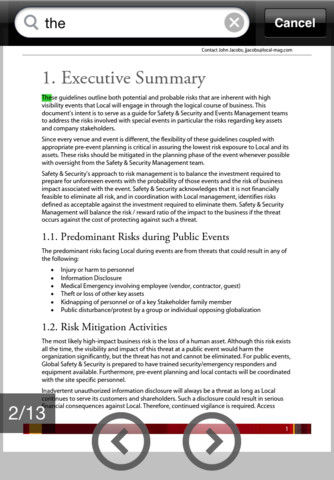
Adobe Reader finally comes to iPad, iPhone
While iOS has supported Portable Document Format for some time, there has been no official app from the king of the PDF, Adobe. With the release of Adobe Reader for iPhone and iPad, this has now changed. As you would expect, the app provides support for the opening of PDF files that have been created on other platform, including those that have been password-protected, and PDF portfolios.
Lengthy files can be easily navigated using bookmarks and text searching, and a thumbnail preview section at the bottom of the app makes it easy to jump to a specific page without having to scroll through a document in its entirety. It’s good to see that the iPhone and iPad versions of the app are, apart from the differences in screen size, indistinguishable from each other.

CIOs must 're-imagine IT'
Businesses aren't exactly busting open their coffers, but IT spending will rise next year. Gartner predicts a 3.9 percent increase -- to $2.7 trillion, from $2.6 trillion this year. The analyst firm had expected 5.9 percent spending growth for 2011, and that's not happening.
What's important now isn't so much how much is spent but where. Social media, cloud computing and virtualization are disruptive technologies forcing IT departments and business leaders to re-evaluate technology adoption. Then there are the relentless, lingering effects of the global downturn. As such, Gartner claims that more enterprises are making IT a competitive, business priority -- and that affects who makes the decisions and how technology investments fit the top and bottom lines.
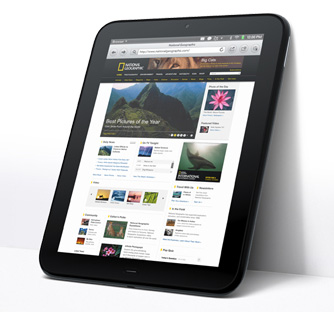
TouchPad not dead yet, gets webOS 3.0.4 update
Even though Palm is a dead brand, and the future of WebOS is uncertain now that HP is reconsidering its position in the consumer electronics market, the vanishingly popular TouchPad tablet today is receiving an over-the-air update to webOS 3.0.4.
According to HP on Tuesday, this update brings the TouchPad a new camera app, the ability to pair non-webOS devices with the TouchPad for call routing, improved support for Bluetooth keyboards, support for the OGG Vorbis music file extension, and the addition of online/offline status in the messaging client.
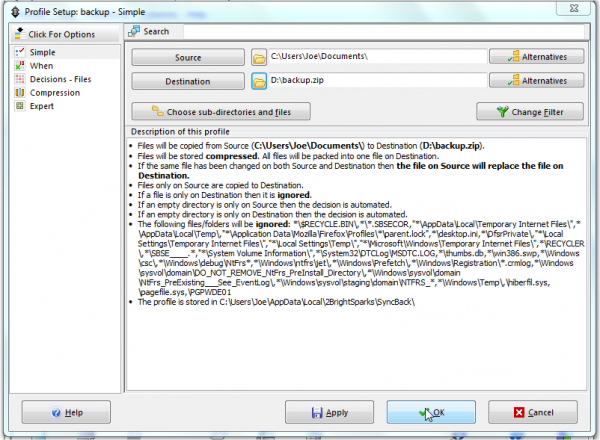
SyncBackSE improves sync, Windows 7 support
2BrightSparks has just released SyncBackSE 6, and it boasts a raft of new features. These include the ability to detect changes in the case of file and folder names, SmartSync options to skip or ignore specified changes and the ability to use Windows 7 taskbar features amongst many more.
You can test all the new features alongside its existing functionality with a free 30-day trial. SyncBackSE helps you to protect data via backup and synchronization profiles, which enables you to create a back-up copy of your data in a variety of different locations; helpful wizards guide you through the process of both backup and restore.
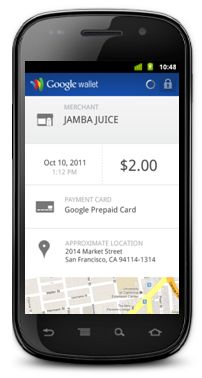
Google Offers combines with Google Wallet in new SingleTap experience
Google and some of its retail partners have rolled out an updated experience to the four-week old Google Wallet payment-by-phone system that now includes coupons and rewards points, which can all be redeemed with a single tap of the user's NFC-enabled smartphone. Google is calling the updated experience "SingleTap."
In this updated experience, Google Offers has been incorporated into the wireless payment system. In the "Offers" tab in the Google Wallet app, there are deals exclusive to users of the wireless payment service, and whenever a user scans his Google Wallet wireless device, these deals are automatically activated whether or not he's actually checked them out in the tab.
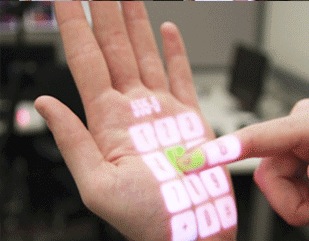
Microsoft continues to look beyond the glass screen with new touch experiments
At the ACM Symposium on User Interface Software and Technology (UIST) in Santa Barbara, California this week, Microsoft Researchers are showing off some experimental touch interaction projects that look beyond the flat glass touchscreen and move into different areas where touch-sensitivity could be employed.
OmniTouch, one of the projects making a major appearance this week, uses a pico projector and a Kinect-like depth-sensing camera to project "clickable" images onto any surface. It's actually quite similar to the device we first saw from the MIT Fluid interfaces group three years ago, which utilized a pico projector, smartphone, and camera to put an interface layer over the real world. The critical difference between the two is OmniTouch's use of a three dimensional camera that detects the difference between a click and a hover and allows for a much more sensitive interface.
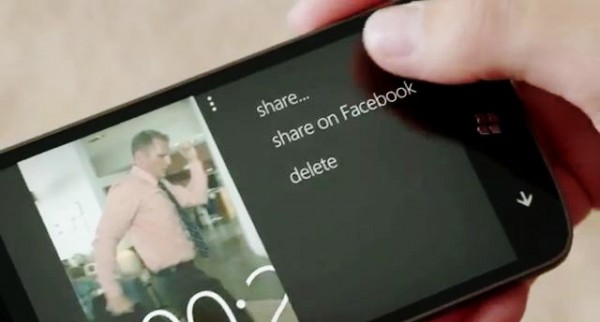
It's a great time to be a Microsoft family
Two days before Christmas last year I posted "Talking about Microsoft Store", which contrasted the differences between people shopping there and the Apple shop a few doors down in Fashion Valley Mall, San Diego. Apple Store was busier, and the crowd younger, with lots of individuals and couples. I observed about the other shop: "Microsoft Store is where families meet".
So it is with great intrigue and curiosity that I watch Microsoft's new "It's a great time to be a family" marketing campaign unfold. I'm loving it. The first commercials clearly show the benefits of using Microsoft stuff and put them in context of what matters most to the majority: Family. Core family values also are central to the Microsoft lifestyle. And when I express "core family values" the meaning simply is "one another" -- not some moral conservative or liberal moral agenda.

Which is more likely to survive a bad drop, iPhone 4S or Samsung Galaxy S II?
Apple offers a pretty good protection plan for iPhone 4S. AppleCare+ adds a second year of standard warranty coverage and phone replacement for $49 -- all for $99 at point of purchase. Do you need it? For that matter, if you like me chose Galaxy S II instead, do you need AT&T's $9.99/month insurance, which offers phone replacement for $125? Or if on another carrier, the insurance they offer? I've wondered. Haven't you?
Warranty/insurance provider SquareTrade offers some real insight in video: "iPhone 4S vs. Samsung Galaxy S II Drop Test". It's amazing how much tension watching someone nonchalantly drop a cell phone creates. Perhaps it's that sickening feeling this could happen to you or the anticipation that your phone will do better than the other.

No more bill shock: wireless carriers to alert on overages
The nation's wireless providers have announced a deal with consumer groups and the Federal Communications Commission that will set up a system to alert customers to overage fees. The FCC had been set to announce new rules to combat so-called "bill shock", which it introduced last year.
Under the terms of the deal, the wireless carriers agreed to set up a system to alert customers to voice, data, text, and roaming overages. Two of those four must be in place within a year, and the entire system ready within 18 months.
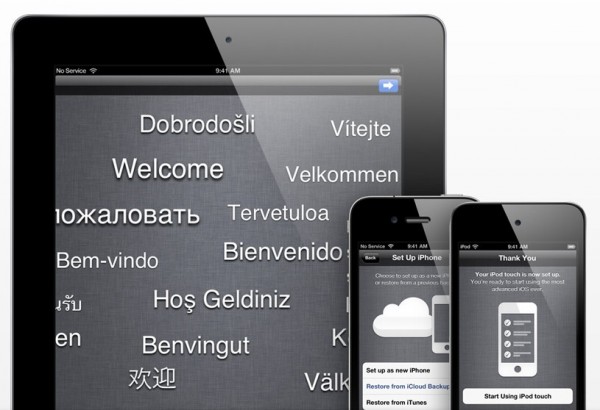
There are 20M iCloud and 25M iOS 5 users
Apple's rocky iCloud and iOS 5 launches haven't deterred determined upgraders. Today Apple revealed that over the first five days 20 million people had signed up for iCloud and 25 million upgraded to iOS 5. Considering that Apple claims a market of 250 million iOS devices, the numbers are either good or not depending on your view of 10 percent (or less) adoption. It's a fair guess the numbers could have been higher if not for the complexity of this upgrade or data center problems that delayed or thwarted many would-be updaters.
iCloud, Apple's data center-powered synchronization service demands, much during setup. To fully utilize the service, Mac users have to upgrade to iOS 5, iTunes 10.5 and Mac OS X 10.7.2. MobileMe subscribers also must migrate to iCloud, but only after getting the other upgrades. Many Betanews readers report difficulty getting all the updates and iCloud rightly working, particularly with desktop mail clients.
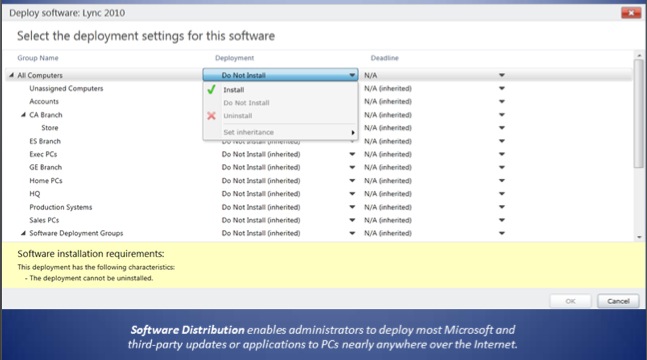
Microsoft begins rollout of Windows Intune 2.0 cloud IT management suite
Microsoft on Monday rolled out the stable release of Windows Intune 2.0, the latest version of the company's new browser-based remote PC management suite that has been in beta for the last three months.
This version of Windows Intune enhances the UI from the first version and adds a handful of user-requested features, most notably the improved ability to deploy software to remote PCs from a cloud storage account.
iPhone 4S launch sales top 4 million
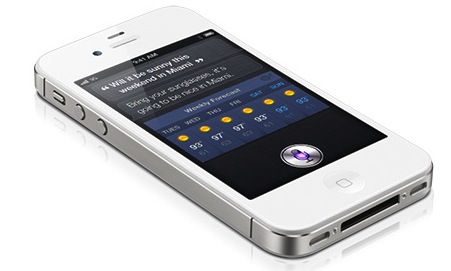
That's right, Apple and its carrier and retail partners sold 4 million iPhones during the launch. My question: How many are still in inventory? For the first Apple product launch I can ever remember, iPhone 4S breezed through the weekend without selling out everywhere. Is that better logistics under CEO Tim Cook's leadership or less-than-expected demand? But, hey, 4 million is no small achievement.
Apple is touting that big four number over three days. That's not right. Apple and its partners started taking preorders on October 7, racking up 1 million sales in the first 24 hours. What? People stopped preordering after the first day? I don't think so. Under the most generous accounting, 3 million iPhone 4Ses sold over the launch weekend and the total 4 million is over 9 days, not three.

RIM apologizes for outage with free apps, free enterprise tech support
The worldwide BlackBerry outage that lasted three days last week disconnected an untold number of Research in Motion's 70 million customers, and the company today is offering compensation to its users with a couple of valuable packages of free (non-material) stuff.
For users, the entire catalog of premium apps in BlackBerry App World will be free to download for four weeks. Between Wednesday, October 19th and December 31, 2011, premium apps will be available free of charge to users, depending upon their device type, OS, and local regional restrictions.
iPhone 4S is a worthy upgrade for 3GS owners [REVIEW]
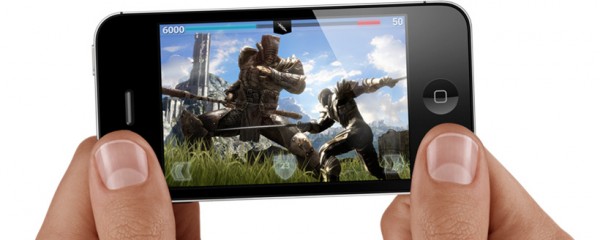
Apple's release of the iPhone 4S was largely panned by bloggers and journalists, most of which were looking for a much more dramatic upgrade. The 4S seems to be more of an upgrade aimed at the millions whose iPhone 3GS have become long in the tooth, and for these consumers this phone is a marked improvement.
Like Apple has said, iPhone 4S looks nearly identical on the outside to the iPhone 4, but is a new phone on the inside. From the dual-core processor to the better camera, and the innovative digital assistant in Siri, moving from the 3GS to the 4S is like night and day.
Count `em, 17 downloads you shouldn't miss this week
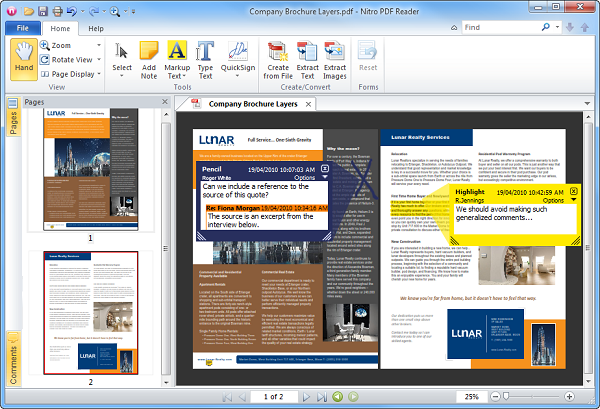
Attention may have been focus on the hardware releases coming from Apple this week, but there also was the usual wide selection of software releases to devour. The release of the iPhone 4S and iOS 5 is probably the biggest news of the week, and to tie in with this, Apple released iTunes 10.5 32-bit and iTunes 10.5 64-bit. One of the most interesting features of iOS 5 is iCloud storage and synchronization, and Windows users can take advantage of the newly released Cloud Control Panel for Windows to control this from their desktop.
When working with your PC, the inevitable reduction in performance that creeps in over time can be banished using TuneUp Utilities 2012. The app can be used to optimize the registry, save power and fix problems. In a similar vein is MAGIX PC Check & Tuning 2012, which can be used in one-click mode for quick fixes, but also enables you to get a little more hands-on if you want to get the best possible performance from your computer. If two tune-up tools aren’t enough for you, iolo System Mechanic Free 10.6 rounds off a trio of performance boosting utilities, and this one is available free of charge.