
EdgeDeflector alternative MSEdgeRedirect now redirects more content to your default browser
Microsoft has been quite aggressive in pushing its Edge browser, raising the hackles of many Windows users by ignoring default browser settings. The company's approach means that regardless of which web browser is set as default in Windows 10 and Windows 11, certain types of web content will always open in Edge.
The links of EdgeDeflector and similar tools popped up to intercept such links – such as clicking links in the News widget in Windows 11 – and force them to open in the default browser, but Microsoft has been busily trying to block such activity. One tool that continue to work is MSEdgeRedirect, and it has just been updated to make it even more useful.
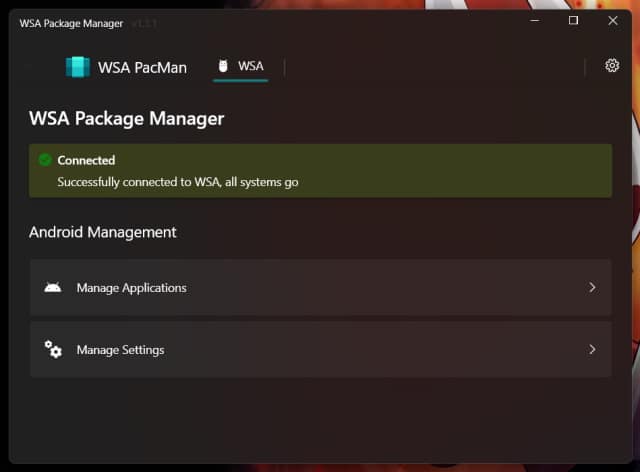
WSA PacMan is a new way to sideload Android apps in Windows 11
The arrival of Android app support in Windows 11 is something that has been met with mixed reactions. While many are happy to be able to use Windows Subsystem for Android to run apps and games, the fact that only the Amazon Appstore is supported has led to people seeking ways to sideload apps.
We've already seen the release of WSATools for this very purpose, and now there is a new open-source option. WSA PacMan is a delightfully accessible tool that makes it easy to sideload apps without the need to battle with ADB commands.
The first big Windows 11 update, Sun Valley 2, should be ready in mere months
Windows 11 may still have that new OS smell wafting off it, but there is still work to be done. We already know that Microsoft is only planning a single feature update each year, and it looks like the first major update for Windows 11 -- codenamed Sun Valley 2 -- could be available for testing in a matter of months.
Windows 11 22H2, as Sun Valley 2 is also known, is said to be scheduled to be completed in May. The update is expected to be finalized some time in the summer, and then be ready for a full release in the fall. But what can we look forward to in this release?
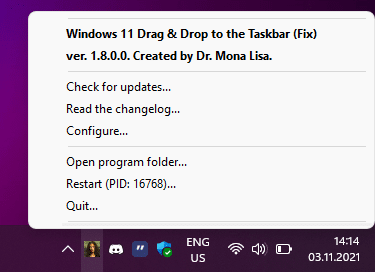
Best Windows apps this week
Four-hundred-seventy-one in a series. Welcome to this week's overview of the best apps, games and extensions released for Windows 10 and 11 on the Microsoft Store and elsewhere in the past seven days.
Microsoft confirmed a color issue on certain Windows 11 devices this week, which it plans to fix in late January 2022.

Microsoft confirms color problem in Windows 11 -- but a fix is weeks away
Windows 11 has a color rendering issue which results in some image editors showing white as yellow or other hues.
Although Microsoft has confirmed the existence of the problem and says that a fix is on the way, details are a little sparse. The problem affects certain HDR displays when using particular image editors, but the company has not revealed what combinations of hardware and software are problematic, or how widespread the issue is.
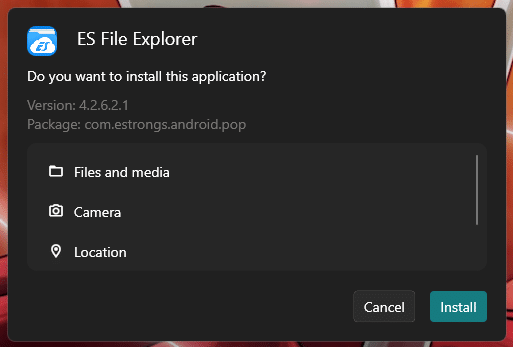
Best Windows apps this week
Four-hundred-seventy in a series. Welcome to this week's overview of the best apps, games and extensions released for Windows 10 and 11 on the Microsoft Store and elsewhere in the past seven days.
The yearly Holiday Sale on the Microsoft Store has started, offering discounts up to 50 percent. The sale ends on January 2, 2022.

Intel releases performance-enhancing graphics driver update to fix Desktop Windows Manager problem in Windows 10 and Windows 11
There is good news for Windows 10 and Windows 11 users who have noticed high resource usage by Desktop Windows Manager.
Intel has released updated graphics driver which addresses an issue that caused DMW.exe to use more CPU time and RAM than it should. The update means that Intel's DCH drivers have now reached version 30.0.101.1191.
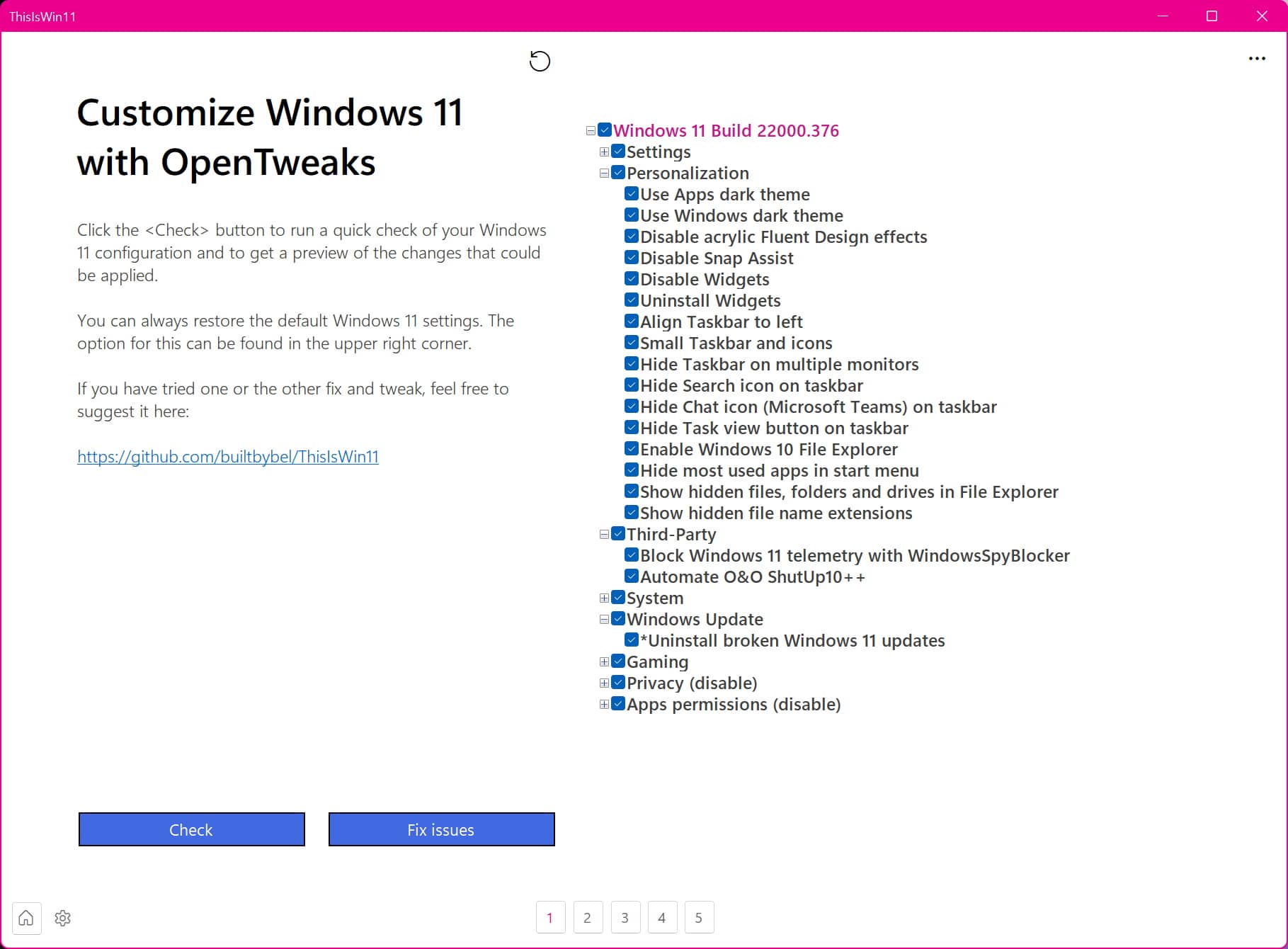
PowerToys alternative ThisIsWin11 gets a huge visual revamp
For anyone making the switch from Windows 10 to Windows 11, there is quite a lot to learn, as well as a reasonable amount of stuff to unlearn. And for anyone venturing out into computing for the first time, or people making the switch from macoS or Linux to Windows, there even more to consider!
ThisIsWin11 is a free portable app that serves several purposes, one of which is introducing some of the key features of Windows 11. The app started life as a simple project to help people to become familiar with the latest version of Windows, but it has expanded to be a tweaking tool as well. And the latest incarnation introduces a completely new look.
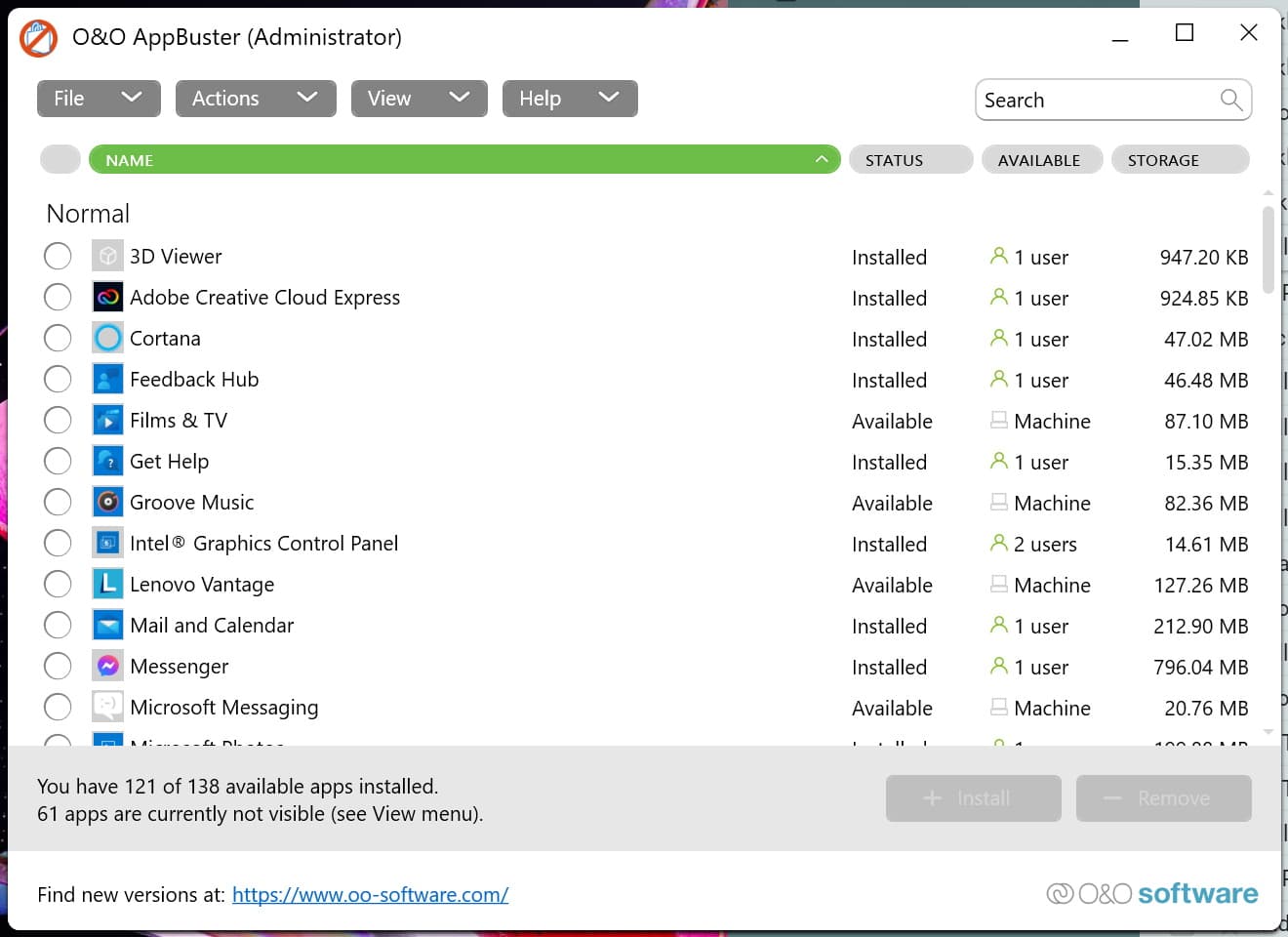
O&O AppBuster updates to make it easy to remove the bloat from Windows 11
Hard drives may be larger and cheaper than ever, but that's no reason to fill them up with things we don't need. While you may be in the habit of uninstalling software that has outlived its use, when it comes to Windows itself there are probably many elements you not only don't use, but don't know how to get rid of.
And this is where O&O AppBuster can help. Newly updated to support Windows 11, this portable app provides an easy way to remove not only the software you have manually installed, but also the pre-installed components of Windows. In addition to supporting Windows 11, this latest version adds new features and updates the look and feel.

Best Windows apps this week
Four-hundred-sixty-nine in a series. Welcome to this week's overview of the best apps, games and extensions released for Windows 10 and 11 on the Microsoft Store and elsewhere in the past seven days.
Microsoft has blocked other browsers from setting themselves as the default browser on Windows 10 and 11 without user interaction.
Microsoft has blocked all default browser workarounds in Windows 10 and Windows 11
When Patch Tuesday rolls around, we can usually expect a series of Windows problems to be fixed (and perhaps to see some new ones introduced), as well as new features added. But Microsoft also uses such updates to take things away -- and this is precisely what has happened with the latest updates for Windows 10 and 11.
Microsoft, quite understandably, would like everyone to use its Edge browser, and has taken endless steps to ensure that it stays the default browser on as many computers as possible. With the latest operating system updates -- specifically the KB5008212 and KB5008215 updates -- the company has implemented a block on workarounds used by the likes of EdgeDeflector and Firefox to force links to open in a browser other than Edge.
Microsoft continues to deliver death by a thousand cuts to the Control Panel in Windows 11
Microsoft has hardly made a secret of the fact that the beloved Control Panel is on its way out. Slowly but surely the company has been moving various options from the Control Panel into the Settings app.
There is, however, a strange sense of limbo to be drawn from the fact that both the Control Panel and Settings exist alongside each other, some options are duplicated in both places. On top of this, -- and despite Microsoft really want people to use Settings -- there are numerous occasions on which the Settings app will dump users unceremoniously back into the Control Panel. But with the latest build of Windows 11, Microsoft's assault on the Control Panel continues, with the death knell sounding ever louder.
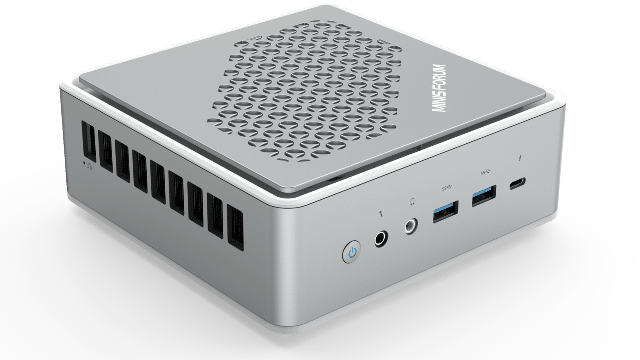
MINISFORUM EliteMini TH50 is a diminutive Windows 11-ready PC with Thunderbolt 4
Everybody wants a giant and powerful desktop computer, but most consumers don't actually need a hardcore PC. Heck, nowadays, many consumers don't have enough space in their homes to accommodate a full-sized tower. If you find your home is too cramped, a laptop may be a wise choice. If you insist on a desktop, however, a mini computer, such as an Intel NUC can be a very good choice too.
MINISFORUM is another company producing mini desktop computers, and today, it announces quite the beauty. Called "EliteMini TH50," this diminutive Windows 11-ready desktop is powered by a very modern quad-core (8 thread) 11th generation Intel Core i5 processor (i5-11320H). My biggest complaint about MINISFORUM computers is they can be a bit loud. Thankfully, the company says this model will be much quieter.
Microsoft releases Windows 11 Build 22523, makes ISOs available to download
Microsoft has just begun rolling out what will be the final new Windows 11 Dev Channel build before the holidays.
After blocking Insiders with ARM64 PCs from installing Build 22518 last week, Microsoft is offering this flight to all. The software giant is also making ISOs for it available to download.
Microsoft releases KB5008215 update for Windows 11 to fix SSD performance, installer problems and VPN issues
In what is the last scheduled update for Windows 11 this year, Microsoft released the KB5008215 update. The update takes the operating system up to build 22000.376 and includes numerous security fixes.
Among the changes introduced in this update are new emoji, as well as a fix for an issue that prevented the appearance of File Explorer and desktop shortcut menus. The fixes for SSD performance problems addressed by the previously released KB5007262 are also included.