
MiniTool releases a free screen recorder without watermarks or time restrictions

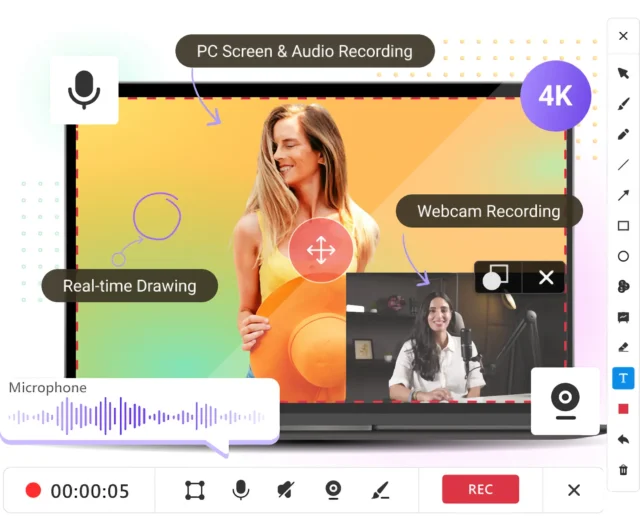
MiniTool has released Screen Recorder 1.0, a free screen recording tool for Windows designed to handle basic screen, audio, and webcam recording tasks without watermarks or time limits.
The app offers a limited but familiar set of features rather than advanced tools or editing functions. It can be used to record tutorials, presentations, videos, or general on-screen activity with minimal configuration.
SEE ALSO: MiniTool adds a duplicate cleaner and refreshed interface to Partition Wizard 13.5
The interface is straightforward, with most controls accessible from the one screen. The recorder can capture full-screen activity, or individual windows and selected regions, allowing you to focus on specific areas.
Screen recording can be combined with webcam capture, with the webcam feed shown as a picture-in-picture overlay. This can be used for instructional or commentary-style videos.
Audio recording is divided into system sound and microphone input so you can capture application audio while also recording live narration if required.
The software includes live annotation tools such as shapes, lines, arrows, and text that can be drawn on screen while recording. There's also a whiteboard-style overlay.
MiniTool Screen Recorder in 4K
MiniTool Screen Recorder supports resolutions up to 4K, with adjustable frame rates between 15FPS and 50FPS. 4K support is great for a free tool, but actual performance will depend heavily on your system's hardware so if you're using it on an older laptop don't expect miracles.
You can download MiniTool Screen Recorder 1.0 from here. It doesn't include ads or bundled software and requires Windows 10 or 11 (64-bit), with at least 4GB of RAM, and basic modern GPU support.
What do you think about MiniTool's latest product? Let us know in the comments.



