


You will be able to install Windows 11 on an unsupported PC... but there could be serious security drawbacks
When Microsoft first released details of the system requirements for Windows 11, there was a mixture of confusion, annoyance and disbelief. The need for TPM 2.0 sent people running off to find out what on Earth this is, and many were disappointed to learn that a number of relatively recent CPUs were not supported.
Seemingly aware of the frustration the minimum requirements were causing, Microsoft has relented a little. Even though there will be no official upgrade path from Windows 10 to Windows 11, it will be possible to manually install Window 11 on hardware that is not technically supported. Microsoft, of course, is hardly shouting about how to do this, and points out that the system requirements exist to ensure the best possible experience. And while these warnings are to be expected from the company and will be ignored by many people, there is one very important factor to keep in mind if you are thinking about taking advantage of a loophole to install Windows 11.
Microsoft releases KB5005932 update for Windows 10 to fix PSFX_E_MATCHING_BINARY_MISSING errors
Microsoft has released a compatibility fix to Windows Setup to address a problem in Windows 10 versions 2004, 20H2 and 21H1. The issue means that some people trying to install the latest cumulative updates (LCU) for Windows see a PSFX_E_MATCHING_BINARY_MISSING error.
The procedure for installing the update and then fixing the problem is a little out of the ordinary, but Microsoft has provided full details about how to complete the process so future LCUs can be successfully installed.
PowerToys is getting a Windows 11 makeover
The PowerToys collection of utilities is much loved, and understandably so. Over the last couple of years, developers have been busy bringing more and more tools to Windows 10 users and now there is something for Windows 11 users.
For now, there is no word about new, Windows 11-specifc PowerToys utilities, but users of the latest version of Microsoft's operating system do have a design overhaul to look forward to.

Windows 11 has a dark audio theme to complement Dark Mode visuals
Just about every piece of software worth its salt has embraced the dark mode trend. Both visually appealing and gentle on the eye, there is a great deal of love for darker hues, so it's little surprise that Windows 11 includes a dark mode.
But there's more; Microsoft has taken dark mode to the next level. In addition to dialing down the color, Windows 11 also includes special sound effects that accompany dark mode to create a different experience.
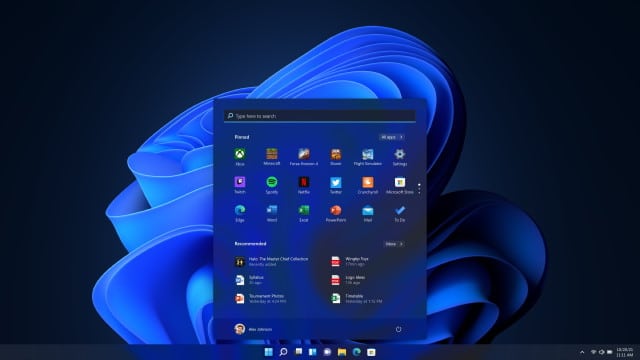
Microsoft gives another strong hint about the release date for Windows 11 RTM
We already know a lot about Windows 11, thanks in part not only to the Microsoft PR machine, but also the preview builds that are available for everyone to try out. One thing that has been partly clouded in mystery, however, is just when the operating system will be released.
Microsoft has given various vague suggestions about Windows 11 being ready for the holiday season, and documentation shows the company accepting driver updates from hardware manufacturers until the end of September. The company has once hinted at an October launch date for Windows 11, and now this has been repeated, strengthening the belief that the release is now less than two months away.
Microsoft warns that Windows 11 is about to get buggy and unstable
The official launch of Windows 11 is just two months away, but Microsoft is not done with tweaking and testing the operating system yet. Windows Insiders have already been treated to a number of increasingly interesting preview builds, and these have proved to be surprisingly stable.
But this is about to change. As development of Windows 11 ramps up ahead of the October launch, Microsoft has issued a warning that future builds are likely to be less stable -- at least for people who are part of the Dev channel.
Security: plug in a Razer mouse or keyboard and gain admin privileges in Windows 10
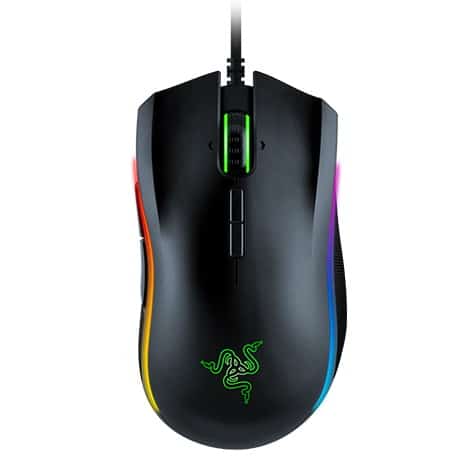
A worrying security flaw has been discovered in Razer Synapse software which can be exploited to gain administrator privileges in Windows 10. What is particularly concerning about this vulnerability -- aside from the fact that there is no patch available yet -- is that exploitation is possible by simply plugging in a Razer mouse, keyboard or dongle.
Pretty much the only thing that isn't disturbing about this security hole is that it is a local privilege escalation (LPE) vulnerability, meaning an attacker would need physical access to a system to exploit it. Nonetheless, the zero-day can be taken advantage of by anyone splashing out a few bucks on a cheap Razer peripheral.
Microsoft quietly releases Windows Server 2022 with up to a decade of support
When it comes to operating systems from Microsoft, the focus is very much on the launch of Windows 11 later this year. But this is not the only OS to come out of Redmond.
The company has just released Windows Server 2022, LTSC (Long Term Servicing Channel) edition which has support for five years as standard, and a decade of extended support. Microsoft has in fact released, with very little in the way of trumpeting, three editions of this latest version of Windows Server -- Standard, Datacenter and Datacenter: Azure Edition.
Microsoft gives a glimpse of Windows 11's revamped Paint app, complete with dark mode
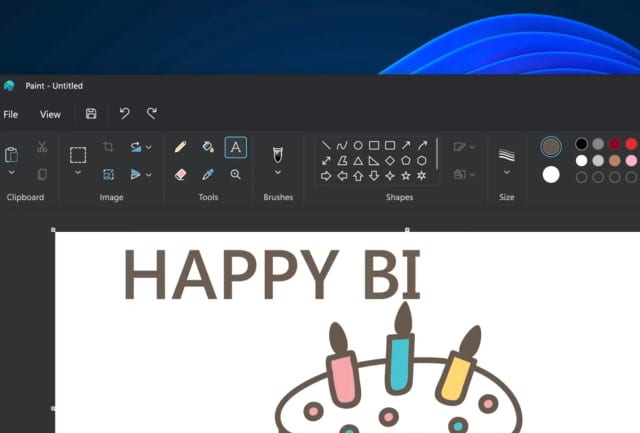
It is almost too easy to joke about the Paint app that has been included with Windows since time immemorial. Sure, it's basic when compared to… well, just about anything really... but it's a tool that people love regardless.
With the launch of Windows 11, Microsoft is giving Paint a much-needed overhaul and Panos Panay has given a sneaky peak at what we can expect from the redesigned app. As ever, it's Windows Insiders who will get first dibs, but for now, a quick video will have to suffice.

How to change Windows 11's default web browser after Microsoft made it crazily difficult
Microsoft is so keen for you to use Edge in Windows 11 that it has made the process of changing the default web browser absurdly and unnecessarily irritating. You would think -- and, indeed, expect -- it to be easy to change the default app used for anything, but here Microsoft seem determined to draw ire.
And if causing anger and irritation was the company's aim, well... mission accomplished. If you do want to change the default web browser, you have to tweak the settings for an incredible 10 file types! Mozilla is fighting back, using a hack to achieve the "impossible", but it's only a matter of time before Microsoft closes this loophole.

Shock! Another faulty Windows update! This time it is Alt-tab that is broken by KB5005033
It's been a while since we last reported about a problematic update for Windows 10. Only joking! Of course it's not! We haven't stepped into a paralleled universe in which Microsoft releases patches that, you know... work properly. As such, it's time to share news of issues people are experiencing with KB5005033 which was released last week.
If you thought you'd already read about problems with this particular update, you'd be right -- gamers have been complaining about a reduction in performance after installing this patch that was meant to fix the PrintNightmare vulnerability. But now there are reports of further problems with KB5005033 that are not limited to gaming fans. The latest complaints are that this update is breaking everyone's favorite keyboard shortcut, Alt-Tab. This time, however, there is a workaround.

Intel releases new Wi-Fi and Bluetooth drivers for Windows 11
With the launch of Windows 11 coming later this year, and with large numbers of people already using the beta build, hardware manufacturers are gradually starting to release updated drivers for the latest version of Microsoft's operating system.
Intel has already released Windows-11 compatible graphic drivers -- as has its rival NVIDIA – and now the company has updated its Wi-Fi and Bluetooth software. With the latest updates, Intel PROSet/Wireless Software and Intel Wireless Bluetooth both offer support for Windows 11 and address issues in Windows 10.
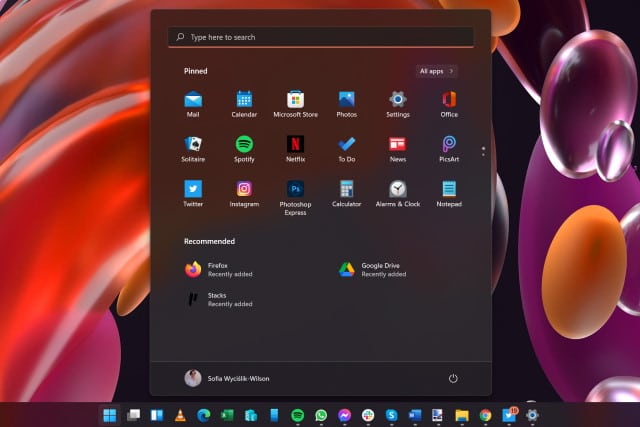
How to hide the Recommended panel in the Windows 11 Start menu
Windows 11 has generated a huge amount of interest and debate ahead of its official launch later this year. There's a lot to love in Microsoft's latest iteration of Windows but, as ever, there are also things that irritate users.
The revamped Start menu has proved controversial and divisive for numerous reasons, not least of which is the fact that it is centered by default (although this can be changed). But another thing that has upset some people is the inclusion of a Recommended panel in the lower half of the Start menu. At the moment it is used to highlight recently used files and recently installed apps, but some people fear that it will be used by Microsoft to spam users with other recommendations. If you don't like it, here's how to disable it.
Open-source tool can pull Microsoft Azure credentials from Windows 365 in plain text
Microsoft's Windows 365 Cloud PC may only be a few weeks old, but a security flaw has already been found that can be exploited to extract Microsoft Azure credentials.
The credential extraction is made possible by the open-source tool Mimikatz, created by security researcher Benjamin Delpy (one of the names associated with exposing the PrintNightmare vulnerabilities). Admin privileges are required to execute the exploit it is concerning nonetheless.
Microsoft offers workaround, but no fix, for yet another Windows print spooler security vulnerability
Just as there has been a spate of hugely problematic updates for Windows 10 over the last year, in recent weeks there has been a seemingly endless stream of security flaws relating to the Windows print spooler. Now Microsoft has acknowledged another zero-day vulnerability.
There is currently no fix available for the security bug, a Remote Code Execution vulnerability which is being tracked as CVE-2021-36958. However, Microsoft has offered up a (less than ideal) workaround for this latest vulnerability from the PrintNightmare family.



