
[Mihaita] The tech I used most in 2012
If there's one word that best describes my personal tech use for 2012, change is definitely it. For the most part of the year I "cheated" one platform with another, with no particular personal favorite to get me through (almost) 365 days. Each piece of software and hardware is used for a particular scenario, something that I find rather soothing for my personal early adopter endeavors as well as my sanity. I just can't stand tinkering with the same bit of tech for longer periods of time, although there still is a dear old friend in my life...
My colleagues Alan Buckingham and Wayne Williams already wrote about their personal tech choices in 2012, and now it's my turn. Without further ado here is what I used most throughout the year, starting with my trusty dear old friend.
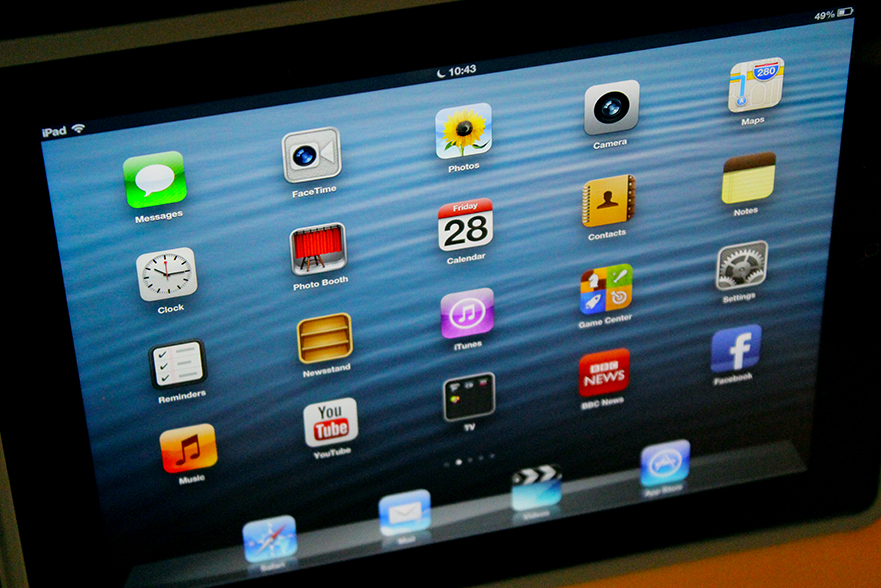
[Wayne] The tech I used most in 2012
To paraphrase Ferris Bueller, "Technology moves pretty fast. If you don't stop and look around once in a while, you could miss it". Smartphones and tablets are being updated, iterated and replaced so quickly these days. Take the iPad. Apple rolled out a new version in March, and then replaced it with a faster model in November. You’re never at the cutting edge for long, so you need to enjoy that moment while you can (not that it really matters if your tech devices are a generation or two behind, of course -- so long as they work and do what you need them to).
My colleague Alan Buckingham wrote the first of the BetaNews team’s personal tech retrospectives yesterday. Now it’s my turn.
[Alan] The tech I used most in 2012
The year has almost passed and that makes it a great time for reflection. Of course, I have thought most about my family -- what we did in 2012 and our plans for 2013. I have thought of household repairs and projects planned for the coming year, goals I would like to attain, but I also considered what technology I used the most and the changes I made.
My colleagues and I plan personal tech retrospectives. I'm first up.
Tired of the same old browser? Try SlimBoat
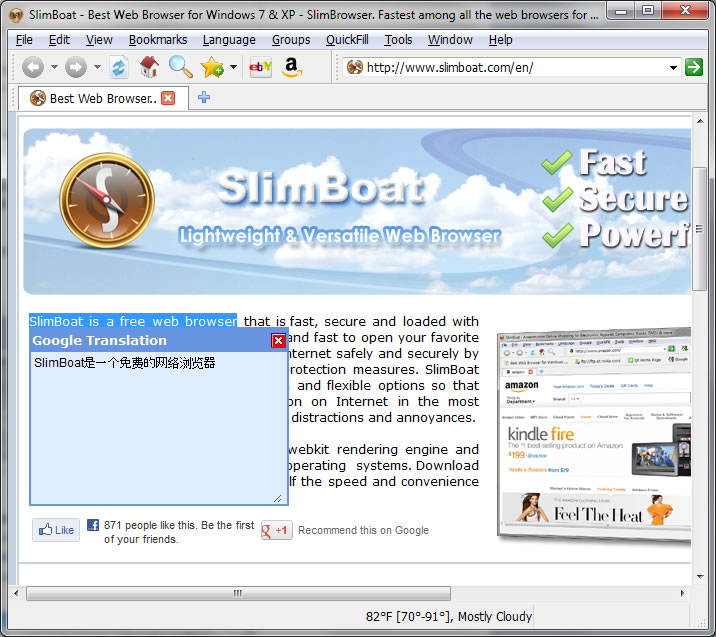
If you’re tired of the big-name web browsers, then there are plenty of alternatives around. Most aren’t particularly inspiring, but there are a few which try to create something new, and SlimBoat (a WebKit-based tool from the people who brought you SlimBrowser) is an especially interesting example.
That’s not to say the program offers anything particularly revolutionary, of course -- there’s no major new browsing metaphor here, no new way of working (in fact it’s essentially the same tabbed interface as offered by everybody else). Instead SlimBoat tries to win you over with its sheer weight of functionality, by simply providing more features out-of-the-box than anyone else.

Microsoft finally understands how much we love irony
It took an ancient, nearly obliterated society and a looming apocolypse, but perhaps Microsoft is finally starting to get it. The company, once the dominant force in the web browser market after wiping out Netscape, is starting to get its act back together. Between ancient forces and challenges from Firefox and Chrome, the company has started to understand human nature. We may not believe the world will end tomorrow and we may not believe Internet Explorer 10 is actually good, but we can all agree that we love irony.
To that end, the Redmond, Wash,-based company has been on a roll of sorts recently. It launched a website with the ironic name "browser you loved to hate" and even launched a video depicting an IE-hater in action. Now the new kinder, gentler Microsoft meets tomorrow's impending doom with a bit more humor.
Opera 12.12 releases with tweaked Delete Private Data tool
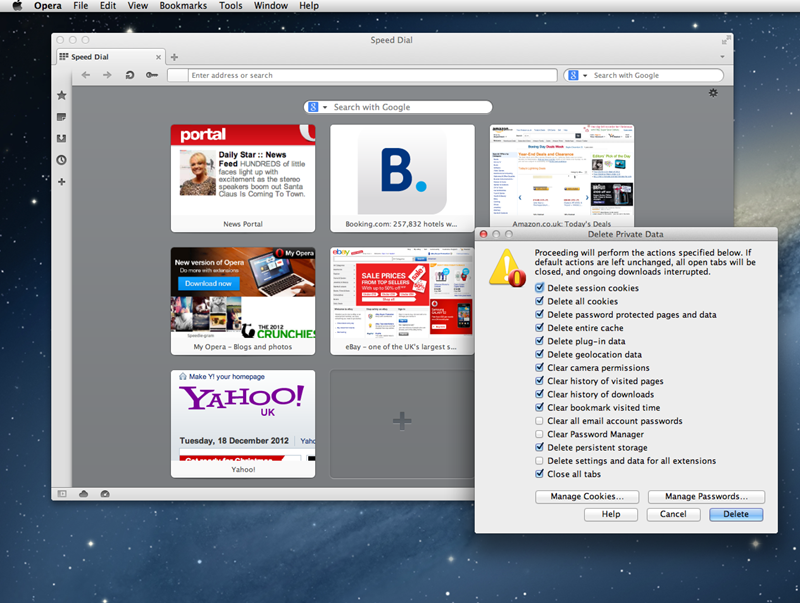
Opera 12.12 has been released for Windows, Mac and Linux. This Norwegian cross-platform browser and email client -- also available as Opera 12.12 64-bit for Windows 64-bit platforms, is primarily a bug-fix release, with emphasis on security and stability.
It does, however, make changes to the Delete Private Data tool, promising a redesign and new option as well as fixing a potentially critical issue.

View all your web browser histories from MiTeC’s Internet History Browser
You visited a great web page yesterday, and read a really helpful article -- but now you can’t remember where it was. It’s easily done, but viewing your browser history should give you the information you need.
Of course, if your PC has multiple browsers installed then reviewing your (or anyone else’s) activities can be a little more challenging. Unless, that is, you run the free Internet History Browser, which collects your histories from all the main browsers (IE, Firefox, Chrome, Opera and Safari) and displays them in a single, simple interface.

This Chrome extension masks your email address
Sign up for an account with a website and you’ll usually see them promising not to share your details with others. “We hate spam as much as you do”, they might claim, although none of this seems to prevent the endless torrent of junk which pours into our inboxes on a daily basis.
It could be a better idea to simply never give out your main email address in the first place, then. And MaskMe is an excellent Chrome extension that can help.
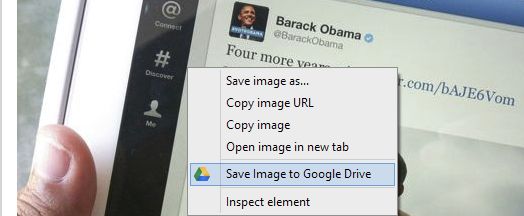
Google cuts out the middleman, releases 'Save to Drive' feature for Chrome
The Google Drive team on Tuesday announced a new Chrome extension called "Save to Drive," which ties browser activity directly into the user's Google Drive cloud storage account and eliminates the need for third-party extensions to provide the functionality.
Prior to today's release, an extension from the prestigious MIT going by the name "save to drive" was available. Now, Google has borrowed the name and made it available in the Chrome Web Store. The search giant takes the concept a lot further though.
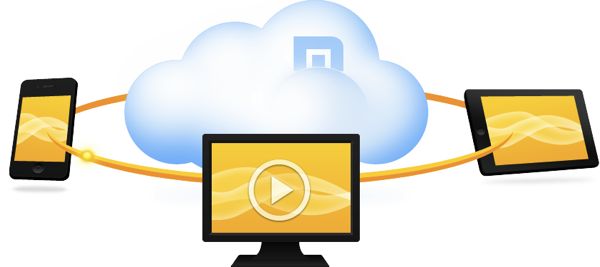
Maxthon 4 released and renamed: now 'Maxthon Cloud Browser'
It's tough to make an impact in the Windows browser market. And no-one knows that better than Maxthon; after almost ten years, the program is still struggling to reach one percent market share.
The developers are nothing if not persistent, though, and Maxthon’s latest incarnation, now renamed Maxthon Cloud Browser, has just been released. Will this deliver the long-awaited breakthrough? We’re not sure, but it’s definitely an interesting attempt.

SafeIP delivers quick and easy anonymous browsing
If you’re looking to preserve your privacy online then there are already a host of free tools and services queuing up to offer you a new IP address, so discovering yet another, in the shape of SafeIP, didn’t exactly fill us with excitement.
The program doesn’t stop there, though. It also claims to block cookies, conceal your referrer and browser agent, block ads and prevent you from accessing known dangerous sites. And all for free, no adware or similar catches. Perhaps SafeIP was worth a look, after all.

Google Analytics Cookie Cruncher exposes your online activities
When you need to know more about the websites someone is visiting (you want to make sure your kids haven’t been straying on the darker side of the web, say) then checking their cookies has always been one option. But the information you’ll get is often very limited, maybe just to a domain name, and so won’t always be particularly useful.
Google Analytics Cookie Cruncher may be able to help, though, by focusing on Google Analytics cookies. These contain much more data, and in a standard format, so with just a little work you may be able to see the sites someone has browsed, the search keywords used to locate them, the date and time of the last two visits, and the number of times a site has been visited in total.

Microsoft takes on relentless Internet Explorer haters in latest video
To Microsoft's credit, it knows it has to be constantly vigilant with its public image. Internet Explorer has been raked across the coals for years, and no matter what Microsoft does, people seem to be unhappy. This is not to say the browser hasn't earned a lot of this criticism with security vulnerabilities and web standards problems, but sometimes the relentless onslaught of negativity in web comment sections is too much to handle.
Microsoft's latest video shows that sometimes the best a company can hope for is for people to hate them less.
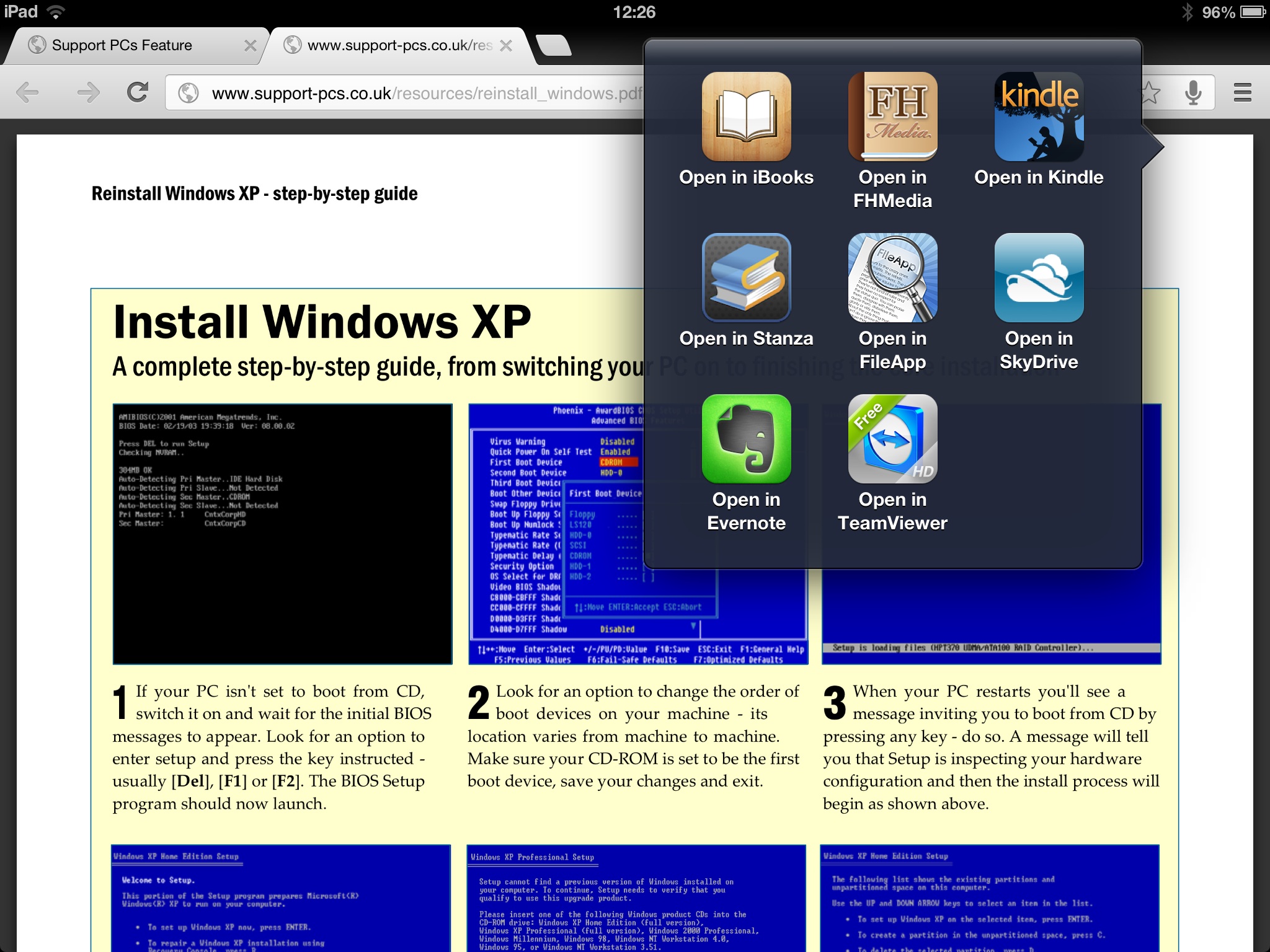
Chrome for iOS 23 supports Apple Passbook
Google has updated the iPhone and iPad version of its famous browser, adding support for Passbook and allowing users to open PDF files in other applications. Google Chrome for iOS 23.0.1271.91 also includes a number of tweaks and bug fixes.
The update is joined by a minor stability update to Google Chrome for Android 18.0.1025469, which Google promises to resolve issues with “frequently occurring stability issues”.
There is no 'best browser' for blocking generic phishing attacks, says NSS
Network testing and security analysis firm NSS Labs has released the third part of its comparative browser vulnerability study, this time focusing on phishing protection. The previous installations, released last September, focused on general malware blocking and click fraud.
NSS Labs observed Safari 5, Chrome 21, IE10, and Firefox 15 for ten days and found that the general phishing URL catch rate was pretty good across the board. In fact, the group said there is so little difference in the average block rate between the different browsers that one must "consider other factors, such as socially engineered malware blocking capabilities for qualitative differences in the security effectiveness of the browsers."