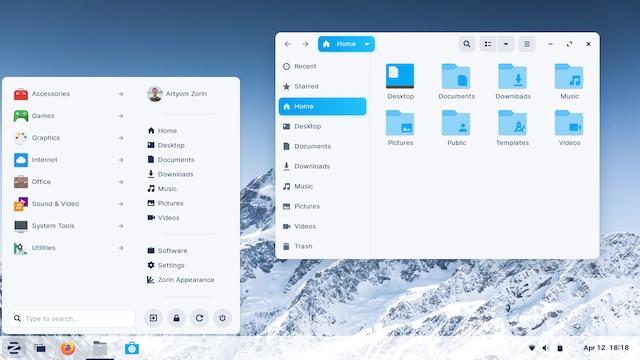
Zorin OS 16 is the Windows 11-like Linux distribution Microsoft doesn't want you to know about
Windows 11 is a very good operating system, and it hasn't even gone gold yet. In fact, despite only being Beta, I can confidently call it the best version of Windows ever. It is shockingly polished and beautiful -- the true successor to Windows 7. Windows 10 wasn't bad, but it never felt complete. Windows 11 feels purposeful and well-loved by developers. Microsoft has impressed me with the upcoming operating system. It is appearing to be more than a superficial update as I once thought.
With all of that said, understandably, not everyone wants or needs Windows 11. Due to some rather lofty hardware requirements, some consumers will find their computer simply can't run Windows 11 even if they want it to. While Microsoft and the overall computer industry would love to see these consumers buy new computers, that simply is not necessary. Instead, a Linux-based operating system can breathe new life into your aging PC.

Shock! Another faulty Windows update! This time it is Alt-tab that is broken by KB5005033
It's been a while since we last reported about a problematic update for Windows 10. Only joking! Of course it's not! We haven't stepped into a paralleled universe in which Microsoft releases patches that, you know... work properly. As such, it's time to share news of issues people are experiencing with KB5005033 which was released last week.
If you thought you'd already read about problems with this particular update, you'd be right -- gamers have been complaining about a reduction in performance after installing this patch that was meant to fix the PrintNightmare vulnerability. But now there are reports of further problems with KB5005033 that are not limited to gaming fans. The latest complaints are that this update is breaking everyone's favorite keyboard shortcut, Alt-Tab. This time, however, there is a workaround.
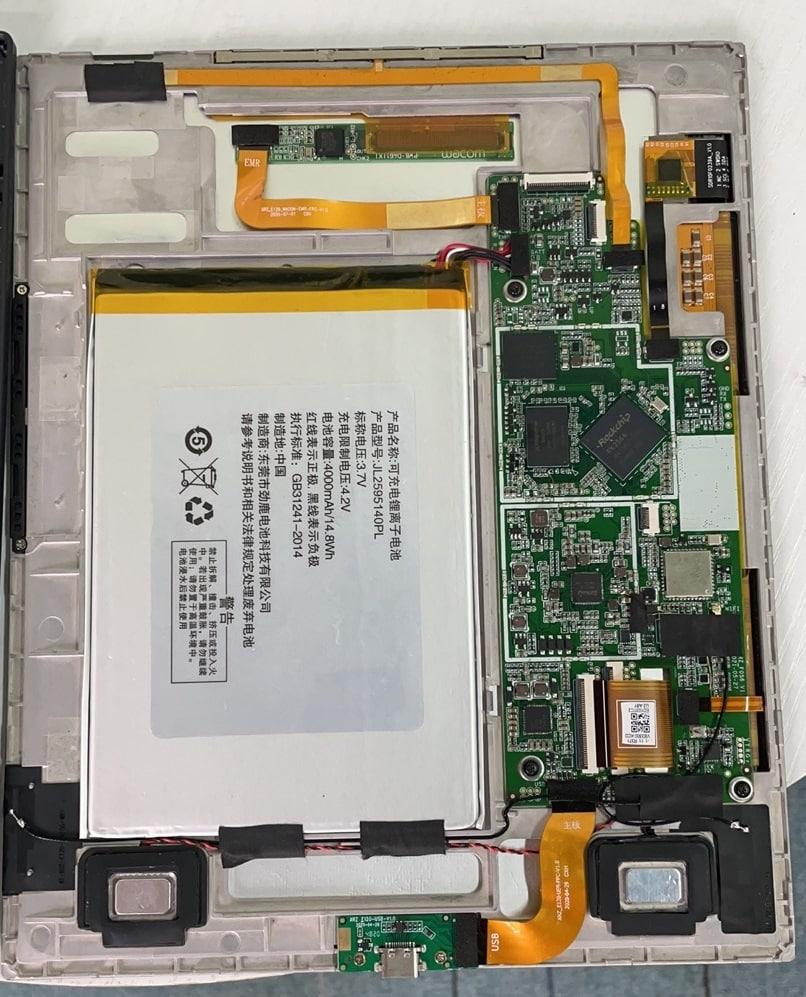
PineNote E-ink tablet runs Manjaro Linux
Reading devices with E-ink displays are an absolute must for hardcore readers. Can you read books using a traditional Android tablet or Apple iPad? Sure, but the screen can cause eyestrain. An E-ink reader, such as Amazon's Kindle Paperwhite, makes reading digital books much more enjoyable -- your eyes will thank you.
What if there was an open tablet, running Linux, that utilized an E-ink screen? That would be quite the interesting device, and it would be very exciting to imagine how such a thing could be used. Well, folks, such a product is on the way! Called "PineNote," the E-ink tablet has similar specs as the Quartz64 single board computer. The device should be available for purchase later this year. As of today, it is expected to launch with Manjaro Linux as the operating system.

Debian 11 'Bullseye' Linux distro is here
Debian is a great operating system in its own right, but also, it makes for an excellent base for other Linux distributions as well. For example, Ubuntu is probably the most well-known Linux distro in the world, and it is based on Debian. There are countless other operating systems, such as deepin Linux, that also stand on Debian's figurative shoulders. That's why it is so significant when a new version of Debian is released.
And today, that is exactly what is happening. You see, after much testing, Debian 11 is finally available for download! Called "Bullseye," the number of changes is absolutely insane. You see, it has 11,294 totally new packages and 42,821 updated packages. Some major changes include native exFAT support and improved printing.
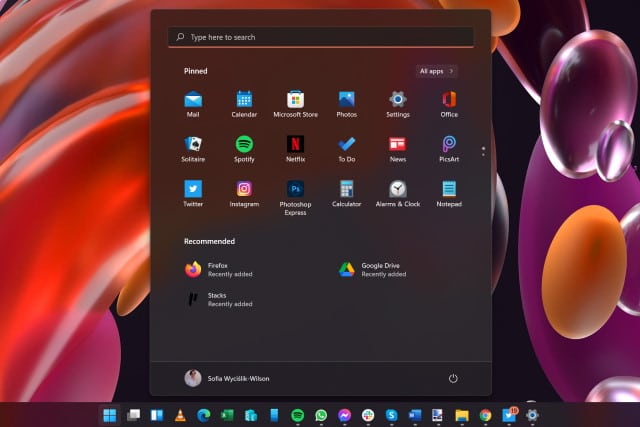
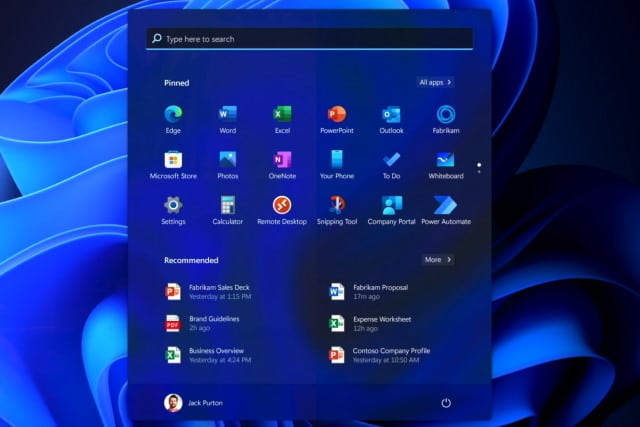
How to hide the Recommended panel in the Windows 11 Start menu
Windows 11 has generated a huge amount of interest and debate ahead of its official launch later this year. There's a lot to love in Microsoft's latest iteration of Windows but, as ever, there are also things that irritate users.
The revamped Start menu has proved controversial and divisive for numerous reasons, not least of which is the fact that it is centered by default (although this can be changed). But another thing that has upset some people is the inclusion of a Recommended panel in the lower half of the Start menu. At the moment it is used to highlight recently used files and recently installed apps, but some people fear that it will be used by Microsoft to spam users with other recommendations. If you don't like it, here's how to disable it.
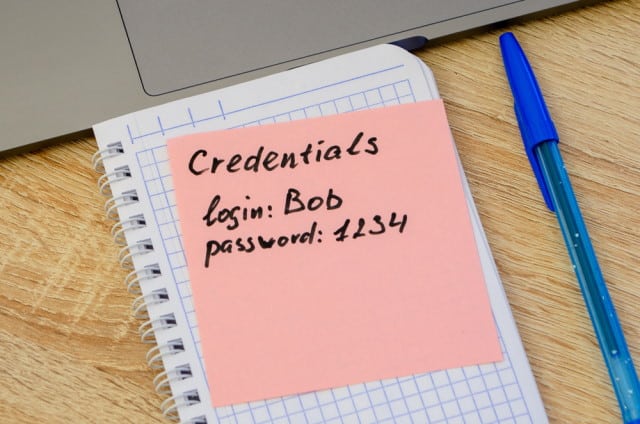
Open-source tool can pull Microsoft Azure credentials from Windows 365 in plain text
Microsoft's Windows 365 Cloud PC may only be a few weeks old, but a security flaw has already been found that can be exploited to extract Microsoft Azure credentials.
The credential extraction is made possible by the open-source tool Mimikatz, created by security researcher Benjamin Delpy (one of the names associated with exposing the PrintNightmare vulnerabilities). Admin privileges are required to execute the exploit it is concerning nonetheless.
Microsoft offers workaround, but no fix, for yet another Windows print spooler security vulnerability
Just as there has been a spate of hugely problematic updates for Windows 10 over the last year, in recent weeks there has been a seemingly endless stream of security flaws relating to the Windows print spooler. Now Microsoft has acknowledged another zero-day vulnerability.
There is currently no fix available for the security bug, a Remote Code Execution vulnerability which is being tracked as CVE-2021-36958. However, Microsoft has offered up a (less than ideal) workaround for this latest vulnerability from the PrintNightmare family.
Microsoft claims Windows 11's visual effects do not reduce performance
For some people, the upgrade to Windows 11 is little more than eye-candy, a visual change for those who have grown weary of the look of Windows 10. There is, of course, much more to the operating system than that, but aesthetics are certainly what most users will notice first.
And one of the concerns about the design of Windows 11 and the various visual effects that it includes is that there will be a negative impact on system speed. Not so, says Microsoft. Optimization has been implemented that should mean users "shouldn’t notice any difference" in performance.
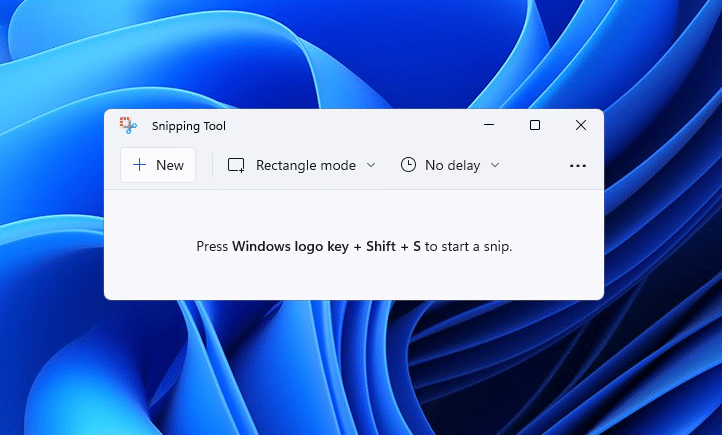
Updated Windows 11 apps rolling out now
It’s not only the Windows operating system that’s getting a makeover, some popular Microsoft apps are also getting updated for inclusion in Windows 11.
These include the Snipping Tool, Calculator, and Mail & Calendar. Today the software giant rolls out new builds of these to Windows Insiders in the Dev Channel.
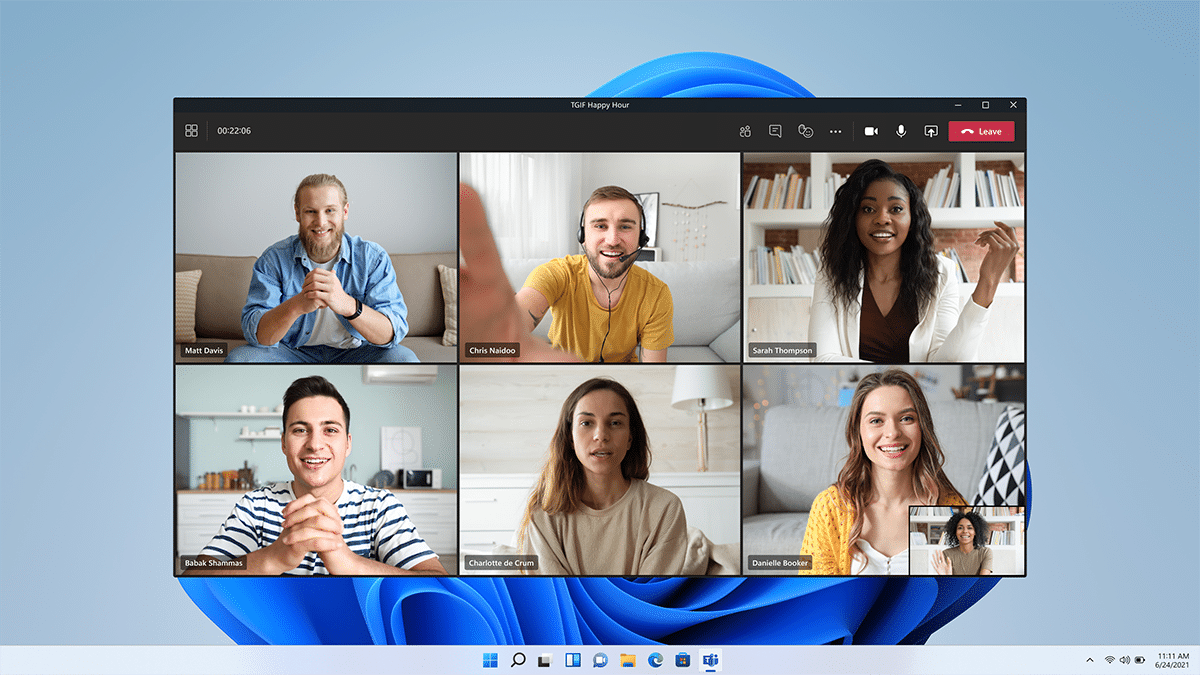
Microsoft releases Windows 11 Build 22000.132 with Chat from Microsoft Teams
As we inch ever nearer to the release of Windows 11, Microsoft is making its Insider builds for that OS more widely available. Case in point being Build 22000.132 which is being made to everyone in the Dev and Beta Channels.
With this build, Chat from Microsoft Teams is now available for Insiders in the Beta Channel, and one-to-one and group audio and video calling is starting to roll out too.
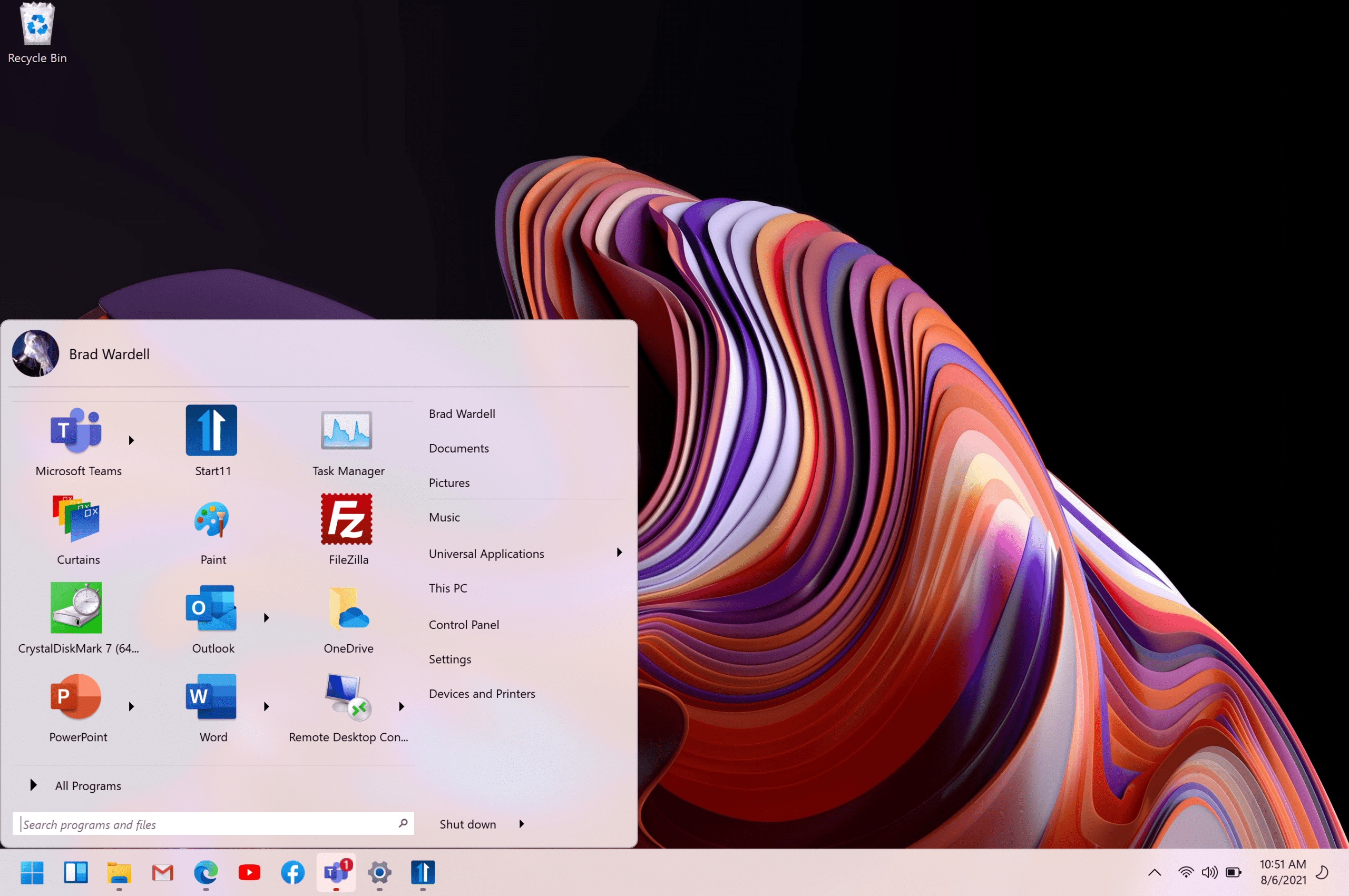
Don't like the Windows 11 Start menu? Stardock Start11 can restore the classic look
When Microsoft removed the Start menu from Windows 8 -- believing we’d all prefer to prod at large tiles on touchscreens -- there was the inevitable backlash. Although the company did restore the Start menu in Windows 8.1, by then the damage was done. The OS flopped badly and that one ridiculous design decision was the main reason for it.
With Windows 11, Microsoft hasn’t been as bold/crazy to repeat history. There’s a still a Start menu, but it’s one that’s centered, which won’t be to everyone’s liking. When Windows 8 shipped without a Start menu, a number of third party developers quickly stepped in to right Microsoft's wrong. And now we’re starting to see similar such Start menus arrive that promise to 'fix' Windows 11.
Microsoft finally fixes PrintNightmare vulnerability with KB5005031 and KB5005033 updates
To help address the ongoing problems with the so-called PrintNightmare vulnerability (CVE-2021-34527), Microsoft has announced a change to the default behavior of the Point and Print feature in Windows.
The change has been delivered via the KB5005033 and KB5005031 update and means that in order to install printer drivers, users will have to have administrative privileges. This mitigates against the Windows Print Spooler vulnerability that allowed any user to install drivers via Point and Print, a fact that could be exploited to install a malicious drivers to allow for remote code execution and SYSTEM privileges.
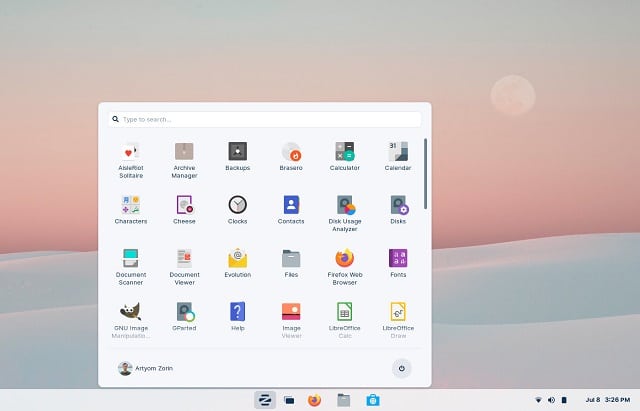
Zorin OS 16 Pro brings Microsoft's Windows 11 interface to Linux
Windows 11 looks quite beautiful, but let's be honest... it is pretty much just Windows 10 with a fresh coat of paint. Sadly, Microsoft is requiring some pretty strict hardware requirements for the upcoming operating system, meaning many people could find themselves unable to upgrade. Even worse, the company has provided confusing communications regarding TPM requirements.
Thankfully, even if Microsoft thinks your perfectly fine computer is obsolete, the Linux community doesn't think that. In other words, if your computer is incompatible with Windows 11 due to a lack of a TPM chip or other hardware issue, it can still run a modern Linux distro just fine. In fact, thanks to the upcoming Zorin OS 16 Pro, you can experience the all-new Windows 11 interface on Linux! Wow!
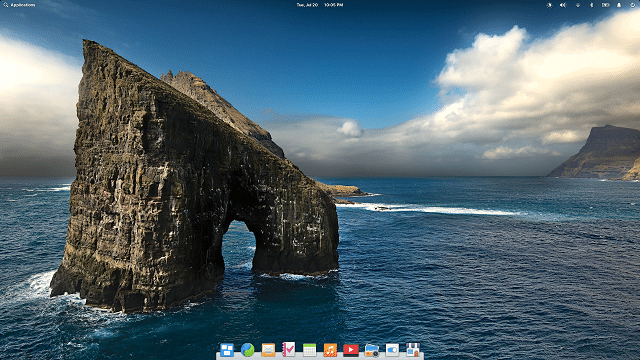
Ubuntu-based elementary OS 6 'Odin' Linux distribution is now available for download
Why don’t more desktop computer users run Linux-based operating systems? Well, software compatibility aside, there is fear of change and the unknown. For a user to switch from Windows, it need to be a fairly simple affair. For years, just installing a Linux distribution was a daunting task. These days, however, it can be faster and easier than installing Windows -- depending on the distro, of course.
For Linux beginners, once installed, their chosen distro should be easy to use with an intuitive desktop environment. I'm a big fan of GNOME, but understandably, not all folks like it -- especially Linux novices. One particular Linux-based desktop operating system has been focusing on accessibility to all -- elementary OS. This distribution is polished and focuses on being easy to use. It is a good choice for both experts and beginners alike. Today, elementary OS 6, code-named "Odin," becomes available for download, and it is loaded with exciting changes.
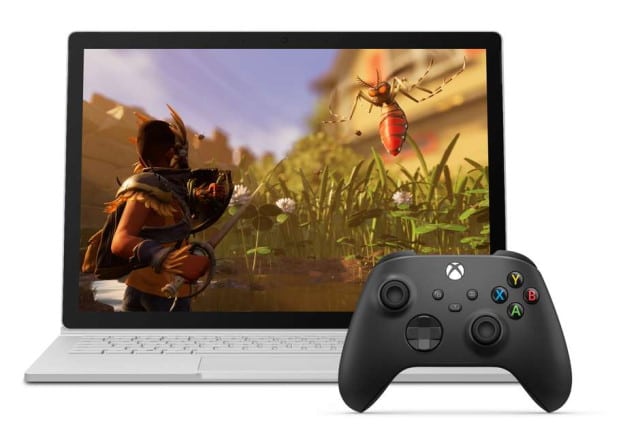
Microsoft launches Xbox Cloud Gaming beta in the Xbox App on Windows 10 and Windows 11
Microsoft has launched a beta version of its cloud gaming service for Windows. The Xbox Cloud Gaming beta is available in the Xbox app in Windows 10 and Windows 11, greatly expanding the gaming options available to PC users.
Using Xbox Cloud Gaming with the Xbox App provides access to scores of Xbox games for Windows users, but there are a few caveats to bear in mind.