
Best Windows apps this week
Five-hundred-and-forty in a series. Welcome to this week's overview of the best apps, games and extensions released for Windows 10 and 11 on the Microsoft Store and elsewhere in the past seven days.
Microsoft won't release any new feature updates for Windows 10 anymore going forward. The operating system reaches end of support in October 2025 and will receive security updates only up to that date.
Microsoft now lets you get Windows 11 updates faster
Updates to Windows 11 are a necessary part of using the operating system, and Microsoft releases them on a predictable schedule. Patch Tuesday (the second Tuesday of the month) is when updates are usually released to everyone, but there are exceptions.
In the case of important security updates, Microsoft may choose to release them on an out-of-band basis, but the company also releases preview versions of updates each month which anyone who seeks them out is free to install. However, Microsoft has just introduced a way to have these preview updates installed automatically if this is your preference. Here's how to do it.
Phone Link for iPhone is now rolling out to all Windows 11 users
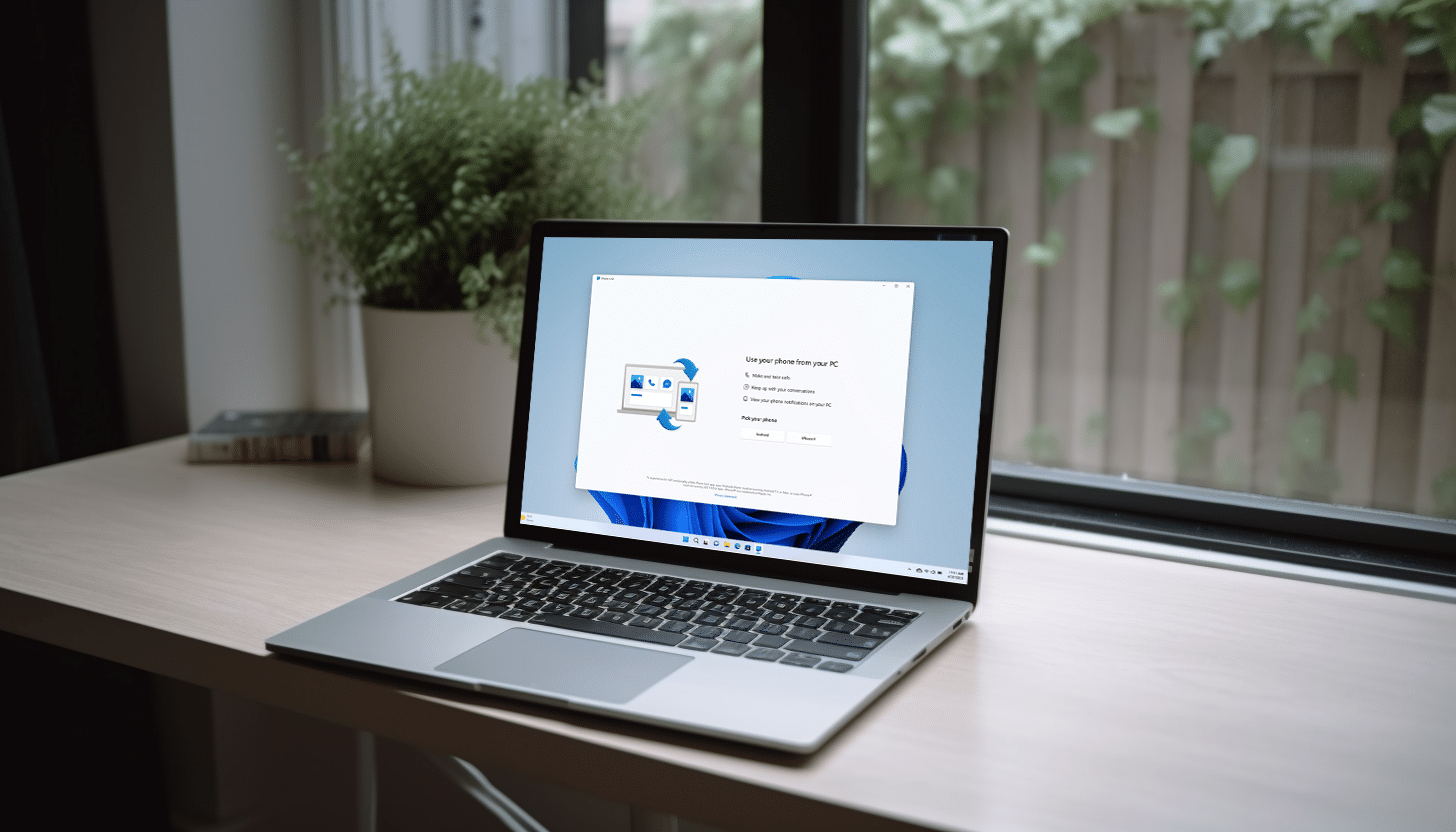
Microsoft today announces the expansion of its Phone Link feature, finally allowing iPhone users to connect to -- and interact with -- Windows 11 PCs.
Microsoft Phone Link for iOS on Windows 11 is beginning to roll out today in 39 languages across 85 markets, with the process expected to be completed by mid-May.
Microsoft treats Windows 11 21H2 users to the bug-bashing KB5025298 update
While Microsoft is keen for everyone to run Windows 11 22H2, older versions of the operating system remain supported. And it is with this in mind that the company has released the preview version of next month's KB5025298 update for Windows 11 21H2.
This is a non-security update, just like the KB5025305 update released for Windows 11 22H2, and it addresses a range of problems. The update also introduces firewall settings changes that mean it is now possible to configure application group rules.
Microsoft releases KB5025305 update for Windows 11, adding Widgets icon animations and Windows Update changes
We've reached the point of the month when Microsoft releases previews of the updates that will get a wider launch next month. As such, the company has released the KB5025305 update for Windows 11 22H2, and although this is not a security update, it includes a number of important changes and additions.
Microsoft draws attention to the arrival of animations to icons on the Widgets taskbar button when hovering over them, or when there is an announcement. This update also makes it easier to get hold of non-security updates faster, and makes a key change to Windows firewall as well as fixing numerous bugs and issues.

AMD Ryzen Z1 Series processors make Valve's Steam Deck obsolete
Valve's Steam Deck is a very popular handheld computer that allows people to play modern PC games on the go. Powered by a Zen 2-based AMD APU, Steam Deck also makes a great emulation machine. The Linux PC can play thousands of ROMs from classic consoles, such as N64, PS1, and more. Hell, it can even run modern Nintendo Switch games!
Unfortunately for Valve, the Steam Deck is about to become obsolete. You see, earlier today, AMD launched its all-new new Zen 4-based Ryzen Z1 Series processors. These chips are designed to provide a high-end gaming experience for handheld PC consoles. Make no mistake, the gaming systems powered by Z1 will make the current Steam Deck old hat.
Microsoft may make the Windows 11 taskbar bearable with future changes
With the taskbar in Windows 11 Microsoft not only made a lot of changes, but also a lot of mistakes. But some of the issues that irritate users could soon be a thing of the past.
In preview builds of Windows 11, there is evidence that Microsoft is working to improve the taskbar by returning features that were removed in the upgrade from Windows 10. The upcoming changes may not make Windows 11 flavor of the month overnight, but could go some way to improving the image of the operating system, improving workflow and making things easier to use.
Best Windows apps this week
Five-hundred-and-thirty-nine in a series. Welcome to this week's overview of the best apps, games and extensions released for Windows 10 and 11 on the Microsoft Store and elsewhere in the past seven days.
Work on future versions of Windows 11 continued this week. Microsoft added an option to hide date and time in one build, and (re)added support for Content Adaptive Brightness Control for plugged in devices in another.
Windows 11 Build 23440 lets you hide the date and time in the system tray
Microsoft today rolled out a new Windows 11 build to Insiders in the Canary Channel that brings Content Adaptive Brightness Control (CABC) to plugged in devices.
Insiders on the Dev Channel aren’t missing out though, as Windows 11 Build 23440 arrives today, with a decent amount of new features and fixes for testers in that channel.
Experimental Windows 11 build brings Content Adaptive Brightness Control (CABC) to plugged in devices
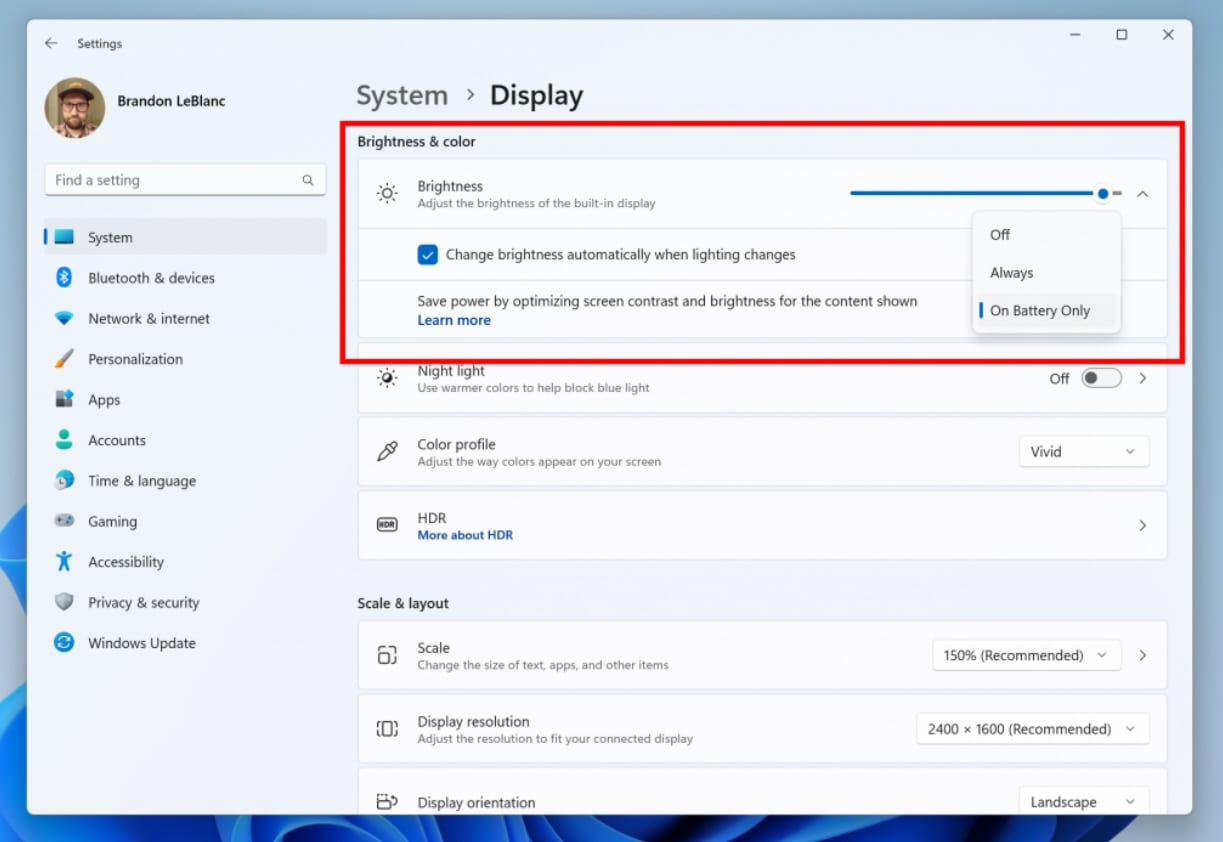
Two weeks ago, Microsoft released a Windows 11 build to the Dev Channel which came with Content Adaptive Brightness Control (CABC) -- an energy-saving feature that works by dimming areas of the screen depending on the content that is being viewed. It was supposed to be something that would benefit all, including desktop users.
Shortly afterwards, Microsoft backtracked, and said the feature wouldn’t be available to desktops after all. From today, Canary Channel Build 25346 introduces CABC support for laptops and 2-in-1’s that are plugged into a charger.

You can now run Windows 11 from a live disk -- no installation required -- here's how
Linux live disks provide a convenient and versatile solution for trying out various distributions without the need for installation. These bootable USB drives or CD/DVDs allow users to run a fully functional operating system directly from the removable media before committing to a full installation.
If you prefer Microsoft's operating system, it is now possible to create a live disk for Windows 11 -- fantastic news for anyone uncertain about whether the new OS will suit their needs and would like to try it first.
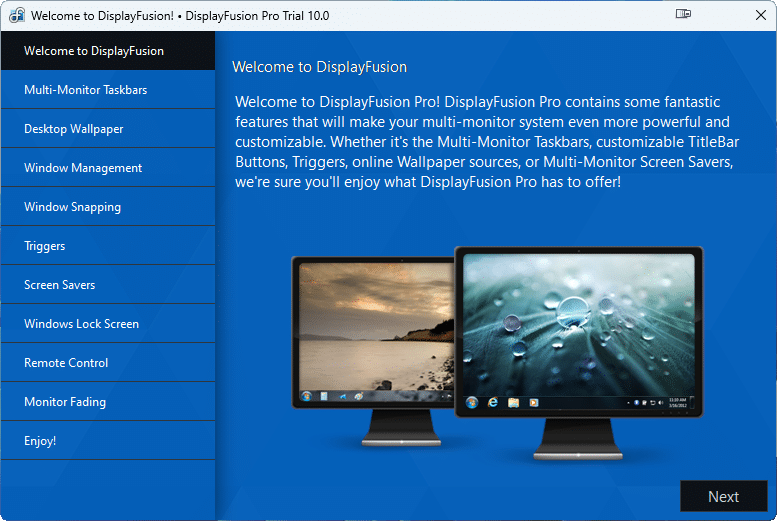
DisplayFusion 10 adds full Windows 11 compatiblity, refines and improves existing tools
After multiple beta releases, Binary Fortress Software has finally released DisplayFusion 10.0, a major new build of its multi-display management tool for Windows. The major release comes almost six years after DisplayFusion 9.0’s release, and its primary feature is to promise full Windows 11 compatibility.
The new build also ships with numerous changes, starting with an upgrade to .NET 7.0, which means the build is now only officially supported on machines running Windows 10 1607 or later, although it should continue to install on PCs running Windows 7 or later -- albeit at the user’s own risk.
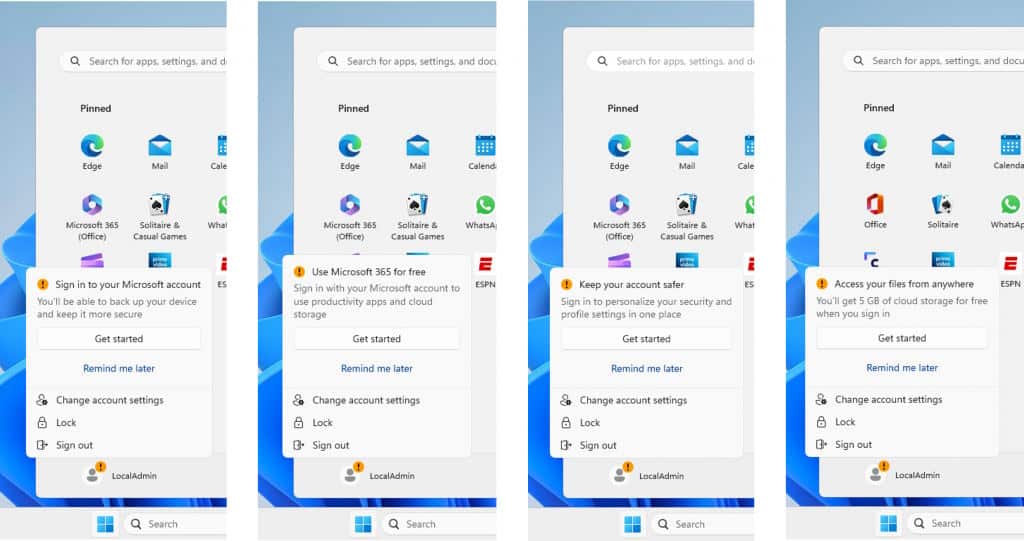
Microsoft is testing Windows 11 Start menu ads to push Microsoft 365 and Microsoft accounts
In the latest Windows 11 Dev build, there is a new Gallery in File Explorer for browsing your photos. This is something that is likely to prove popular, but the same build also include some rather more controversial changes.
In Windows 11 build 23435, Microsoft is tinkering further with the Start menu bringing ads to the heart of the operating system. The company likes to refer to this advertising as "badging", but the latest attempt to promote Windows 365 and Microsoft accounts is more likely to be seen as badgering.

Install the latest Microsoft Edge and get two taskbars in Windows!
For anyone who has made the jump from Windows 10 to Window 11, there is a lot of disappointment with the taskbar -- primarily that it is immovable. But whether you have upgraded to Windows 11 or stuck with Windows 10, there is a way to double the number of taskbars available to you. Sort of.
With the very Canary build of Microsoft Edge, there is a new optional sidebar that can be detached from the browser and pinned to the desktop. So if you feel like getting taskbar double vision, here's what you need to know.
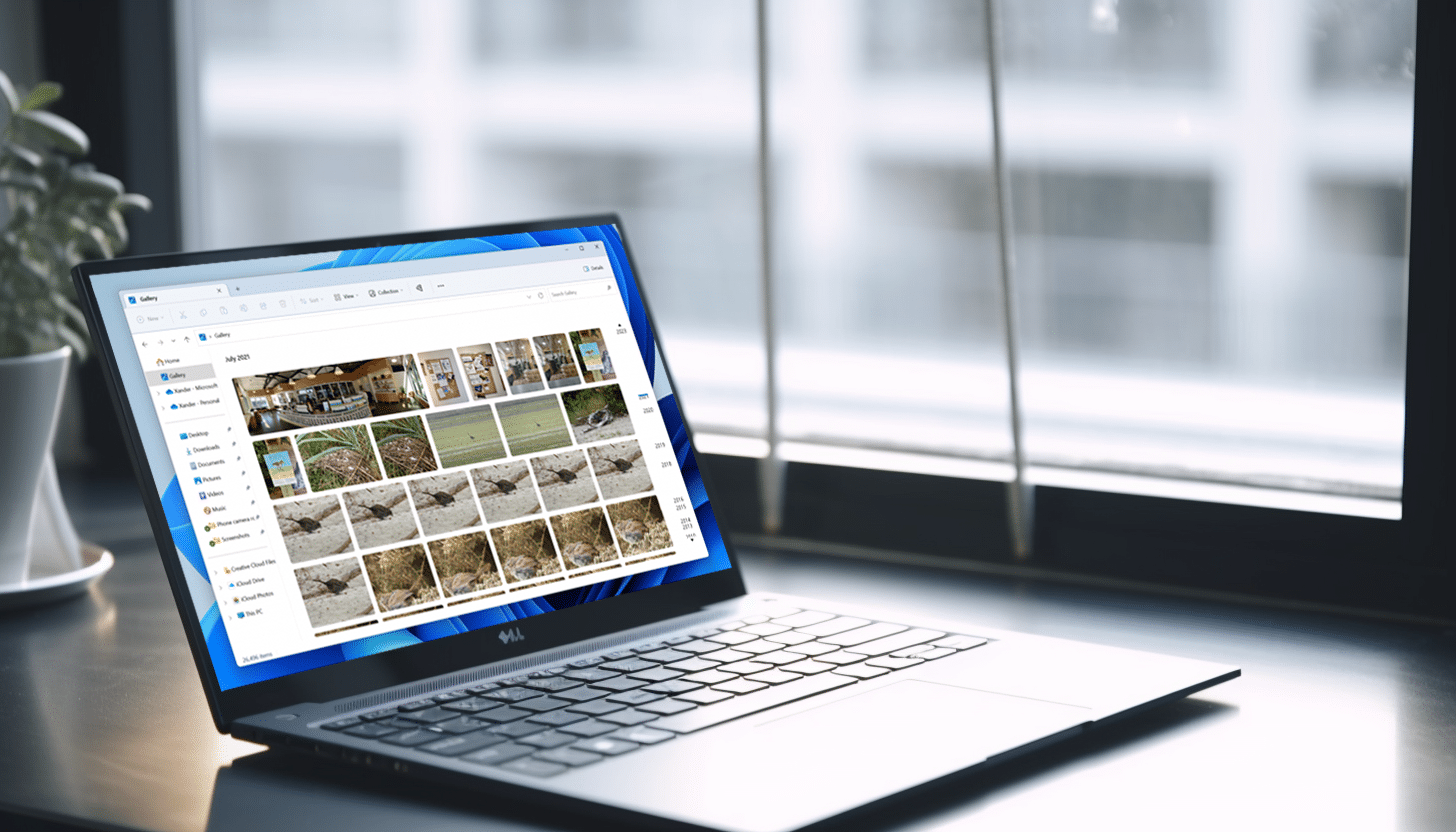
Microsoft adds a new photo gallery to File Explorer in Windows 11
Arriving just in time for the weekend, the latest Windows 11 flight for Insiders in the Dev Channel comes with a new feature which will be appreciated by a lot of users.
Build 23435 introduces Gallery, a new addition to File Explorer, which is designed to make it easier to browse your photo collection.



