
Microsoft poised to deliver a fatal blow to Internet Explorer 8, 9 and 10
In less than a week, Microsoft will only offer support for Internet Explorer 11 and Microsoft Edge. As of Tuesday 12 January, Internet Explorer 8, 9 and 10 will die. The aging browsers will receive one more update, and then will be consigned to the trash.
Tuesday is the day that older versions of IE reach the end of their support cycles, and Microsoft is keen for everyone to move to either Microsoft Edge or -- for the diehards -- Internet Explorer 11. If you have not already made the switch (or jumped to Chrome or Firefox), one more patch, KB3123303, will pester you into upgrading.
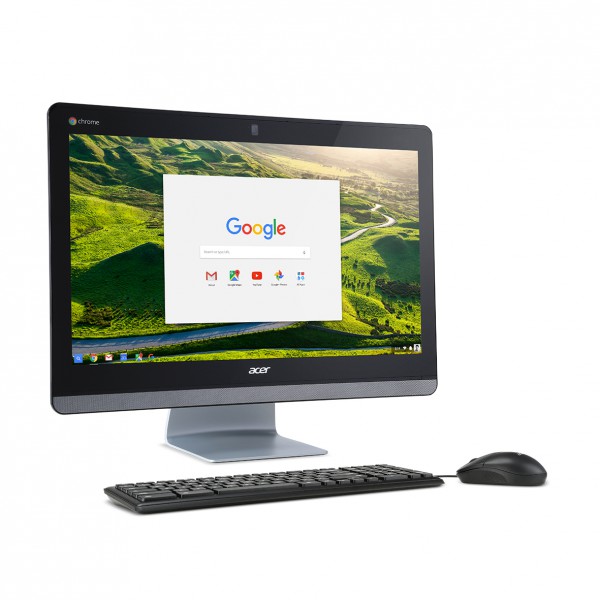
Acer goes gaga for Google's Linux-based OS with Chromebase 24 and Chromebook 11
Welcome to 2016, dear BetaNews readers. Another year is here, and some trends will continue as before. The most intriguing being Google's push into both education and home with its wonderful Chrome OS. While a bit limited, devices with Google's Linux-based desktop operating system are perfection for many; especially as more and more time is spent in the browser.
Today, Acer announces some new Chrome OS devices that look really impressive. Its new Chromebook 11 and Chromebase 24 should meet the needs for many, and in typical Acer fashion, shouldn't break the bank. The Chromebase is particularly newsworthy, as it is the first-ever such all-in-one "base" device with an Intel Core processor. Quite frankly, it should make an absolutely glorious family PC.

Adblock Plus updates Acceptable Ads and reveals how it makes money
Ad-blocking tools are more popular than ever before, and this spells potential disaster for anyone who relies on ad revenue from their web site. Previously something only available to desktop users, the widespread hatred of ads saw the tools spreading even to iOS.
A while back Adblock Plus revealed that its Acceptable Ads program -- which gives users the options of permitting the display of certain non-intrusive ads -- would be independently overseen. Today we not only learn about the latest updates to the program criteria, but also how monetizing is possible.

Like Internet Explorer, Microsoft Edge is still pushing people away
Microsoft must have hoped that in walking away from Internet Explorer and moving towards Edge it could successfully shake off its reputation for producing terrible web browsers. There's a joke that everyone has used Internet Explorer at some point, even if it's just once to download Firefox or Chrome; sadly for Microsoft, it seems the trend continues.
The launch of Windows 10 provided an opportunity to attract a new audience to Microsoft Edge -- but people are still jumping ship. It's likely that Edge's continued lack of extension support is partly to blame, but usage stats from numerous analysts paint the same picture: Edge is tanking.

Firefox 43 adds new block list, updates Android user interface
Mozilla has rolled out Firefox 43 FINAL for Windows, Mac and Linux, with Firefox 43 for Android due to follow imminently.
The desktop build gains few notable new features -- including a secondary Private Browsing block list, but the most interesting changes can be found with the Android build.

Tabr is a RAM-saving Chrome tab manager
Chrome's a great browser, but open too many tabs and it can turn into a real resource hog, grabbing vast amounts of RAM and maybe impacting your system's performance.
Tabr is a new Chrome tab manager which helps you deal with this, by providing new ways to browse, archive and control your browser tabs.
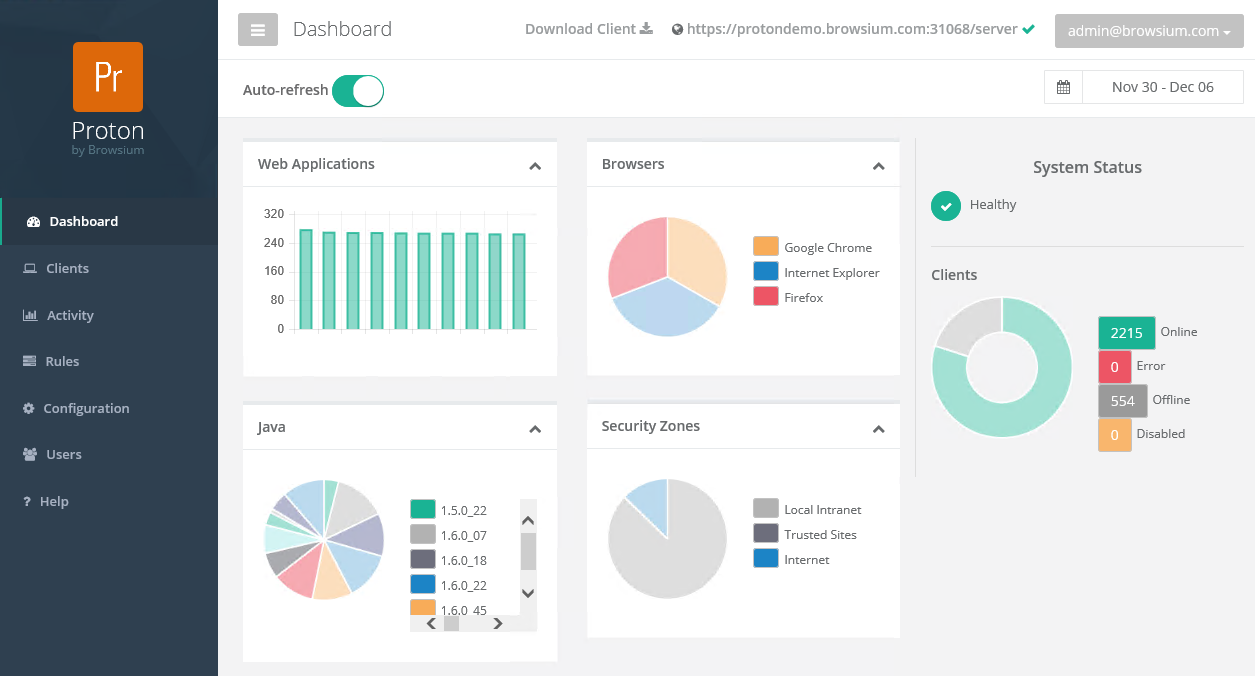
New solution helps enterprises manage web applications
The shift towards the cloud means that running applications is now often done in a browser. While this is convenient for the end user it can make life difficult for IT departments who need to know what's being used and where.
To address this browser management company Browsium, is releasing a new web application inventory and analytics solution for enterprises.

Signal Desktop first beta now available
Edward Snowden-endorsed developer Open Whisper Systems has announced the first public beta of Signal Desktop, a secure chat app for Chrome.
The new release enables users of its popular mobile app, Signal Private Messenger, to carry on a conversation across even more devices.
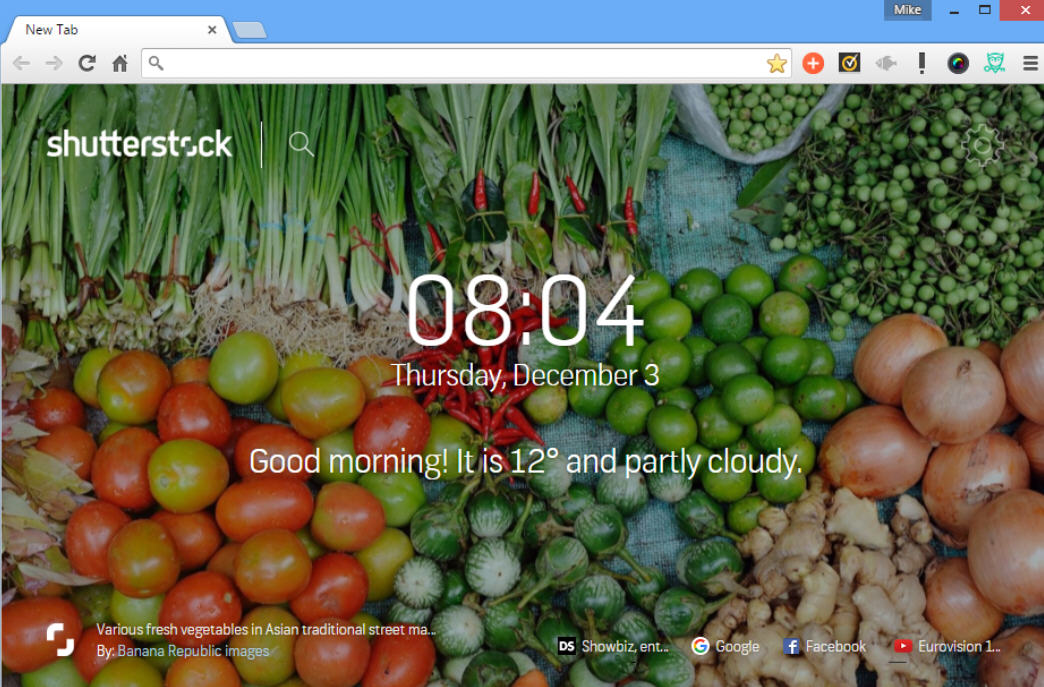
Shutterstock Tab brings beautiful images to every new Chrome tab
Stock photo vendor Shutterstock has released Shutterstock Tab, a free Chrome extension which displays a gorgeous image as a background for every new Chrome tab.
As a bonus, there’s also a clock, a 5-day weather forecast, and a tiny toolbar with links to recently visited sites.

EFF accuses Google of sneakily gathering data about students
The Electronic Frontier Foundation claims that Google is gathering data about school children, including their web searches. In a complaint to the Federal Trade Commission about the search giant, the EFF gives details of the deceptive usage tracking it says was uncovered while conducting research for its Spying on Students campaign.
The campaign, which launches today, aims to "spread the word about companies collecting students' data and launching a campaign to educate parents and administrators about these risks to student privacy". At the center of the controversy are Chromebooks and Google Apps for Education.

Google Chrome can now cut data usage by up to 70 percent
Websites are rapidly growing in size, making it harder for mobile device users to keep their data usage at reasonable levels. Connecting to Wi-Fi can make a huge difference, but free hotspots are not available everywhere. This is especially true when we are talking about developing markets where, for many, browsing the Web can prove to be a too costly affair.
But, at least in Chrome's case, it is possible to minimize data consumption by turning on Data Saver. In my experience, I see data savings of around 40 percent with this mode enabled. And now Google is rolling out an even more aggressive version for the Android version of its mobile browser, which promises to cut down data usage even further.

Google killing Chrome for 32-bit Linux
If you live in the web browser, using a Linux-based operating system makes a lot of sense. By combining say, Ubuntu and Google Chrome, you can have a very secure and easy-to-use platform running the world's best web browser. A bloated and heavy Windows 10, for instance, could be unnecessary.
Sadly, if you are like me, and the first thing you install on any fresh Linux-based operating system is Google Chrome, you might be in for a world of trouble. You see, Google is killing Chrome for Linux; well, the 32-bit version at least. Is Google making a big mistake?
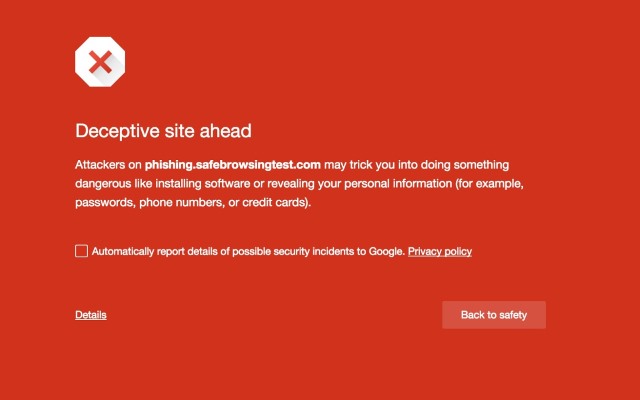
Google extends Chrome's Safe Browsing protection to fight social engineering
Online attacks take a number of forms, and phishing is one of the more recent problems. Chrome has long featured Safe Browsing to notify people when they visit potentially dangerous websites, and today Google announces that the feature is growing to include social engineering.
Google describes social engineering as being a much broader category than traditional phishing. Typical examples include sites that trick visitors into imparting passwords or credit card details, and those which purport to be an official website when they are in fact malicious. The Safe Browsing expansion offers protection against a range of social engineering attacks that Google provides examples of.
No more Chrome updates for Windows XP from April 2016
Anyone still desperately clinging to Windows XP only has another six months of updates for Chrome. Google has decided that the time has finally come to sever ties with the ancient operating system, and the same applies to Vista and OS X 10.6, 10.7, and 10.8.
Just as Microsoft has stopped issuing updates for Windows XP, so too has Google set a cut-off point of April 2016 for Chrome support on older OSes. These versions of Windows and OS X have been dropped by Microsoft and Apple, so it makes sense that other companies will move on as well. But as well as not getting new versions of Chrome, there will also be no more security updates.

Top Google Chrome extensions for better browsing
Google Chrome browser has become widely popular thanks to its high speed, elegant, minimalistic interface, and in-built translator; and, well, it is a Google product after all. Thanks to its fame and tons of users, the number of available extensions to improve the usage of this web browser is constantly growing and the quality of the offered apps is increasing as well.
You’ll be surprised by the many extensions that can help you to do so much more than just regular browsing. If you select effective and useful extensions they can increase your productivity online considerably. As we don’t want our favorite readers to spend too much time on trying out the extensions in an attempt to find the worthy ones, we’ve reviewed the top Google Chrome extensions for better browsing.