The latest update from Microsoft shows that Windows 11 Version 22H2 is feature complete
It would appear that the current build of Windows 11 available to Insiders on the Dev Channel is the feature complete version of the upcoming Sun Valley 2 update -- also known as Windows 11 Version 22H2.
Last week, Microsoft released Windows 11 Preview Build 22567 to Insiders, and this was followed shortly after by the KB5012427 update. Billed as an update to "test our servicing pipeline", Microsoft did not add any new features, but it did confirm that the update will be called Version 22H2 -- and this also serves as an indication of the release date.
Microsoft is using the KB5012427 update to test the servicing pipeline for Windows 11
It is only a few days since Microsoft released a new build of Windows 11 in the form of Preview Build 22567, and already the company has pushed out a cumulative update for it.
With the release of the KB5012427 update, Microsoft takes the current build of the operating system available to Insiders signed up for the Dev channel to Windows 11 build 22567.100. So, what can you expect from this update?
HP Hotkey UWP Service is eating up memory on some Windows 11 laptops
Some laptop owners upgrading to Windows 11 are reporting that a utility from HP is consuming huge amounts of RAM, to the point that systems are rendered unusable.
The utility in question is the HP Hotkey UWP Service which is used to control the Fn key on HP laptops. While the software functioned well under Windows 10, upgrading to Windows 11 results in huge resource usage. Affected users are asking whether there is a problem with Windows 11, or with their laptop, but it would seem more likely that a memory leak is to blame.
Microsoft suspends sales of new products and services in Russia
It’s hard to imagine that Vladimir Putin expected quite the response his invasion of Ukraine generated. In addition to hard hitting sanctions, Russia has seen its media censored across the world, sporting events pulled, and hacktivist collective Anonymous has been knocking many state-sponsored sites offline, and much more.
Tech firms have also shown their anger towards Russia in a number of ways, and now Microsoft -- which previously revealed what it was doing to help the people of Ukraine -- has taken the decision to suspend all new sales over there.
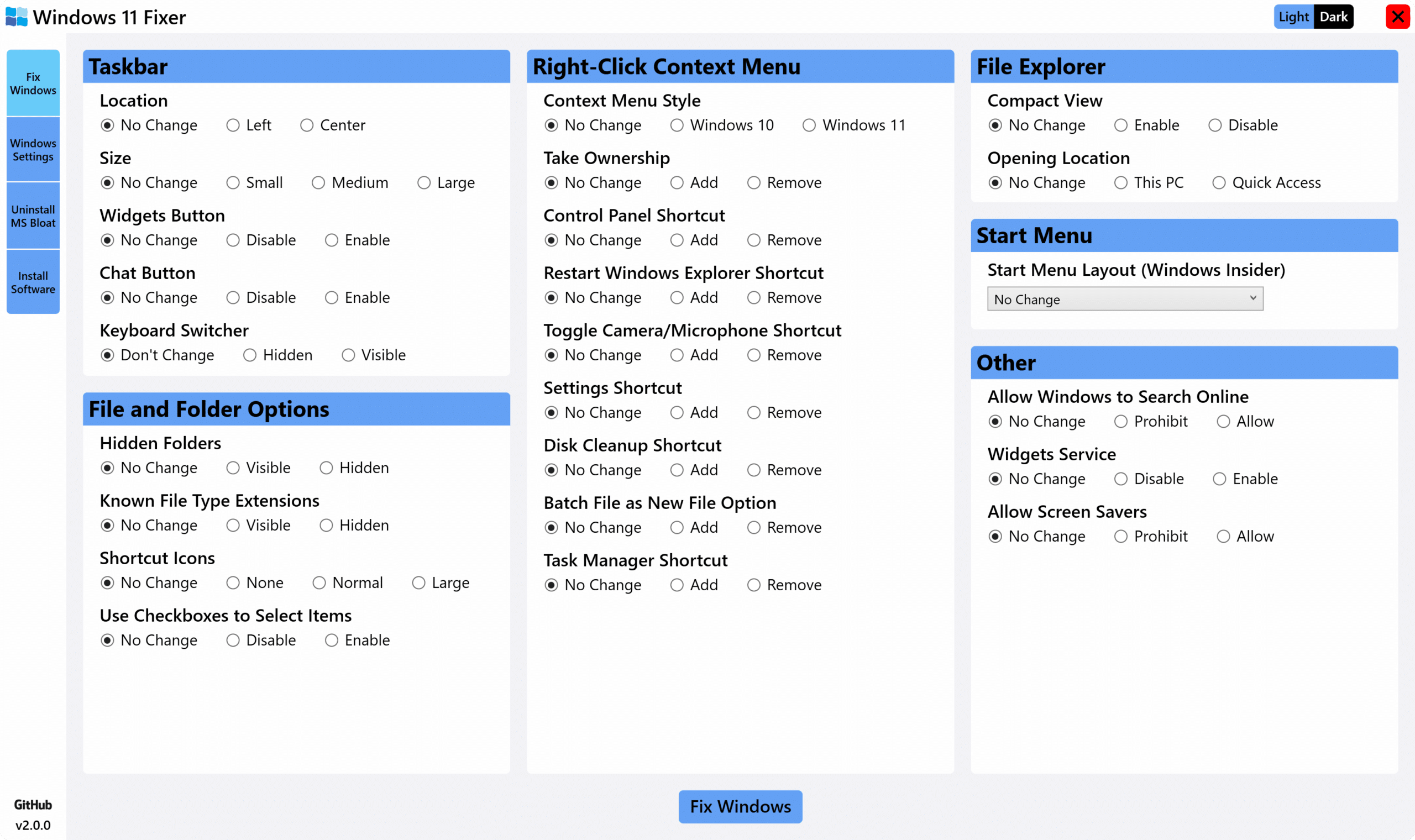
Best Windows apps this week
Four-hundred-eighty in a series. Welcome to this week's overview of the best apps, games and extensions released for Windows 10 and 11 on the Microsoft Store and elsewhere in the past seven days.
Windows 11 is already on 19.3 percent of all PCs according to the latest usage stats released by AdDuplex. The company monitors about 5,000 Microsoft Store applications through its services and uses telemetry to publish monthly usage statistics.
Microsoft's free App Assure program gives software compatibility assistance to Windows 11 upgraders
Microsoft has reminded business and enterprise users about its App Assure program and how it can help with the process of upgrading to Windows 11.
The program has been running for a while, and was expanded to cover Windows 11 back in October to coincide with the release of the latest version of the operating system. Available at no cost, App Assure gives users a chance to work with Microsoft engineers to ensure app compatibility, and to gain assistance in addressing issues.
Microsoft is bringing a much-improved 'Open with' app picker to Windows 11
For time immemorial (almost), when you double click a file in Windows, it will open in the default app that it is associated with. It has long been possible to open files in something other than its default app, using the Open with option; but as anyone who has used this cumbersome menu can attest, this is far from being an elegant solution.
And so with the latest build of Windows 11, Microsoft is making some changes. As well as giving the menu a new look and support for light and dark modes, it is now easier than ever to change the default app associated with a particular file type. Here we show you how to enable it.
Microsoft releases Windows 11 Build 22567 with a big new security feature
A month ago, Microsoft announced a change to the Windows Insider program that would see Dev Channel releases becoming "more experimental". As a result of this, the last two builds have introduced bigger changes and new features.
Today’s new flight, Build 22567, continues this trend and comes with some new features and a load of changes and improvements.
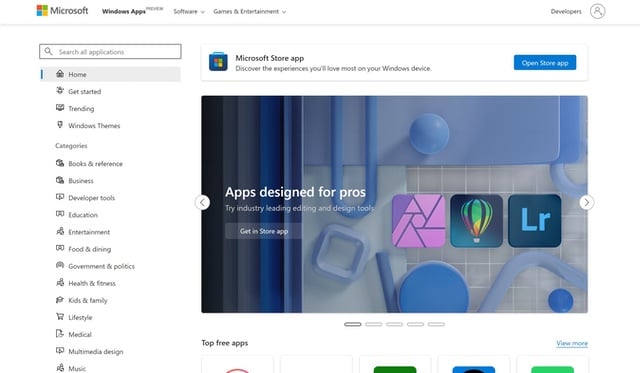
The Microsoft Store undergoes a dramatic Windows 11 redesign online
Microsoft is in the process of rolling out a dramatic redesign of the web version of the Microsoft Store, heavily inspired by Windows 11.
The Fluent design makeover brings the Microsoft Store website more closely in line with the look and feel of Windows 11. This means rounded corners, updated typography and new icons, but the app installation process has also been revamped.
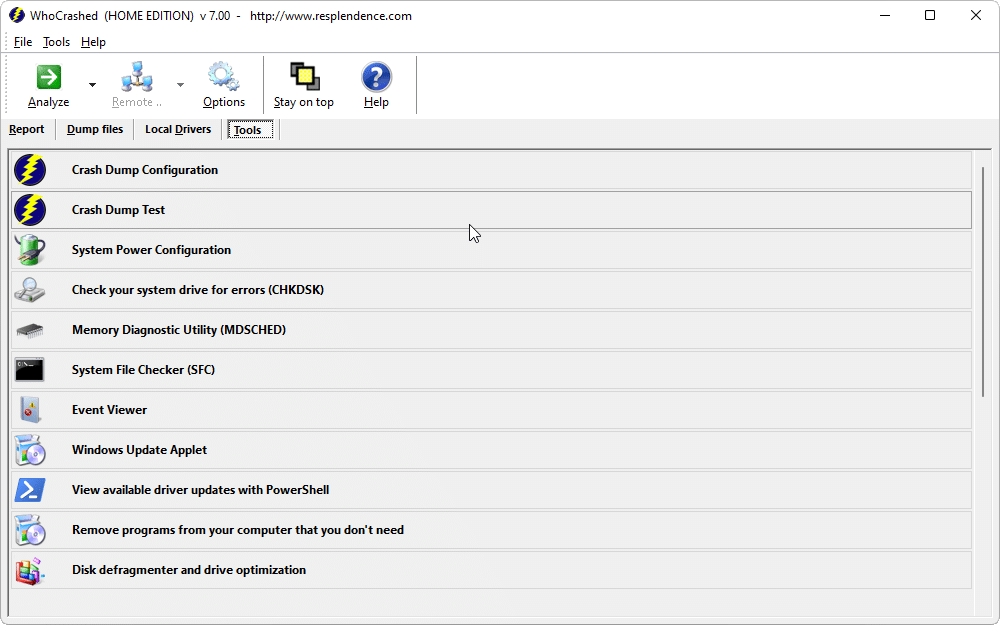
WhoCrashed 7 adds full support for Windows 11 and latest bugchecks to improve diagnosis
Blue-screen errors can be the hardest ones of all for Windows users to troubleshoot. Usually there’s a low-lying problem -- kernel or driver corruption, or even hardware failure. But how do you go about diagnosing the problem and finding the cure?
WhoCrashed is a tool designed to help you interpret these crashes, and with the release of WhoCrashed 7.0 Home Edition, this powerful diagnostics tool just got a lot better.

Windows 11 now on close to 20 percent of PCs
The last time we looked at market share for Windows 11, we reported that the new operating system had doubled its share and was on 16.1 percent of systems.
A month later, and that growth isn’t showing any signs of slowing, but in reporting on the latest figures, AdDuplex turns the spotlight on a much more important situation.
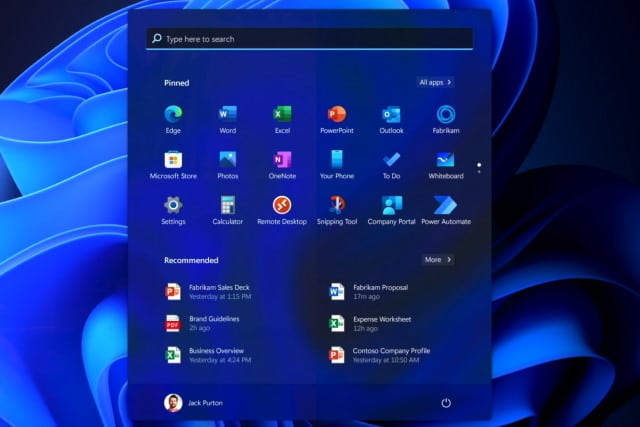
KB5010414 update for Windows 11 is hiding the Start menu
When Microsoft released the KB5010414 update for Windows 11 a couple of week ago, there was great interest in the new features it added. But there was also a sense of heavy anticipation for the almost inevitable problems the update would cause.
We have already had reports of the update not only breaking printing, but also causing some systems to overheat, but this is not all. Users are also complaining that KB5010414 is causing the Start menu to be hidden.
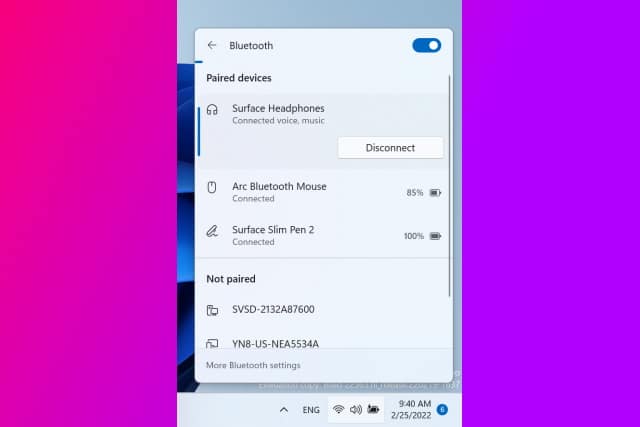
Microsoft is making it easier to manage Bluetooth devices in Windows 11
From mice and keyboards to phones and speakers, there is a virtually endless list of Bluetooth devices that you can connect to your computer. With this in mind, Microsoft is taking steps to make life a little easier for Windows 11 users, introducing a new list of Bluetooth devices in the Quick Settings menu.
The addition comes as part of the latest build of Windows 11, released earlier this week. In Windows 11 build 22563 the Quick Settings menu has been updated to give greater control over attached Bluetooth devices.
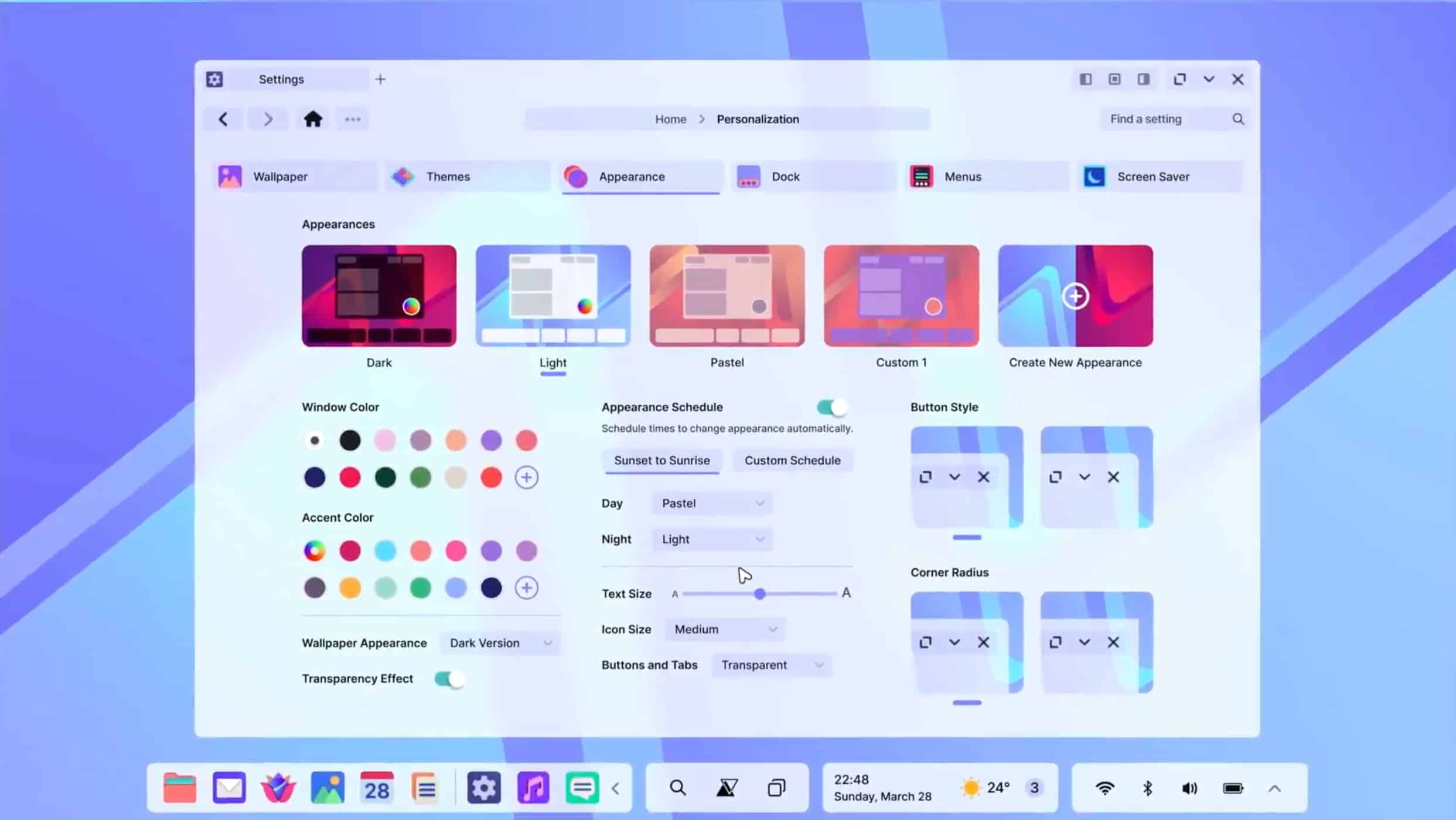
AvdanOS is the Windows 11/macOS Monterey alternative we need!
With Windows 11, Microsoft tried to give its operating system a more modern look and feel, with rounded corners and a centered taskbar. Unfortunately, the OS is still lacking certain features that were promised from the start, like native Android app support, although they are coming.
If you don’t want to use Windows 11, or Windows 10 for that matter, then your alternative choices tend to be restricted to macOS (if you have an Apple computer), Google OS (if that’s your thing), or one of the many Linux distros. But what if there was another way? AvdanOS is everything you could wish for, and more.
Electron Bot malware is running rampant in the Microsoft Store, opening backdoors on victims' computers
Fake versions of popular games such as Temple Run and Subway Surfers are being used to distribute dangerous malware through the Microsoft Store to users of Windows 10 and Windows 11.
Security firm Check Point Research found that malicious versions of the titles were riddled with Electron Bot malware and have already infected thousands of computers in countries incuding Sweden, Bulgaria and Russia. The malware gives an attacker a backdoor into a victim's computer allowing for complete system control, as well as control of social media accounts.