
A Facebook news reader app could give users the best tailored content
Of all the services I use, Facebook knows me best. It knows where I live, who my "friends" are, what movies I like, what my favorite bands are, where I like to go out for a drink, what sort of content I want to see when I scroll through my feed and which sources I like for news stories.
Facebook also knows that when it comes to reading news on my tablet I prefer Flipboard. Why? Well, the apps are nicely designed, pleasant to use and, because of the newspaper-like layout, provide a certain sense of occasion. The content that I get, after having carefully selected the sources and added my social network accounts, mostly suits my preferences. There is still stuff that I have to filter out but, generally speaking, Flipboard does a good job at tailoring the news content to my liking. Facebook, though, could do an even better job, if it decided to offer a rival service.
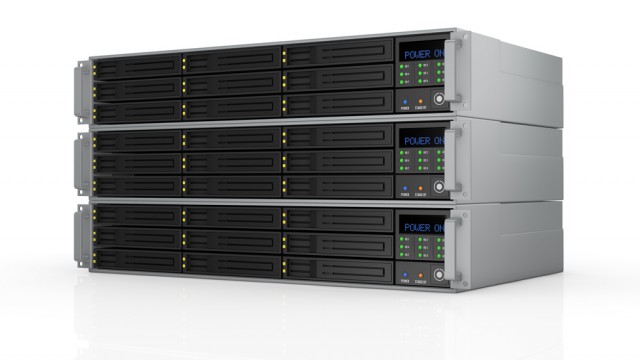
Windows Storage Spaces and ReFS: Is it time to ditch RAID for good?
If you're like most other IT pros I know, you're probably already cringing just at the title of this article. And I don't blame you one bit. How many times has Microsoft tried to usher in the post-RAID era? Every previous try has either been met with gotchas, whether it be performance roadblocks, technical drawbacks, or outright feature deprecation.
Native Windows drive mirroring (read: software RAID) has been in every Windows release since Win 2000. And for just as long, it has been plagued by sub-standard read/write performance which is why everyone who tried it always ran back to their hardware RAID.

IObit launches Smart Defrag 3, adds new Defrag and Prioritize option for improved performance
IObit has launched Smart Defrag 3.0, a major new version of its Windows defragmentation tool, which promises to improve performance by preventing fragmentation of the user’s hard drives.
Version 3.0 comes with a new defrag engine, adds a Defrag & Prioritize Files option for boosting overall performance and revamps the user interface to fit in the Windows 8 look.

Easily save and restore your desktop icon layout with ReIcon
Organizing icons on your desktop can be as simple as dragging and dropping them into their new positions. Keeping this new layout is usually more of a challenge, though. Other users of your system can also rearrange the icons at any time, and running an application which changes your screen resolution may cause a similar desktop disaster.
ReIcon is an interesting free tool which offers a straightforward solution. Launch the program and click the Save button to save the current icon layout, or use the Restore option to reload it: easy.

Quiet Patch Tuesday for January with only four Important bulletins
January's Patch Tuesday has seen only four bulletins, with no Critical ones (hooray!) and no patches for Internet Explorer. However, the four bulletins are rated Important and users should apply the related patches as soon as possible.
According to security specialist Trustwave two of the vulnerabilities result in a privilege elevation and a third involves remote code execution utilizing an Office document.

Google helps you stay legal, makes it easier to track down images you can use for free
There is a common misconception that anything that is made available online is fair game for use by other people. Found an image you like on a website? Why not just grab a copy and use it on your own? In some cases this is not a problem and the owner of the image will not mind others re-using imagery in whatever way they want, but this is certainly not always the case.
Google Image Search has long made it possible to filter results by the type of license they have, but now things have just got a whole lot easier.

Thilmera7 is a very configurable PC monitor
Thilmera7 is a PC monitor which can help you track CPU and RAM usage, processes, threads, network traffic, hard drive activity, hardware temperatures and more, all in a free and portable desktop tool.
Launch the program and a tiny window appears with basic system details: free RAM, CPU usage, the number of processes/ threads/ handles, disk and network activity. This is presented in a horribly basic way, mostly text with a few feeble graphical touches, but it does at least give you some useful feedback on what your PC is doing.

SmartCharge bulb Kickstarter campaign ends today, get it while you can
Every once in a while a Kickstarter project comes along that deserves attention. Thanks to plenty of rather pointless funding campaigns, the good ones often get less attention than they should. But one that is closing out today deserves a mention, as it could actually prove to be a rather useful item.
If you live in an area that sometimes loses power, and I think that includes almost everyone, then how about a battery-backed-up light bulb? As in, the electricity is out, but your light still comes on?

Chrome 32 gains tab indicators, automatic blocking of malware files
Google has released Google Chrome 32 FINAL for Windows, Mac and Linux, a worthwhile update with a good mix of new and extended features.
Chrome’s tabs can now include indicator icons to let you know when they’re playing audio, using your webcam or being cast to your TV. And so the next time a Flash video ad kicks in, you’ll be able to see at a glance where the noise is coming from.

Microsoft brings Office to the visually impaired
It's been a big year for Microsoft Office, with the release of 2013, the move to subscription-based software and a boatload of wins getting the service into businesses and government agencies. Now the software giant is pushing an update to versions 2010 and 2013 that will add accessibility features.
The update springs from a collaboration with GW Micro. "At Microsoft we are committed to provide everyone access to our technology. A fundamental consideration during product design, development and testing of Office is the level of accessibility of our applications", states Microsoft's Jake Zborowski.

So, what's wrong with Google making money from your information?
I'm going to let you in on a secret, something Google would love to know -- I'm a really hot guy. While my sexiness is debatable, what I mean by hot is, I tend to be sweaty. Because of this, I utilize central air conditioning to cool myself down. Apparently, this is extremely sensitive data, as the internet is in an uproar over Google's purchase of a company called Nest. The acquired company specializes in internet connected home devices, such as thermostats, and some people are scared that the search giant has crossed a line.
Yes, Google knowing how users use their thermostats is apparently the straw that broke the camel's back. While the company already has access to your emails, Google Maps data, and more, for some odd reason, this has become a rallying point. OK, so maybe the uproar is more than just thermostat data. I understand the fear of Google infiltrating your home. Guess what? You don't have to invite it in. In other words, no one is forcing you to buy an internet-connected thermostat. You can continue to work your thermostat manually, like a cave man. However, for people who want the convenience, perhaps their data is a fair trade. Nothing in life is free.

Tumblr takes a leaf out of Twitter's book, introduces @ mentions
Today Tumblr introduces a new feature that makes it easier to interact with other users of the blogging/photo-sharing/Twitter-on-steroids/sort-of-social-network service. It's something that has been done in plenty of other places, most notably Twitter and, more recently, Facebook, but Tumblr now includes the option to @mention other users. This is not a feature that is going to cause outbreaks of mass hysteria around the globe, but it is certainly useful, and brings the service in line with many of its competitors.
The idea is very simple. When writing a new post, type an @ symbol and as you continue to type, a list of suggested users will be displayed ready to select from. Any user who is mentioned in a post will receive a notification that someone is writing about them, and this opens up a new realm of interactivity for Tumblr.
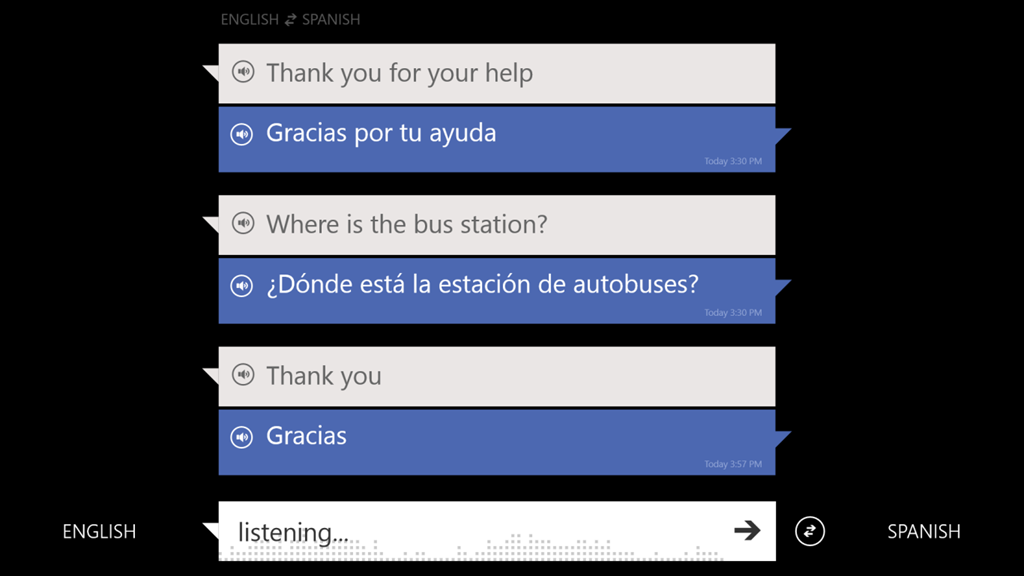
Microsoft brings speech-to-speech translation to Bing
Translation has become a big thing for search engines. If you use Chrome then you have likely seen a translation option pop up when you click a story that isn’t in your native tongue. But Google is not the only one that can do this -- Bing too has translation capabilities.
Now Microsoft's search service is upping its game, announcing new features to its translation engine. The update is available for both Windows Phone and the desktop.

Microsoft investigating Windows 8.1's metadata and tagging problem
Libraries have been removed from File Explorer's sidebar by default in Windows 8.1, but fortunately it's easy enough to restore them -- you just need to click the View tab, click the Navigation button and select Show Libraries. However, there is another more fundamental problem with Libraries and -- worse still -- file searches, which BetaNews reader Rob Howarth alerted me to last week.
In an email he explains, "It is now impossible to add metadata to files as a result of a search from within Windows 8.1. If, for instance, I search for files with the tag 'architecture' Windows will return all the files with that tag wherever they are stored on my machine. This is excellent. But, if I try to amend, modify, or add metadata tags via a search [by right clicking a file and going to Properties/Details] I can no longer do so. I have to find the original source file and update from that location. With over 100,000 files to manage, this is a big hassle for me".

Adobe releases Flash Player 12 and Air 4
Adobe has unveiled three major updates with the release of Adobe Flash Player for Other Browsers 12.0, Adobe Flash Player for Internet Explorer 12.0 and Adobe AIR 4.0.
The new versions of Adobe’s cross-platform web media playback and runtime tools will initially appeal more to developers, but should have benefits for end users going forward when apps are released that take advantage of some of the new features.