
Take control of desktop windows with Gridy
Launch an application on the Windows desktop and you have complete freedom to position and size its window however you like (as long as it’s resizeable, anyway). But while this is all very flexible, it also brings management problems when you need to position windows precisely, set and restore a particular window size, and so on.
There are some keyboard shortcuts which might help, just a little (press Win+Shift+the up or right arrow to maximise the current window vertically or horizontally, for instance). If you need more control, though, you might like to try Gridy, which provides plenty of useful windows management features in a very compact and convenient package.

Microsoft's backing of anti-Google Apps school privacy bill is just plain dirty
We all know software vendors have vested interests that sway some of the decisions they make. When I heard that Microsoft was the real driving force behind a sly K-12 school privacy bill making the rounds in Massachusetts, I immediately smelled something rotten. While the public purpose behind the bill aims squarely at protecting student privacy, it's not hard to connect the dots back to Redmond, Wash.
Even though it's easy to see why Microsoft would prop up such a bill (to ease Google Apps' rise in the K-12 educational market), I question the long-term business sense of such dirty grandstanding. Microsoft's Office 365 for Education is already free for students and staff of any qualifying school district (just like Google Apps), and the suite is pretty darn good competition for Google on technical and functional merit alone. So what's the sense in playing dirty just to sign on a few more seats here or there based on misinformation?

Tomorrow Microsoft makes your Windows 8 PC less secure than it is today
On the heels of Apple disabling Flash on OS X after the Adobe platform was used to compromise company computers, Microsoft goes the other way. The company today announced that beginning March 12 an Internet Explorer 10 update on Windows 8 and Windows RT will enable Flash content to run by default.
Rob Mauceri, Internet Explorer group product manager, explains: "As we have seen through testing over the past several months, the vast majority of sites with Flash content are now compatible with the Windows experience for touch, performance, and battery life. With this update, the curated Compatibility View (CV) list blocks Flash content in the small number of sites that are still incompatible with the Windows experience for touch or that depend on other plug-ins". What about the large number that are compromised?

Accidental Empires, Part 13 -- All IBM Stories are True (Chapter 7)
Thirteenth in a series. If you ever wondered about the real story behind the IBM PC, this chapter of Robert X. Cringely's 1991 classic is the one for you.
I live in California in a house that I can’t really afford in a neighborhood filled with blue-haired widows and with two-earner couples who have already made the jump from BMW to Acura and in their hearts are flirting with voting Republican.

Third-party alternatives to official Google apps for Windows Phone 8
If you're the sort of person deeply rooted in Google services, at first glance migrating to Windows Phone 8 from either Android or iOS can be a total drag. The information giant has released a single app so far, which can be used to search the web, but nothing else. Luckily, there are plenty of third-party alternatives to choose from that offer decent and sometimes superior experience for Google users.
But finding the right replacements can be tricky, as the Windows Phone store features more than 130,000 apps and a simple search query returns many results of variable quality -- some great, some not so great. To make your job easier, I've prepared a list of Windows Phone 8 alternatives to traditional Google apps, ranging from Google+ to Google Maps, Google Reader and even YouTube.
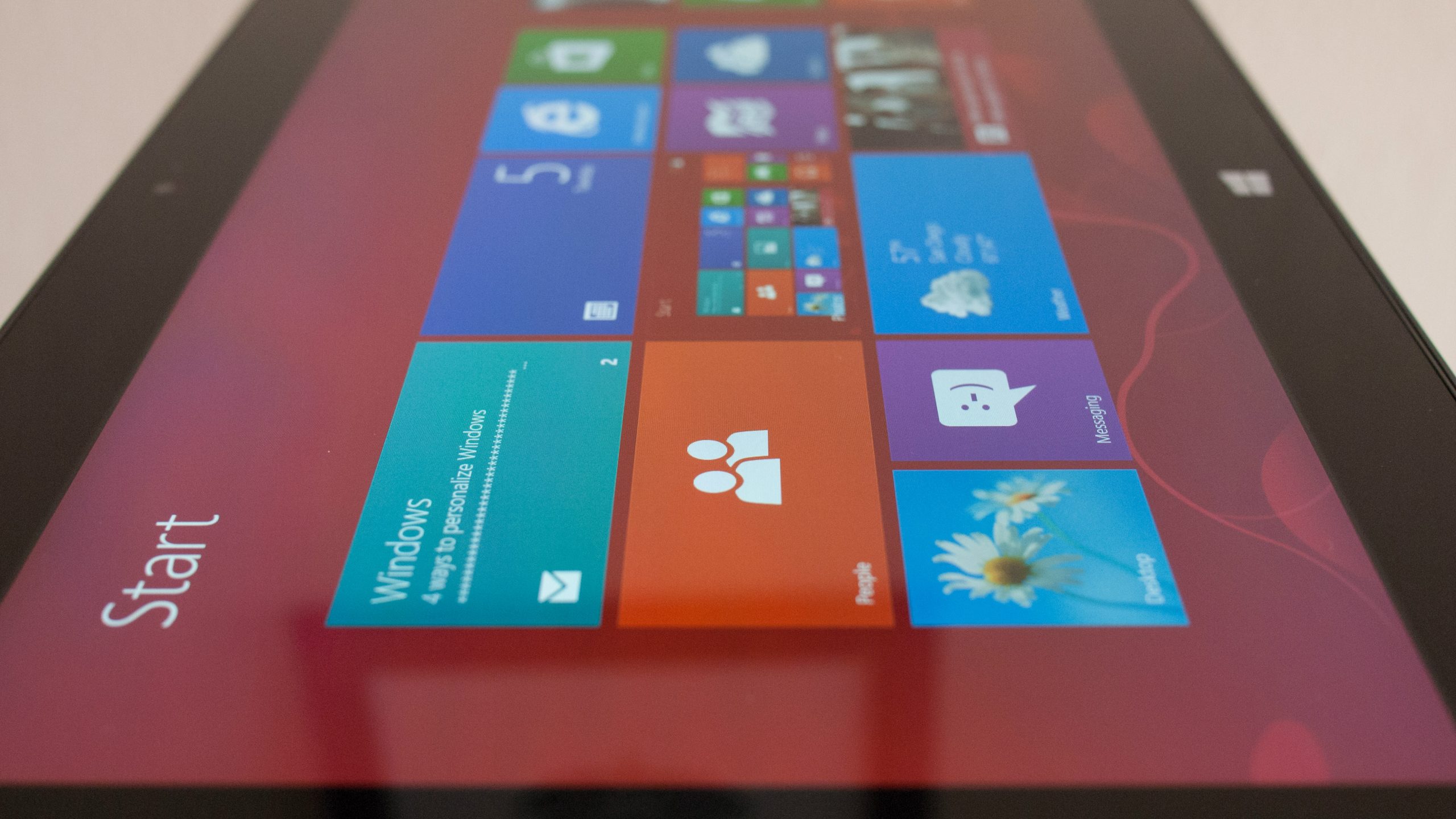
You don't hate Windows 8
I nearly hurled coffee onto Nexus 10 this morning -- seriously had to choke back -- when seeing this ridiculous ZDNet headline: "Will 90 percent of users always hate Windows 8?" I immediately thought that someone must have done a shocking and provocative survey. But, no-o-o-o-o, writer Matt Baxter-Reynolds pulls the figure from his bee hind. He surmises this sensational figure based on absolutely nothing.
Coincidentally, I conducted two polls over the weekend designed to gauge Windows 8 sentiments -- what you really think about Microsoft's flagship operating system. I asked: "If Microsoft sold Window Vista, 7, and 8 side by side and you could buy the one you wanted most, which would you choose?" and "Is Windows 8 a failure?" We have a split decision on the latter, from good sample sizes -- more than 1,500 for the longer question and exceeding 1,300 for the other.

Microsoft entices students with Office 365 deal
Just in time for mid-term exams, or for the few students who actually work during Spring Break, Microsoft offers a suite -- ah, sweet -- deal on Office 365. Not coincidentally, the offer carries many, if not most, in higher ed through the end of the school year.
Microsoft's Jeff Meisner explains: "Starting today, college students in the U.S. can get three months of Office 365 University and 20 GB of SkyDrive storage for free".

What's wrong with tech in US K-12 education today
If you surveyed the different directions K-12 school districts take in the United States, you'd find nothing less than a hodgepodge of technologies. The mess that was known as "Novell Hell" universally bows down to a diverse array of technologies including Active Directory, campus-wide Wi-Fi, iPads, Chromebooks, and a little bit of everything else in between. While it's reassuring that most districts I'm in discussions with are moving to cloud-based Google Apps or Office 365 for their email, the end-user device side of things is murkier.
I'm not going to call myself an expert in K-12 technology and policy, but seeing that I spent the last four years supporting and training users' technology needs at my former high school district, I've got good experience understanding the issues affecting teachers and students alike. After attending educational tech conferences year after year, the common consensus stands: everyone in education knows where they want to be, but the paths some of them take to get there are muddled with too much idealism and not enough realism.
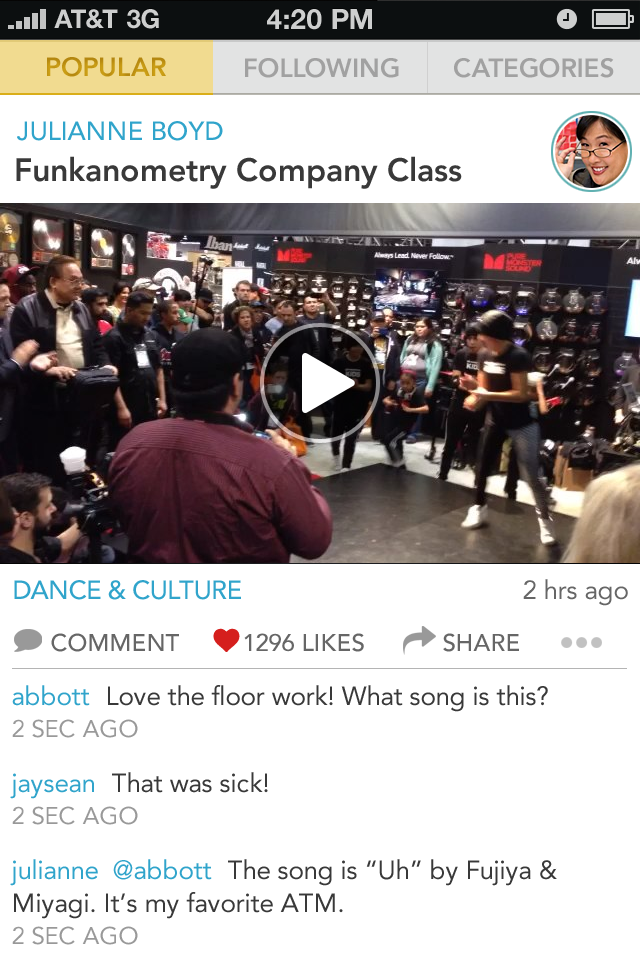
Givit takes on music videos
Social sharing and video-editing service Givit gets more musical, in an announcement made during SXSW in Austin today. The Givit app is exclusive to iOS and seeks to be to videos what Instagram is to photos.
The new focus is all about music videos or setting moments to music, and iPad, iPhone or iPod touch users shooting, editing and sharing the creations -- straight from the device. "Anyone can now create an amazing music video or reimagine their favorite moments right from their iPhone, adding new clips, sound or transitions and share socially however they choose", Givit CEO Greg Kostello says.

Reduce the size of your music files with MP3 Quality Modifier
If you’ve built up a large MP3 collection over the years, then fitting everything you’d like onto your phone or MP3 player could now be a challenge. You could just try to be a little more selective in what you transfer, of course, but MP3 Quality Modifier offers another option, quickly changing the quality of your MP3 files to save disk space.
Just as you’d hope from a program designed to save resources, MP3 Quality Modifier is itself very efficient. There’s no adware, no installation required, it’s just a 726KB download which you can unzip and launch immediately.
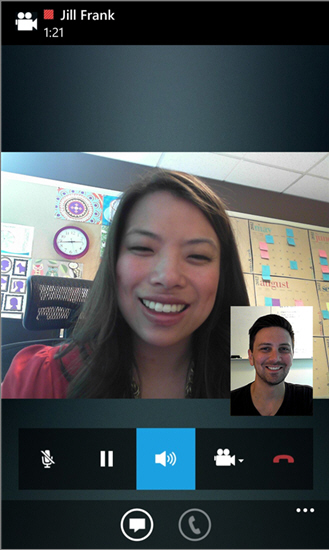
Microsoft brings enterprise communication service Lync to Windows Phone 8
This morning, with no fanfare, Microsoft rolled out its Lync 2013 app for Windows Phone. Lync is a Skype-like product that is bundled with some versions of Office, but is geared towards an enterprise audience. Corporations can run a Lync server to keep better control over the service, but users can also communicate with outside people by using Skype from within Lync, as the two services are becoming better integrated.
The new Windows Phone 8 app offers VOIP, messaging and other communication features. Lync had previously been available for Windows Phone, but was not supported in the new Microsoft mobile operating system until today.

Keep your software up-to-date with Soft4Boost Update Checker
It’s no secret that keeping your installed software up-to-date is a very good idea, for a lot of reasons (improving security, fixing bugs, boosting performance and more), but if you don’t have the time to regularly visit developer’s websites then individual updates are easy to miss.
Install Soft4Boost Update Checker, though, and the program can check your PC on demand, alerting you to any new updates in just a few seconds: much easier.

Expand GIMP's possibilities with GIMP Extensions for Windows
GIMP is the most powerful free graphics editor around but you can extend it even further with the right extensions. You’ll need to find them first, of course, because GIMP doesn’t have any built-in mechanism to show you what’s available. But if that’s too much trouble then you could always install GIMP Extensions for Windows, which gives you more than 50 in a single package.
You’ll get GIMP Paint Studio, for instance, which equips the program with additional brushes, patterns, palettes and more.
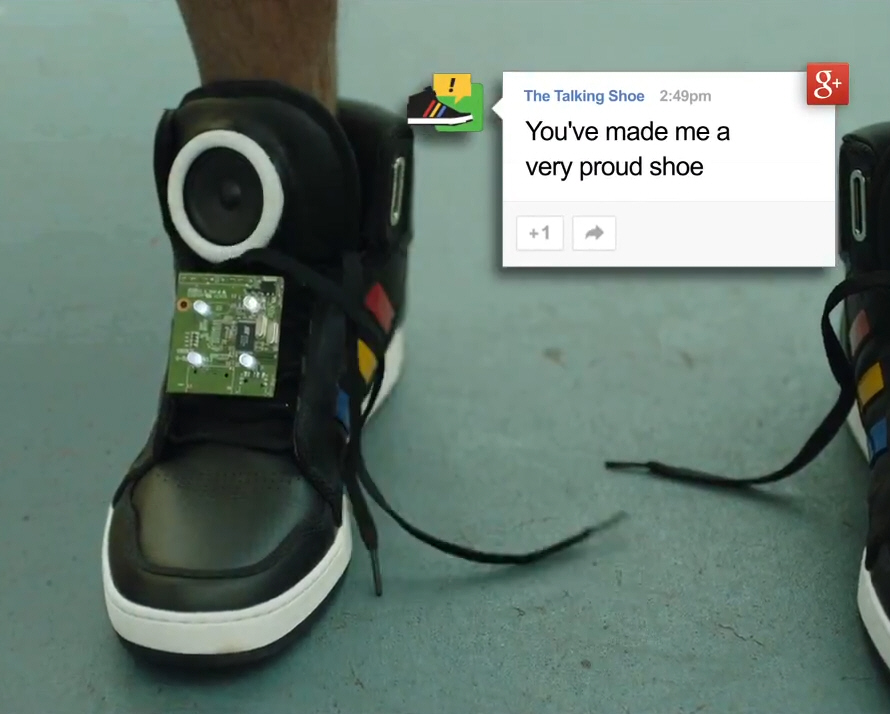
Is there anything more annoying than a pair of talking shoes? Probably not
Art, Copy & Code has partnered with artist Zach Lieberman, Google, and interactive collective YesYesNo to create what it calls a smart talking sneaker with personality.
The Talking Shoe, which Google has been showing at the South by Southwest (SXSW) tech conference in Austin, Texas, includes an accelerometer, gyroscope, Bluetooth and other everyday technologies, that combine to “translate the wearer’s movements into funny, motivating and timely commentary”. In the video that shows off the sneakers, example phrases include “This is super boring” (when you’re just sitting around), “I love the feeling of wind in my laces”, “Are you a statue? Let’s do this already” and “Call 911 because you’re on fire”.

OMG! Unicorn Apocalypse is a real game
Samsung owned the Oscars, by running a series of long commercials about a software company using Galaxy S3s and Note IIs to create game Unicorn Apocalypse. The TV spots were compelling marketing. You simply must watch the 90-second spot featuring filmmaker Tim Burton looking to make zombie unicorn movie "Horn of Darkness".
Unicorn Apocalypse went live on Google Play today (South Korean time). The "game is the winner of Samsung's contest to create the game discussed in the Samsung TV commercials", the company explains. "As the world crumbles and burns, a lone unicorn wreaks havoc on the last of humanity". Reviewers wreak havoc on the game, with 80 one stars out of 142, as I post. Hey, but they are polarized. Another 37 give Unicorn Apocalypse five stars.