Microsoft shows off Edge's battery usage improvements in Windows 10 Creators Update
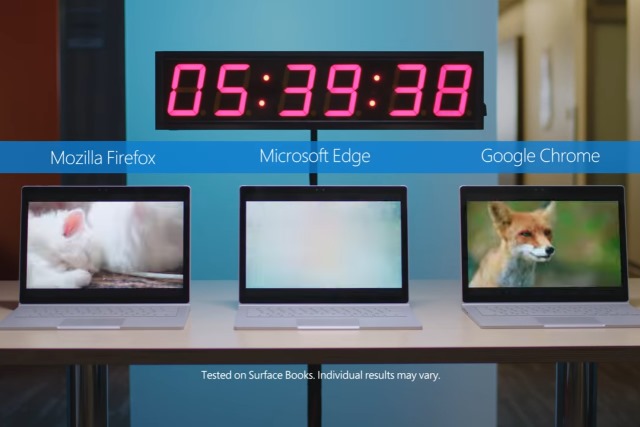
The war over which web browser offers the best battery life to laptop users has been waging for some time. Chrome, Firefox and Microsoft Edge have all been battling it out, and with the release of Windows 10 Creators Update, Microsoft thinks it's time to show off the improvements that have been made to its browser.
In Microsoft's own tests -- involving streaming video on a Surface Book -- Edge lasted for over three hours longer than Chrome, and nearly five hours longer than Firefox. These are figures that will almost certainly be disputed in further tests by Mozilla and Google, but for now, Microsoft is giving Edge its moment in the spotlight at the top of the performance pile: 77 percent longer battery life than Mozilla Firefox, and 35 percent longer than Google Chrome.
How to download Windows 10 Creators Update ISO files direct from Microsoft
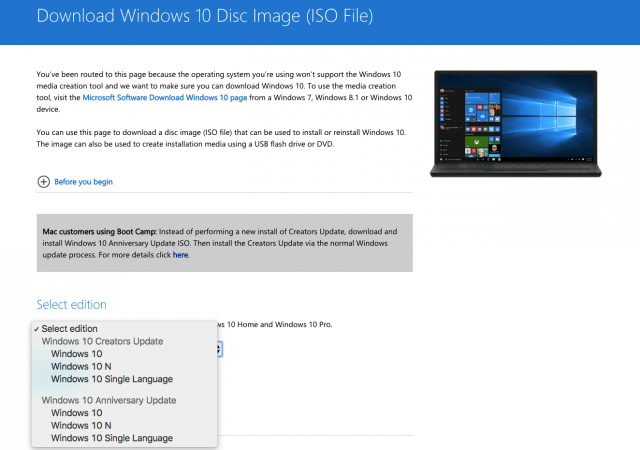
Microsoft has released Windows 10 Creators Update and if you want to get your hands on the latest version of the operating system you can now download the ISO files straight from the software giant's website.
Microsoft has a dedicated landing page for Windows 10 ISO files, which lets you download both the 32-bit and 64-bit Windows 10 Creators Update, Windows 10 Creators Update N and Windows 10 Creators Update Single Language ISO files without messing around with the Media Creation Tool. However, if you click that link from a Windows device you will be redirected to the Media Creation Tool page. That's a bummer, but you can easily avoid that. Here's how.

How to rollback and uninstall Windows 10 Creators Update
The Windows 10 Creators Update is rolling out to users from today. If you install it and encounter major problems, as some users have, you might want to go back to your previous version, and wait until the update is a bit less buggy.
If you been using Windows 10 for a while, you’ll probably know how to do this, although the process has changed slightly this time around.

Microsoft gives free Surface Dock with Surface Pro 4 purchase -- because of Surface Pro 5?
The Surface line of computers are absolutely wonderful. If you want one of the best experiences for running Windows 10, it is hard to beat Microsoft's self-made PCs. Heck, they recently beat Apple's iPad tablets in overall satisfaction. Not only can they serve as laptops and tablets, but desktops too. By connecting the Surface Dock to the Surface Pro 4, for instance, you can easily connect a monitor, mouse, and keyboard. The problem? That dock costs $199.99.
If the thought of shelling out two "Benjamins" for the dock gives you pause, I have great news. Starting today, Microsoft is giving away the Surface Dock when you purchase the Surface Pro 4! To get the deal, you must make the purchase from the Microsoft Store.
Free up over 20GB of hard drive space in Windows 10 by cleaning up after the Creators Update
Microsoft has just released its biggest update to Windows 10 yet. The Creators Update introduces lots of new features and general improvements, including new privacy and security options, Paint 3D, Night Light, Game Mode, Dynamic Lock, and more.
However, a big update like this requires a big download, and the files that Microsoft places on your system don’t get removed afterwards. In other words, the Creators Update could be responsible for taking a massive bite out of your free hard drive space -- tens of gigabytes in fact. Fortunately it’s easy enough to reclaim this.

Has Windows 10 Creators Update reset your default apps back to Microsoft stock?
It should come as no surprise that some users -- myself included -- have experienced a problem with the new Windows 10 Creators Update changing existing app default choices back to Microsoft’s own bundled apps.
This, after all, was a problem that we saw previously after both the November and Anniversary Update rollouts.
How to unlock Microsoft's secret settings menu in Windows 10 Redstone 3 Build 16170
Windows 10 Creators Update is rolling out to all from today, but Microsoft is already working on the next big iteration of the new OS, codenamed Redstone 3.
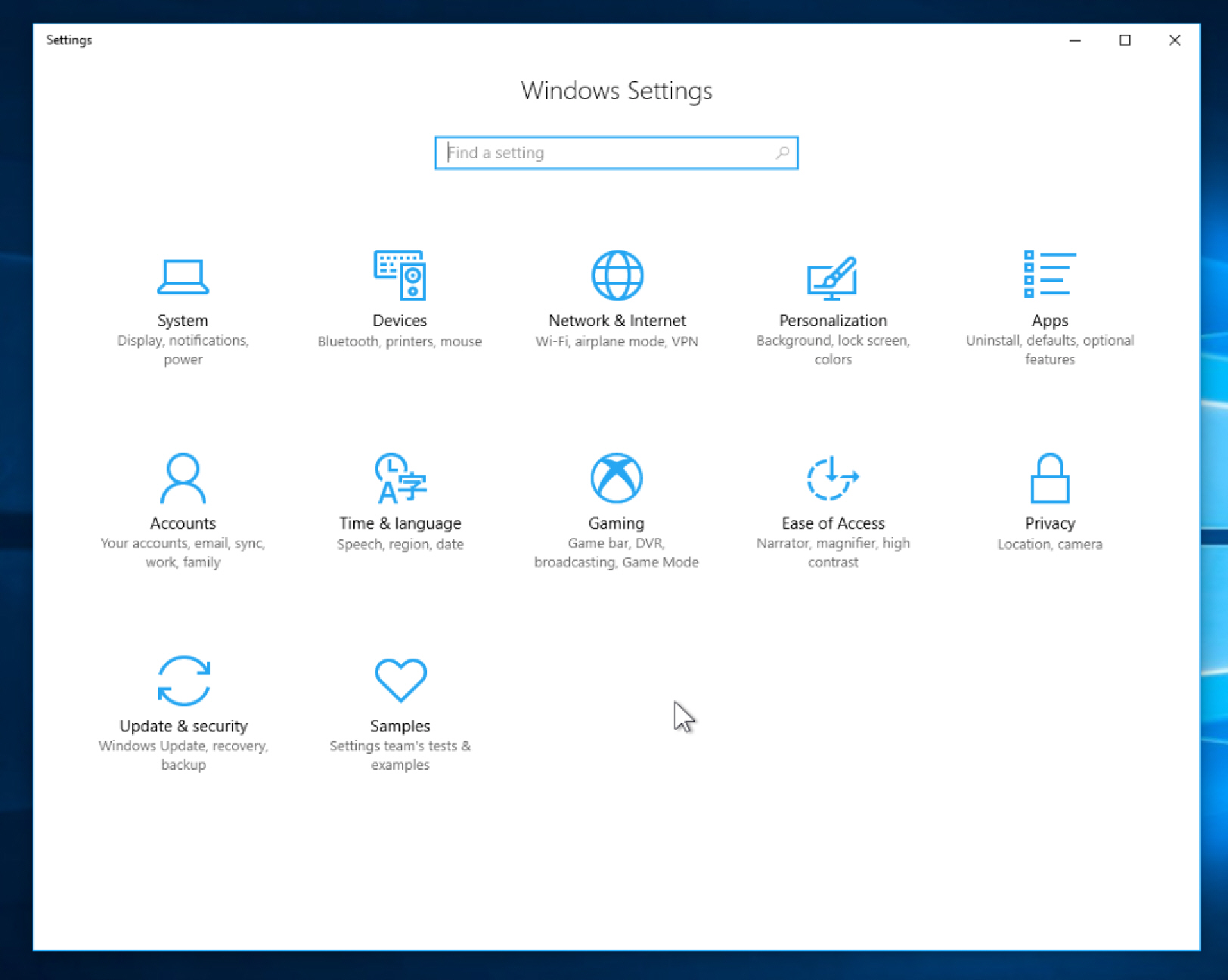
Last week, the software giant pushed out the first build from the Redstone 3 branch, Build 16170, and while on the surface this doesn’t seem very exciting there’s a hidden menu in Settings which you can unlock.

How to download Windows 10 Creators Update and create your own installation USB flash drive or DVD
Windows 10 Creators Update is slowly rolling out to all users but the process may take a while. You can hurry it along, by following the instructions here, or there's another even better way.
If you can’t wait to try the new features, the good news is Microsoft has updated its Media Creation tool to include the update and you can use this to download Windows 10 now and create your own installation media on either a USB flash drive or DVD. This is particularly handy if you want to perform a clean install, or update multiple computers in quick succession.
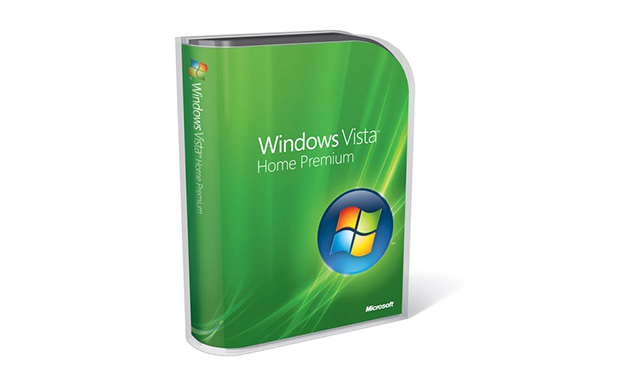
It's game over for Windows Vista as Microsoft ends support today
According to NetMarketShare, Windows Vista's usage share is now down to just 0.72 percent of the desktop OS market. In the real world, that's still quite a large number of people using Vista -- around 10 million or so -- although significantly fewer than those using XP. The ancient OS, which Microsoft stopped supporting in 2014, currently has 7.44 percent share, making it the third most popular version of Windows after 7 and 10. Yes, it's more popular than Windows 8.1 which has 6.66 percent share -- go figure.
Today, April 11 2017, is the day when Microsoft kills its extended support for Windows Vista. If you're still using that OS -- which was never very good even when it was new -- now is the time to really think about making the switch to a more modern operating system, such as Windows 7 Service Pack 1 (which now receives extended support only), Windows 8.1, or Windows 10. We all know which OS Microsoft would like you to choose.
How to disable all of Microsoft's ads in Windows 10 Creators Update
Pretty much since the launch of Windows 10 there have been complaints about ads and usage tracking in various forms. You might think that Microsoft would listen to complaints and consider removing ads from its operating system, but in fact more and more have been added.
We've looked at the various ads (or app suggestions, app tips and so on to use Microsoft's phraseology) that have cropped up over the last couple of years, but the release of Windows 10 Creators Update seems like a good time to revisit the topic. So here, once and for all, is how to kill all the ads (or whatever you want to call them) in Windows 10.
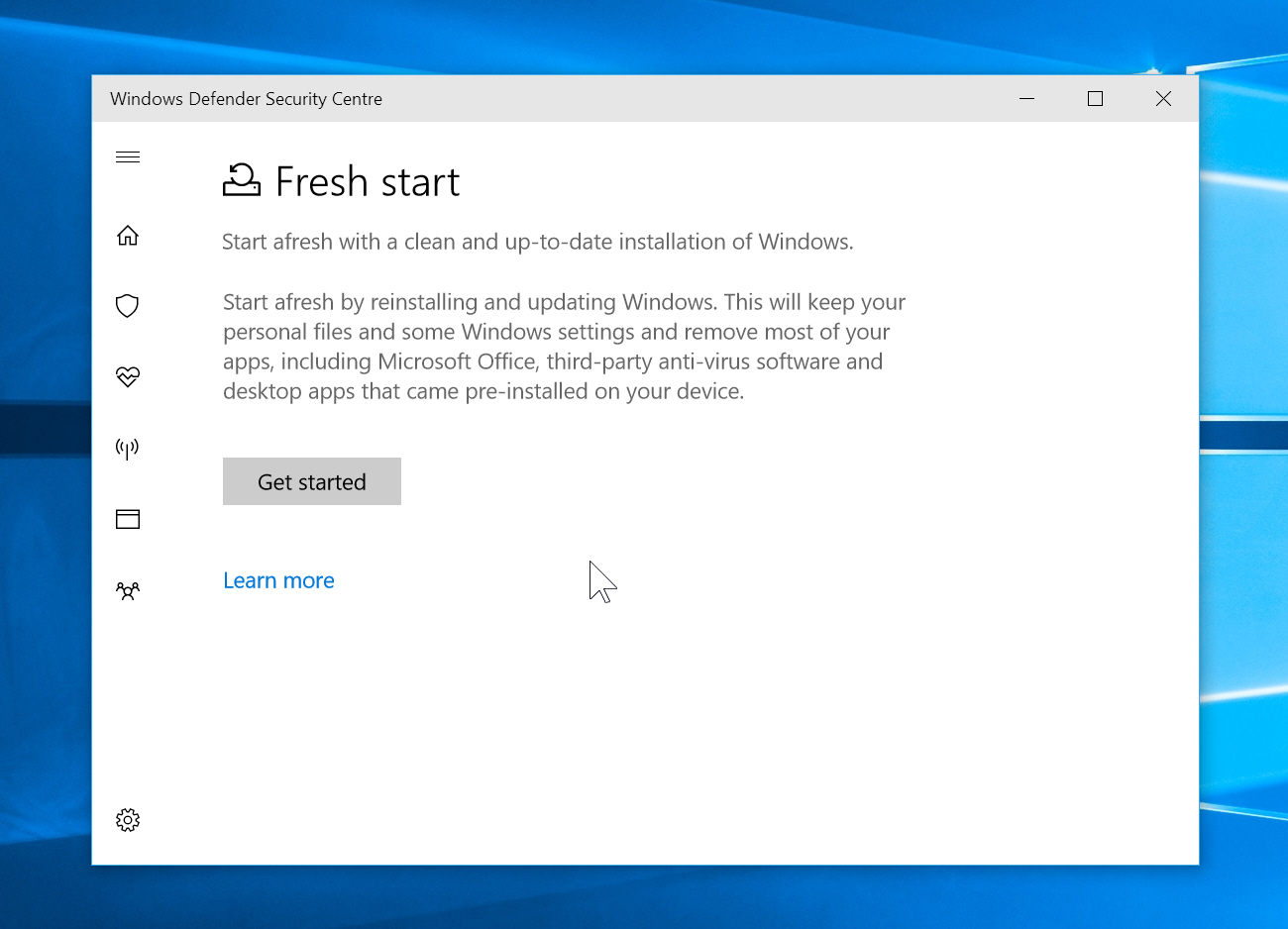
How to use Windows 10 Creators Update's new Fresh Start feature to fix all your Windows problems
If you run into major problems in Windows 10, sometimes the easiest solution is reset the system. You can do this by going to Settings > 'Update & security' and clicking on Recovery. From here, click the 'Get started' button under Reset this PC and pick an option -- you can choose to 'Keep my files', or 'Remove everything' and the tool will reinstall Windows for you, hopefully fixing your problems.
However, there’s a new, even better solution to be found in Windows Defender, called Fresh Start.

Microsoft's own figures show Windows 10 losing market share, while Windows 7 is on the rise
According to NetMarketShare, Windows 10's usage share growth has stalled recently. It lost some share in February, and made only very minor gains in March. The analyst firm’s numbers seem to suggest that Windows 10 has run out of steam.
But that’s usage numbers -- people using Windows regularly on a monthly basis -- which isn’t quite the same as market share. If you want to know just how well Windows 10 is doing in that respect, Microsoft’s Windows Trends page has the figures you want, and they’re currently showing the new OS losing share to Windows 7.
OLE 0day affects nearly all versions of Microsoft Word
Security issues with Word documents are nothing new, but they have a tendency to rely on macros -- something which users have learned to become very wary of. But now security firms FireEye and McAfee have discovered a new attack strategy that takes advantage of Windows Object Linking and Embedding (OLE).
The attack can be used to infect even a fully patched computer with malware, and it is believed to be effective in most -- if not all -- versions of Microsoft Word, and Windows 10 offers no protection. The 0day works by using code embedded in a document to pull in malware from a remote server, using various techniques to hide what is going on.
Microsoft bans emulator apps from the Windows Store
There are a large number of emulators out there, including a wide range of Xbox and PlayStation emulators. These give gamers the opportunity to play their favorite console games on their PC, but Microsoft has now formally banned such software from the Windows Store.
Emulators have long been the subject of legal wranglings because of concerns about copyright and intellectual property infringements, and now the Windows-maker has put its foot down. The developers of NES emulator NESBox are among those affected by the ban, and point to a recent change in Microsoft's rules for the Window Store -- affecting not only Windows 10, but also Xbox One users.
Microsoft launches Windows Insider Program for Business
Yesterday saw not only the release of the first Redstone 3 build of Windows 10, but also the launch of the Windows Insider Program for Business.
This new program works in much the same way as the existing Windows Insider program, but this time there is a focus on IT professionals and businesses. It will give Microsoft the opportunity to gather more information from big customers, and allow businesses to try out new features ahead of their official launch.