Mac threats overtake Windows for the first time
It's generally been accepted that Mac systems are much safer than Windows, but that could be starting to change as a new report shows Mac threats are growing faster than their Windows counterparts for the first time ever.
Malwarebytes latest annual State of Malware report shows an average of 11 threats per Mac endpoint in 2019 -- nearly double the average of 5.8 threats per endpoint on Windows. Overall Mac threats increased by more than 400 percent, year-on-year.

Official how to switch from Windows 7 to Ubuntu Linux tutorial now available
If you are still using Windows 7 on your computer, you are making a huge mistake. Running an unsupported operating system is pure foolishness -- there will be countless exploits in the future for which you simply won't receive patches. In other words, your data and overall online safety is now at major risk. If you insist on sticking with Microsoft's operating system, you might as well upgrade to Windows 10 -- either by installing the operating system on your current computer or buying a new PC with the OS pre-loaded.
Understandably, many people are scared of Windows 10 -- Microsoft's data collection through extreme telemetry can make it feel like your own computer is spying on you. In that case, a Linux-based operating system should be considered. Today, Canonical releases an official guide for those thinking of switching to Ubuntu from Windows 7. Not only does the guide address potential hardware incompatibilities, but it provides a handy list of popular Windows software and its comparable Linux alternatives.
Today you can speak with Microsoft about the future of Windows and Office
It's not very often you get to communicate directly with large technology companies to gives feedback about their products, but later today you will be able to speak with Microsoft engineers to share your thoughts about Windows and Office.
For 90 minutes today, Microsoft is conducting an online research event providing one-on-one sessions, giving people the chance to help guide future development. It is an expansion of the Windows Insider and Office Insider programs, and Microsoft says it's keen to hear users' thoughts.
Hacker demonstrates Remote Code Execution exploit for Windows Remote Desktop Gateway
A self-described "reverser/pwner [and] Windows kernel hacker" has demoed a working exploit for two recently discovered vulnerabilities in Windows Remote Desktop Gateway (RD Gateway).
The exploit takes advantage of the CVE-2020-0609 and CVE-2020-0610 vulnerabilities which have already been shown to make a denial of service attack possible. Now Luca Marcelli has shown how the same vulnerabilities can be exploited in a Remote Code Execution attack.
Microsoft's suggested workaround for Internet Explorer vulnerability breaks printing
We're still waiting for Microsoft to release a patch for the actively exploited security vulnerability in Internet Explorer -- at least for those who will receive it. In the meantime, the company suggested a workaround which involved restricting access to JScript.dll, acknowledging that this might lead to certain problems.
But it seems that the company underestimated the negative impact the workaround could have. In addition to problems with services that rely on JScript.dll or PAC scripts, users are also experiencing problems with printing.
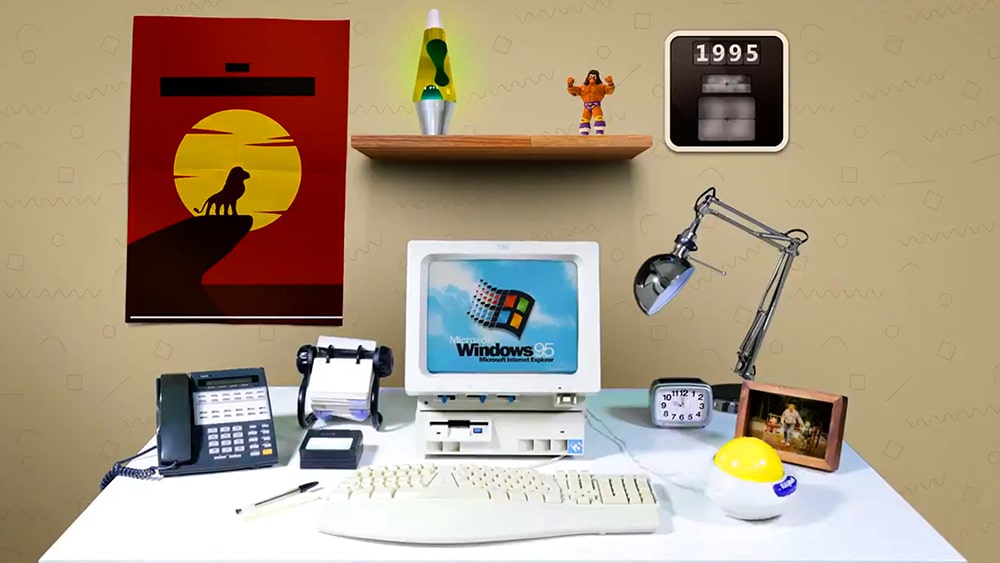
Microsoft takes us on a nostalgia-fueled trip through time
Microsoft has a long and illustrious/checkered history (delete as applicable), and if you’ve worked with computers over the years you’ll have used many of the company’s ever-evolving software and hardware.
In a new video, Microsoft takes us through time, starting on April 26 1983 and going right through to today, showcasing just how much things have changed over the years.
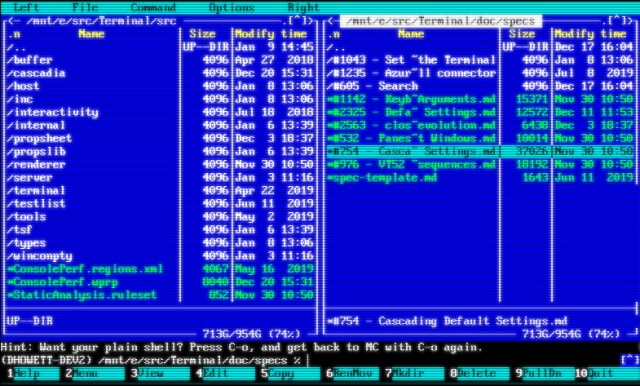
Microsoft is giving Windows Terminal a retro look with CRT effects
Updates are usually released to introduce new features and take things forwards, but with the next update to Windows Terminal Microsoft is taking inspiration from the past.
Due for release next week, the updated version of Windows Terminal will include experimental retro-style CRT effects. What does this mean in practice? It means using the old school PxPlus IBM VGA8 font and CRT-style scan lines; pointless, but a nice bit of fun. Of course, there are also other things to look forward to in this update.
Microsoft could be about to use the Windows Feature Experience Pack app to deliver non-core updates to Windows 10
Microsoft seems to have big things in store for Windows 10 in 2020, but it's not exactly clear what at the moment. A few people have recently noticed that after updating to Windows 10 version 19536 that there is a reference to something called Windows Feature Experience Pack under in the About section of System Settings.
But things get more intriguing. A dummy app from Microsoft called Windows Feature Experience Pack has been spotted in the Microsoft Store, leading to speculation that the company could start to deliver some Windows 10 updates via an app, keeping them separate from more major updates to the operating system.
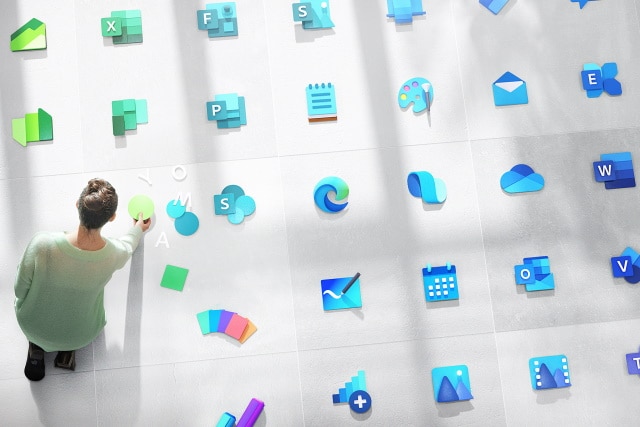
Microsoft reveals a new Windows logo and scores of redesigned icons
Aesthetics are an important part of app design and branding, and change is not something that is undertaken lightly -- particularly when it comes to big names. Following on from revealing a new-look icon for its Chromium-based Edge browser, Microsoft has now taken the wraps off more than 100 redesigned icons.
This is not a minor undertaking. Here Microsoft is introducing new colors, materials and finishes as the company goes all-in with its Fluent design language.

Zorin OS 15.1 Linux distro is ready to replace Microsoft's dying Windows 7 on your PC
Windows 7's death is imminent -- support for the popular operating system ends next month on January 14, making it extremely dangerous to use from a security standpoint after that date. This is very unfortunate for the millions of computer users that don't want to switch to the much-maligned Windows 10. Thankfully, in 2019, you don't have to run Windows anymore -- Linux is a totally legitimate option for both business and home use these days. Hell, even the Windows-maker sees the writing on the wall -- the company recently released its wildly popular Office 365 program, Microsoft Teams, for Linux.
If you are ready to ditch the soon-to-be-unsupported Windows 7 for a more secure Linux-based operating system, you have plenty of great options. One of the best choices, however, is Zorin OS -- a Linux distribution that specifically targets people switching from Windows. Today, the latest version of that operating system, Zorin OS 15.1, is released to the world.

New Undercover mode lets Kali Linux users pretend to be running Windows
Kali Linux is a security-focused, Debian-based distro popular with hackers and penetration testers. It can be used to identify, detect, and exploit vulnerabilities uncovered in a target network environment.
Offensive Security, which maintains the Kali Linux project, has just announced its fourth and final release of the year, and version 2019.4 comes packed with lots of changes and new features, including an intriguing Kali Undercover mode that lets you pretend to be using Windows.
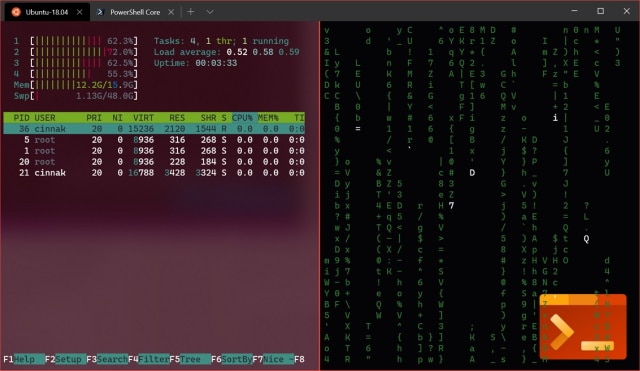
Microsoft updates Windows Terminal preview with multiple panes and tab re-ordering
With the latest release of the Linux-inspired Windows Terminal preview, Microsoft just made the app a whole lot more useful and user-friendly.
The addition of a multi-pane option to Windows Terminal v0.7 means that it is now possible to run two terminals side by side -- something that will be appreciated by many users. Other changes include the arrival of tab re-ordering, and a thinning of the border around Terminal.
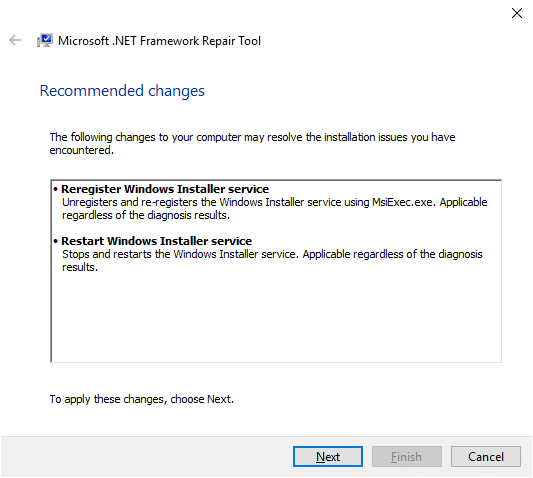
Microsoft .NET Framework Repair Tool updated to support new versions
Microsoft published an updated version of the company's .NET Framework Repair Tool this week; the new version supports newer versions of the Microsoft .NET Framework, in particular versions 4.6.2, 4.7, 4.7.1, 4.7.2 and 4.8, which older versions did not support.
Administrators may download the latest version of the application from the Microsoft website. The list of supported .Net Framework versions is available on the same page and links are provided to download these to the local system (which is useful when the program is run in offline mode).
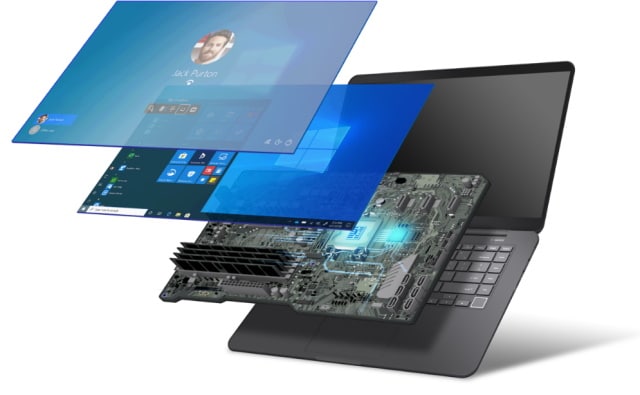
Microsoft teams up with chipmakers to create Secured-core PCs with unhackable firmware
Microsoft is partnering with PC manufacturers and chip-makers on a new initiative designed to make systems with firmware that cannot be hacked.
Called Secured-core PCs, the systems apply the security best practices of isolation and minimal trust to the firmware layer. This helps to protect systems from low-level interference by malicious code.
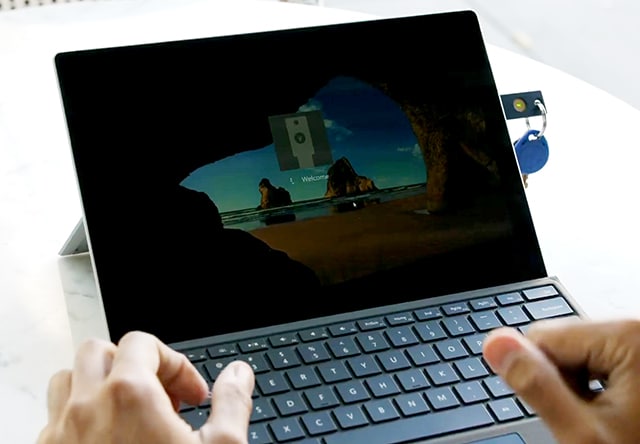
Windows users can now protect their accounts with Yubico security keys
Yubico, a company best known for its hardware security keys, launched a new application for Microsoft's Windows operating system this week called Yubico Login.
The free software adds another layer of security to the local login process on Windows machines to better protect the system from unauthorized access.