
Windows Blue brings better SkyDrive integration
Over weekend Microsoft's next version of Windows, known by code name "Blue" leaked out to the world via BiTorrent. Over the past two days we dissected the operating system in every way possible from first look to screenshot images to ways to install the still buggy operating system.
Now that the initial euphoria has passed, we can settle down and get a good look at what exactly will change in the operating system later this year when Windows Blue is rumored to be released.

How to install Windows Blue on VMware Player and Workstation
New versions of Windows do not come out often, so when Windows Blue leaked onto the Interwebs during the weekend -- as an early preview build -- it grabbed our immediate attention. There are new and updated apps, new features and a slightly tweaked user interface among the most noticeable changes, some of which my colleague Alan Buckingham has already gone through. But how can you taste the goodies by yourself?
Surely, looking at a slideshow is simply not good enough. As a result, you have two options. First, you can dual-boot Windows Blue alongside your operating system of choice (or install it as the sole option). Second, you can spare yourself any potential issues and headaches in dealing with an early preview build and install Windows Blue on VMware Player or VMware Workstation -- two of the most popular software virtualization products.

When your laptop is lost or stolen, try IPFetcher
There are plenty of web services around which can try to help you find a stolen computer. Usually this involves equipping your system with a small agent of some kind, which then uses the system IP address, wifi connections and more to determine its current location, before communicating this to a central server.
If you’d like something more lightweight, though, there are a few simple free tools around which you might like to try. IPFetcher, for instance, won’t grab images from your webcam, and can’t lock down your system remotely. But it can retrieve a system’s IP address, then email or upload it to an FTP server, and that’s more than enough to be useful.
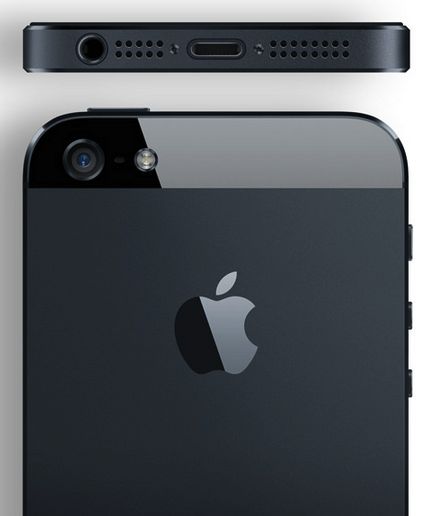
T-Mobile USA gets iPhone!
America's fourth-largest carrier finally goes Apple, and you've got to wonder what that means for all the Androids on shelf. T-Mobile USA broke the long-anticipated news this morning, a day after announcing new, unlimited rate plans that ditch subsidies. iPhone comes with 4G LTE roll out in select cities and expanded HSPA+ coverage to the 1900MHz band. Subsidy-free plans, network expansion, iPhone availability and MetroPCS merger are all part of a bold "bet the company" strategy.
T-Mobile will start selling iPhone 5 on April 12, for the lowest upfront-price among major carriers: $99.99. The rest is paid off in monthly payments and for full price of the handset and no contract. Rivals charge $199.99 up front with 24-month contractual commitment and hefty subsidy should customers change carriers before the term expires.

CCleaner 4.00 adds two new features but limits one to Pro version
Piriform has released CCleaner 4.00 and CCleaner Portable 4.00, major new release of its popular free cleaning tool for Windows users. Version 4.0 includes two new tools, but for the first time restricts one of these to paid-for users with Pro licenses only.
Version 4.0 also debuts a new program icon and tweaked user interface, added support for cleaning additional programs and the usual raft of performance and stability tweaks, including unspecified improvements to the program’s internal architecture for better performance.

Run for cover! Amazon has Zombies
Zombieland, the 2009 cult classic movie, about four unlikely people who come together to fight their way across an undead-filled America, is making a comeback of sorts -- rising from the dead, as it were. Amazon Studios has picked up on the surprisingly popular movie and the not so surprising Zombie fetish we have and announced its latest offering.
Zombieland the series will be produced as a pilot and make its way into your living room via Amazon Prime. It is the seventh comedy pilot announced by the online TV studio and it joins six children's show pilots also under production.
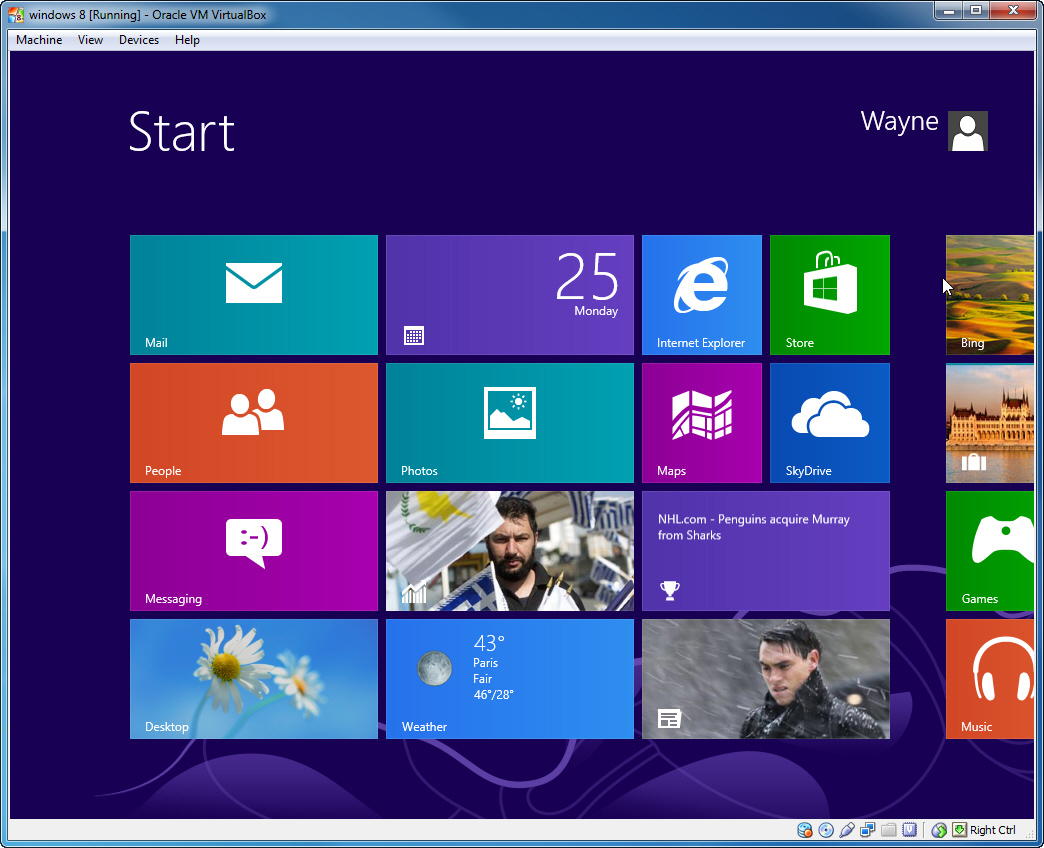
Try Windows Blue for yourself using VirtualBox
Windows Blue, the next Windows release, leaked onto the internet at the weekend. It has some interesting new features and tweaks, but because it’s such an early and buggy build it wouldn’t be advisable to replace your existing OS with it. You could of course dual boot from it, but it’s just as easy to run it in a virtual environment where any crashes or issues won’t lead to you having to reboot your PC.
For this guide I’ll use Oracle VM VirtualBox because it’s a great free program and setting up Windows Blue is incredibly straightforward with it.

ISO Workshop makes it easy to manage, convert and burn disc images
Glorylogic Software has released ISO Workshop 4.0, a major update of its disc image management, conversion and burning tool. Version 4.0 broadens the tool’s ISO format support to cover six different disc types: CD, DVD, Blu-ray, Bridge, DVD video and bootable.
The program also tweaks the existing user interface, adding new buttons to facilitate creating folders and editing files within ISO images. Other buttons have been added for loading and extracting files from ISO images.

Google+ gives big Android and iOS updates
Google updates just keep on coming. Earlier today new versions of Google+ for Android and iOS pushed out, and I've been too busy to handle the goods (Later! Promise!). Two key areas of focus: Sharing and sharing -- as in primping photos and being better part of Communities. The updates are somewhat different for both platforms.
In an unsurprising move, the iOS app picks up some features from Snapseed, which Google acquired last autumn. So now, when you’re sharing a photo, you can: "Do basic edits like rotate and crop, as well as select filters like Drama and Retrolux; adjust saturation, contrast, brightness and lots more by sliding your fingers up-and-down, then left-and-right; single tap at any time to compare your creation with the original", Amar Gandhi, Google+ director of product management, says.
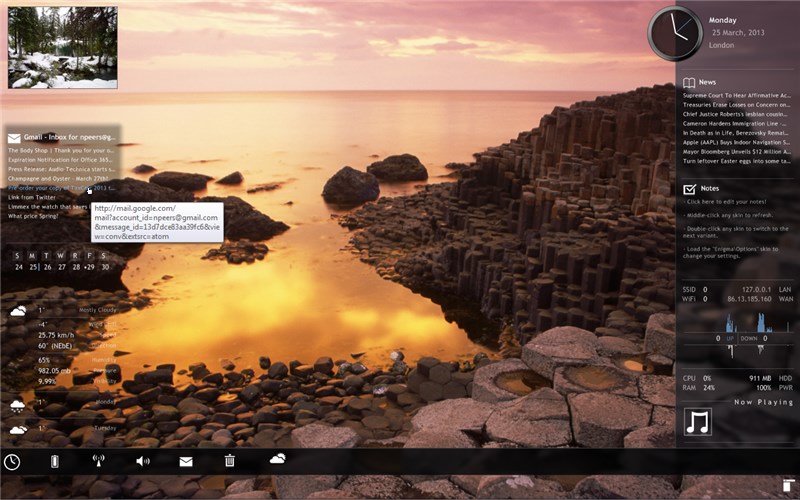
Give Windows a big makeover with RainMeter 2.5
If you’re looking to give your Windows desktop a radical makeover, then Rainmeter 2.5 is one tool worth looking at. This open-source desktop customization tool goes beyond Windows’ own rather limited tools by provide alternative “skins” that can be downloaded or created from scratch.
Version 2.5 offers a number of new features – many aimed at skin developers – including a new FileView plugin, support for the scroll wheel and macro mouse variables. The update also promises dozens of other improvements and bug fixes.
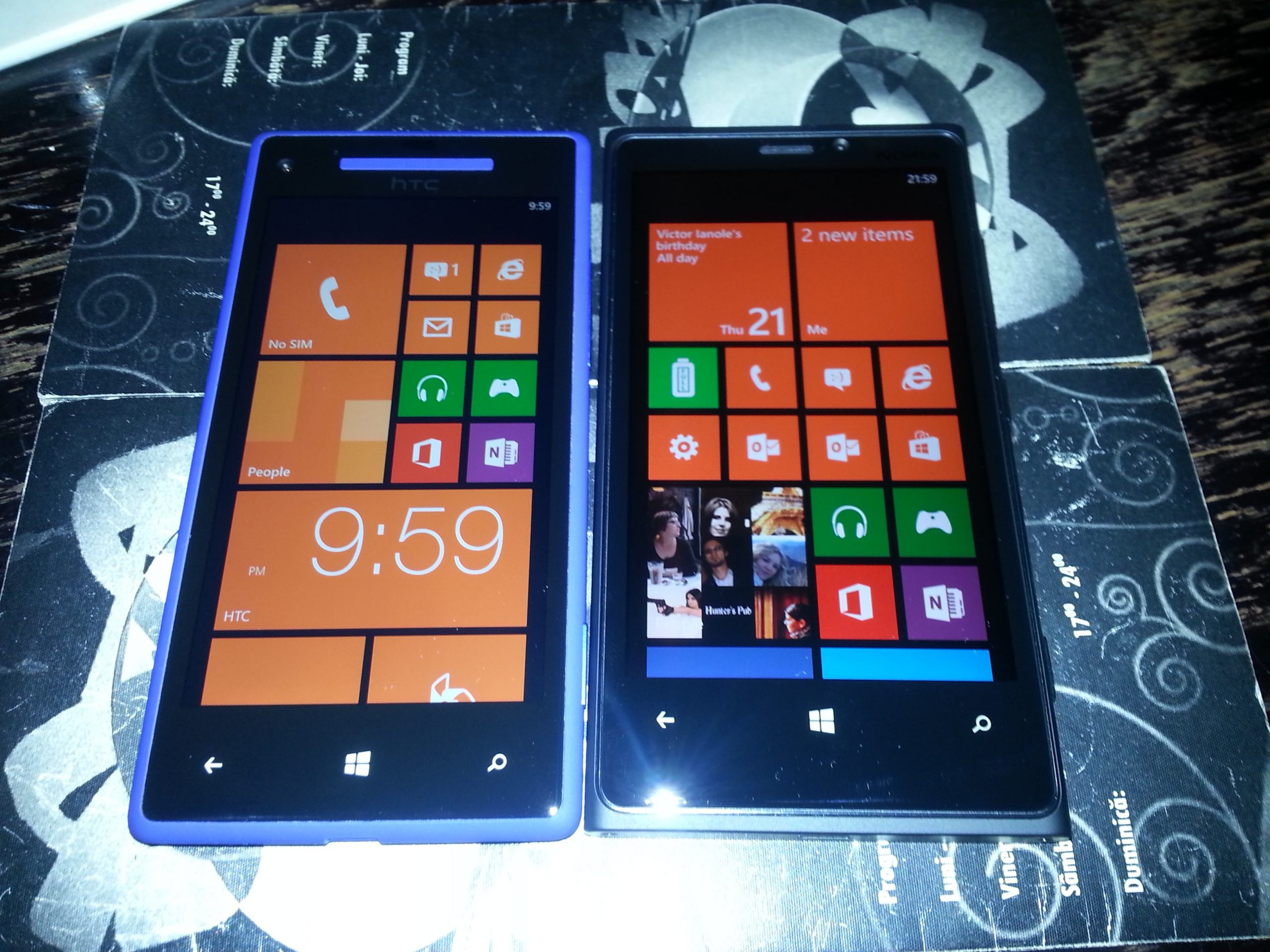
HTC Windows Phone 8X vs Nokia Lumia 920
Born as two flagship devices built on the Windows Phone 8 platform, the HTC Windows Phone 8X and the Nokia Lumia 920 could not be much further apart in delivering two polarizing user experiences. In boxing terms, Windows Phone 8X is the light flyweight and Lumia 920 is the super heavyweight, fighting each other with two different software and hardware skill sets for the "Best Windows Phone 8 smartphone" title.
But this one is a tough nut to crack as there are many aspects to consider. Price, performance, build quality, software and hardware features, dimensions, weight, look and feel, color trim, among others, are all very important when choosing a device that will likely be alongside you for two years. So without further ado, let's pit the two against each other and see how they stack up.

Windows Blue Build 9364 [slideshow]
[portfolio_slideshow id=138971]
Windows Blue owns tech news for the past two days, from its leak to BitTorrent yesterday, to first-look articles today. While we all try to digest what is included in the next version of Windows, which really is more of an update to the current iteration, it really is much easier to get a sense by visual aid as opposed to listening to talking heads like me drone on with descriptions.

Windows 8/RT Mail, Calendar, People app updates mean more than you think
"So?" You say. Yesterday, when writing about the Windows Blue leak, I emphasized the importance of Microsoft picking up the pace, by releasing new features faster. Brandon LeBlanc says the updates will come today, but I surely don't see them yet -- so can't authoritatively write about refinements.
Get used to it, these three updates tip changes ahead, like others, such as SkyDrive and Skype. It's a new Microsoft, and the push to the cloud and subscription computing are major reasons, along with competitive need and BYOD. The company's longstanding priority providing backward-compatibility drags development. Some innovations are held back, while enterprise customers using the same software for years keeps new features out of market even if Microsoft releases them. Microsoft lumbers along, in part because core customers do. No longer.

Digg details Reader replacement
Last week, Digg revealed plans to build a replacement app for Google's soon-to-be-defunct Reader and compete with other services that have suddenly become popular, like Feedly and The Old Reader. While I wait to someday have my OPML file uploaded to The Old Reader (currently number 3,590 in the queue), I am trying out some other alternatives -- I really liked Feedspot, but updating seems spotty.
In a blog post, Digg says "Google did a lot of things right with its Reader, but based on what we’re hearing from users, there is room for meaningful improvement. We want to build a product that’s clean and flexible, that bends easily and intuitively to the needs of different users. We want to experiment with and add value to the sources of information that are increasingly important, but difficult to surface and organize in most reader applications — like Twitter, Facebook, Tumblr, Reddit, LinkedIn, or Hacker News. We likely won’t get everything we want into v1, but we believe it’s worth exploring".

You CAN use Office 2013 Trial for more than 30 days -- how's 180?
DiSTANT X has released Office Trial Extender 1.0.0.7, a new build of its tool for legally extending the trial period for Microsoft Office 2010or later to a maximum of 180 days. The new version adds support for the latest Office 2013 release, renames itself Office Trial Extender and ensures all its files are digitally signed.
The tool works by resetting your Office trial to 30 days, and can be used a maximum of five times, giving you a theoretical maximum trial period of 180 days -- with caveats, as we discuss below.