
Want more from Windows search? Try Locate32
Microsoft may claim that Windows Search has improved considerably in recent years, but you don’t have to look very far to find those who disagree. Many people prefer the older XP-style interface, for instance, and PC speedup guides commonly recommend turning off the standard indexing service to save resources.
If you’ve also had enough of the standard tools then there are plenty of commercial desktop search alternatives around, of course. But if your needs are simple – you mostly search for file names, not content -- then you might prefer Locate32, an open source tool and portable which makes it easy to locate the files and folders you need.
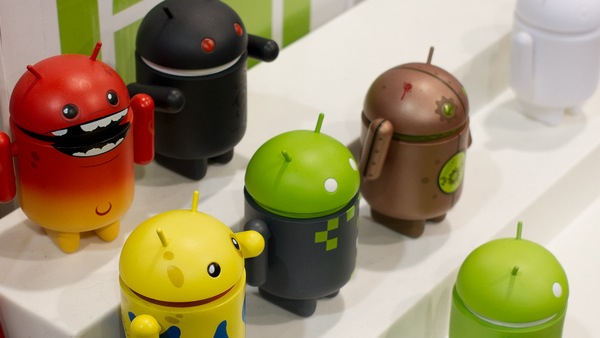
Android manufacturers should embrace modding
Android modding is often perceived as a rare disease that must be treated at all costs with tightly locked bootloaders and impossible to root devices. When users do want to remove the shackles imposed by manufacturers, and carriers alike, there's always a sense that someone will suddenly knock on the door and say: "Stop, we'll void your warranty. Your device must run unadulterated software!" That's just limited thinking. Modding is beneficial and not just for those roaming around in obscure corners of the interwebs.
Some argue that modding is just that insignificant other that is over-hyped per the overall scheme of things. When enthusiasts ask for unlocked bootloaders or maybe easier to root devices, those very same people will shorty argue with "Most people don't need that, so your wish doesn't matter!" Obviously there's some "truth" to that, because in most cases the deniers don't bother to read thousands of forum posts or even to check custom Android distribution statistics. Yes, there are such things.
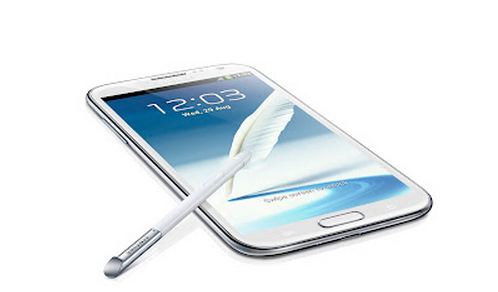
Considering the Samsung Galaxy Note 2? Do it!
I had to get a new phone because my pants were too tight.
Either I'm too fat, or I was wearing jeans that were that special degree of skinny obnoxiousness, but I put my Galaxy Nexus in my hip pocket one night and the screen cracked in half. I know this because it made an audible cracking noise as I strode down the street.

Have Windows 8 your way with sTabLauncher dock
What’s the best way to organize and launch your programs? The arrival of Windows 8 has generated endless “Start menu vs Start screen” debates on this topic, but these have tended to miss an important point: many people really don’t like either.
If you’re looking for an alternative way to arrange your applications, though, there are plenty of simple but effective options around, and sTabLauncher’s dock is an excellent example.

Best Windows 8 apps this week
Seventh in a series. Welcome to another episode of what's hot and new in Windows Store. This week we have seen the release of a couple of official apps, Adobe Reader and Yahoo! Mail for instance, that made an appearance in store.
Other companies like Google or Facebook are monitoring the development of Windows 8 before they commit resources to building apps for the operating system. It is likely, however, that we will see additional official app releases for Microsoft's operating system in the weeks to come.

24 Google+ improvements are bigger than you think
If you're a heavy Google user, every day is like Christmas -- well, in 2012. Not a day goes by that the company doesn't release something new. Updates are relentless, with products in continual states of improvement. Today's touted 18 24 Google+ enhancements are examples. Editor's note: Hours after we posted, Google changed the number from 18 to 24. The approach is philosophical and corporate cultural and defies traditional software development cycles Apple, IBM, Microsoft, Oracle and others adopted long ago. The relentless releases is for stuff Google mostly gives away for free. Now why is that?
Years ago, I wrote several seething stories about perpetual Google betas (Gmail was 5 years, right?) and Microsoft somewhat mimicking the approach. (I can't find the stories this morning. If you can, please link in comments.) The search giant's work was never done, while competitors rolled major enhancements together made available all at once on long lead cycles (Hey, three years separate Windows 7 and 8 launches). Microsoft chooses the big blockbuster movie approach, which predicates a work largely done -- a story completely told. Google is the serialist, telling an ongoing story in a quick succession of releases. Which works better? You tell me.

Free Music Downloader 1.30 supports YouTube search and convert to MP3
The SZ Development released Free Music Downloader 1.30, the latest edition of its MP3 download tool, and the update is mainly about extending its list of supported sites.
The program provides a simple, free and portable way to search a number of sources for music. This update adds support for BandCamp, Hypem and Xiami to the existing list of sites and services, which also includes www.last.fm, vkontakte.ru, goear.com, GrooveShark.com, SoundCloud.com, mixcloud.com, ProstoPleer.com and 8Tracks.com. Elsewhere, a bug fix sees LastFM searches and downloads working again.

iTunes 11.0.1 restores duplicate finder, improves performance with large libraries
Apple has released iTunes 11.0.1 for Windows and Mac. The update, also available as a separate 64-bit build for Windows users, addresses a number of issues including two affecting iCloud and AirPlay users.
It also restores the ability to display duplicate items in the user’s library, which disappeared in the original 11.0 release. Now users can once again go through their library rooting out duplicate items via the View > Show Duplicate Items menu.

Google Maps for iPhone -- now that’s how you do it, Apple [review]
Soon after Apple replaced Google’s aging but accurate mapping solution with its own brand new, but woefully inaccurate alternative, I -- like many disgruntled iOS 6 upgraders -- switched to using the web-version of Google Maps (I briefly toyed with Nokia Here, but it’s not yet as good). The workaround was fine, but I only ever viewed it as a temporary stopgap while awaiting the triumphant return of Google Maps to the App Store, something that finally happened a couple of days ago.
Google Maps shot to the top of the free charts with indecent haste, further embarrassing Apple in the process, as users scrambled to install it. I installed it too, naturally, but held off on reviewing it immediately, as I wanted to make sure my happiness at its arrival wasn’t going to cloud my judgment. And the good news is, having now had plenty of time to play around with it, it’s great. Not perfect, but pretty damn close.

Verizon rolls out Android 4.1 Jelly Bean for Samsung Galaxy S III
That was fast. Little short of three months ago Android 4.1 Jelly Bean made its way onto the international Samsung Galaxy S III and, starting Friday, the coveted operating system is available for the Verizon Wireless branded handset as well.
The software upgrade, bearing the "JRO03L.I535VRBLK3" moniker, comes in at a rather modest 62MB in size and upgrades the Galaxy S III to Android 4.1.1 Jelly Bean, build number JRO03L. Users should expect a number of new features, the most noteworthy of which include better voice search capability through Google Now, a revised notification panel, resizable widgets, and improved camera software. There's also a treat for global travelers.
Big red customers that wish to take the Galaxy S III abroad now have the ability to select a new "Global" option in "Preferred network mode". It will allow the handset to operate on international carrier networks, without resorting to modding to enable GSM compatibility.

MaxMax stops maximized windows covering your whole screen
Maximizing a window on your PC is great when you want to focus on a particular program: it allocates all available screen real estate to that application, and removes any distractions as well.
What if you want to have easy access to some other content, though? Launchers, maybe. Sticky notes. Or maybe you’d like to continue monitoring real-time information such as share prices, or eBay auctions. Maximizing other applications may hide this -- unless you get a little help from the free MaxMax.

Total Defense takes the fight against malware to the cloud
According to Total Defense, a provider of internet security services and a former division of CA Technologies, the web is the primary vector for malware, with 85 percent of all threats originating there. More than 6,000 websites are infected every day, the company says, and the statistics don’t end there. It’s said that at least 75 percent of the world’s email is spam, and Total Defense estimates over 50 percent of malicious messages take the form of blended attacks designed to lure recipients into visiting infected web pages.
To prevent firms falling foul of these kind of threats the company has announced what it’s calling the "industry’s first true cloud security platform", offering enterprises and small-to-medium businesses multi-layered cloud-based protection.
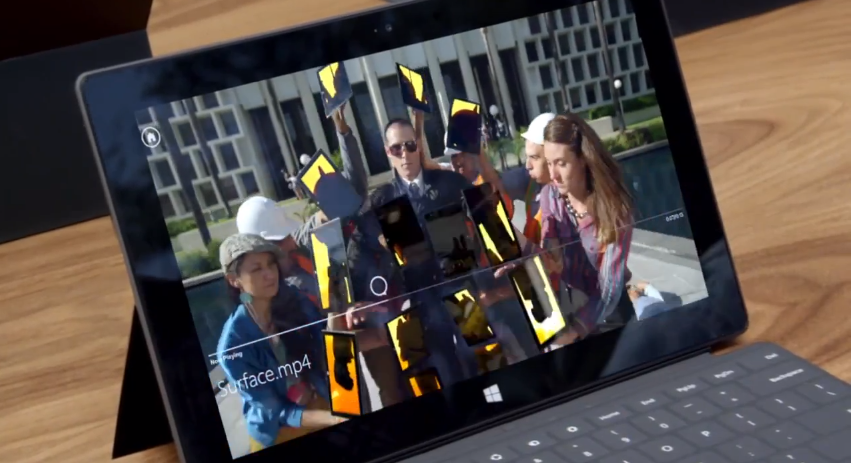
I gave up iPad for Microsoft Surface
The original iPad didn't excite me very much. In fact, I was confused what to do with it. Over time, I ended up using the iPad 2, and recently its successor. I’ve also tried the Blackberry PlayBook, the HP TouchPad, and more recently Google Nexus 7.
But, for the first time in a long time, I was very excited to get a tablet -- the new Microsoft Surface. I think Windows RT had a lot to do with it, and the touchscreen aspect.

Death of a cloud: Microsoft announces Live Mesh demise
I won't lie and say I didn't see this coming -- after all, Microsoft's Live Mesh app has been on life support for some time. Still, it hurts to see it go.
Back in August, Microsoft began overhauling its Live services, along with other changes in its transformation to prepare for Windows 8. When it released the latest iteration with a name change from "Live Essentials" to "Windows Essentials 2012", it was a scaled back array of apps that did not include Live Mesh. The writing was on the wall.
Amazon expands content reach
Remember that Googlezon video from a few years ago? The one that predicted Google and Amazon would take over the world with, perhaps, apocalyptic results? Well, none of that has come to pass, but both companies continue to grow and expand. Amazon, increasingly becoming as much of a content delivery system as a product retailer, made several bold moves to get its media out to even more platforms, today.
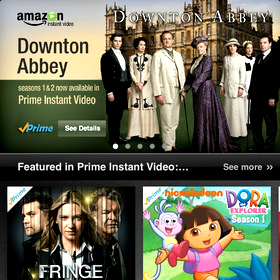
For starters, Amazon moved to bring its Cloud Player music service to both Samsung Smart TV's and Roku set-top boxes and made its Instant Video service available for the iPhone and iPod touch. Both services are essentially cloud interfaces for your media.