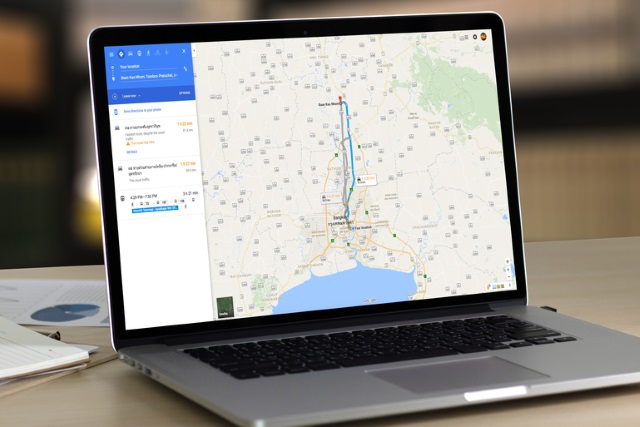
How to add Google Maps search engines to Chrome
To make it quicker to perform searches using Google Maps, you might want to consider adding the site as a search engine in Chrome. This will save you having to manually visit the site before you start a search, and it's a pretty neat option.
In fact, we’re going to show you how to add Google Maps to Chrome as a search engine in a couple of ways. The first is a simple option to look for a place on Google Maps. The second enables you to search for directions from your home address to your desired destination. Here's what you need to do.
Google Chrome stable can now run side-by-side with Beta and Dev variants
When you install Google Chrome Beta or Dev versions on your Windows computer, it overwrites and replaces the stable version. This keeps things fairly simple and neat, as home users won't have multiple versions of Chrome on their PC. The problem with that, however, is the Beta and Dev versions really aren't intended for home users -- even though some still use them. Those unstable versions are intended for testing, meaning having them run side-by-side, like with the Canary builds, would actually be preferable.
Thankfully, Google has now decided to change the default behavior on Windows so that Google Chrome stable can run side-by-side with both the Beta and Dev variants. This means a web developer, for instance, can easily test their page with all three builds at the same time. When you include Canary, that means you could have, in theory, four variants of Chrome at different development stages running at once. Unfortunately, macOS users are excluded from this side-by-side fun -- for now at least.
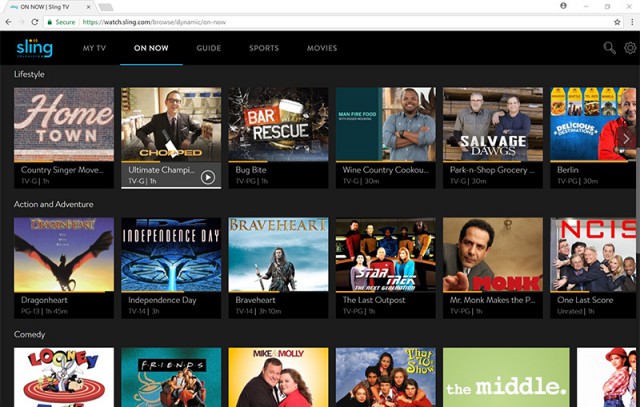
Sling TV now available in Google Chrome on Windows and macOS
Making a streaming service available on as many platforms as possible is key to attracting more and more customers in the cord-cutting era, and, to that end, Sling TV is now opening its doors to Google Chrome users.
Sling TV says that its new player, which is available in beta at this stage, can be used by Chrome users on Windows devices and Macs and comes with support for both live and on-demand content.
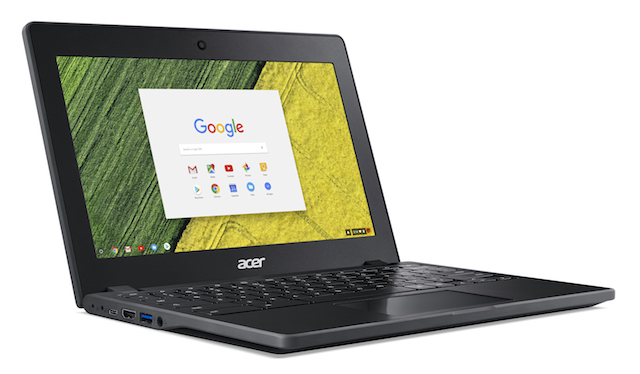
Acer Chromebook 11 C771 has optional touch screen and up to 13 hours battery life
I absolutely love Chromebooks. Well, not for me exactly, but I love suggesting them to other people when appropriate. While they aren't for everybody, they are brilliant when they can meet a user's needs. The underlying Chrome OS operating system is based on Linux and is extremely secure. In fact, it can be argued that Google's laptop operating system is the most secure OS for web browsing. If you are tired of fixing either a friend or family member's Windows 10 PC, and they live in a web browser, get them on a Chromebook and get some of your time -- and sanity -- back.
Today, Acer unveils a new laptop running Chrome OS. The "Chromebook 11 C771," as it is called, is designed primarily for education (where they really shine), plus as thin clients for businesses too. The notebook features an 11.6-inch display with optional touch, and up to 13 hours battery life. Since it is designed primarily for students, and they can be rough on computers, the C771 has military grade (MIL-STD 810G) durability and a spill-resistant keyboard. It can even survive a 4 foot drop.
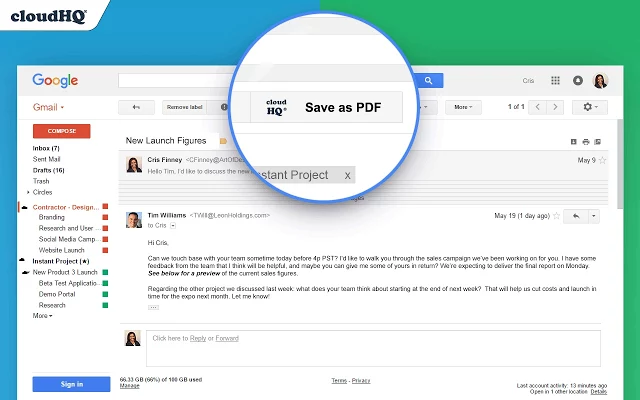
Save Gmail emails to PDF or ZIP with a click
Save emails to PDF is a Chrome extension which enables saving any Gmail email to PDF in a couple of clicks.
Download options include saving individual emails to separate PDFs, merging all selected PDFs into one PDF, or saving conversations to CSV or Excel, apparently (the Excel option just saved to PDF for us).

Google Chrome bests Microsoft Edge in new battery life tests
Ask Microsoft which browser offers the best battery life on Windows 10 and it will not hesitate to tell you that Microsoft Edge is the best. And it has the test results to prove it: on a Surface Book, for instance, Microsoft Edge lasts a couple of hours longer than Google Chrome and Mozilla Firefox, which is remarkable.
But, and there is a but, an independent test disputes Microsoft's claim. YouTuber Linus Tech Tips has pitted Microsoft Edge against Google Chrome, Mozilla Firefox and Opera and discovered that it does not deliver as strong a performance as Microsoft claims.
Microsoft ads slam Google, claiming Windows 10 beats Chromebooks for business and education
Microsoft's latest anti-Google ad campaign has more than a slight whiff of Scroogled from a few years back. A pair of advertisements lay into Chromebooks, and suggest that Windows 10 devices are far better for both business and education.
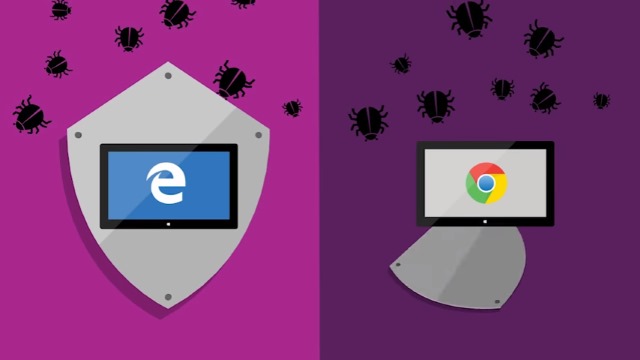
Google has made much of the benefits that Chromebooks can bring to the classroom, but Microsoft disagrees -- and says Windows 10 Pro is far better for businesses too. In the two ads, the company highlights the security and features of Windows, painting Google's software as insecure and underpowered.

Chrome Delight brings gorgeous time-lapse video to your New Tab page
There’s now a whole library of Chrome extensions which aim to enhance your "new tab" page, typically by importing new wallpaper from sources like Flickr and Shutterstock.
Delight goes a step further, replacing the usual static images with gorgeous time-lapse videos.
Material Design and new developer tools come to Chrome 59
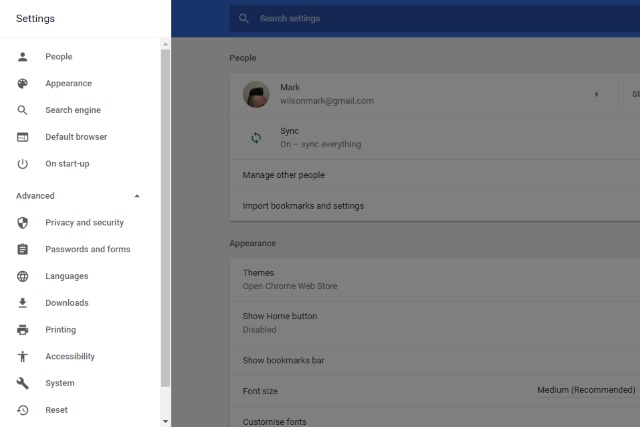
Google has started to push out updates to the latest version of its web browser -- Chrome 59 for Windows, Linux and macOS. The update includes a number of important security fixes, but also sees the arrival of Google's Material Design on the desktop.
The Material look is one that will be very familiar to Android users, as well as anyone who uses Google's various online services. But Google is not quite ready to give its desktop browser a full makeover yet.
Google is building an ad blocker into Chrome in 2018
Starting early next year, Chrome users will benefit from an ad blocker built into the web browser. As part of its work with the Coalition for Better Ads, Google is looking to clamp down on intrusive ads that web users find most irritating.
Google is a company whose business model is built largely on advertising, and it is keen for the experience of being subjected to ads to be as painless as possible for people. But rather than block all ads -- killing revenue streams for many websites -- Google wants to block only those that do not comply with Better Ads Standards.

Instantly enable and disable Chrome extensions with Extensity
Chrome extensions can be incredibly useful, but they also grab resources and clutter your toolbar, annoying if you only use them occasionally.
Extensity is a free Chrome extension which allows all, individual or groups of extensions to be turned on and off with a couple of clicks.

Any browser coming to Windows 10 S will have to use the EdgeHTML rendering engine
Windows 10 S, Microsoft’s new education-focused operating system, has a lot of restrictions in place. The main one, of course, being that it only allows you to install apps from the Windows Store. If you want to install programs from outside its ecosystem, you’ll need to upgrade to Windows 10 Pro.
Edge is the default browser in Windows 10 S, and Bing the default search engine, and unlike in Windows 10 itself, you can’t change these. That might be something of a deal breaker for any browser-makers interested in bringing their product to Windows 10 S, but that’s not the only issue they’ll face.
Google just made offline browsing a whole lot easier in Chrome for Android
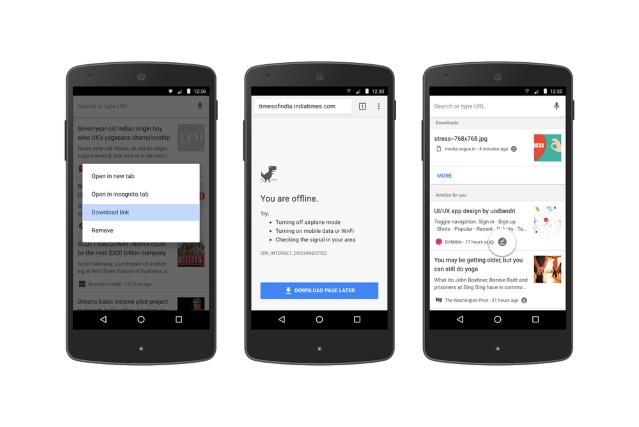
Offline web browsing is a useful feature, particularly on a smartphone, so it was little surprise when Google added website downloading to the Android version of Chrome. Today the company launches a number of improvements to make the whole process even easier.
The latest update to the app introduces a couple of new ways to download pages for offline viewing. It also provides easier access to the content you have earmarked for offline reading, encouraging more people to make use of the feature.

Is a Google-made Chrome ad-blocker the answer to intrusive advertising?
In case you missed it, rumors are rife that Google will soon introduce an ad blocker in Chrome. Understandably, there's concern about the power that would give Google over the advertising industry and its competition. As a member of said competition, I am equal parts concerned and supportive of an ad blocker in Chrome.
It’s certainly an interesting story. On first thought it’s a little ironic, in that a company which makes a large proportion of its money through advertising revenue is not only giving users of its browser the ability to block ads from appearing, but turning it on by default too. If the rumor is true, the addition of an ad blocker in Chrome could limit the reach of ads to over half of the world’s internet users overnight. That’s a big change, and in many instances it’s needed.

'Start' is a do-everything new tab page for Chrome
If you’re bored with Chrome’s standard "new tab" page, there are hundreds of free extensions to make it better. Whether you’re after gorgeous photos, better searching, more productivity tools, there’s something, somewhere that can help.
If you don’t have time to look, that doesn’t have to be a problem either -- just install something like Start -- A Better New Tab, which crams in just about every feature you could possibly want.