
I'm puzzled by Chrome World Wide Maze
You'll never guess what you gave up Google Reader for? The tried-and-true makes way for a few, ah, experiments. Newest: Chrome World Wide Maze. Geekdom is abuzz about the oddity this evening. I'm simply baffled, although I see the benefits as a technology preview, which surely must be the point.
Essentially your mobile device running Chrome becomes a remote control for a 3D-maze makeover of any website. I couldn't help myself. I chose bing.com. The setup is a bit convoluted, using -- and therefore showcasing -- tab sync. The process involves opening the site from tabs already available on the other device and completing a handshake using a six-digit number. Then the fun begins, or would have if Chrome Beta for Android hadn't crashed and disconnected while my wife took photos. (Hey, every story needs art.)

What Eric Schmidt REALLY SAID about the future of Android and Chrome OS
Eight days ago, Google dropped an atomic bomb on the Android Army, with Andy Rubin's sudden departure as commander-in-chief. Sundar Pichai, who is responsible for Chrome and Apps, assumed Android leadership. The change led to much speculation that the operating system would sometime soon merge with Chrome OS. As the fallout spreads, an answer arrives: The question is irrelevant.
Google Executive Chairman Eric Schmidt tells reporters in India that Android and Chrome OS will not merge but converge, says Reuter's Devidutta Tripathy. But there's no quote, just paraphrase, which worries me about context. Fortunately, there is a video that provides context and reveals a different priority: Chrome.

Try as it might, Google can't stop RSS
Many people use Really Simple Syndication without actually realizing it. Like SMTP in the background of email, RSS is the backbone of a number of things, including the podcasts you get from the iTunes store. Last week Google set off on an apparent challenge to kill RSS, or at least it seems that way to many of us.
Overshadowed in all of our talk, gripes really, about the loss of Google Reader is removal its RSS extension from the Chrome store. The extension placed the, now familiar, orange square in the URL bar and allowed users to easily subscribe to feeds by clicking and sending them to Google Reader.

Get more Firefox options with Pale Moon Commander and Configuration Mania
There’s only so much tweaking you can do from within Firefox’s own Options dialog. All the really juicy stuff is hidden away, accessible only by typing about:config into the Address bar, heeding the warning and then attempting to navigate the bewildering list of preferences from accessibility.accesskeycausesactivation to zoom.minPercent. This is fine for occasional tweaks, but if you’ve a hankering for some real deep-seated changes, you’ll want to consider a more user-friendly alternative.
If you’re a Windows user running Firefox or its performance-enhanced variant, Pale Moon, then the answer lies in installing the free Pale Moon Commander 0.6add-in. Also available for Windows, Mac and Linux, is Configuration Mania 1.6, aimed squarely at Firefox itself.

Identify resource-hogging Firefox add-ons with about:addons-memory
If Firefox seems to be using a lot of memory on your system then a resource-hogging add-on could be responsible, but finding out for sure can be a challenge. Entering about:memory in the address bar will provide lots of figures on RAM allocations, for instance, but they’re extremely technical, more about "heaps" and "compartments" than providing information which most people can actually use.
About:addons-memory is a simple Firefox extension which takes a different approach. There’s no jargon, no unnecessary technical details, just install it (no restart required) and enter about:addons-memory in a new tab for an instant report on your extensions and their memory usage.

What's up with Google's Spring cleaning?
I sometimes wonder if Larry Page is a neatness freak. After all, throwing out stuff defines his nearly two years back as chief executive. He has chucked more Google products than junk I discard from our apartment -- there's no hording around here. Nor at Google. But the last 24 hours is simply unprecedented for changes that broadly affect customers and partners. This Spring cleaning is something to behold.
Let's start with today. Jeff Huber is out as head of Google Mapping and Commerce. He explains: "Finishing up my first decade at Google, and excited to return to my startup roots and begin the next one at Google X! Let me know what you'd like to see Google X do next". The Wall Street Journal says there's more: Google Maps will split from Commerce and become part of Search and the other folds into Advertising.
Google CEO Larry Page's memo about Android leadership changes
This afternoon, in a rather shocking and unexpected move, father of Android Andy Rubin stepped down -- or was forced to -- in a leadership change sure to shift the direction of Google platform development. Sundar Pichai, senior vice president for Chrome and Apps, assumes responsibilities for Android.
Larry Page broke the news, offering praise alongside Google cofounder Sergey Brin for Rubin's enormous contribution. The follow memo follows.

When Chrome hogs memory, try OneTab
Once upon a time Google Chrome was considered the go-to browser for those looking for a fast, speedy browser, even on low-powered computers. These days, however, those running older 32-bit OSes with 4GB or less than RAM might struggle to reconcile the sluggish performance they witness on a day-to-day basis with the supposedly nimble Chrome.
The problem with Chrome -- and Firefox too -- is that the more tabs you have open, the more memory Chrome gobbles up. It doesn’t take much to assign gigabytes of RAM to Chrome, which may leave your computer creaking at the seams. Short of closing down those tabs, what can you do? The solution lies in a tiny, elegant add-on called OneTab for Chrome 1.3, which has just been launched.
Google Now for Chrome changes EVERYTHING
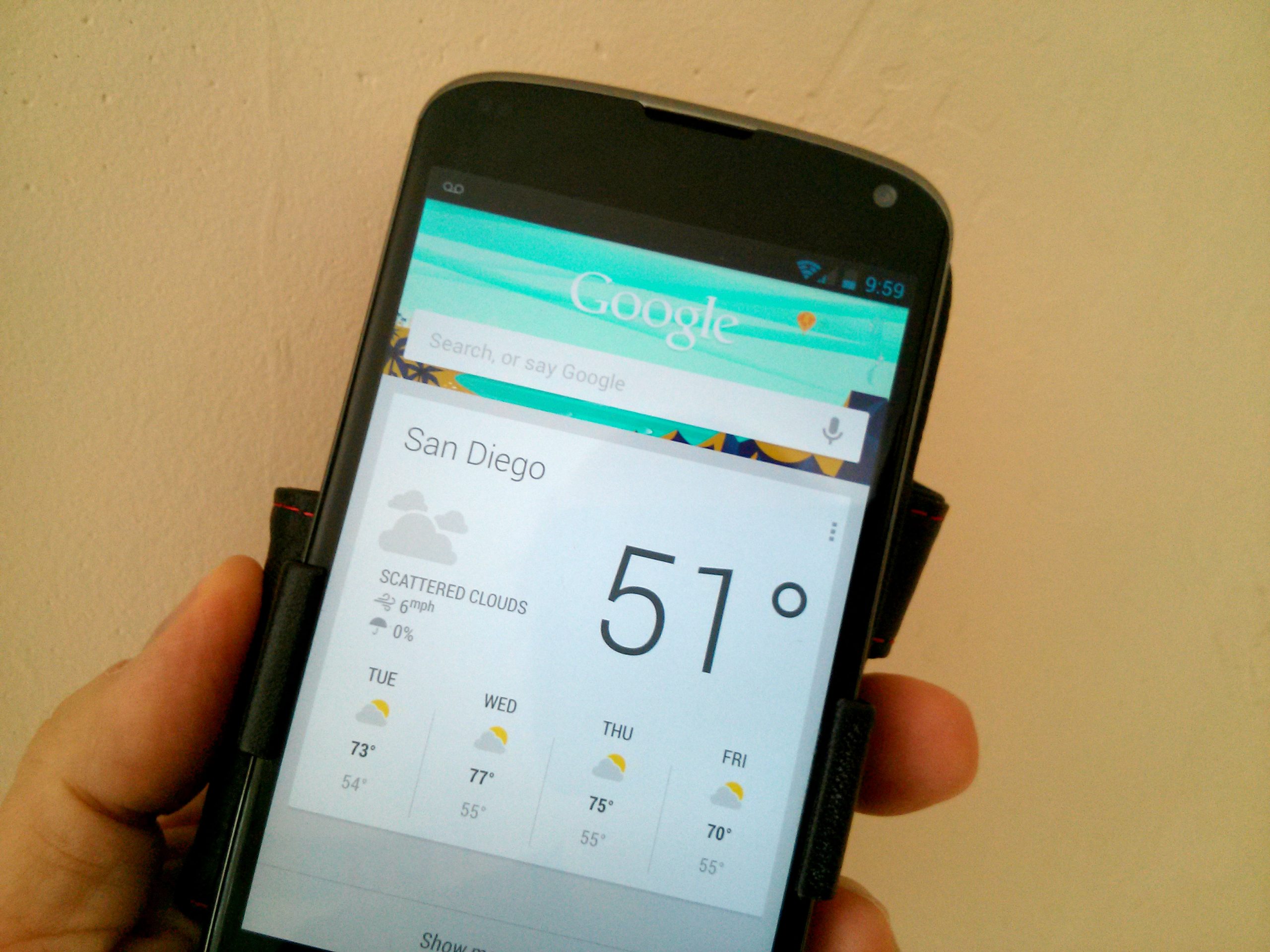
François Beaufort, the developer who recently made headlines by outing Chromebook Pixel, is stirring up things again. He uncovered code that all but assures Google Now will soon come to Chrome and Chrome OS. I can't overstate how enormously game-changing the service will be. Google Now is the purest evolution of sync and the killer app for the contextual cloud computing era.
We are on the cusp of Star Trek computing, where information is available at the command of your voice and the machine is a personal assistant that anticipates you. Google Now delivers a hint of this future on Android devices. Bringing it to PCs puts the search and information giant ahead of everyone because, with the exception of a possible future Microsoft-Facebook partnership, no other company has the resources to provide so much personalized information to so many people in so many places in so many ways.

Hideman lets you watch foreign TV and bypass censorship restrictions
There are many reasons why you’d want to hide your internet IP address. The most common one is that you’re trying to access services or web sites restricted to a specific country or territory -- this might be to catch up with UK BBC TV’s shows via iPlayer or for more fundamental reasons, such as bypassing a country’s censorship restrictions.
Spoofing your IP address so you appear to come from another country than the one you’re residing in isn’t by itself a difficult task -- all you need is a decent VPN service. But when it comes to simplicity and decent performance, you can’t beat a service called Hideman, available on Windows and Mac via the free Hideman 2.0 tool, and Hideman VPN 1.9.7 for Android.

Microsoft fined $731m after a ‘technical error’ led to it breaking its EU antitrust promise
Wow. You don’t mess with the EU antitrust regulators. This is something Microsoft has discovered to its cost after being landed with a 561 million euros ($731 million) fine for failing to promote a range of other browsers to Windows users in the European Union (EU).
As part of a settlement that followed an EU antitrust investigation back in 2009, Microsoft agreed to offer a Browser Choice Screen pop-up to European customers which would allow them to choose which browser they wanted to use -- rather than simply just forcing Internet Explorer on them. This followed an investigation triggered when Norwegian browser maker Opera complained that by bundling IE with Windows Microsoft was effectively killing the competition.
Opera launches WebKit-based browser beta for Android
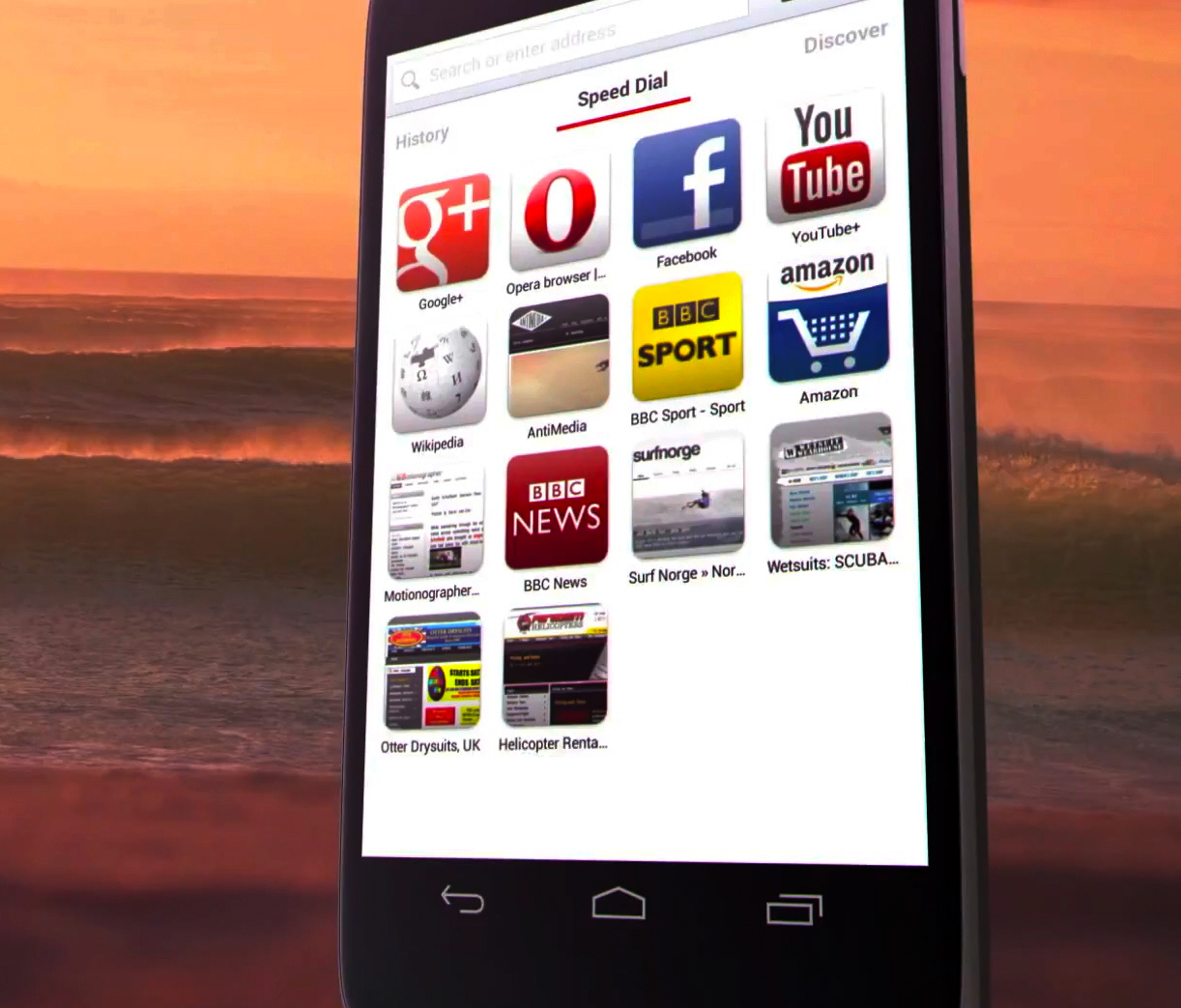
Three weeks ago, Norwegian browser maker Opera Software announced a major change in the company's philosophy, moving from the in-house Presto rendering engine to the open-source WebKit for all future Opera releases. The transition will be gradual but on Tuesday Opera took the first steps towards a Presto-free era.
The developer demoed a preview version at Mobile World Congress (MWC) in Barcelona in late-February, and days after the convention finished Opera browser beta (not a very catchy name) made its way onto Google Play rocking that shiny WebKit engine. Judging by initial user feedback, the company appears to have hit a home run, as the app now has more than 190 five-star ratings out of a total of 275 and an average mark of 4.5. Not bad for an early-development build.

Internet Explorer 10 for Windows 7 speaks your language
Yesterday Microsoft, at long last, rolled out Internet Explorer version 10 for Windows 7 -- a browser that had been available to Windows 8 users since launch back on October 26, 2012. Today the software giant followed up with language packs for that new software release.
Each language pack comes as a separate download and is, of course, completely free. There are countless ones available from Afrikaans to Marathi and all the way through to isiZulu.

New multiplayer game for Chrome uses smartphones as controllers
Google has created a new sports game for Chrome, which lets you challenge up to four friends at running, swimming and cycling.
What makes Chrome Super Sync Sports so special is while the game is displayed on your computer screen, the characters are controlled using smartphones or tablets.
To play it you need to have Chrome installed on your computer, and on any Android or iOS devices you want to use as controllers.

Bloody well time, Microsoft releases Internet Explorer 10 for Windows 7
Microsoft has released the first stable version of Internet Explorer 10 for Windows 7 (32-bit) and Internet Explorer 10 for Windows 7 (64-bit). The latest version of the browser -- which comes pre-installed in Windows 8 -- promises improved performance, better privacy and supports the latest web standards, plus adds integrated spell-checking and auto-correct tools.
Internet Explorer 10 in itself isn’t new -- it was bundled with Windows 8 on its release on October 26. However, it’s only now that Windows 7 users have been able to install a stable version of the software, although a Release Preview has been available since mid-November. Just as Internet Explorer 9 dropped support for Windows XP, so IE10 drops support for Windows Vista.