
How to manually trigger your reserved Windows 10 upgrade
If you reserved a Windows 10 upgrade, you were probably expecting it to appear this morning. For many people that was the case, but not for all. There are ways around this problem of course -- you can use the free tool Microsoft released today in order to update your PC whenever you like.
However, if you reserved the update, then you probably just want to get your upgrade through that. And rightly so. Fortunately, there’s a simple little trick you can use.

How to create a bootable Windows 10 USB drive
Microsoft has officially introduced Windows 10, making the new operating system available as a free upgrade, in the first year, to Windows 7 and Windows 8.1 users. Those who cannot take advantage of this deal will have to purchase Windows 10, which is now offered on USB drives, on top of DVDs and digital downloads.
Bootable USB drives are a better option than DVDs, as they can be used on the vast majority of devices in use today, including slim ultrabooks which do not have optical drives. They are also much faster, so the time it takes to install Windows 10 is significantly lower, and pocketable, allowing you to easily carry one wherever you need. If you do not have a bootable Windows 10 USB drive, this detailed how-to guide takes you through all the steps involved in creating your own flash installation media.
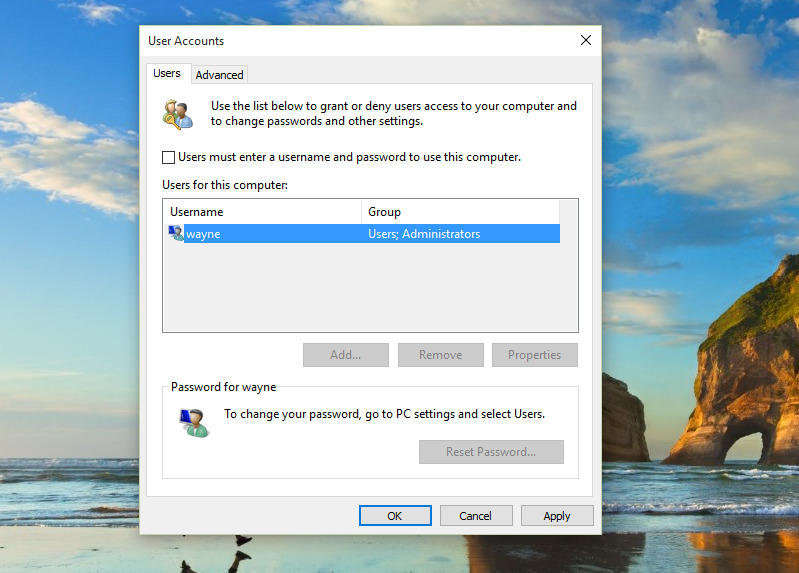
Automate login and bypass the lock screen in Windows 10
Like Windows 8.x, Windows 10 has been designed with security in mind and requires you to log in before you can start using it. That’s fine, and sensible, but if you’re the only person using your PC, and you’re confident that no one will be able to use it without your permission, or break in to your home and steal it, you might want to skip this stage.
The process of doing so is the same as in Windows 8, and is very simple without the need for registry hacks or complicated trickery.
How to download Windows 10 and create your own installation USB flash drive or DVD
Windows 10 has launched in 190 countries, and if you reserved your copy you should be able to upgrade to it today, or soon afterwards. Microsoft will be notifying users in waves when their upgrade is ready to be installed.
However, for some people the wait may be long, and others have reported problems with the automatic installation. Fortunately, if you’re keen to get the upgrade started, Microsoft has released a tool that will let you download Windows 10 and create your own installation media on either a USB flash drive or DVD.

Will you upgrade to Windows 10?
Microsoft officially launches its newest operating system tomorrow. OEMs like Acer, Lenovo, and Dell are shipping computers loaded with Windows 10, while some of you can claim free upgrades now. But will you? We want to know, as perhaps do other readers considering whether or not to make a go.
To be brutally honest, I seriously considered using headline: "Will you upgrade to Windows Death?" Because: if Windows 10 doesn't succeed it will be the last viable version given the success of Android or iOS; shipments of both mobile platforms either match or exceed Windows computers; and Microsoft's advancing cloud strategy signals the end of Windows as we have come to know it, as the operating system evolves and updates in a manner more like Chrome OS than the big release delivered every few years. Then there is the criticism, much of it in BetaNews comments, that makes upgrading to Windows 10 seem like Death.

Microsoft explains Windows 10 -- try to stay awake
If you’re still undecided whether Windows 10 is for you or not, or you just want to find out a bit more about the forthcoming OS, Microsoft has a new video designed to walk you through the changes and new features.
The video is presented by Mohammed Samji of the Windows Team, and it’s about as laid back as you can imagine. Samji, dressed in pastel colors, talks in the sort of tone you tend to hear in apps designed to help insomniacs get to sleep, while a similarly relaxing tune burbles along in the background. Is Samji explaining Windows 10’s key principles, or attempting to hypnotize the viewers? Watch the video and decide for yourself.

10 reasons NOT to upgrade to Windows 10
So I’ve already listed reasons why people should switch to Windows 10, but here I am telling you why you shouldn’t. Contradictory, right? Except, not really. I will be upgrading to Windows 10 on July 29, because it’s my job to be running the latest version of Windows.
If it wasn’t I don’t know if I would be making the switch. at least not immediately. Windows 10 is a good OS, in my opinion. It’s much better than Windows 8.x, and the price (free!) is certainly attractive. But if you’re on the fence about making the upgrade, my honest advice is to stay there a while longer. Here are 10 reasons to wait.
Windows 10 launch site launches
We're just 24 hours away from the launch of Windows 10 (actually, we don’t yet know what time the operating system will be unleashed tomorrow). If the stream of videos coming out the Microsoft camp hasn't whetted your appetite, maybe the new Windows 10 portal will do the job.
Microsoft has launched a new site encouraging people to #UpgradeYourWorld and providing everything a would-be upgrader might want to know about Windows 10. For Microsoft, this is much more than just another software launch; the company is pinning a great deal on the success of Windows 10, and the marketing machine is now going into overdrive.

Woman celebrates 100th Birthday on Skype, dies shortly thereafter
They say Americans are living longer nowadays, but dang, I am not sure how long that can last. Everywhere I look, I see more overweight people -- myself included. As Americans eat more junk food and spend more time on their butts, heart disease and diabetes are on the rise, cutting the lifespans of many. Reaching 100 years old is becoming much harder to achieve.
Recently, however, a woman named Amor Macias (aka "Mama Moy") did just that -- she celebrated her 100th Birthday! Unfortunately, some of the family was unable to participate in the festivities -- not in person, at least. Instead, the family used Skype to communicate with the non-present family members with great results.
Download leaked Windows 10 quick guide here
There has been so much information available about Windows 10, it would be easy to think that you know everything there is to know... and the operating system hasn’t even launched yet! Over the past few months, in addition to the official releases, there have been a number of build leaks to whet our appetites.
With just two days to go until launch, the latest leak is a quick-start guide that tells you everything you need to know about Windows 10. There might not be much that Windows Insiders don’t already know, but for everyone else, the guide serves as a great introduction to the most recent version of Windows.
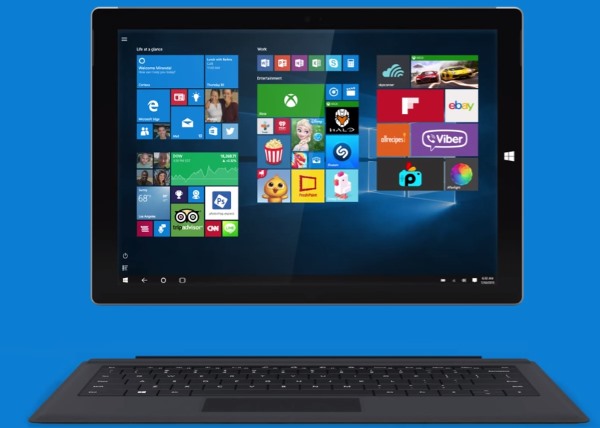
Microsoft's latest reason to upgrade to Windows 10 is Continuum
Windows 10 is now so close you can smell it. With so many having been more than a little disappointed with Windows 8, Microsoft has to do a lot to convince those that stuck with Windows 7 to make the jump to Windows 10. The latest video Microsoft has released to give the operating system a final push before launch focuses on Continuum.
We've already seen how there are old favorites such as apps, security, and gaming in Windows 10, but people also need new features. Having learned about the likes of Windows Hello, now we are shown how Windows 10's mode-switching Continuum feature could help us.

Microsoft should quit making hardware
Microsoft is good at making software and it should stick to it, analysts say, adding that exiting the hardware business could see the company’s share soar.
According to a recently published report by Reuters, Microsoft’s hardware division, comprising of mostly Xbox and Surface tablets, is showing great sales. However, they contribute less than a 10th of the company’s revenue and they’re barely profitable.

10 reasons to upgrade to Windows 10
Microsoft has been listing the top reasons why you should upgrade to Windows 10, with familiarity cited as one of the main selling points, Cortana’s inclusion is another.
Maybe it’s just me (but I expect it isn’t), but I don’t think those are really the best reasons why anyone should switch to the new OS. So I figured I would come up with a list of reasons that genuinely do make the case for upgrading to Windows 10.

How to stop Windows 10 installing automatic updates
One of the more controversial features of Windows 10 is the automatic, mandatory installation of updates. With launch day now just hours away a problem with NVidia drivers has highlighted just why automatic updates have proved so controversial.
Microsoft has previously said that home users will have no choice but to let Windows 10 take care of updates for them. For those concerned about this, the company has a special tool that can be used to block specific updates to Windows and drivers.
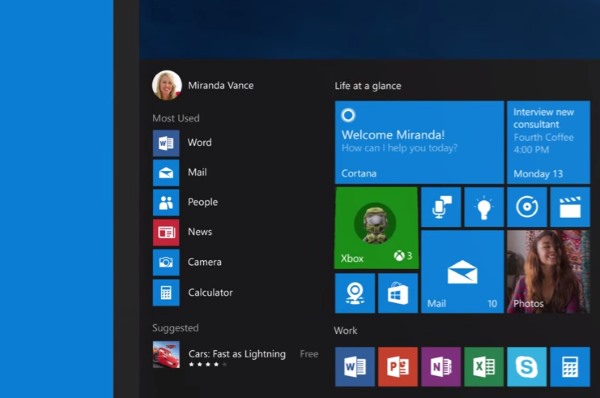
Windows 10: it's all about the apps, baby
From the slew of videos flying out the Microsoft stables over the last week, it's clear that Windows 10 is trying to be all things to all people. The ads we've seen so far have promoted security, Windows Hello, Microsoft Edge, and yet another video has been released today that extols the virtues of the built-in apps.
What's different about this video is that it doesn't really focus on anything that's particularly new and exciting. Many of the Windows apps that are features are not new, so this is clearly a video aimed at those who skipped Windows 8 and stuck with Windows 7 or XP. But it's a good opportunity to take a look at the Photos, Maps, Mail and Calendar, Groove, and Movies & TV apps.