
Microsoft releases KB5030219 update to fix a cornucopia of security issues and other Windows 11 problems
It's the time of the month when Microsoft releases its regular security updates, and this September is no different. As the KB5030219 update is a security update, it is rolling out automatically to all Windows 11 users.
As well as numerous security fixes, the KB5030219 update removes a blank item from the Sticky Keys menu, a problem introduced by the previously released KB5029351 update.
Microsoft is making some dramatic changes to drivers in Windows 11 and beyond
Drivers have long been the source of problems for Windows users, with security flaws, compatibility issues and other bugs blighting the experience of getting hardware to work as it should. Now Microsoft has announced plans that will shake up how drivers work in Windows.
The company has announced plans to not only end support for third-party printer drivers in Windows, but also to stop the provision of printer driver updates via Windows Update. The change is a significant one which Microsoft is phasing in over a number of years to reduce the potential negative impact for hardware manufacturer and users alike.
Microsoft confirms UNSUPPORTED_PROCESSOR error reports following latest Windows 11 update
Installing updates for Windows is always something of a gamble, and this is greatly magnified for anyone who chooses to install the preview versions Microsoft releases each month. A good case in point is the KB5029351 update preview that was released for Windows 11 this week.
There are lots of positive changes introduced by this update, but there are also numerous reports of blue screens and UNSUPPORTED_PROCESSOR errors. There's good news and bad news to come.
Microsoft brings some of Windows 11 to Windows 10 users with the KB5029331 update
Windows 10 may be starting to get a little long in the tooth, but Microsoft -- like many, many users -- is not quite ready to abandon it yet.
And with the release of the KB5029331 update, the company is treating those who have chosen to stick with Windows 10 to one of the newest tools from Windows 11. We're talking, of course, about the new Windows Backup app -- and you can grab it right now.
Microsoft releases KB5029351 update for Windows 11, changing default app options, introducing optional update changes, improving search, and much more
Microsoft has released the latest batch of preview versions of its software updates, including the KB5029351 update for Windows 11 22H2. This is a non-security update, like all previews, but it includes a large number of bug fixes and an impressive number of a changes, additions and improvements.
The first highlight Microsoft draws attention to is a new hover behavior and options for Search, but there's much more to the KB5029351 update. There are numerous Group Policy changes, including the introduction of policy that can be used by administrators to enable optional updates.
Microsoft rolls back KB5028244 update and issues advice following ClickOnce issues in Windows 10
Windows 10 users who installed the recent KB5028244 update have been experiencing issues with apps deployed with ClickOnce. The problems have seemingly been widespread as Microsoft has been forced to implement a Known Issue Rollback (KIR).
No details about the cause or scale of the issues have been revealed but KIRs are relatively rare, pointing to serious concerns. Microsoft has also issued some advice to those who have run into problems.
All Windows 11 users should install the KB5029263 update as soon as possible
Microsoft has released a large new cumulative update for Windows 11 in the form of the KB5029263 update.
As this release fixes a series of security issues in the operating system, everyone running Windows 11 22H2 should install it as soon as possible. KB5029263 is a mandatory update so it will be installed automatically -- eventually -- but it is important enough to justify taking manual action to ensure you have it immediately.
Running Windows 11 22H2? Microsoft has the bug-bashing, brightness-fixing KB5028254 update for you
As part of this month's batch of update previews, we've already seen the KB5028245 update for Windows 11 21H2. For those who are running the more recent Windows 11 22H2, however, there is now the KB5028254 update.
There are many, many similarities between the KB5028245 and KB5028254 updates, and this should come as little surprise. The cumulative update for Windows 11 22H2 does have differences, though, including boosting the accuracy of brightness settings.
Microsoft releases KB5028245 update to fix wide-ranging bugs in Windows 11 21H2
As we approach the end of the month, we reach the time when Microsoft releases preview versions of the updates that will get official launches next Patch Tuesday. This time around, it is the KB5028245 update for Windows 11.
With this cumulative update, Microsoft addresses a series of problems in Windows 11 21H2, including a VPN issue that could lead to excessive ARP requests to the network gateway. Also fixed are a bug that causes incorrect reporting of the L2 cache, and another that prevents the Windows Notification Platform from issuing notifications from apps.
Microsoft reveals everything you need to know about Windows 11 23H2
The rollout of Windows 11's Moment 3 update may only just have made its way to most users, but Microsoft already has other updates in the pipeline. Coming up later this year is Windows 11 23H2. We've come to expect that this will not be an update that's packed with new features, but that's not to say that it is not significant -- expect to see the update enabling Windows Copilot as Windows 11 enters the AI era.
Microsoft has now revealed more information about the upcoming release, including the fact that it is scheduled to rollout to users in the fourth quarter of the year -- effectively making it Windows 11 23Q4. What's important, though, is that users have to prepare for the launch.
Unlock the new features of Windows 11 Moment 3 with the newly released KB5028185 update
As part of its software updates for July, Microsoft has released the KB5028185 update for Windows 11. The update not only addresses a large number of problems and security issues, it is also being used to give users access to the new features of the Moment 3 update.
The scores of security fixes to be found in the KB5028185 update are reason enough to install it as soon as possible, but the raft of new features and options serves as an added incentive.
Keep your old version of Windows updated for free with Windows Update Restored
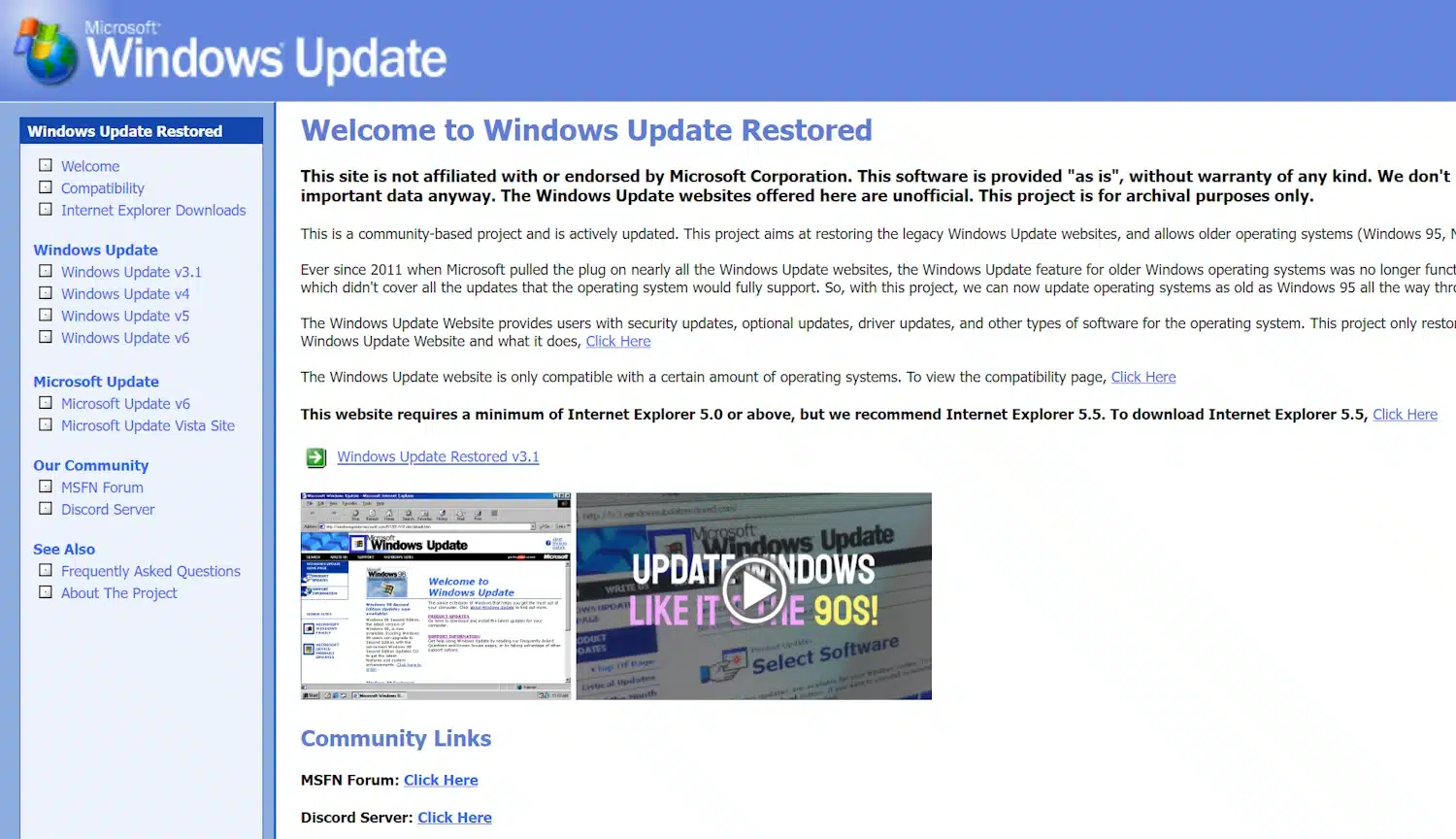
Not everyone is running Windows 11 on their PC -- there are many who are not even running Windows 10. If you are one of a surprisingly large number of people still rocking an old version of Windows, you will be well aware that Windows Update no longer works.
The Windows Update Restored project can help though. This is an unofficial, community-led operation that makes it possible for Windows 95, NT 4.0, 98, Me, 2000 and XP users "to obtain updates like they used to".
Microsoft finally fixes Start menu, Windows Search and UWP app issues in Windows 10 and 11
Windows is no stranger to problems, and some issues linger rather longer than others. A good example is a longstanding bug that has blighted both Windows 10 and Windows 11 since the beginning of the year.
The issue means that the Start menu, Windows search and Universal Windows Platform (UWP) apps behave strangely or fail to open. Or at least this was the case; Microsoft has now addressed the problems with a new update.

Take a sneaky break from work by running a fake Windows or macOS update
Working hard is a good thing, but sometimes you want to have a rest and recharge, and there's only so many trips to the toilet or the break room you can get away with in a day.
Luckily, there's a sneaky trick you can use to take a break at your desk without anyone minding, and that's to make it look as if your PC is running a particularly slow operating system update. We've all been there, right? The good news is you can use this with any OS version and not only that, but if you're feeling particularly evil, you can make it appear as if you've been hit by ransomware.
Microsoft releases KB5027231 update to fix Windows 11 file copying problems and much more
It is the time of the month when Microsoft releases its regular batch of patches for Windows, and this means a new cumulative update for Windows 11.
The KB5027231 update is a mandatory one which addresses a wide range of issues with the operating system including one that resulted in a "Document not saved" error when saving, copying, or attaching files. The update also addresses a Windows Kernel issue, and dozens of other fixes including those from the KB5026446 update.



