

Microsoft releases Defender update to improve the security of your Windows installation images
Having Windows installation images is handy; they can be used to reinstall your operating system, but they are also useful when creating virtual machines. Microsoft is concerned about their safety, however.
Pointing to "a Microsoft Defender protection gap" that exists in the first hours of a freshly installed copy of Windows, the company highlights installation images that contain outdated antimalware software binaries. The solution to this problem? An update to Microsoft Defender for these images.
Microsoft is dropping the privacy protection VPN feature from Microsoft Defender really soon -- unless you pay up
Microsoft has very quietly announced that the VPN feature of its Microsoft Defender security tool is going away for anyone unwilling to part with money.
In a support document entitled “End of support-Privacy protection (VPN) in Microsoft Defender for individuals”, the company gives very short notice for the dropping of the free tool. When the end of February rolls around, the VPN feature will only be available to users paying for a Microsoft 365 Personal or Family subscription. What does all of this mean?

Microsoft launches Defender Bounty Program to find bugs in its security software
Microsoft has added yet another bug bounty program to its growing portfolio. With the launch of the Microsoft Defender Bounty Program, the company is offering financial rewards to researchers who "uncover significant vulnerabilities" in its range of security products and services.
The program is focused solely on vulnerabilities of Critical or Important severity, and Microsoft is putting up rewards of between $500 to $20,000 for eligible submissions. Starting off somewhat limited in focus, the aim is to open up the program to have a wider scope further down the line.
Defender bypass allows threats to be removed from protection database
A lot of people rely on Windows Defender to protect their systems, it's free and installed by default so why not?
Defender uses a blacklisting approach to stop threats. Before allowing a file to execute, it will compare it against its database of known threats and stop it from executing if it's on there. However, researchers at SafeBreach have uncovered an exploit that can allow threats to be removed from the database.
Microsoft Defender caught issuing false warnings about safe URLs
Microsoft has confirmed an issue with Defender which resulted in users being shown warnings about URLs that were entirely safe. The emails advised admins that "a potentially malicious URL click was detected", with affected users complaining that legitimate URLs, such as Zoom meeting links, were being flagged up as dangerous.
In addition to the false positives, the "View alerts" link included in the warning emails sent out to admins failed to provide any further information that could prove useful.
You may soon have Microsoft Defender installed on your computer whether you want it or not
Microsoft has started to inform subscribers to Microsoft 365 that installing Windows 365 software will soon mean you end up with Microsoft Defender as well. Additionally, a planned automatic update for Microsoft 365 means that if you already have installed the apps you need, Defender will be added anyway.
An email sent out to people signed up for Microsoft 365 Personal and Microsoft 365 Family says that for users of Windows 10 and Windows 11 "the Defender app will soon be automatically added" to their devices. A precise date for this has not been revealed, but Microsoft says it will start in "late February".
Microsoft releases a script to restore a 'subset' of shortcuts deleted by rogue Defender ASR rule
Towards the end of last week, Microsoft confirmed an issue that stemmed from a flawed Microsoft Defender for Endpoint ASR rule that results in the deletion of app shortcuts from the Start menu, desktop and taskbar.
The company issued an update to prevent the problem from arising again, but said that there was no alternative but to manually recreate any shortcuts that had been lost. Now though Microsoft has released a PowerShell script that will automatically recreate some -- but not all -- deleted shortcuts. The company has also released a trio of advanced hunting queries (AHQs) to help with the issue.
Microsoft Defender for Endpoint ASR rule blamed for deleting desktop, taskbar and Start menu shortcuts
Users of Microsoft Defender for Endpoint have been experiencing what has been described as a "weird issue" that not only caused shortcuts to be deleted from the Start menu, desktop and taskbar, but also led to issues with Office apps.
The problem was traced to a flawed Microsoft Defender for Endpoint ASR (attack surface reduction) rule, and while Microsoft has now released a fix, this is not without problems of its own. Users are being warned that any shortcuts that have disappeared will need to be manually recreated.

Almost 19 percent of phishing emails bypass Microsoft Defender
For many organizations, Microsoft 365 has become their default service for email. But for attackers this makes it attractive as a point of compromise.
New research from cloud and email security specialist Avanan shows that the missed phishing rate for Microsoft Defender is 18.8 percent. A previous analysis in 2020 showed 10.8 percent of phishing emails reaching inboxes, so Defender's missed phishing rates have increased by 74 percent.

Microsoft beefs up Defender security with new Threat Intelligence and External Attack Surface Management tools
Microsoft has launched two new security products, bolstering the capabilities of Microsoft Defender. The company says that the aim of the two tools is to help organizations lock down their infrastructure and reduce their overall attack surface.
The tools, Microsoft says, also provide "deeper context into threat actor activity" making it easier to predict malicious activity and secure resources. Microsoft Defender Threat Intelligence works by mapping the internet every day, so that security teams have the data needed to understand current attack techniques, while with Microsoft Defender External Attack Surface Management lets security teams see their system as attackers do.
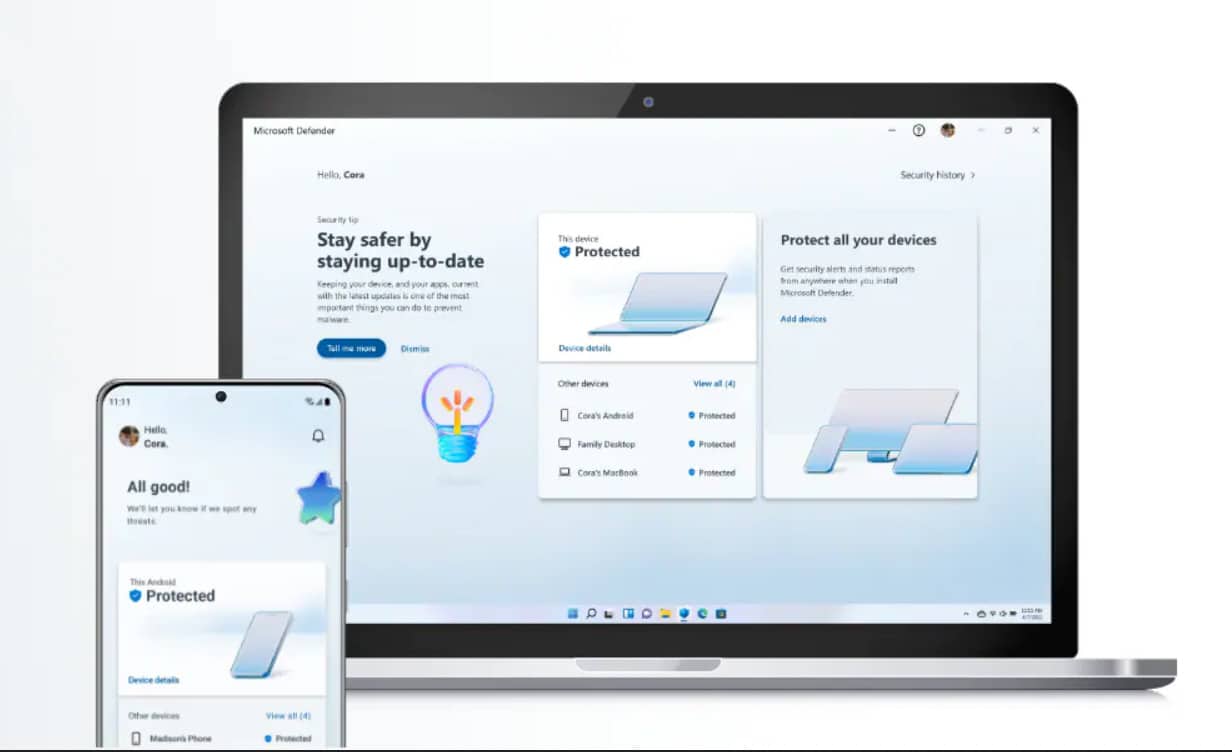
Microsoft Defender for individuals now available for Windows, macOS, iOS and Android
Microsoft has been working on a new security tool for a while now to help protect you and your family’s data and devices against online threats, such as malware and phishing attacks.
Three months ago it made a preview build of Microsoft Defender available for Windows Insiders to try out, and today it announces the tool's official availability for Microsoft 365 Personal and Family subscribers.
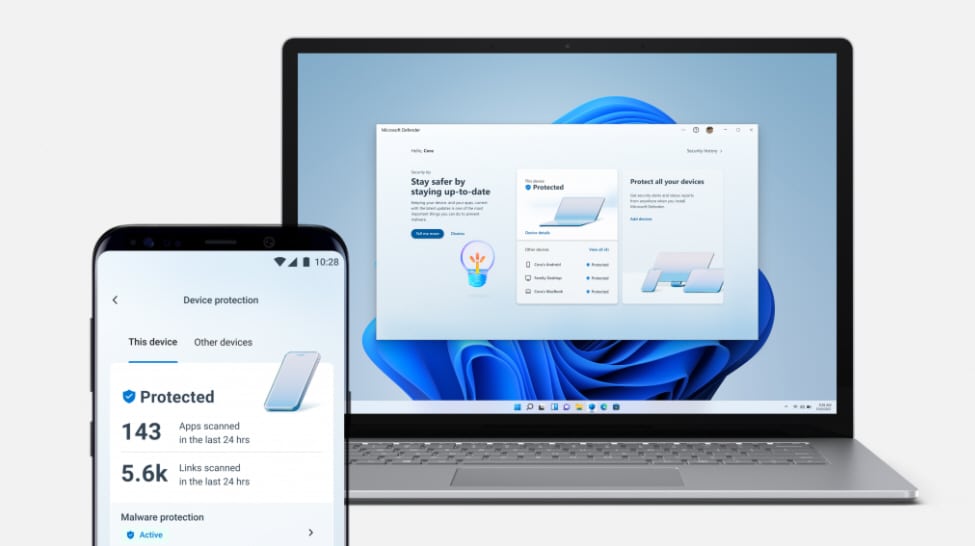
New Microsoft Defender preview now available for Windows, Android and iOS
Microsoft has been working on a new security tool for a while now and today announces a preview build for Windows Insiders to try out, although there are some restrictions to be aware of.
The Microsoft Defender app, which is available for Windows, Android, and iOS, helps protect you and your family’s data and devices against online threats, such as malware and phishing attacks.
KB5007205 update for Windows is breaking Microsoft Defender for Endpoint
Microsoft has revealed that a recent update for Windows has been causing problems that could have left systems unprotected and open to attack.
After installing the KB5007205 update, some system administrators have found that Microsoft Defender for Endpoint fails. This makes something of a change from the printer problems that so many updates for Windows have caused in recent times, but there is currently no fix available.

Windows 10 will block Potentially Unwanted Applications by default
Microsoft is making a change to the way so-called Potentially Unwanted Apps (PUAs) are handled by Defender and Edge in Windows 10.
Starting this month, Microsoft Defender and Microsoft Edge on Windows 10 will default to blocking PUAs. Users who want greater control over the apps that can be run on their computer have the option of disabling the setting, but this does mean missing out on an important protective measure.

New endpoint security solution integrates with Microsoft Defender
Human-operated cyberattacks use effective techniques to gain a beachhead within an organization, blending in with normal user behavior to help them go undetected.
Active defense specialist Illusive is launching a new endpoint security offering integrated with Microsoft Defender that provides complete detection coverage and faster ability to contain human-operated attack campaigns.



