

Browsing threats top list of CISO concerns
When asked to select the most significant cyber threats to their organizations, browsing Threats topped the list, with 43 percent of CISOs ranking it as a top concern.
A new report from RedAccess, based on responses from 300 chief information security officers across the US and UK, looks at the impact of hybrid working on security posture and the new threats that it introduces. Insecure browsing is ranked as the #1 hybrid/remote work security concern that puts organizations at the most risk.

Microsoft Edge is getting an integrated crypto wallet
Microsoft is working to bring a cryptocurrency wallet feature to its Edge browser.
Known simply as "Crypto wallet" the feature is currently undergoing development and is being trialed on a test group of unknown size. Microsoft highlights the benefits of having the non-custodial wallet embedded in Edge, eliminating the need for a browser extension.

Google kills off the Chrome Cleanup Tool for Windows
With the release of Chrome 111, Google is waving goodbye to the Chrome Cleanup Tool that has been available for a number of years.
After 8 years of service, Google has decided the Chrome Cleanup Tool -- which, the company explains, helps users to "recover from unexpected settings changes, and to detect and remove unwanted software" -- is simply no longer needed.

Google is giving Chrome a new Password Manager -- here's how to enable it
For anyone who struggles to remember the growing list of endlessly complicated passwords needed to gain access to the plethora of online accounts we all now have, a password manager is near-essential. Chrome, like many of the web browsers, has long-featured a tool for storing and automatically entering passwords, and now Google is giving it a much-needed upgrade.
Until now, Chrome's password manager has been functional, but far from being adorned with bells and whistles. Now Google is giving it a new user interface as well as an important injection of new features.
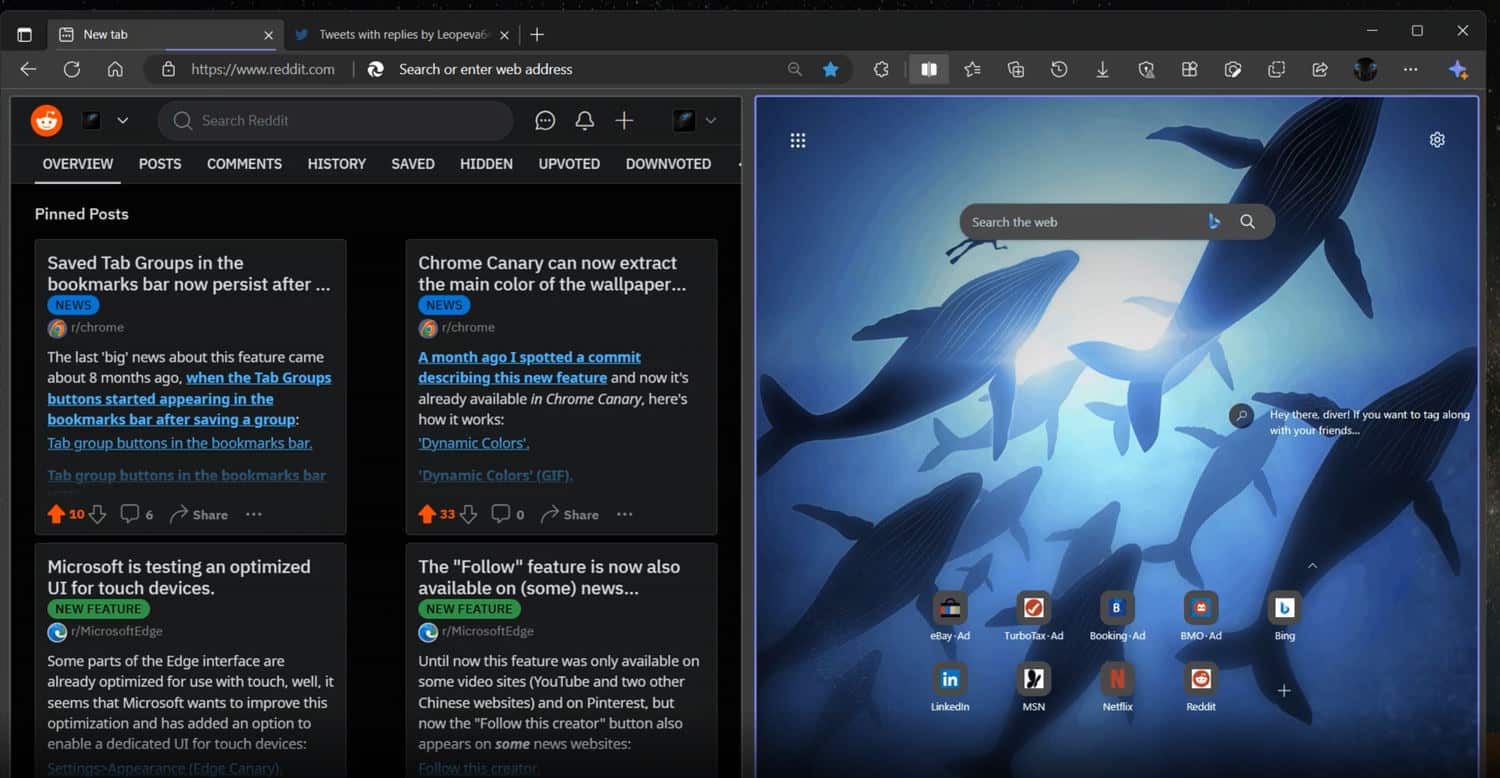
Microsoft is working on a major Edge update known as Phoenix -- and you can try one of the best features right now!
Since consigning Internet Explorer to the trash can and adopting the Chromium engine, Microsoft has developed Edge quite rapidly and it has evolved into a browser that does a lot to make up for its predecessor.
And Microsoft is showing no signs of slowing down. The company is currently working away on a revamped version of Edge, code-named Phoenix. In addition to a more Windows 11-like look, there are some new features on the horizon, including the ability to split an Edge window into two tabs -- and you can even try this out in the preview builds of Edge right now to get a taste of what the future holds.
Microsoft Edge 111 adds new Sidebar options, advanced History controls, security features and more
It does not seem all that long since browser version numbers were single digits, but Microsoft Edge has now reached the 111 milestone -- for Insiders on the Dev channel, at least.
Available for Windows, iOS, Android and Linux (with the macOS edition promised "at a later date"), Microsoft Edge 111.0.1619.2 includes a number of interesting new features and settings. Highlights include a new option to personalize top side in the Sidebar, the ability to hide duplicate entries from History, and new protections against unwanted Start page and search engine changes.

Future versions of Chrome will allow browser extensions to be disabled on a site-by-site basis
In a future update to Chrome, Google will give users the option of having extensions enabled or disabled on a site-by site basis.
This is an option that some browser extensions -- notably ad-blockers -- feature as standard, but the update will expand this so it applies to all add-ons. With a few clicks it will be possible to quickly disable all extensions for a particular site for the purposes of compatibility, privacy or performance.

Google is making Chrome far less greedy
With 2023 just around the corner, thoughts may well be turning to New Year's resolutions -- and that certainly seems to be the case for Chrome. Just as many people use the arrival of a new year as a reason to go on a diet, so Google is making its web browser less greedy.
Chrome has earned itself something of a reputation for being incredibly resource-hungry, and Google is now ready to address what amounts to a serious problem for many people. What does this mean in practice? Google is reducing Chrome memory and power consumption thanks to Energy Saver and Memory Saver.

Google now lets you search tabs, bookmarks and browsing history from the address bar in Chrome
Google is, of course, best known for its search engine but in a significant update to Chrome, the company has introduced a powerful new way to search tabs, bookmarks and browsing history in the browser.
It has been possible to conduct each of these types of search for some time, but now Google has simplified things dramatically. The change means that Chrome's address bar can now be used for much more than just to search the web; all it takes is the addition of an @.
Chrome and Microsoft Edge's enhanced spellcheckers can leak your passwords and personal data
Privacy and security are something that all browser manufacturers like to brag about in relation to their products, with Google and Microsoft being no different to others in this regard. But if you are making use of the Enhanced Spellcheck in Chrome or Microsoft Editor in Edge, some highly sensitive information can be sent to the two software giants.
In addition to passwords, we are talking about personal information entered into online forms such as your social security number, date of birth, username and so on. The worrying discovery was made by security researchers from JavaScript security firm otto-js who warn that this is something that will be of particular concern to enterprise users.

DuckDuckGo has been quietly permitting Microsoft trackers in its 'private' web browser
Many internet users with concerns about online privacy have turned to DuckDuckGo with the impression that the browser will enable them to enjoy the web without having their activity tracked. But a discovery by a security researcher reveals that things are not as private as users would have hoped and expected.
DuckDuckGo was spotted allowing data to be transmitted via Microsoft trackers to LinkedIn and Bing ad domains. What's more, DuckDuckGo admits that an agreement exists between itself and Microsoft that allows trackers from the Windows-maker on third-party sites.
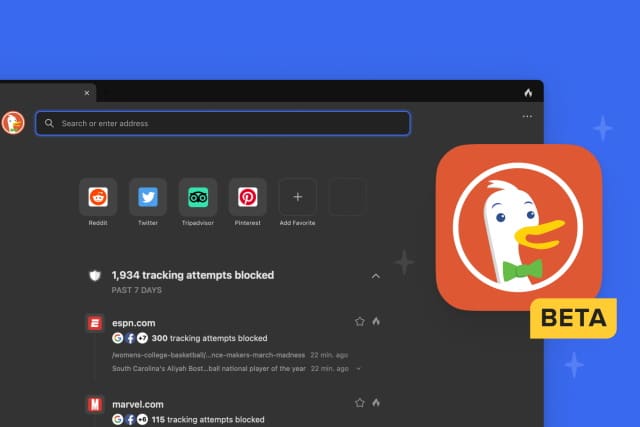
DuckDuckGo brings its private web browser to Mac in beta
Towards the end of last year, we learned that 2022 is the year that DuckDuckGo's privacy-focused web browser is coming to the desktop.
Today the company has launched the beta version of DuckDuckGo for Mac -- meaning macOS users will have another alternative to Chrome et al before people running Windows 11. The DuckDuckGo browser is billed as offering a high level of security, fast performance, and privacy by default which is more than just a replacement for Incognito Mode.

Microsoft and Google release emergency patches for security vulnerabilities in Edge and Chrome
Google has released an emergency patch for the Windows, macOS and Linux versions of Chrome after the discovery of a zero-day vulnerability that the company says is being actively exploited.
The security fix comes as Microsoft releases a patch of its own for the same vulnerability (CVE-2022-1096) in Edge, its Chromium-based browser. While neither company has given much detail about the problem, Google describes it as being of high severity.
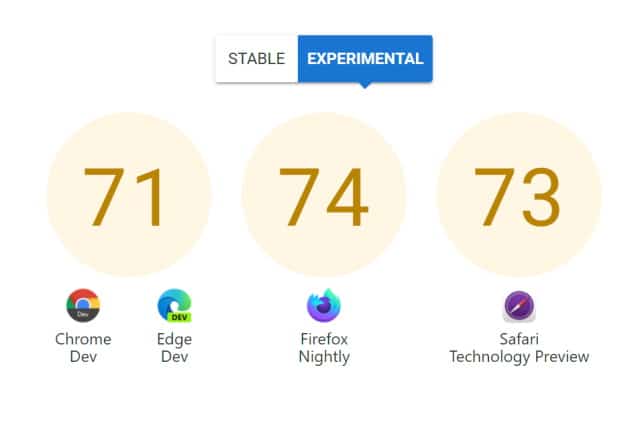
Microsoft teams up with Apple, Google and Mozilla to improve the web with Interop 2022
Four of the biggest browser developers have joined forces to participate in the Interop 2022 initiative. Apple, Google, Microsoft and Mozilla are working together to improve interoperability between web platforms, make lives easier for developers, and enhance the experience of internet users.
Interop 2022 is a series of tests, a set of benchmarks that are at heart a way to measure whether individual browsers meet various web standards, working with web developers to discover problems and find solutions. The ultimate aim is to eliminate inconsistencies between browsers, and it gives a reason for companies who are usually competitors to work together on a shared vision.

Chrome, Edge and Firefox versions 100 will break many websites
Cast your mind back, and you will recall the Millennium Bug, or the Y2K problem. There were fears that planes would fall from the sky, bank machines would fail, and chaos would ensure as computer systems did not know how to properly interpret the two-digit date 00 (did it mean 1900 or 2000?). Now there is a comparable problem on the horizon for web browsers.
Version 100 of the major web browsers are not far from being released, and this presents something of a problem. When Google Chrome, Microsoft Edge and Mozilla Firefox hit three-digit version numbers, many websites will not know how to deal with user-agent strings that are made up of trio of numbers.



