

Microsoft refreshes Windows Intune, debuts cross-platform mobile device management
Tuesday at the Microsoft Management Summit in Las Vegas the topic was the private cloud and the public availability of System Center 2012. Microsoft switched gears on Wednesday and revealed details on the next version of Windows Intune, its public cloud offering.
Wednesday's Intune release is a beta version limited to 10 PCs. It will support all versions of Windows after XP Service Pack 3, but is currently incompatible with Windows 8, and "will not support Windows 8 until after it is generally available" according to the company.
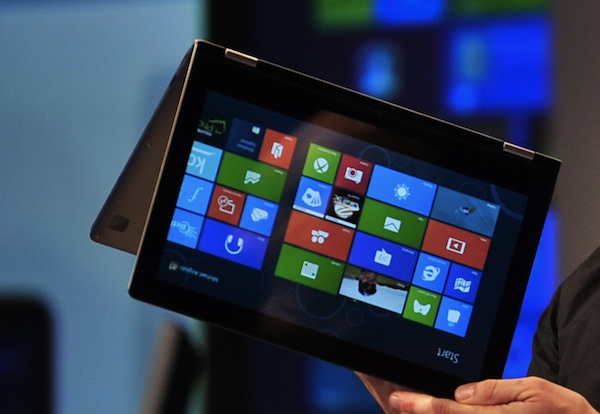
Metro apps on Windows 7 is a bad, bad idea
As we move closer to the launch of Windows 8 -- and the sea change that the Metro user interface brings to the platform -- there's an ever increasing drumbeat of both skepticism, concern, and apprehension depending on who you talk to.
End users are skeptical of Metro because they do not see its value. The interface completely changes how we interact with Windows, and in some cases will confuse us. I point you to this video of tech pundit Chris Pirillo's father attempting to use Windows 8 for the first time without instruction as an example. Microsoft may have unintentionally added an extra layer of complexity in an effort to simplify the OS.
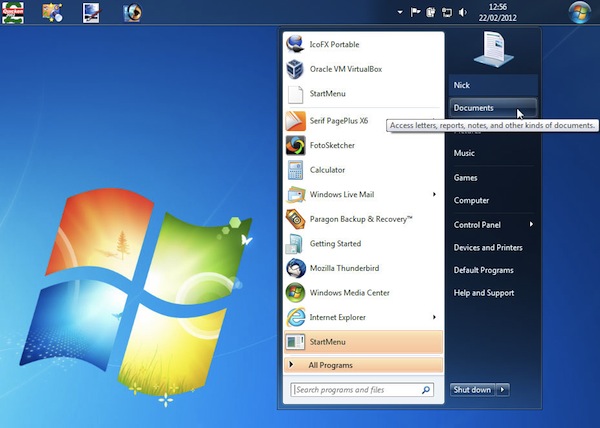
Put the Windows 7 Start button where you want it
There are many different ways and means of customizing the Windows 7 desktop, both using tools built into the OS itself, and third-party apps. But they all seem to make one assumption: that the default location for the Start menu’s button -- the left or top of the Taskbar depending on its position -- is the right one.
In many cases, this might feel right or natural, but what if you disagree? What if you’d like the Start button to be placed to the right of, or below, the Taskbar’s Notification area? If the idea interests you, then take a look at Start Orb Mover 1.0.
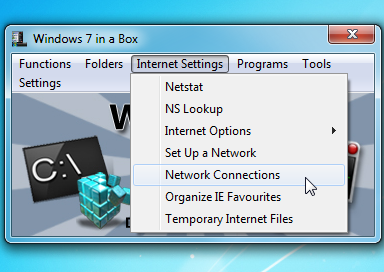
Unwrap Windows 7 in a Box
Windows 7 comes packed with useful applets, functions and features, and locating them isn’t always easy. Can you remember where the Data Execution Prevention settings are to be found, for instance? If you don’t know already, tracking them down can be a problem, as they’re not flagged on the Start menu anywhere and entering various keywords in the Windows Search box won’t return anything relevant.
But then that’s where Windows 7 in a Box comes in. It’s a tiny tool (268KB in size) that organizes more than 160 functions, applets, applications and folders into just six menus so there’s actually a chance that you can find the option you need.

Screenshot Captor 3 adds scrolling capture, Windows 7 transparency effects
Donationcoder.com has announced the release of Screenshot Captor 3 for Windows PCs. The donation-ware screen capture utility adds three major new features to this landmark release, including splicing effects, a scrolling screen capture function and a number of watermarking options for marking screenshots.
Version 3.0 also includes other recently introduced features, such as full TWAIN and WIA scanner support, automatic upload to supported image hosting services and support for partial Windows 7 transparency effects.
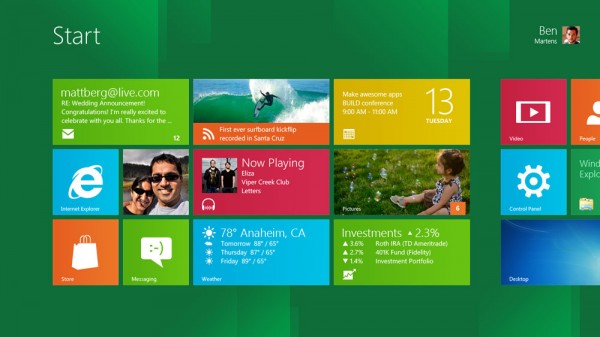
Prepare your Windows 7 desktop PC for Windows 8 now!
The new Metro user interface will make Windows 8 a totally different experience for XP, Vista and 7 users, but it will especially challenge those of us who use a desktop PC. Why? Because we are accustomed to mouse input and Windows 8 emphasizes touch. Metro is much better suited to touch than the mouse.
So how can desktop users today, prepare themselves for when they later upgrade to Windows 8? I'll tell you.
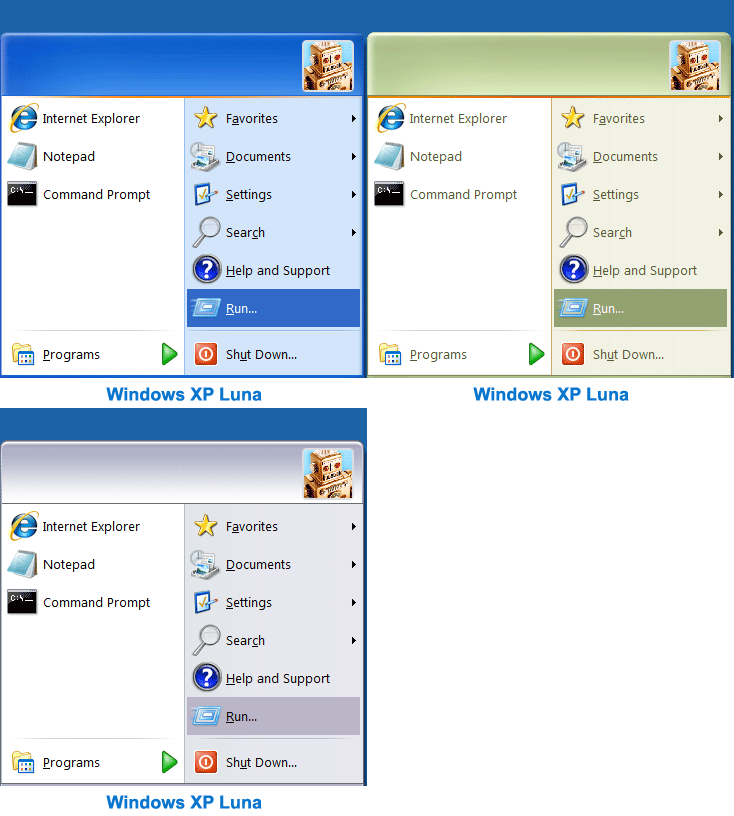
Give Windows 7 the XP makeover with Classic Shell 3.3
Do you miss the classic Windows XP Start menu? Are you annoyed by changes to Explorer, like the breadcrumb navigation? Or do you feel that the Windows 7 copy dialog is a step backwards, rather than an improvement?
As you probably already know, you’re not alone: plenty of people feel that Microsoft has headed in the wrong direction with Explorer for a few years now. But help is at hand, in the shape of Classic Shell, a suite of tools that can quickly restore many Windows features that you might have thought had gone forever.
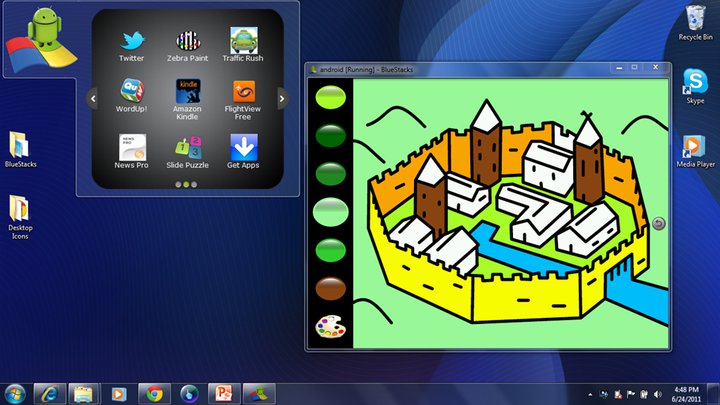
Android apps come to Windows XP with BlueStacks update, Mac OS next
BlueStacks App Player, the Windows application capable of smoothly virtualizing Android apps has launched for Windows XP. The alpha version that launched in October only ran on Windows 7 machines, but the company says nearly 20 percent of Android users are also Windows XP users, so this new version is for them.
So far, BlueStacks App Player has been downloaded by 500,000 people, an impressive feat for a company that was unheard of just six months ago. With this new version, the application's reach will grow even larger.
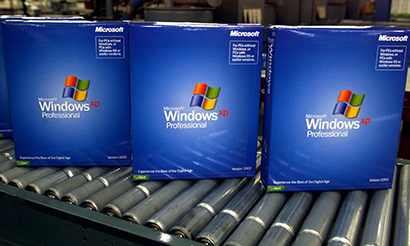
Five reasons to quit XP for Windows 7 [contest winners]
Last in a series. I've got a box full of Microsoft mice cluttering up the living room, and my wife begging please to get rid of them. So with that pressure, I must finally announce winners of our "Five Reasons to Quit Windows XP" contest. My apologies for the delay. Winner for the Windows Phone 7 contest will come quicker.
Before continuing, I offer heartfelt thanks to Microsoft's hardware PR team for providing the mice five lucky winners will receive. In appreciation, let's plug Microsoft's "The Art of Touch" contest. Click the link to create online art, which I can say from trying works better with some kind of touch device. According to Microsoft:
Windows XP is still pretty cool
Twelfth in a series. Here’s a dirty little secret: I’m still using Windows XP.
That’s right. A technology analyst -- independent, mind you; not working for a firm that requires a specific load -- and I’m voluntarily using XP. In fact, I’m writing this article on it. I’ve been using it so long, I almost stopped noticing, and as XP crossed the 10-year anniversary of its official launch this week, I thought some about my own experiences with it.

It's the 'Five Reasons to Quit Windows XP' contest
Eleventh in a series. Our celebration of Windows XP's 10th anniversary continues with a contest! You give us reasons to quit XP for Windows 7, and we could give you a prize. Right now we've got five Microsoft mice to give away. But I'm hoping that some other Microsoft group will see the Entertainment & Devices division's generosity and throw more prizes your way. For a contest like this, a few copies of Window 7 would be appropriate. We thank E&D PR for providing: Arch Mouse (two), Explorer Touch Mouse (two) and Touch Mouse (one).
The rules are simple: Submit your reasons in comments below or (if you want to keep your ideas secret from others) email joe at betanews dot com. You can submit up to five reasons, and we will choose five from all submissions -- more if we add to the prize list. Your reasons must be why give up Windows XP for 7. Sorry, but this is a Linux- and Mac-free contest. Reasons can be serious or funny, but they will need some originality or pizzazz to beat out others. For example, "security is better" won't win anything, unless all the submissions are godawful. But "my mother-in-law is a botnet herder" has potential. Our panel of editors will pick the winners. The contest is open from now until 11:59 pm ET on October 29. We'll announce prize winners the first week of November 2011.

10 years of Windows XP [slideshow]
Tenth in a series. Microsoft launched Windows XP on Oct. 25, 2001. By every measure it is the most successful Windows version ever, bringing stability to the platform, too.
Anyone can easily dismiss Windows XP, because it's so overly familiar, having stayed long in market and so seemingly unchanged. But Microsoft accomplished much around the venerable operating system, which quickly became a stable platform for the company, too. In fact, change defined XP during its first half-decade in market, but built on the stable platform beneath. Within three weeks of the launch, Microsoft announced the Tablet PC version and Media Center Edition, then codename "Freestyle", in January 2002.

Happy Birthday! Windows XP turns 10
Ninth in a series. Few products have impacted more people than Windows XP. Microsoft officially launched the operating system -- the first for consumers based on the NT kernel -- on Oct. 25, 2001. That's right, 10 years ago today. But PC manufacturers started offering XP systems in early September 2001, a week before terrorist attacks against New York City and Northern Virginia. XP is the most popular Windows version ever released. Even today, depending on the analyst crunching numbers, more people use Windows XP than any other PC operating system (although Windows 7 is nearly tied).
Windows XP is a workhorse. Microsoft kept it in market longer than any other Windows version, allowing a very stable ecosystem of third-party applications and products to evolve around it. The operating system fulfilled the vision set for Windows 95 six years earlier -- release of stable, 32-bit code suitable for businesses and consumers. Microsoft's biggest development challenge: Providing compatibility with games and supporting hardware drivers that wanted access to the kernel, which NT blocked for security reasons.
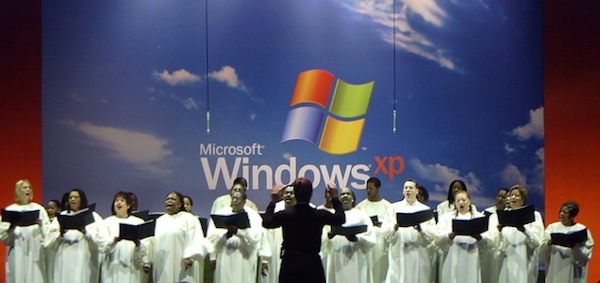
Celebrate XP's 10th anniversary -- switch to Windows 7
Eighth in a series. This week, the most successful personal computer operating system ever turns 10. Microsoft officially launched Windows XP on Oct. 25, 2001, with a muted New York gala. The Redmond, Wash.-based company tempered planned festivities. The collective American psyche wasn't ready to celebrate much of anything following terrorist attacks the previous month against the World Trade Center and US Pentagon. This week at BetaNews we'll give Windows XP a bit of the festivity it deserved and didn't get a decade ago.
But we'll temper this celebration, too. For all Windows XP's successes, it has been too long in market. Too many of you still use this venerable workhorse, which is testimony to its compatibility, familiarity and utility. But XP is showing its age. In August, F-Secure's Mikko Hypponen wrote for BetaNews: "Do a good deed today, uninstall Windows XP". That's good advice. He observes that the operating system's security simply isn't as good as Windows 7, or even Mac OS X. "Ten years is an eternity in this business. So it's no wonder XP's security architecture is not up to date".
SyncBackSE improves sync, Windows 7 support
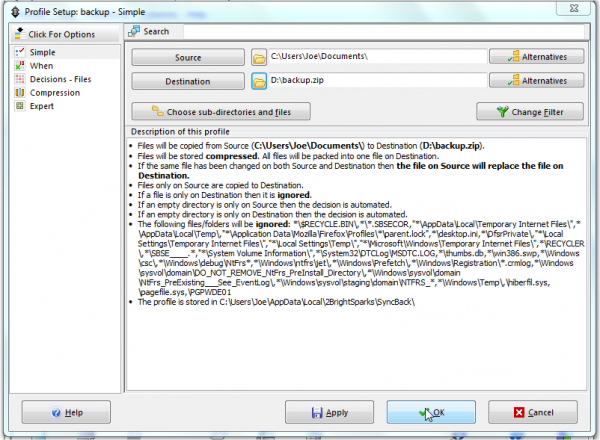
2BrightSparks has just released SyncBackSE 6, and it boasts a raft of new features. These include the ability to detect changes in the case of file and folder names, SmartSync options to skip or ignore specified changes and the ability to use Windows 7 taskbar features amongst many more.
You can test all the new features alongside its existing functionality with a free 30-day trial. SyncBackSE helps you to protect data via backup and synchronization profiles, which enables you to create a back-up copy of your data in a variety of different locations; helpful wizards guide you through the process of both backup and restore.



