

EaseUS adds fragmented file recovery tech to Data Recovery Wizard
Chinese software developer EaseUS has announced a new version of its data recovery software that fixes on a long standing problem with fragmented files on heavily used storage devices. EaseUS Data Recovery Wizard 20.1.0 gains a new recovery engine that can improve results on USB drives, SD cards, and external hard drives that have seen years of repeated use.
SmartSector Rebuild (or SSR for short) can reconstruct files that have been split across storage sectors over time, a condition that often prevents standard recovery tools from restoring usable data.

DisplayFusion 12 arrives with fixes and improvements for managing multi-monitor setups
DisplayFusion 12 is now available, offering a number of improvements to the tool which helps manage multi-monitor setups on Windows. The updated version focuses on fixing long-standing issues, improving how Windows handles multiple displays, and adds some small small but useful changes that should make managing several screens less fiddly.
Multi-monitor support in Windows is decent, but it stops short of giving users real control. Although adding one or more displays is easy enough, the OS largely treats them as one extended desktop. DisplayFusion takes things further, tightening how windows, wallpapers, taskbars, and profiles behave across multiple screens.
MiniTool adds a duplicate cleaner and refreshed interface to Partition Wizard 13.5
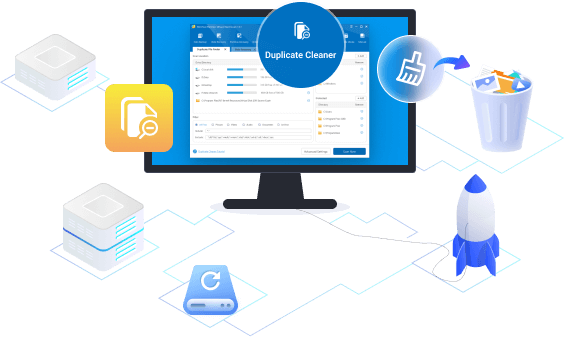
MiniTool has released version 13.5 of its Windows partition manager, adding a new Duplicate Cleaner and updating the interface. The update focuses on making storage tasks quicker to complete and easier to understand.
The new Duplicate Cleaner clears out repeated files across local drives and external devices. It scans selected locations, identifies matches, and lets users remove unneeded copies while keeping control over how those files are handled.

Open-source BitTorrent app FrostWire 7 launches with rebuilt engine and zero ads
FrostWire, the long-running open-source BitTorrent client, has announced the arrival of FrostWire 7, a major update that replaces the app’s entire engine and changes how the desktop client handles peer-to-peer downloads. The new version focuses on speed, reliability, and cleaner packaging across Windows, macOS, and Linux, while removing older components that were slowing down the project.
One of the biggest changes in the new version is a move to the jlibtorrent 2.0 engine. This was the result of two years of engineering work that saw hundreds of internal improvements. The upgrade supports BitTorrent v2, improves data integrity, boosts swarm performance, and allows the software to handle larger torrents better on modern hardware.
Connection Explorer shows where your PC is sending data in real time
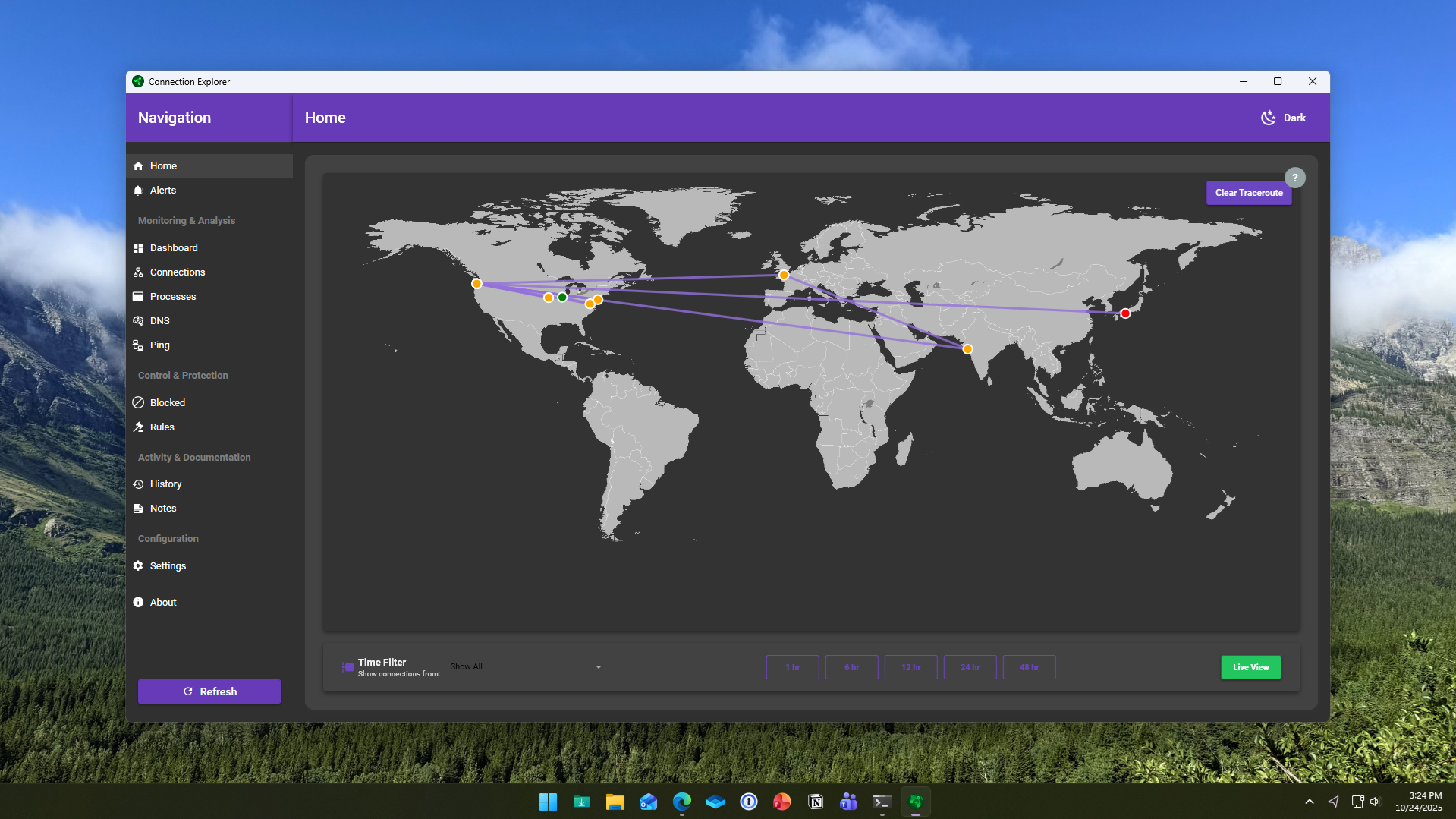
Stardock has launched a new application for Windows called Connection Explorer, a beta tool designed to reveal and visualize every network connection made by a PC. Aimed at improving data transparency, it allows users to monitor, understand, and control how their devices communicate online.
The software maps out every connection a computer makes, transforming complex background activity into a readable visual interface. Stardock says the goal is to give users direct insight into how data flows between their systems and the internet, removing the guesswork from identifying unfamiliar or unwanted activity.
Free tool fixes Windows 10 ESU registration issues and restores Microsoft security updates
Microsoft officially ended support for Windows 10 last month, leaving most systems without regular updates. For users in the European Union, the European Economic Area, and Switzerland, the software giant offers free Windows 10 ESU (Extended Security Updates) patches to keep PCs protected. Unfortunately, for many who qualify, the ESU registration option doesn’t appear in Windows Update.
The missing registration prompt issue is typically the result of incomplete system updates, disabled Windows services, or files required for the registration process going AWOL. If your Windows 10 installation isn't fully up to date or certain services aren't running, the ESU registration won't automatically appear.

IObit Advanced SystemCare 19 improves Windows performance and security -- here's what’s new
IObit has launched Advanced SystemCare 19, the latest version of its popular all-in-one PC optimization software. The new release promises faster performance, improved cleaning, and stronger protection for Windows users.
There have been a number of big changes made, starting with Junk File Clean which can now detect and remove a greater range of obsolete data types, including leftovers from Microsoft Store apps.
Take control of Windows 11 and save time with Quick Access Popup 12
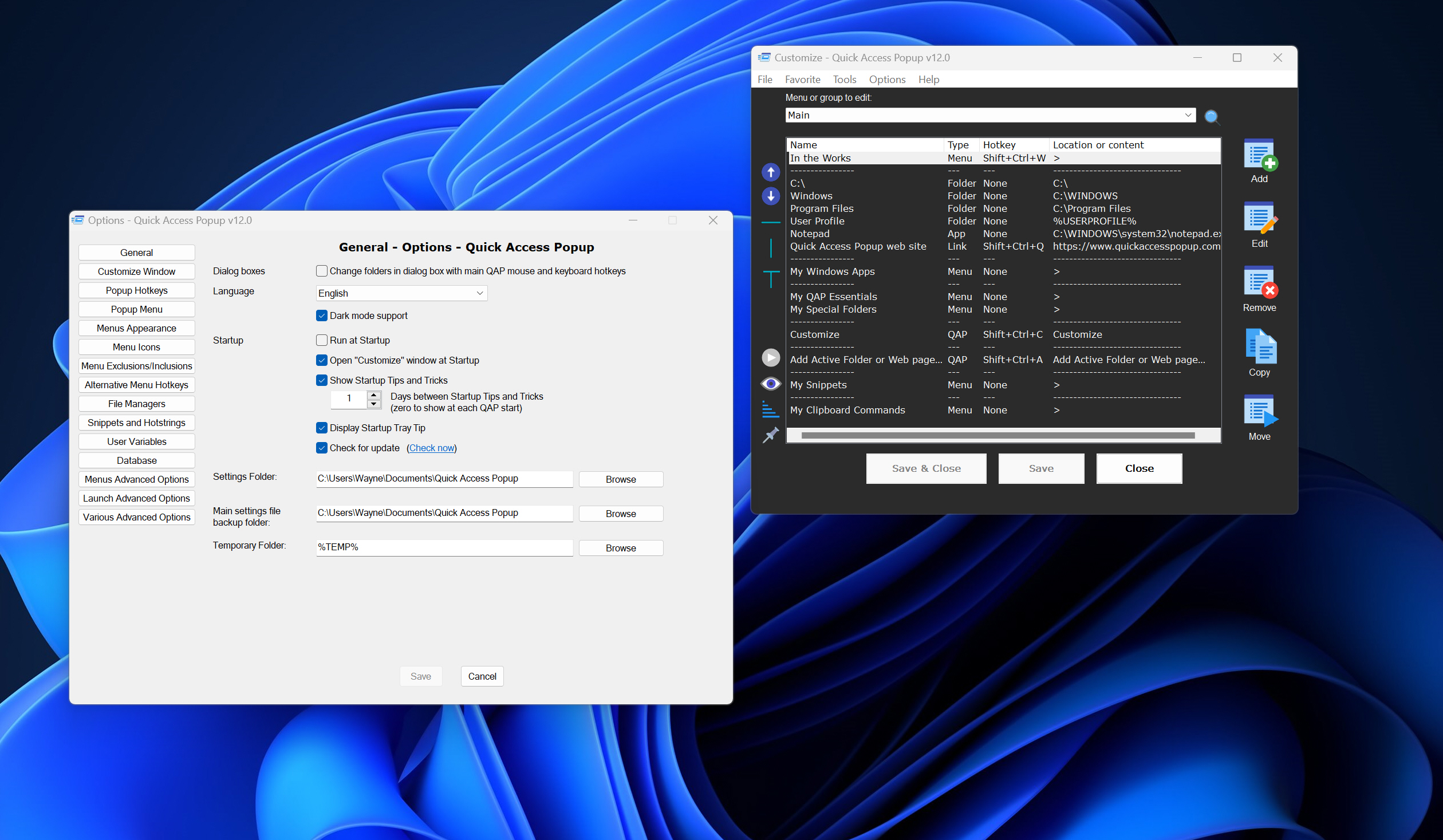
Constantly digging through folders, menus, and dialog boxes to find files or launch programs is a serious pain and can slow down even the speediest of Windows users. Quick Access Popup 12 has arrived, offering a faster way to launch folders, documents, apps, and websites from anywhere in Windows.
The utility, which builds on the original Folders Popup tool, lets users open commonly used locations or run commands with a middle click or a simple Win+W shortcut.
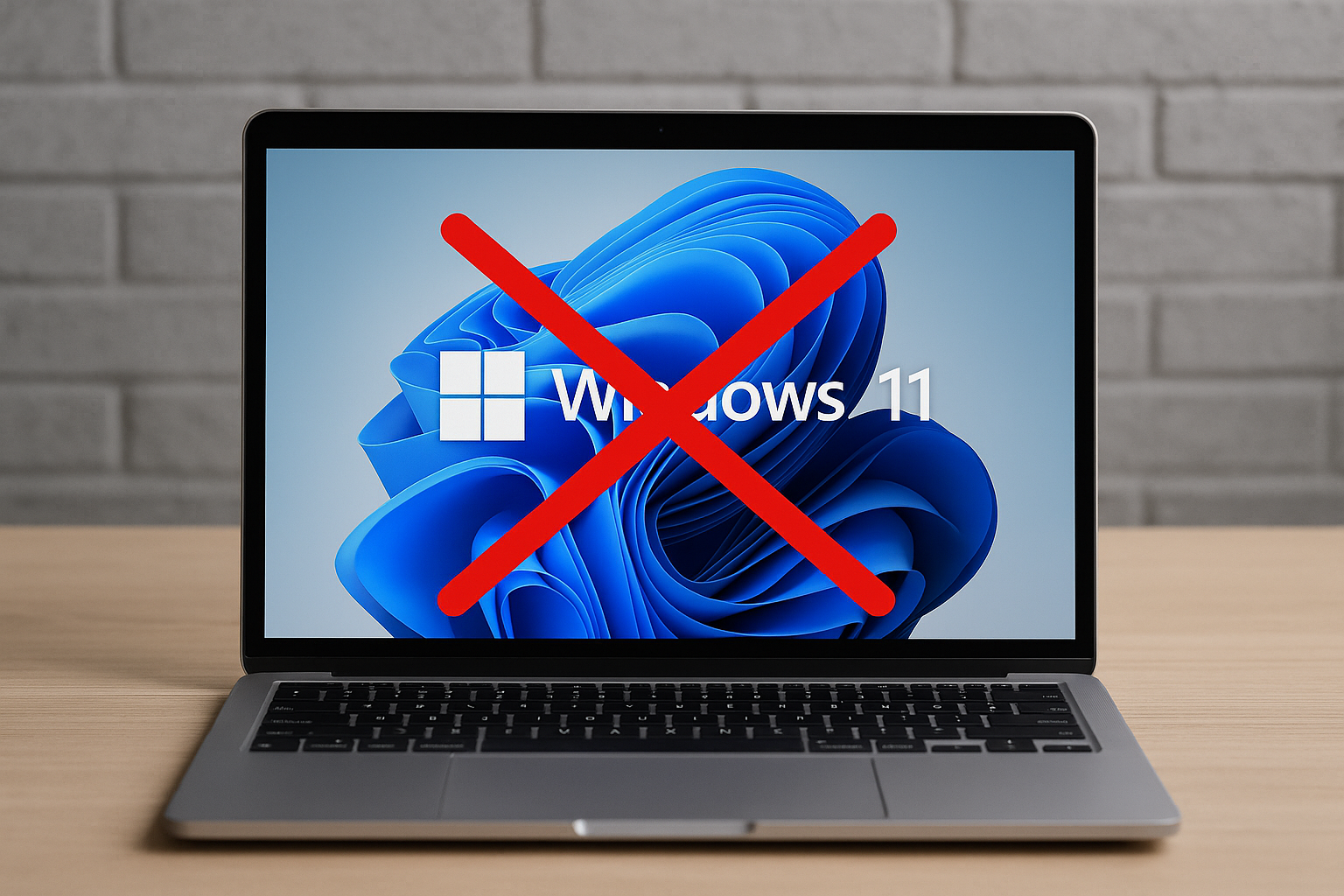
Windows 10's end of life is only days away -- WhyNotWin11 explains why your PC may not qualify for Windows 11
It’s been a long time coming, but Windows 10 is now only days away from reaching the end of its lifecycle, marking the end of updates and security support for one of Microsoft’s most widely used operating systems.
For millions of users still running the OS, this change raises an important question: what’s next? While upgrading to Windows 11 seems like the natural path forward, not every PC meets Microsoft’s stringent system requirements.
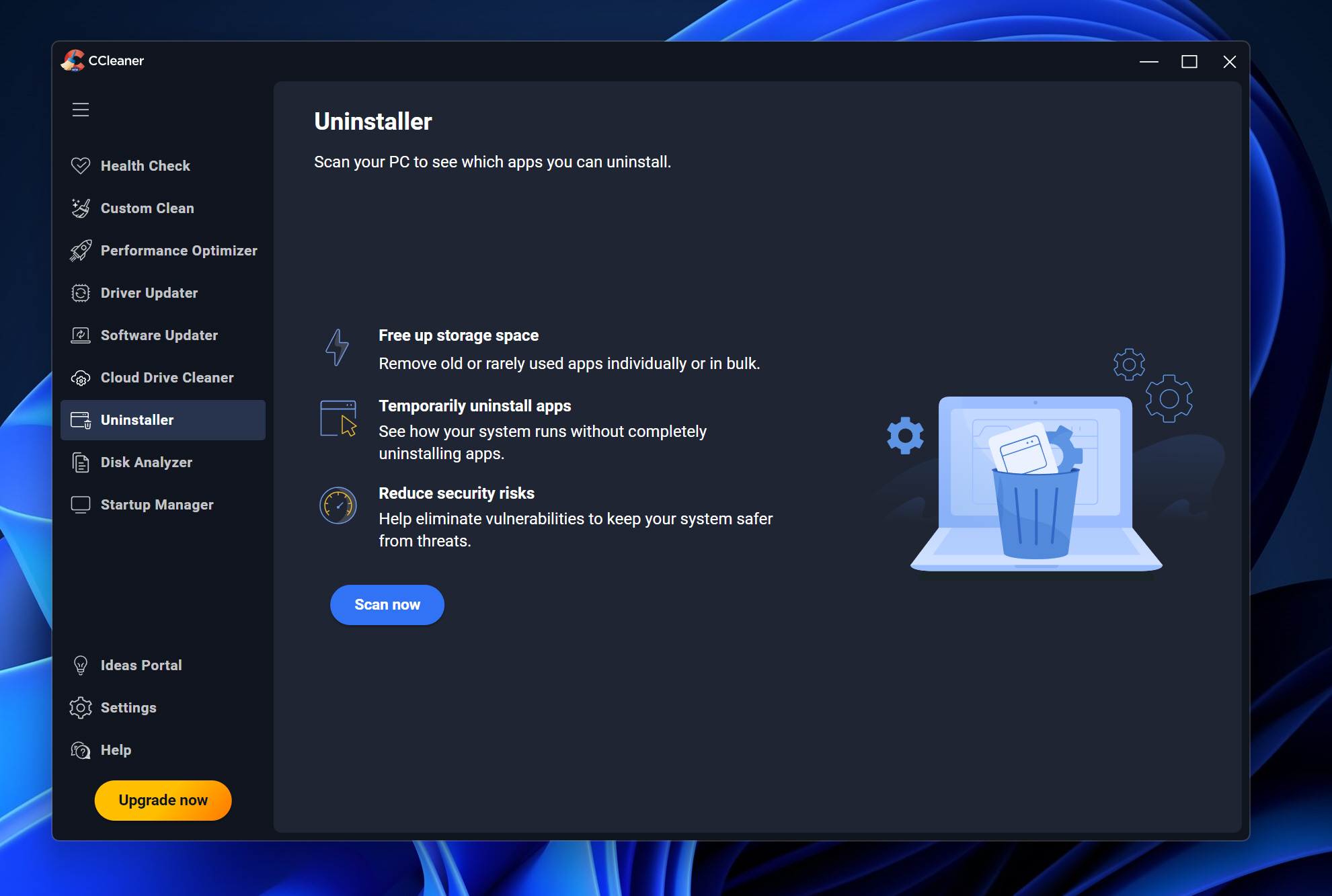
CCleaner 7 debuts with redesigned interface and smarter cleanup tools
Piriform has released CCleaner 7, the latest version of its popular PC maintenance software. Key features of this update include a streamlined interface, dark mode options, and improved cleanup tools designed to give users better control over performance and storage.
The redesigned layout offers a cleaner and more responsive experience and users can now choose between light, dark, or automatic themes.
OBS Studio 32 introduces plugin manager, new formats, and major fixes
OBS Studio 32 has just been released, introducing new features, changes, and a host of fixes to the video recording and streaming tool.
Available for Windows, macOS, and Linux, the free, open source application is widely used by gamers to broadcast gameplay, but it can also capture desktop activity, mix multiple sources, and apply transitions or effects.
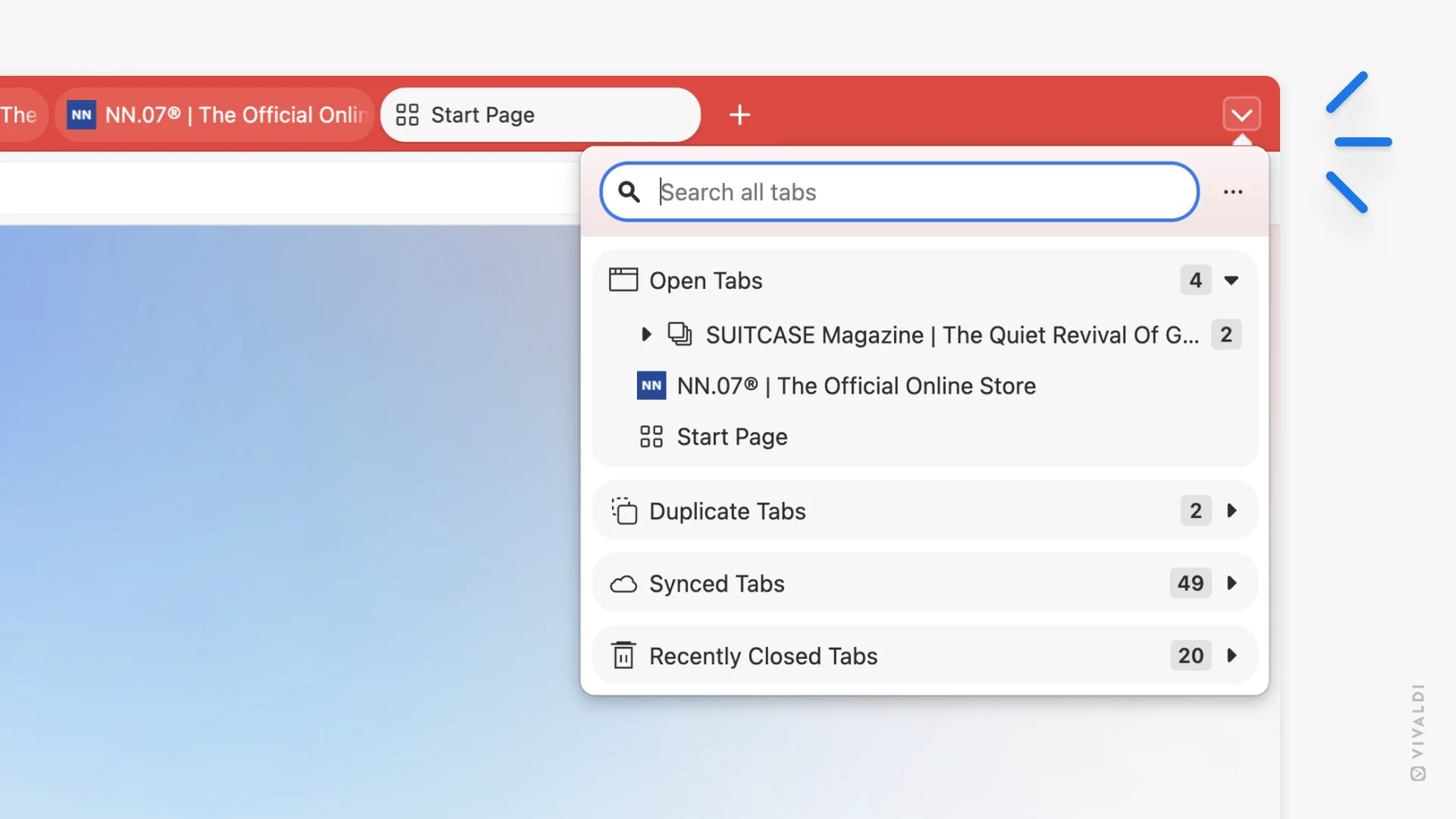
Vivaldi 7.6 arrives with a customizable tab bar and new tab management button
Vivaldi has released version 7.6 of its Chromium-based browser, introducing a customizable tab bar, a new button for managing tabs, and a number of other smaller, but welcome improvements across the interface.
The customizable tab bar allows users to decide which tools appear and where they are placed. This change makes it possible to create either a minimal interface or one with more visible controls, depending on your preference.

MiniTool Partition Wizard 13 arrives with smarter data recovery and a clearer high-DPI display -- download it now
MiniTool has released version 13 of its free Windows partitioning solution, Partition Wizard. The new iteration introduces updates to the data recovery tools and visual improvements for users on high-DPI displays (which is most of us these days).
The software is designed for managing large hard drives and SSDs, including resizing, copying, and converting partitions.

Forget Tiny11, Nano11 takes Windows 11 debloating to the next level
Fans of debloating Windows now have another tool to experiment with. NTDEV, the developer behind the well known Tiny11 project, has created Nano11 Builder, a PowerShell script that hacks Microsoft’s operating system down even further.
While Tiny11 already produced a lighter and more flexible alternative to the full-fat Windows 11 install, Nano11 takes things to the extreme by automating the creation of an installer image that is a fraction of the original size.
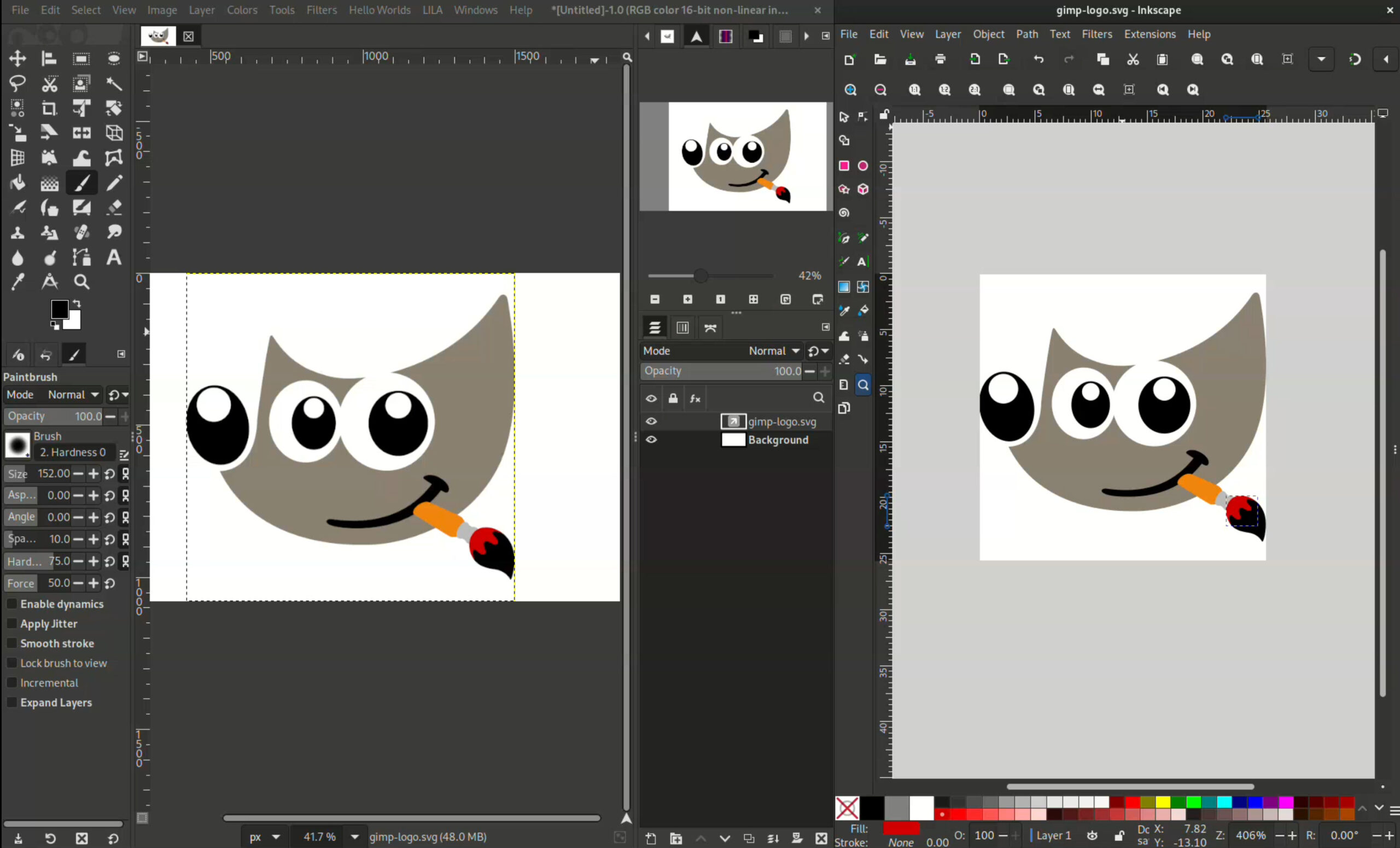
GIMP 3.1.4 is here -- the best free Photoshop alternative gains link and vector layers
When people ask whether Linux can run Photoshop, the answer is usually no. But many users discover that GIMP is not only a capable alternative, it offers features that stand on their own. The latest development release, GIMP 3.1.4, moves closer to the upcoming 3.2 milestone, introducing early versions of two highly requested features, along with a wide range of updates across the full application.
GIMP 3.1.4 marks the second development release leading up to GIMP 3.2 and adds link layers and vector layers, both designed for non-destructive editing.



