Microsoft is working hard to make Edge a great browser -- but is it too late?
Bundling Internet Explorer in Windows 95 was enough for Microsoft to win the "browser wars" and consign Netscape to history, but a lot has changed since then. Bundling Edge in Windows 10 has had negligible effect on Chrome and Firefox’s dominance. After a year and a half, Microsoft Edge still only has a little over 5 percent share, according to NetMarketShare.
It didn’t help that Edge was only partially baked when Windows 10 debuted. Why swap your existing browser for one missing core features and with a far-from intuitive interface? (How to change the default search engine in Microsoft Edge quickly became one of my most viewed stories here). Microsoft is promising a wealth of new features for Microsoft Edge in Windows 10 Creators Update, but will that be enough to persuade users to give the browser a second chance?

How to stop Windows 10 automatically rebooting after updates
Windows 10, like previous versions of Microsoft’s operating system, often needs to reboot to action an update, and will occasionally do so at the least appropriate moment -- as this pro-gamer can testify.
While Windows 10 updates are mandatory, you can control (to a degree) when they install, and more importantly if and when Windows 10 restarts afterwards.

Kaspersky and ESET top the security charts
The way people access the internet is changing, with a shift towards portable devices, and that in turn has led to a shift in the software they use.
Independent testing company AV-Comparatives has conducted its annual survey focusing on which security products (free and paid) are employed by users, along with their OS and browser usage.

Microsoft shows Windows 10 market share growing steadily, but the numbers are fake [Updated]
Microsoft’s own Windows 10 share numbers have always seemed a little, well, generous. While NetMarketShare’s OS usage share figures show the new operating system doing fine, but lagging some distance behind Windows 7 (as you'd expect), Microsoft’s figures paint an entirely different picture.
Five months ago, the software giant showed Windows 10 hitting 50 percent in the US, and two months ago, it had the new OS overtaking Windows 7 globally. Today’s update though stretches the believability just a little too far.
Windows 10 Creators Update Build 15019 arrives on the Fast ring, adds new features, kills Edge extensions
After a couple of days’ delay, Microsoft finally releases a new build for Windows 10 Insiders on the Fast ring.
We already knew some of what to expect of this build, as Microsoft previously announced the new gaming features, but naturally there’s more to Build 15019 than just that.

Best Windows 10 apps this week
Two-hundred-and-sixteen in a series. Welcome to this week's overview of the best apps, games and extensions released for Windows 10 on Windows Store in the past seven days.
It is time to update the original Windows 10 release as Microsoft will stop updating it after March 26.

Microsoft admits sales of 'expensive' HoloLens are 'not huge' but more versions are planned
Microsoft is not giving away too much about the sales figures for HoloLens but goes as far as saying it is "in thousands, not hundreds of thousands". With the augmented reality headset costing $3000, this is perhaps not surprising, and the company is quite happy to take the seemingly low sales figures in its stride.
Speaking at educational technology event the Bett Show in London on Thursday, Roger Walkden, Senior Director and Commercial Lead of HoloLens, acknowledged that the price tag was partly responsible for the small number of sales. Interestingly, though, Microsoft is not bothered by what could be seen as disappointing sales, despite the fact that the company seems to be betting big on HoloLens by adding headset settings in recent Windows 10 Insider builds.

Microsoft kills the ability to uninstall stock apps from Windows 10
Windows 10 comes with a selection of decent stock apps, but if you don’t use some (or indeed all) of them, then really they serve no purpose other than to take up disk space.
Microsoft introduced the ability to remove unwanted stock apps in build 14936 for Windows Insiders, but now it’s taken back that option.
Chuwi LapBook 14.1: A surprisingly good budget laptop [Review]
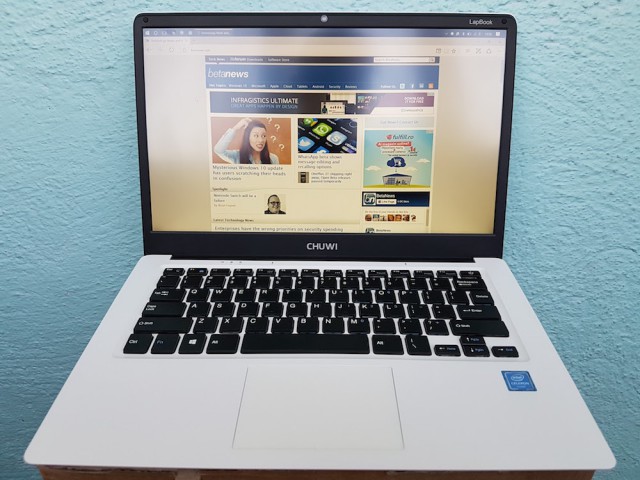
I am a strong believer in the saying "you get what you pay for." It's been my experience that price is a reflection of quality (design, performance, build quality, customer support, you name it), so when I look at an affordable device I tend to lower my expectations. Case in point, before taking the Chuwi LapBook 14.1 out of the box, I thought it wouldn't be much better than the other Chinese laptop I reviewed, the Jumper Ezbook 2.
Why? Because it promises a lot of things for the money: a 14.1-inch IPS display with a resolution of 1,920 by 1,080, 1.1GHz quad-core Intel "Apollo Lake" Celeron N3450 processor, 4GB of RAM, 64GB of storage, microSD card slot, microHDMI port, two USB ports, a webcam, a 9,000mAh battery, and Windows 10 Home for a retail price of $299.99. And, boy, was I proven wrong. The LapBook 14.1 punches far above its price tag would suggest.
Microsoft set to introduce new gaming features to Windows 10 this week
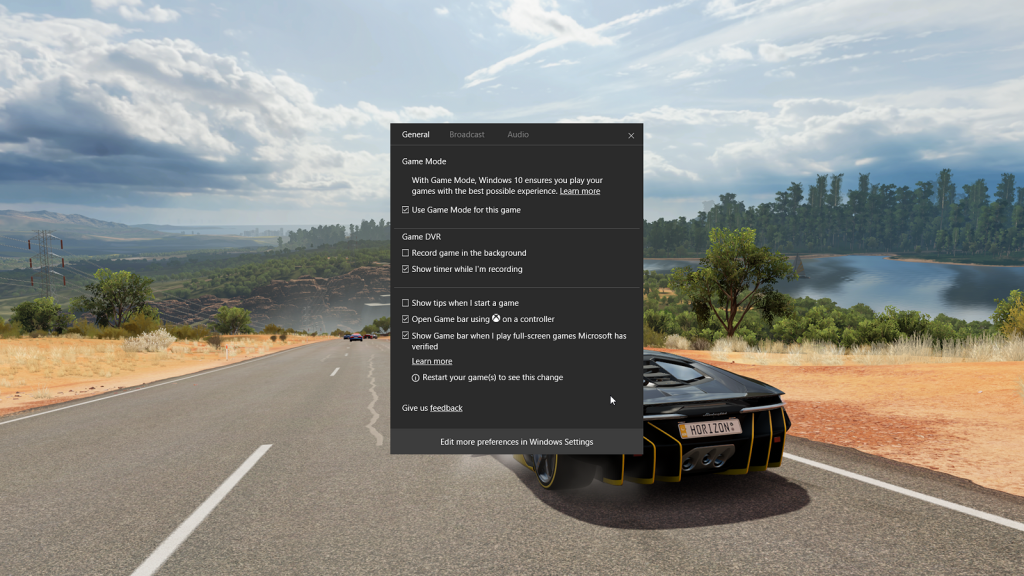
The last three Windows 10 Insider Preview builds have offered a wealth of new features, and the next build, which is expected in a day or so, won’t be any different.
This week’s update will include some big new additions for PC gamers, including Game Mode and Beam video game streaming.

Mysterious Windows 10 update has users scratching their heads in confusion [Update]
Earlier today, Microsoft pushed out a new update for Windows 10. Since updates are mandatory in the new OS, it’s likely you already have it installed.
So what does it do? Microsoft isn’t saying. There’s no detailed information on its purpose, and the vague descriptions that do exist are conflicting.
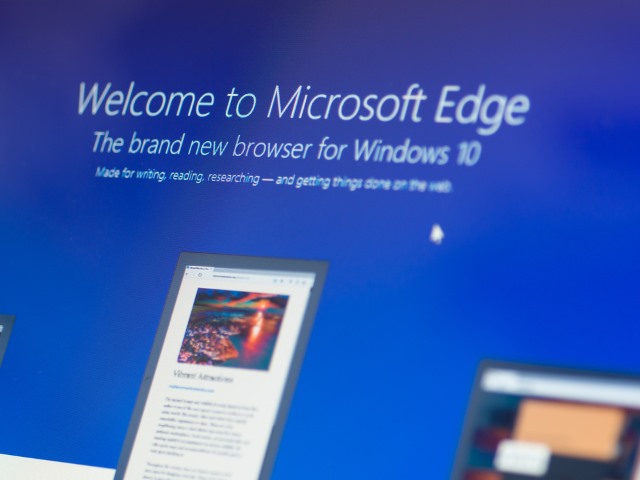
Vivaldi CEO: 'Stop your anti-competitive practices with Edge, Microsoft!'
Microsoft is no stranger to pissing people off, particularly when it comes to Windows 10. There have been endless cries about forced updates, complaints about ads, moaning about privacy, and now the CEO of Vivaldi has lashed out at the company for its anti-competitive practices with Microsoft Edge.
Jon von Tetzchner says that Microsoft has forgotten about the "actual real-life people that use technology in their daily lives." He takes particular umbrage at Windows 10's continued insistence of resetting the default browser to Edge.
The new Windows Defender Security Center aims to improve Windows 10 safety
When extolling the virtues of Windows 10, Microsoft is keen to stress how much safer the new OS is.
The problem, of course, is that the weakest link in any security chain is pretty much always the user. Microsoft is introducing a new feature to Windows 10 that will make the OS more secure, and help users make better decisions.
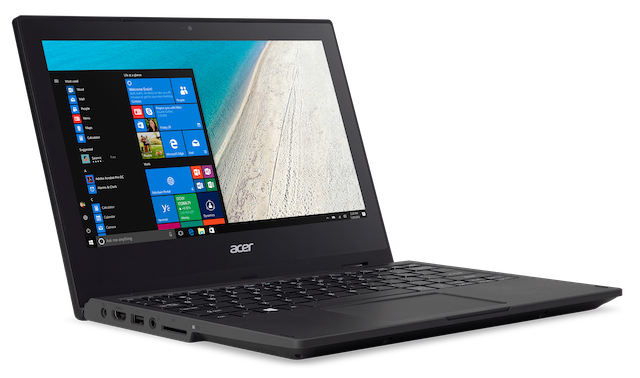
Acer unveils TravelMate Spin B1 360-degree convertible Windows 10 education laptop
When it comes to buying computers for education, there are many routes a school can take. If your aim is to prepare children for the workforce, however, Windows is still the best option. After all, Microsoft software solutions are still the stars of the show in the enterprise.
Today, Acer announces an intriguing 11.6-inch convertible laptop aimed at education. The TravelMate Spin B1 is built to be rugged and fairly no-frills, while also having some solid features like stylus support for Windows Ink. It is shock resistant and has a spill-resistant keyboard by default -- perfect for children. It can double as a tablet too, thanks to the 360-degree hinge and touch screen.

How to set the Windows 10 lock screen photo as your wallpaper
The Windows 10 Lock Screen offers an ever-changing display of top quality photos, but if you decide you like one in particular, there’s no easy way to keep it around.
Lock Screen Reflection is a tiny Windows 10 tool which can help fix this by automatically setting the current lock screen image as your desktop wallpaper.