From Windows XP to Windows 10 -- How Microsoft's end-of-life nag screens have changed


Microsoft has evolved its approach to warning users about the end of life (EOL) of its Windows operating systems over the years. The methods and techniques used, from Windows XP onwards, have varied, ranging from the polite to the downright aggressive (we're looking at you, Windows 7).
This journey, revealed in a new video, highlights how Microsoft's strategy has shifted to ensure users are aware of when their operating system will no longer receive support, emphasizing the importance of security and system updates and, in some cases, upgrading you against your will without warning (we're still looking at you, Windows 7).
Transform Windows 10 or 11 into Windows 7 or Vista with a single command
If you’re currently using Windows 10 or Windows 11, but hanker after the days of Windows 7, then there is a very clever, but simple way to transform your newer OS into the older one. This method can be used to turn Windows 8 or above into Windows 7, or Vista.
This process takes a while to complete, but all you have to do is type a command into the Run box and most things will be handled automatically for you, although you can add extra features (such as Windows Media Player 11) if you wish.
Steam ends support for Windows 7 and Windows 8


Windows 7 and 8 are now incredibly long in the tooth, and Steam has used the arrival of a new year to drop support for the aged operating systems.
The planned ditching of Windows 7 and Windows 8 was revealed by Steam-maker Valve way back in March. Now 2024 has rolled around, the company is staying true to its word. While this does not mean that games will simply stop working, it does mean that the Steam client for these versions of Windows will no longer be updated, and on-going functionality cannot be guaranteed.
Microsoft ends free upgrades from Windows 7 and 8 to Windows 11
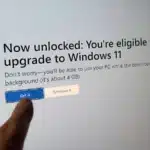
The number of paths for upgrading to Windows 11 for free has just been reduced. Microsoft has officially removed the option to upgrade from both Windows 7 and Windows 8 to Windows 11 without paying.
This should not really come as a surprise, as the ability to upgrade from Windows 7 and 8 to Windows 10 and then 11 free of charge is not something that was meant to last. Microsoft originally said that these upgrade routes would remain available until mid-2016, but the company either "forgot" to disable the option or decided to leave it open to get as many people onto its newer operating systems as possible. But now this changes as explained in a sneakily quiet announcement by Microsoft.
Microsoft no longer supports Windows 8, and soon neither will Google Drive
It is now several months since Microsoft stopped supporting Windows 8 and Windows 8.1. As such, the developers of numerous apps and services are following suit -- Google included.
The company has revealed that it will end support for Google Drive for desktop on Windows 8, Windows 8.1 and Windows Server 2012 later this summer. No 32-bit version of Windows will be supported either, meaning that Drive users will have to upgrade their operating system, or stick with the web-based version of Google's cloud storage service.
Sticking with Windows 7? Mozilla says it will continue to support Firefox for more than a year

There are still a lot of people running Windows 10 rather than upgrading to Windows 11. This is perhaps not astonishing, but there are still a surprising number of users with even older versions of Windows.
With Microsoft no longer supporting Windows 7 or Windows 8.x, sticking with these editions of the operating system is clearly an inadvisable security risk. But for anyone who has no choice, or who simply refuses to move on, Mozilla will continue to offer security updates for Firefox under these versions of Windows until well into 2024, so at least your browser will be safe.
Windows 8 2023 Edition could be the perfect Microsoft operating system

In 2012, Microsoft introduced Windows 8, an operating system conceived as a response to the rise of mobile computing and the increasing popularity of tablets and smartphones. The aim was to provide a unified operating system that would offer a seamless experience across devices, with a focus on touch-based interactions.
It flopped badly, and will forever be remembered as an ambitious but flawed attempt to redefine the user experience in the age of portable computing. But what if it was simply ahead of its time? If you’ve wondered what the tiled OS might look like if it was released today, Windows 8 2023 Edition is the answer.
Watch 23 years' worth of programs failing to respond in Windows (from Windows 2000 to Windows 11) in just two minutes
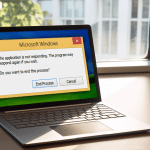
In a nostalgic trip down memory lane, YouTube channel Nobel Tech has created a video showcasing the evolution of the infamous "This Program is Not Responding" Windows error message over the years.
The video starts with the prompt in Windows 2000 and takes viewers on a journey through time, ending with the message that shows up in the latest version of Microsoft’s operating system, Windows 11.
Downgrading Microsoft Windows -- from Windows 11 to Windows 1.01
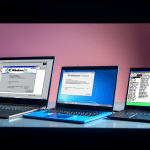
From Windows 1.01, released in 1985, to Windows 11, introduced in 2021, each iteration of Microsoft's operating system has brought its own set of features and improvements.
Windows 1.01, with its simple and straightforward interface, marked the beginning of an era of graphical user interfaces for the PC. Windows 2.0 introduced support for expanded memory and improved support for graphics, paving the way for more sophisticated programs and applications. Windows 3.0 brought a more refined interface, with a greater emphasis on multitasking and performance.
Just one more week of security updates for Windows 7 and Windows 8

In just a week's time, Microsoft will cease offering even critical security updates for both Windows 7 and Windows 8.x.
We wrote about Windows 7 Extended Security Update (ESU) coming to an end, and the termination of support for Windows 8.x just last month, but with a large number of people and businesses still unwilling -- or unable -- to move on from these aging operating systems it is a warning that bears repeating.
Microsoft completely ends support for Windows 7 and Windows 8 in under a month; now really is the time to move on
It is no secret that the uptake of Windows 11 is rather slow. Microsoft may be unlikely to publicly say as much, but the company will no doubt be extremely disappointed at the number of people who have made the leap to the latest version of its operating system.
All this could change in 2023, however. There are many people and businesses who have hung on to Windows 7 or Windows 8, despite the fact that mainstream supported ended back in 2020. But when January 10, 2023 rolls around, Microsoft will no longer even offer paid-for Extended Security Updates. And with the likes of Edge and Chrome no longer supporting the aged OSes, the time really has come to switch to Windows 11.
Windows' market share declined 17 percent in the past 10 years

These days you no longer need to stick with Microsoft's Windows operating system if you don't want to. There are some excellent Linux distributions you can run instead, like Ubuntu or Linux Lite, or macOS if you opt to switch to Apple hardware. You can even use iPads or Android tablets as laptop alternatives if you prefer.
In 2013, Microsoft Windows accounted for over 90 percent of the total desktop operating system market, but that figure has dropped significantly in the past decade in the face of increased competition.
Still using Windows 7 or Windows 8? OneDrive will stop working soon

While there are plenty of people who do not feel the need to upgrade from Windows 10 to Windows 11, there is still a surprising number of people who decided to stick with even older versions.
There are, of course, many implicated associated with using Windows 7 or Windows 8, most of them security related. But there is also the matter of software support, and Microsoft is now trying to push hangers-on to upgrade to the latest version of its operating system by cutting Windows 7 and 8.x out of using OneDrive.
Microsoft's Windows marketing campaigns through history are unintentionally hilarious

Every generation of Windows -- well, from Windows 95 onwards at least -- has had a catchy slogan, designed, in some way, to encapsulate what the software giant hoped the OS would bring to users.
With Windows 95, for example, it was "Start me up", because that was the first time Microsoft’s operating system came with a Start button and menu.
Windows 8 Remastered Edition is better than Windows 10
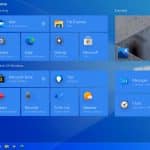
Microsoft took a big gamble with Windows 8. Back in 2012 the tech giant believed that touchscreens were the way we’d all be interacting with our devices, and so overhauled Windows to give it a touch-first design and a Start screen in place of the traditional Start menu -- which didn’t go down at all well with the Windows faithful.
Although the company relented and eventually added a Start menu and made various other user-requested tweaks, Windows 8 is viewed by many as one of the worst versions of Windows, which is a little unfair as it had much to recommend it.
Recent Headlines
Most Commented Stories
© 1998-2025 BetaNews, Inc. All Rights Reserved. About Us - Privacy Policy - Cookie Policy - Sitemap.