
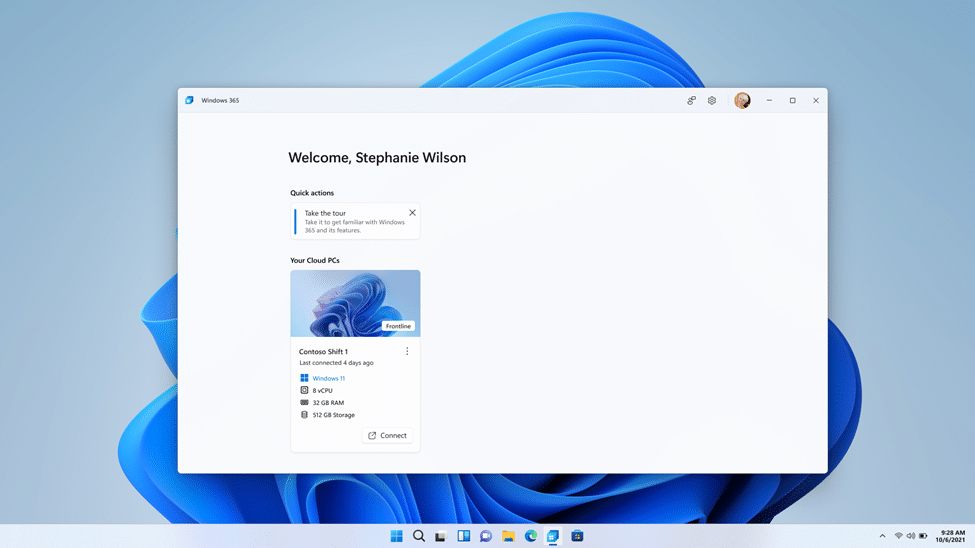
Windows 365 Frontline for shift and part-time employees is now available
Three months ago, Microsoft announced the public preview of Windows 365 Frontline. If you're not familiar with it, Windows 365 is a service that allows users to stream Windows 10 and Windows 11 from the cloud to any device. Frontline is a special version for workers who only need a Cloud PC for a limited amount of time during a working day.
Unlike Windows 365 Enterprise Cloud PCs, Windows 365 Frontline Cloud PCs remain in a powered-off state by default when they are not in use. Employees need to save their work at the end of their shift and then disconnect or sign out. Companies don't need to purchase a Cloud PC for every employee, rather, they only need enough Cloud PCs for the maximum number of active users at any given time.
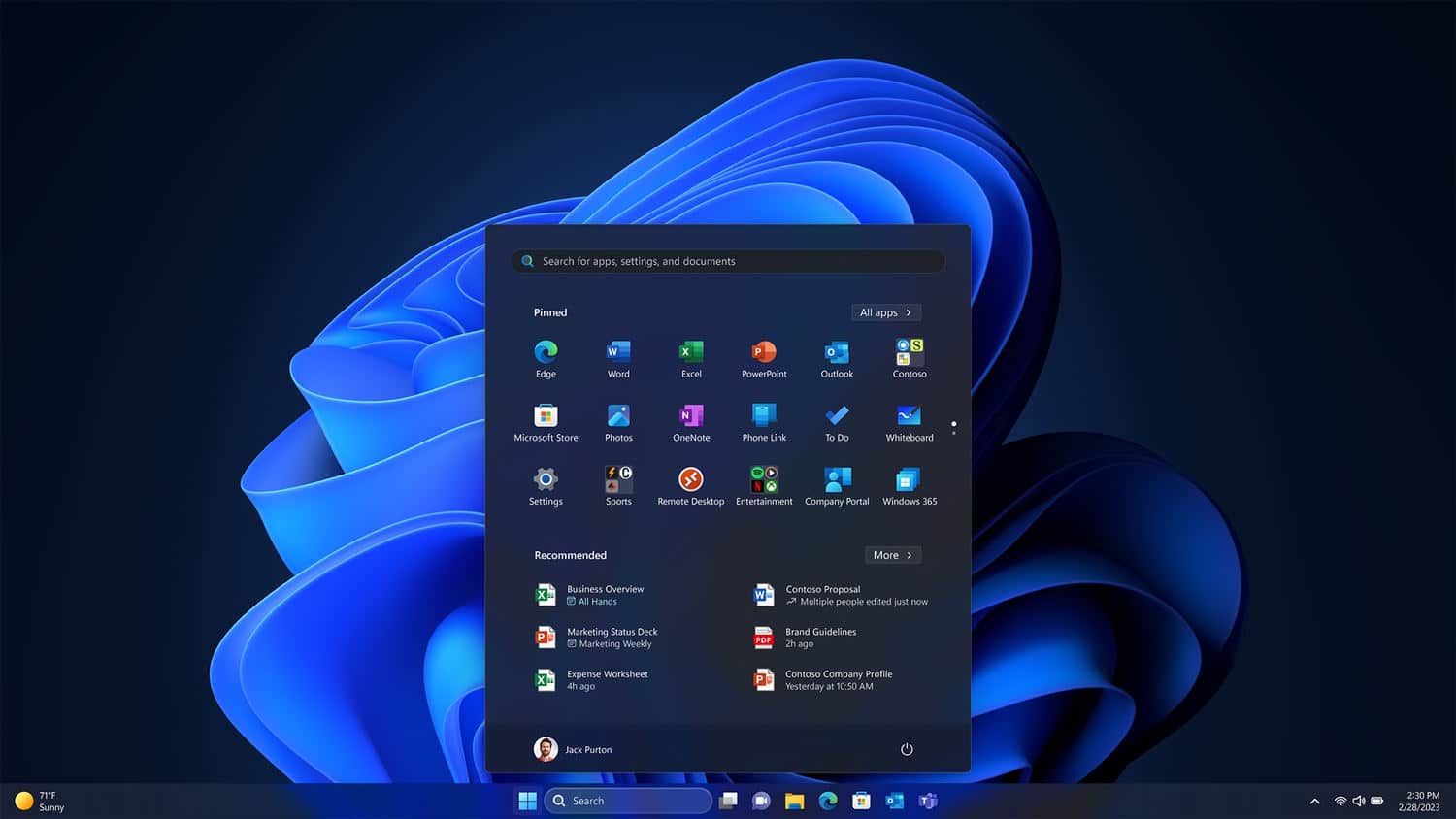
Microsoft is tweaking the Windows 11 Start menu to highlight its own apps
Microsoft is testing a change to the Start menu in Windows 11 that will make it clearer which shortcuts relate to system apps. Built-in apps and tools are highlighted with a new "System" badge.
The update came in recent build of the operating system, but is not currently enabled by default. With a little tweaking, however, it is possible to switch on the new Start menu labeling system.
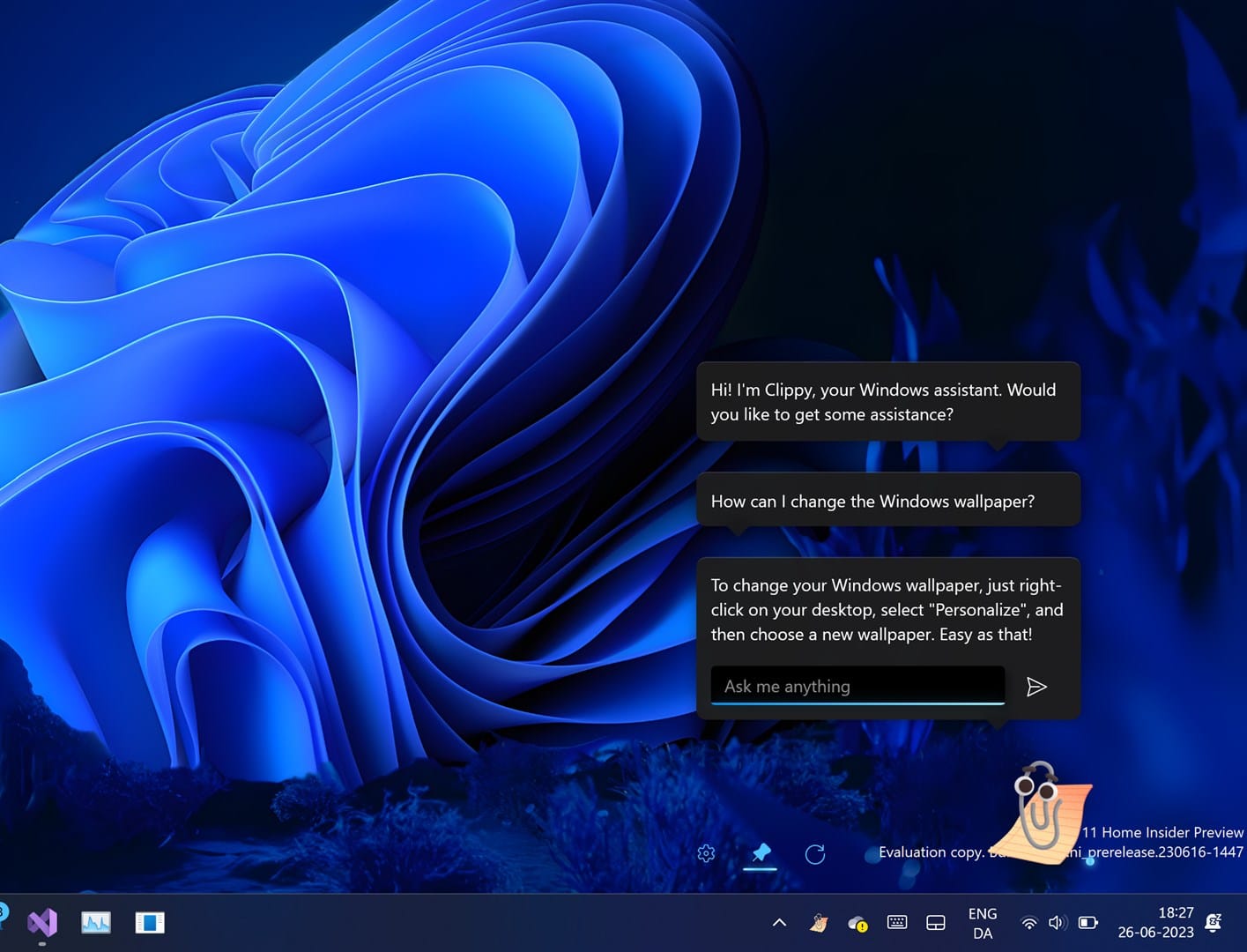
Forget Windows Copilot, what you really want is the new AI-powered Clippy
Yesterday, Microsoft made the first preview version of Copilot available for Windows 11 Insiders in the Dev Channel. This AI-powered feature appears as a docked sidebar on the right and lets users ask questions and perform actions, such as take a screenshot or turn on do not disturb.
Copilot is unquestionably the future of Microsoft's operating system, and will likely be a major part of Windows 12, but there are other AI tools on offer, including a modern take on Microsoft's ancient Office assistant, Clippit (more commonly called Clippy).
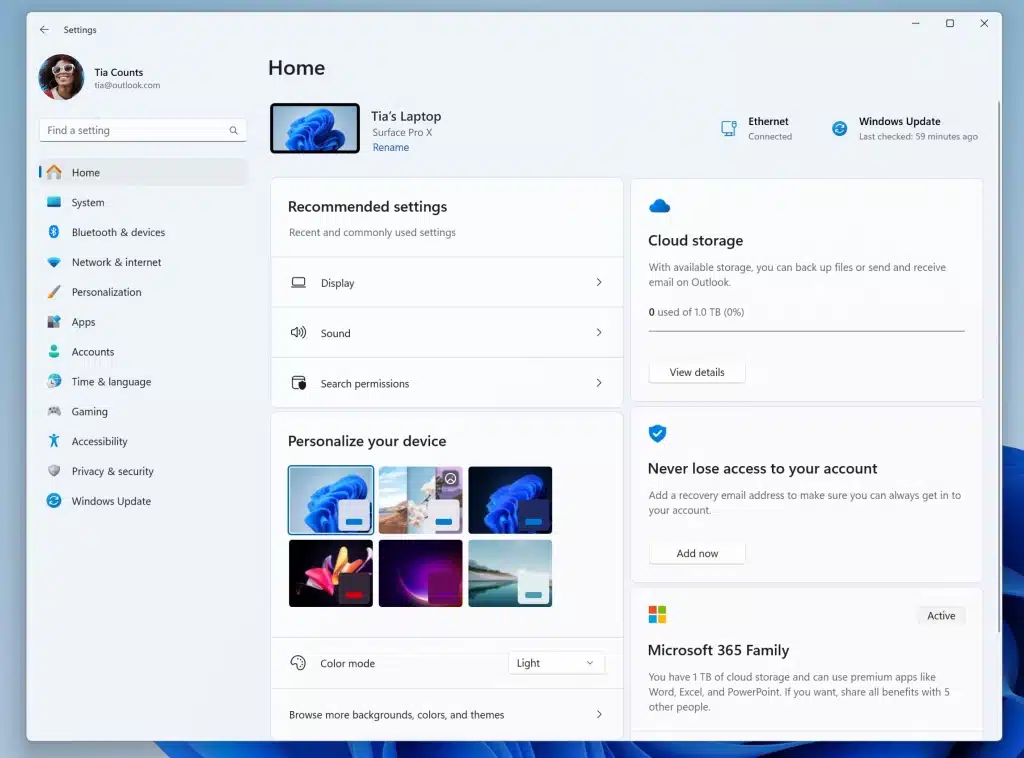
Microsoft is updating the Settings app in Windows 11... and injecting more ads
With the release of Windows 11 build 2349 Microsoft has introduced numerous changes and additions, not least of which is the arrival of the eagerly awaited AI-powered Copilot tool. But the latest update to Windows 11 also includes a new look for the Settings app.
Microsoft has given the homepage of Settings a revamp that sees the interface split into clear, easy-to-read sections, which the company is referring to as cards. The new look is clean and uncluttered, but there has been the controversial decision to use at least one of the cards to display ads.
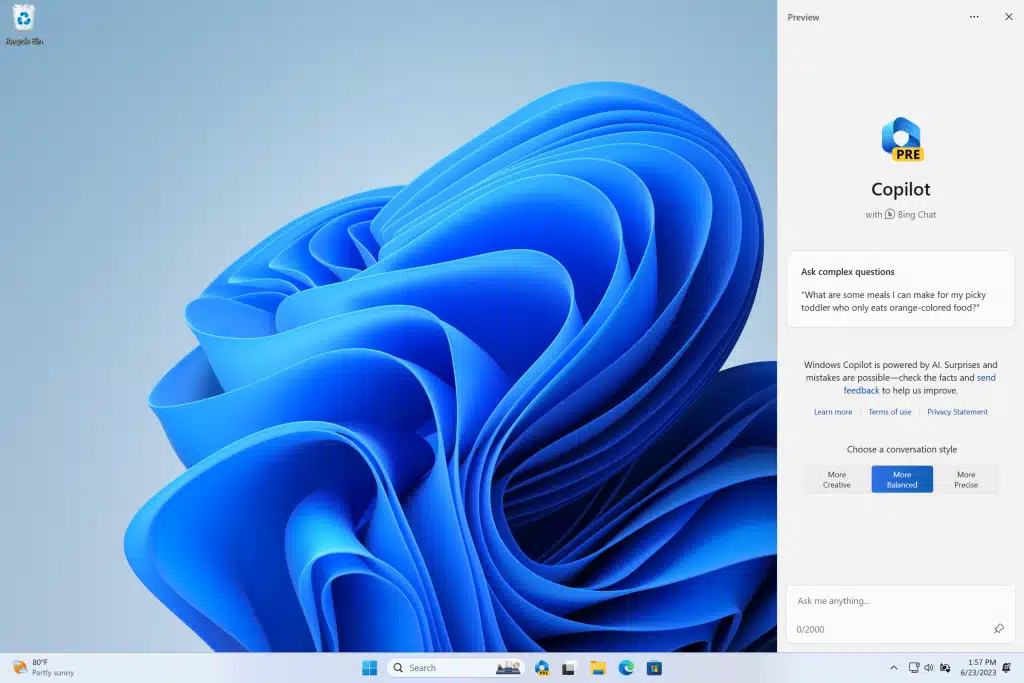
Microsoft begins rolling out its AI-powered Copilot for Windows 11
Back in May, at its Build developer conference, Microsoft announced a new Copilot feature which is designed to bring the power of AI to Windows 11.
At the time, the company said that the feature would be made available in preview form in June, and today it finally arrives for Windows Insiders in the Dev Channel. To try it out, you will need to be running Build 23493 and Microsoft Edge version 115.0.1901.150 or higher.

About f@cking time! Microsoft Team caters for non-prudish users by making the profanity filter optional
Users of Microsoft Teams have a series of updates to explore. Microsoft has launched a selection of new features to enhance the online meeting experience.
The new options and settings relate to Live Caption and Live Transcription, with users being given far greater control over the look and positioning of captions. But what Microsoft talks about first are the new controls for the profanity filter which censors what the company has deemed to be bad language. Enabled by default, there have been complaints that the filter is far too sensitive -- so Microsoft has come up with a solution.
Microsoft listens to feedback and restores options it cut from Windows 11
The Dev builds of Windows 11 are often where signs of Microsoft's experimentation with the operating system can be seen. It is something of a playground for the company to try out new ideas, tinker with settings and determine how changes are received by beta testers.
While it may often be accused of ignoring user opinion, the latest Dev build of Windows 11 illustrates how Microsoft not only listens to feedback, but also acts on it. Windows 11 Insider Preview Build 23486 sees the return of options that were controversially removed recently.

Latest Windows 11 build offers passwordless improvements
Microsoft, like a lot of tech companies, believes that we’re finally edging closer to be able to say goodbye to passwords. The hope is that we will soon be able to use passkeys instead, which are more secure and harder to steal.
Today, the software giant rolls out Windows 11 Build 23486 to users in the Dev Channel and the big focus with this flight is on improving the passkey experience.
Get ‘Learn Microsoft Office 2021 -- Second Edition' (worth $26.99) for FREE
This second edition book covers the new and exciting features of Microsoft Office 2021 for desktop and web apps, helping you broaden the skills from the previous edition.
Using real-world experiences, this book will guide you through practical examples that set off your thought process to boost productivity. To build new skills in each application, the book ensures that you gain a thorough understanding of new functions, such as PivotTables, Dashboards, and data manipulation methods in Excel.

Microsoft confirms Windows 11 File Explorer bug that causes high CPU usage
Windows 11 users who attempt to access Effective Access in the Advanced Security Dialog of File Explorer may be unable to do so according to a new confirmed issue by Microsoft.
The issue affects devices running Windows 11 versions 21H2 and 22H2, in other words all released versions of the operating system. The updates KB5026368 or KB5026372, or a newer update needs to be installed on these devices. Microsoft released KB5026368 and KB5026372 on May 9, 2023 on the May 2023 Patch Tuesday, but confirmed the issue on June 21, 2023.

Leapwork and Microsoft partner to deliver AI-powered test automation
Microsoft and Leapwork are partnering to deliver test automation to Microsoft Dynamics 365 and Microsoft Power Platform users.
Leapwork's platform uses an AI-powered, visual, codeless system that makes it easy for non-technical, everyday business users to build and maintain test automation. This allows continuous, end-to-end testing across applications, minimizing the risk of disruptions during monthly software updates and supporting the delivery of quality software.

You want it darker? Microsoft is testing a black look for dark mode in Edge
The love of gloomier hues -- whether for the sake of being gentler on one's eyes, or for purely aesthetic reasons -- means that just about every piece of software now has the option of switching from light to dark mode.
Microsoft Edge is no different, and the latest preview builds show that things could be about to get even darker. Select users who are signed up for the Canary channel report seeing much darker screen elements, with the likes of the favorites bar and tabs having fully black backgrounds.
Get 'Windows 11 Simplified' for FREE
Windows 11 Simplified is your from-scratch beginner’s guide to the ins and outs of the latest version of Windows. It’s fully updated to include all the coolest new features of Windows 11 and offers a highly visual roadmap -- complete with tons of screenshots and illustrations -- to Windows 11 mastery.
You’ll get up to speed on the basic, and not-so-basic, features of Windows 11 with plain-English instructions and step-by-step screenshots that walk you through every technique you need to know to make Windows 11 do what you want it to do.
Microsoft rethinks replacing Mail and Calendar apps with Outlook for Windows
The Mail and Calendar apps in Windows 11 have not been the recipients of much love -- either from users who find them limited and awkward, nor from Microsoft which has not updated the software for an age.
The company has already announced that the separate Mail and Calendar apps will be discontinued starting in September next year, with the new Outlook for Windows app being touted as the replacement. Despite the ill feeling towards the older apps, the announcement has been met with such a backlash that Microsoft has been forced to rethink its plans.
Microsoft updates Windows 11 system requirements and CPU support list
With little fanfare, Microsoft has released details of the updated listed of hardware supported by Windows 11. The new system requirements see the addition of support for a large number of CPUs from Intel, AMD and Qualcomm.
The update to the list of supported processors comes shortly after the release of Windows 11 Moment 3. As well as adding support for a large number of new CPUs, there have also been some removed from the list.



