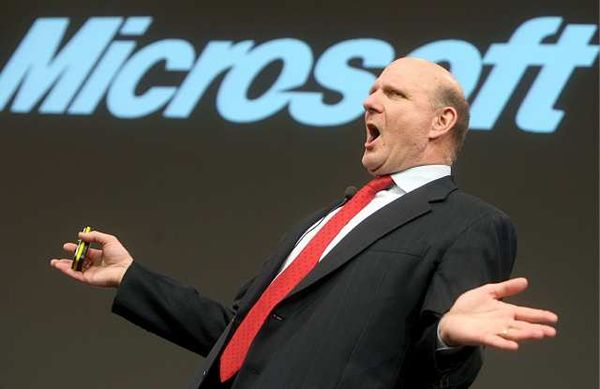
Steve Ballmer is right, and I was wrong
Steve Ballmer's departure from Microsoft will be a series of epitaphs written over the coming months. Many arm-chair pundits and analysts will scrutinize his 13-year tenure as chief executive, and you can expect him to be the scapegoat for all things wrong with Microsoft. Most assuredly, Ballmer could have done many things better, but he also contended with forces out of his control: government oversight for anti-competitive practices conducted under predecessor Bill Gates' leadership; maturing PC software market; and rise of the Internet as the new computing hub, among others.
For all Microsoft's CEO might have done wrong, he was right about something dismissed by many -- and I among them: Google. Ballmer started treating the search and information company as a competitive threat about a decade ago. Google as Microsoft competitor seemed simply nuts in 2003. How could search threaten Windows, particularly when anyone could type a new web address to change providers? Ballmer was obsessed, chasing every Google maneuver, often to a fault. Execution could have been better, but his perception was right.

The most popular stories on BetaNews this past week: October 6 -- 12
In another busy week, Microsoft continued to promote Internet Explorer 11 by showing off some of the new features that will be available to Windows 8 users. At the same time, the company released a tool that lets Windows 7 users block the update. Microsoft also announced that it would speed up the approval process for apps submitted to the Windows Store, so initial certification can be complete within five days.
Moving away from the desktop, champagne corks were popping as it was revealed that Raspberry Pi has sold 1.75 million units. After the launch of Mavericks, Mihaita was taken with his MacBook Air, and I was quite impressed with the Tesco Hudl -- although it's not going to be replacing my Nexus 7 any time soon.

Google updates terms of service -- can use your online activity for advertisements
As Google's involvement in our lives increases, monitoring any and all changes in the terms of service becomes important. For the most part, I am guilty of not reading long terms and conditions and other small print. I tend to base my trust in a company on experience. Largely, my experience with Google has been very good. However, since the company was named in the PRSIM scandal, I have been a bit less trusting of not only Google but online services overall.
Today, Google updated its terms of service and, by and large, it is innocuous. However, one aspect of it has given me a reason to pause, and I warn you to do the same. You see, Google plans to use your online activity to target advertisements at your Google+ circles. For example, lets say you use Google+ to like a product online with a +1. Google can then share your endorsement with your friends, family and co-workers. The search-giant calls this "shared endorsements".
Skin and protect your Nexus 7 [Review]
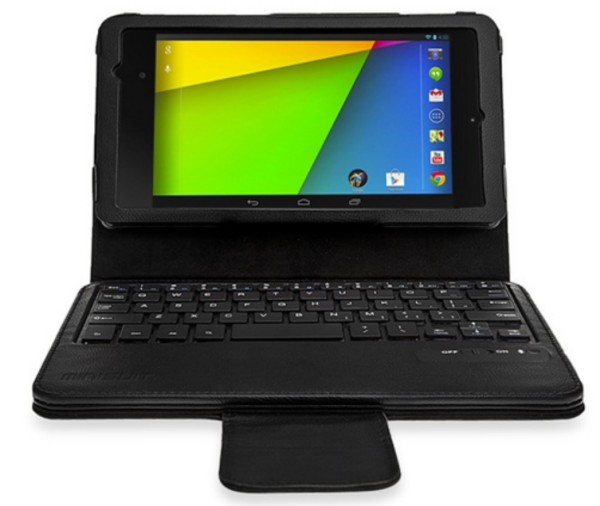
The Nexus 7 has gone down well with the team here at BetaNews (despite a few teething problems) and it's proving popular with a lot of other people as well. Part of the tablet's appeal is that it offers great value for money. But just because something is relatively cheap, it does not mean that it should not be looked after.
Whatever phone or tablet you have, there are countless protective skins to choose from and also various ways in which to stamp your mark on your mobile device. With a couple of Nexus 7's (Nexi?) to take care of, I thought I'd take a look at some of the options that are available. The official sleeve has been available for a while and the official case has been unveiled. At $50 it's worth seeing what else is out there as well.

Google wants to pay Linux and open-source users to be 31337
A company paying developers and users to discover and report bugs is not new. In fact, these bounty programs are rather widespread. Heck, Microsoft even got into the game back in June of this year. However, Google is expanding on that concept and announces that it will pay users for simply improving open-source software; such as components of the Linux kernel.
"We thought about simply kicking off an OSS bug-hunting program, but this approach can easily backfire. In addition to valid reports, bug bounties invite a significant volume of spurious traffic -- enough to completely overwhelm a small community of volunteers. On top of this, fixing a problem often requires more effort than finding it", says Michal Zalewski of the Google Security Team.

Are you a Bing-er or a Googler? Brits can take the test!
In the red corner, Bing. In the blue, Google. But which is better? Microsoft launches the Bing It On campaign in the UK to enable web searchers to choose which results are best. Google is such a ubiquitous online tool that it has become a verb and entered the dictionary; it is the search engine that automatically springs to mind for most people when they need to research something.
But this does not mean that there is not room for a little competition, and this is something that Microsoft is keen to exploit with its latest campaign.
Acer announces the C720 Haswell Chromebook
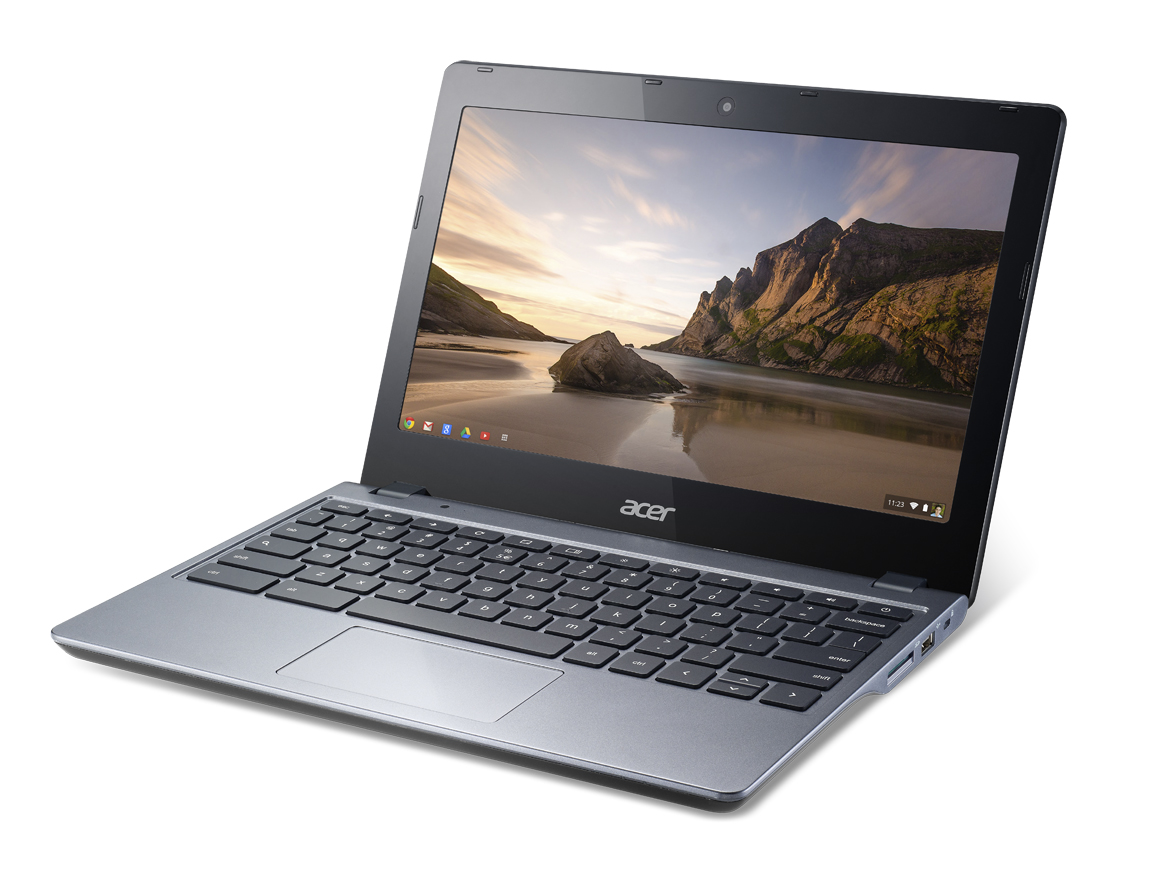
The technology community is abuzz with excitement over the next-generation of Chromebooks. Yesterday, my colleague Joe Wilcox reviewed the sexy $279 Chromebook 11 by Hewlett-Packard. Sadly, while HP's Chromebook looks great, it is very much under-powered. After all, the specs are the same as last year's Samsung model -- ARM processor and a paltry 2GB of RAM.
Today, Acer announces the C720 which undercuts the HP variant in price and trumps it in specifications.
Google-HP Chromebook 11 first-impressions review
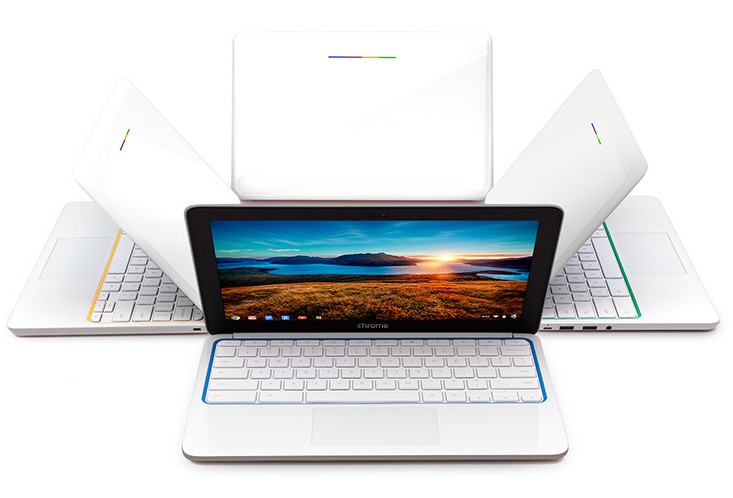
Many people reading this review tangle up in features. They have a spec-sheet mindset that obscures seeing some products' benefits. Google gets the difference, and you should too. The paper holder that wraps around a Starbucks coffee cup is a feature. Protecting your hand from burning is a benefit. While related, the two are distinct. Any evaluation of Chromebook -- or any other thing to be purchased -- should focus on benefits first. Specs are a distraction.
In offering my first impressions about HP Chromebook 11, I step back from features and focus on benefits and who gets the most from them. Based on the out-of-the-box experience, for most people reading this review, I would not recommend the computer, which Google co-designed, over Intel Haswell-based Chromebooks. However, keeping with suspicions expressed yesterday, the tiny Chromebook would be right for students. Design, size, portability, functionality and value for price offer the right mix of benefits for preschool-to-grade 12 students. HP Chromebook 11 is what white MacBook was to kids last decade.

Google Slides gains widescreen presentations and editable slides
Presentations are loved and loathed in just about equal measure. A great presentation helps to drive a message home; a bad one makes a meeting drag on forever. PowerPoint may be the king of presentations, but the online office tools that are available in Google Drive also have a good following. Now Google has recognized the fact that monitors are almost universally widescreen these days, adding the ability to create widescreen format slides in presentations.
The change in aspect ratio may seem like a minor feature, but it is immensely useful. Be gone foul borders! Presentations can now make use of every pixel of your display, or give a full cinema experience when projected to a larger audience. Widescreen slides have not just been introduced, they have been made the default setting -- and there are 16:9 and 16:10 formats to choose from.
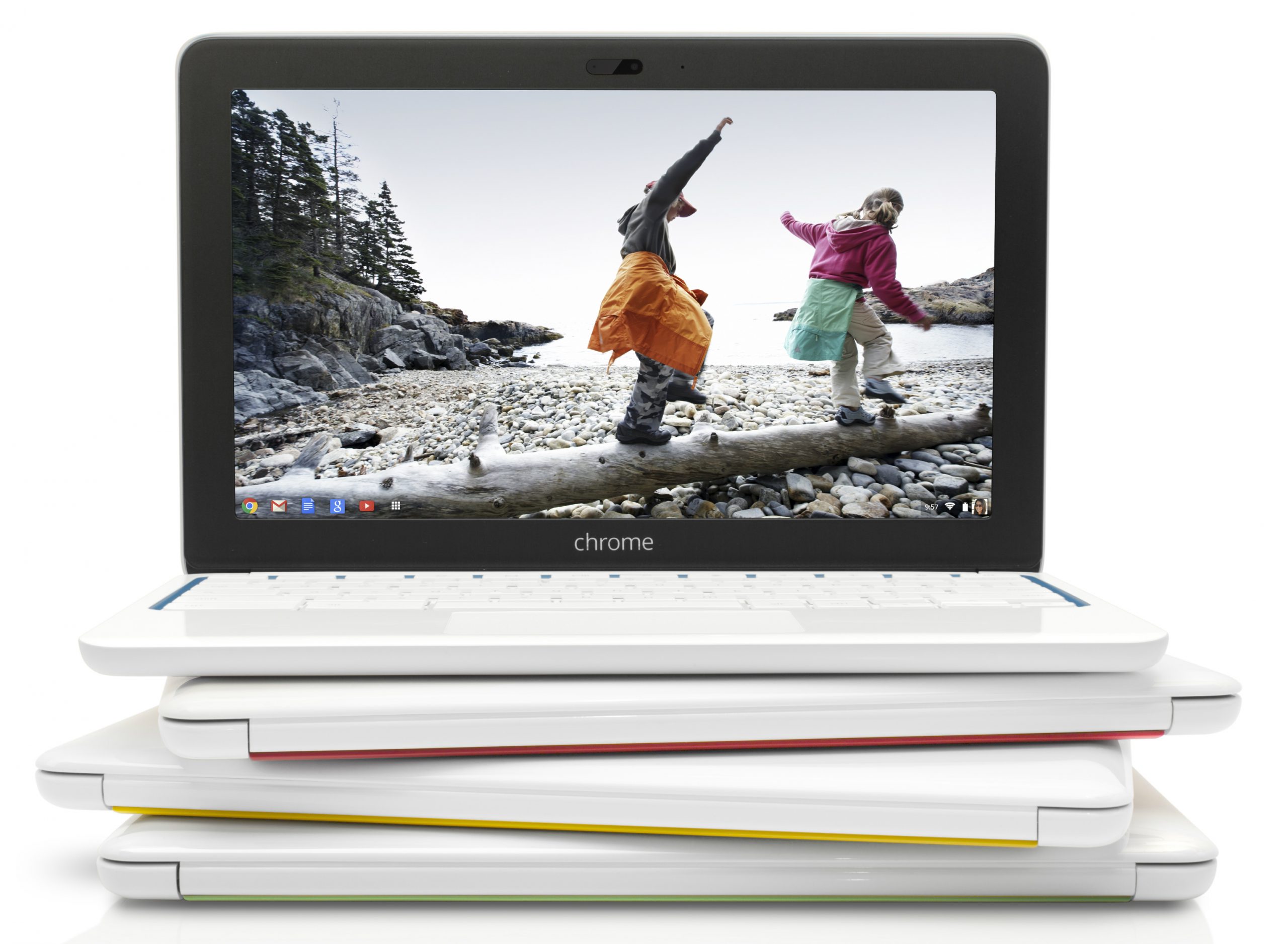
HP Chromebook 11 is pretty on the outside but last year's model within
Nearly a year after unveiling an ARM-based Chromebook with Samsung, Google has a newer, costlier and not-so-updated model from HP. Like the older computer, screen dimensions, physical size and weight are comparable -- as is the stingy RAM, which as a long-time Chromebook user I must fault. But there's a sexy, new enclosure and four bright color accents that could make this tiny beauty the PC stocking stuffer of Holiday 2013.
HP's push into Chromebooks should disturb Microsoft. The manufacturer is the software giant's most-loyal OEM partner. If "traitor" isn't a word uttered in response throughout the hallowed halls of the Redmond, Wash. campus, it should be. Just as Microsoft moves Windows 8.1 to market, HP primes not one, but two, new Chromebooks -- the other with 14-inch display -- in the only segment of the PC market that is growing.
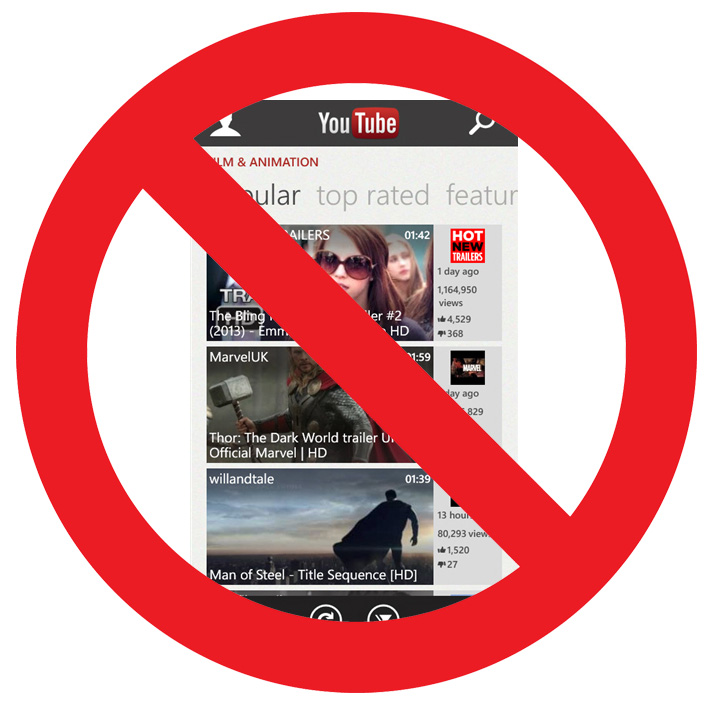
Microsoft's YouTube Windows Phone app is terrible again -- here's what you can use instead
Yesterday, Microsoft did what many of us have expected -- the company removed the native YouTube app from Windows Phone Store and replaced it with the all-too-familiar version that links to the mobile site.
The latest update for the native YouTube app was released in mid-August, but it was blocked shortly after by Google on the grounds that the app "violates [YouTube's] Terms of Service". As a result, Microsoft had no other option but to remove the latest native version from Windows Phone Store because the app was practically rendered useless. I have reached out to Microsoft for a comment on the matter and here is the software giant's response.
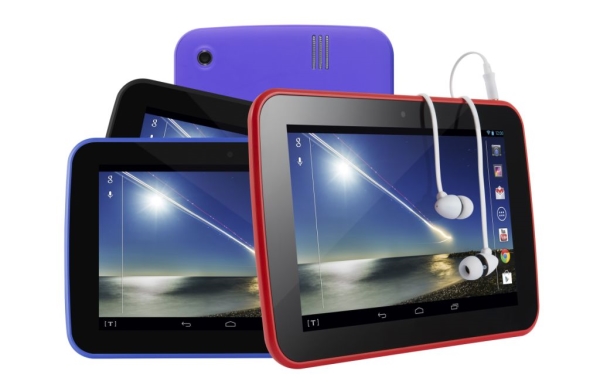
Tesco Hudl -- the budget tablet with great aspirations [Review]
Many people are settling into the idea that a 7 inch screen is the ideal size for a tablet. The extra screen space provided by a 10 inch model sounds great in theory, but it does result in a device that is slightly more cumbersome to take from place to place. Looked at in terms of portability, 7 inches is perfect -- large enough to make most tasks easy, but small enough to easily slip into a bag, if not necessarily a pocket.
The slightly smaller size also makes an important difference to the price tag, and there is a burgeoning market for tablets of this size. It is interesting to see that as the screens of phones gradually get larger and larger, the general trend for the tablet is to shrink -- the two are on a collision course!

Google Authorship: What You Need to Know
In early September, Google announced that it would be integrating Google+ sign-in with its authorship program, making it even easier to make sure you get the credit for the content you create. This most recent development is just one in a long line of moves by Google toward integration of its existing products both with one another, and with the new products it continues to release.
If you're not familiar with Google Authorship, it's a markup that authors can use to link the content they create for their blog or website to their Google+ profile, and by extension their online identity. When setup correctly, an author's Google+ profile photo as well as a homepage address (when applicable) will be displayed next to their content's entry on the search engine results page (SERP).

Google brings AdMob to Windows Phone 8
Windows Phone 8 developers looking to increase their app revenues through the use of ads can now take advantage of Google's AdMob, as the search giant just released the first official build that is compatible with Microsoft's latest smartphone operating system.
The new AdMob SDK (Software Development Kit) arrives close to one year after Microsoft released the OS. It is currently available in beta trim, and allows developers to tap into the search giant's popular mobile advertising network, but without the same perks that Android and iOS developers receive.
Chrome for Android updates swiping gestures, offers search by image
Google has released Chrome for Android 30 FINAL, a major new update to its mobile web browser. The main highlight in version 30 is updated swiping gestures, but other new features include the ability to search by image, faster searching through the Google Search app and improved password sync.
The chief changes are three updated swiping gestures. Users can now swipe horizontally across the top toolbar to quickly switch back and forth between tabs, or drag vertically down from the toolbar to enter Tab Switcher view.