

Warning: Windows 10 Anniversary Update might delete your Linux partitions
Many people know that I am a Linux proponent. With that said, I am not a stereotypical Microsoft hater. While I regularly use operating systems like Ubuntu, Fedora, and Chrome OS, I also use Windows 10. Truth be told, I actually love the newest Microsoft desktop operating system -- Windows 10 Anniversary Update.
Folks like me that use both Linux and Windows will often setup multiple partitions on a single drive or across multiple drives. This method allows you to easily choose between various operating systems at boot. Unfortunately, there are apparently reports that upgrading to Windows 10 Anniversary Update could delete all Linux partitions in the process. Scary!

Microsoft SharePoint remains 'underused' in spite of improvements
SharePoint continues to be an "underused" piece of software, despite Microsoft adding new features in hopes to increase the uptake.
These are the results of a new survey by independent information management analysts, AIIM.
Microsoft to close free Windows 10 upgrade loophole
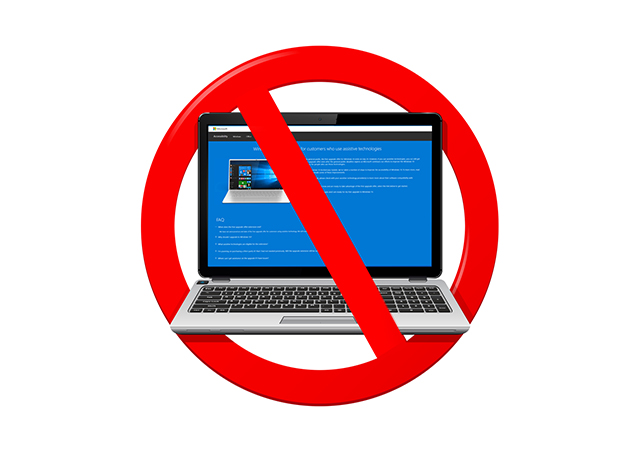
Free upgrades to Windows 10 officially came to an end on 29 July, but there are ways to continue upgrading without purchasing a license. The easiest method is to take advantage of a scheme that Microsoft has in place for users of assistive technologies.
As detailed here, Microsoft created a web page that allows users with accessibility needs to continue to upgrade to Windows 10 for free, but because it doesn’t require users to prove they use assistive technologies, anyone can take advantage of the free extension.

How to stop receiving Insider Preview builds after upgrading to Windows 10 Anniversary Update
Windows 10 users who are part of the Windows Insider program can choose to stop receiving new preview builds after installing the Anniversary Update. Microsoft is making it very easy to stick with stable releases going forward, either temporarily or for good, so, if you want to opt out, here is how you can do it and what it entails.
Microsoft is giving you a lot of leeway with regards to how you leverage the Windows Insider program. The devices that you have enrolled are treated separately, so you can switch to stable releases on a desktop, laptop or tablet and continue to receive Insider Preview builds on another.
Starbucks app comes to Windows 10 Mobile -- maybe Microsoft's platform isn't dead
Let's be honest, folks -- Windows 10 Mobile is not a popular phone operating system. Compared to Android and iOS, Microsoft's OS is largely insignificant. In fact, many people -- including my colleague Mihăiță Bamburic -- consider it a dead platform without a future.
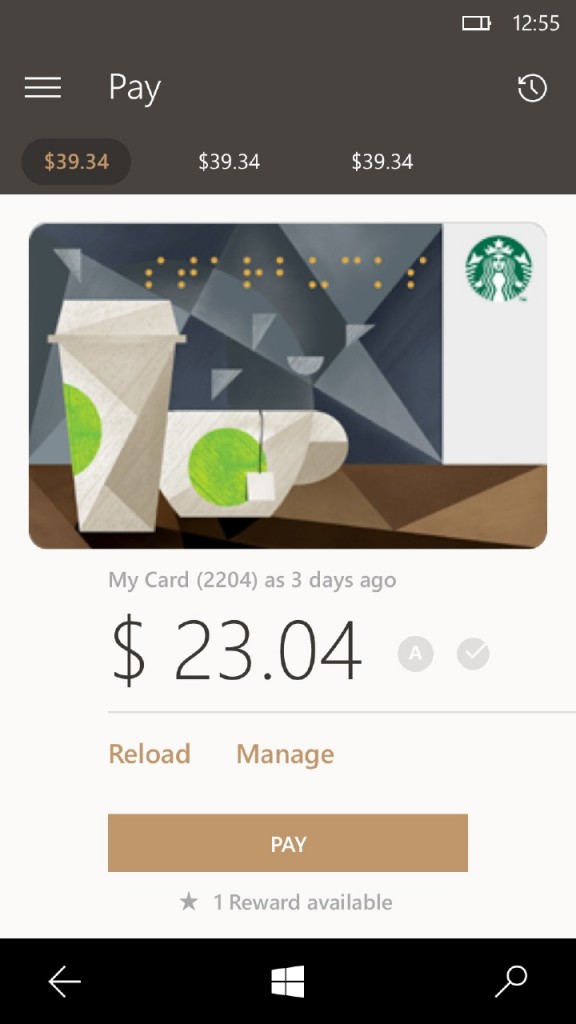
Today, however, Windows 10 Mobile gets a significant app, showing that maybe it isn't dead after all -- Starbucks. While you may not view it as a big deal, many people depend on the coffee chain's app to pay for drinks and find locations. The fact that Starbucks put resources towards the app should make Microsoft fans very happy.

How to create a bootable Windows 10 Anniversary Update USB drive
Microsoft has officially launched the much awaited Windows 10 Anniversary Update. The latest release brings lots of exciting new features and improvements that make the operating system much more powerful and refined. And, naturally, many of you will want to create a bootable USB drive to perform a clean install of Windows 10 Anniversary Update on your devices.
Creating a bootable Windows 10 Anniversary Update USB drive is very easy. All that you need is a USB drive, a Windows 10 Anniversary Update ISO, a Windows device, and a couple of minutes to spare.
Windows 10 Mobile Anniversary Update rollout starts August 9
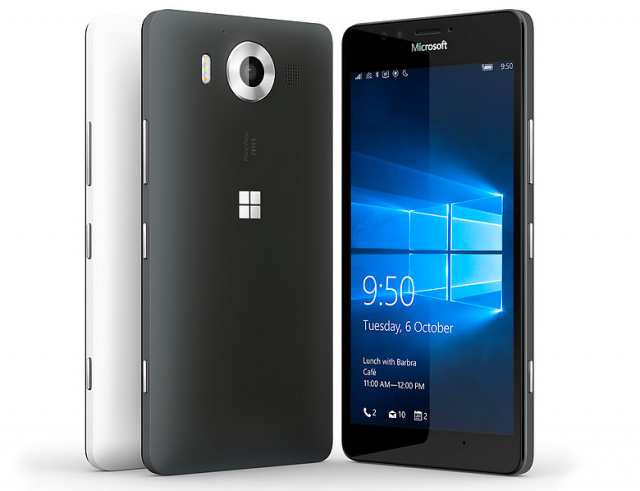
The same day that Windows 10 Anniversary Update started to roll out to computers around the world, the launch date for the Windows 10 Mobile version has been revealed.
The Lumia India team -- so an official Microsoft source -- said on Twitter that Windows 10 Mobile Anniversary Update will be available from August 9. This is just one week after the desktop launch, and it will give those with compatible handsets to take advantage of a raft of new features.

More than 60 percent of Windows users would switch to Mac for more privacy
Concerns over Windows 10 and the amount of data it collects via the Windows Store could prompt users to switch to Mac according to a new survey.
The study conducted by OnePoll on behalf of security and privacy advice and comparison website Comparitech.com finds that 61 percent of the US public who regularly use Windows would at least consider switching to Mac.
If you want to buy your own HoloLens augmented reality headset... you can!
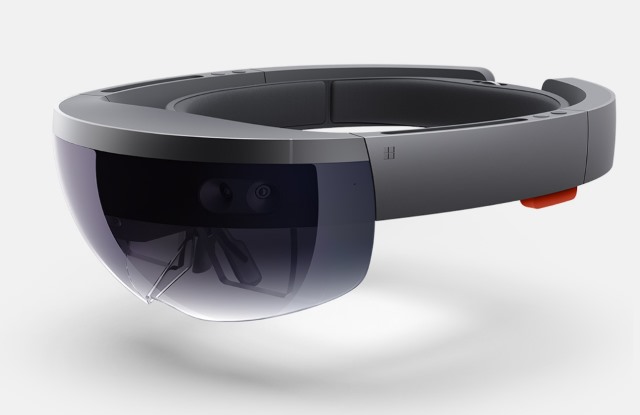
When Microsoft announced its entry into the world of augmented reality with HoloLens, there was a great deal of enthusiasm from the technology community. But while HoloLens is undeniably exciting, there was a problem -- it was only available to a very select few.
Now that changes. Anyone who has $3,000 to spare, and who lives in the US or Canada, can get their hands on a headset right now. It's the Microsoft HoloLens Developer Edition that's up for grabs, but you don’t (really) have to be a developer to buy one.

How to download Windows 10 Anniversary Update and create your own installation USB flash drive or DVD
Windows 10 Anniversary Update is slowly rolling out to all users but the process may take a while. You can hurry it along, by following the instructions here, or there's another even better way.
If you can’t wait to try the new features, the good news is Microsoft has updated its Media Creation tool to include the update and you can use this to download Windows 10 now and create your own installation media on either a USB flash drive or DVD. This is particularly handy if you want to perform a clean install, or update multiple computers in quick succession.

Can't wait for Windows 10 Anniversary Update? Here’s how to get it right now
As we’ve mentioned previously, the Windows 10 Anniversary Update for PCs is rolling out now, but it may take a while to reach your system.
If you’re the impatient sort who doesn’t want to wait (and who could blame you), the good news is you can hurry the upgrade along, and start installing it now.
How to install and manage extensions in Microsoft Edge
One of the biggest changes in the new Windows 10 Anniversary Update is the introduction of extension support in Edge.
Admittedly, this is something that should have been included in the browser from day one, not popping up a year later, but hey ho, it’s here now. There aren’t many extensions at the moment -- just an unlucky 13 -- but there are some very useful ones available.
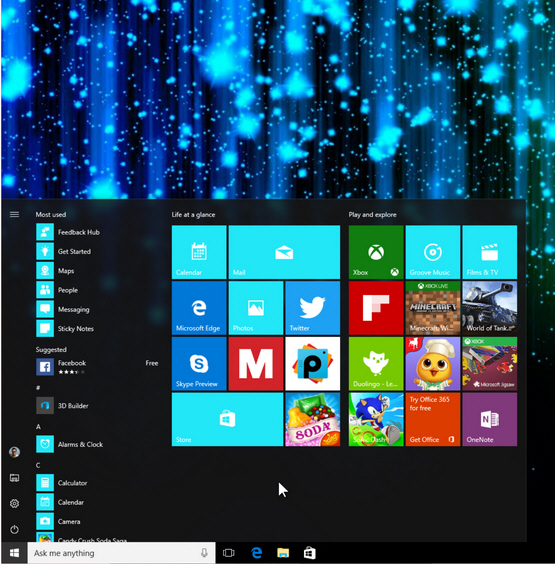
Get started with Windows 10 Anniversary Update's revamped Start menu
Windows 10 Anniversary Update is starting to roll out to users globally. There are lots of changes and improvements to the operating system but one of the biggest is to the Start menu.
If you had gripes about how Microsoft implemented it originally, the new version should go some way to appeasing you. If you liked the original approach, you'll likely be very happy with the changes. Here’s what’s new:

Windows 10 Anniversary Update rolling out today -- here's what's new
While it may take a while for the Anniversary Update to arrive on all Windows 10 systems, it is slowly rolling out to eager users across the globe, starting with "newer" devices first.
If you’re a Windows Insider, or have been following news of the various Insider Preview builds, you’ll know there’s a lot of new features and improvements in the update. These are the headline changes:
Adblock Plus arrives for Microsoft Edge in Windows 10
Today is the day that Windows 10 Anniversary Update rolls out to the masses, but this is not the only big Windows 10 news of the day. The version of Microsoft Edge included in the latest update features support for extensions -- and this means that millions of Windows 10 users can now take advantage of Adblock Plus.
Of course, this is not entirely new news. Windows Insiders have been able to use Adblock Plus for a little while now, but now that same option is available to anyone running the latest version of Microsoft's operating system.



